
Help Center

Getting Started
Trading
My Account
Mutual Funds
IPOs
Stock SIP
Gold
NPS
Government Securities
Fixed Deposits
Insurance
Loan
Smallcase
DartStock
Upstox API
NCD
US Stocks
What is TOTP and how to enable TOTP for my account from Upstox web platform?
A TOTP is a temporary one-time password by an authenticator app that regenerates every 30 seconds. By enabling TOTP, you can enhance the security of your login process.
To enable TOTP for your account, follow these steps:
Step 1: Login to account.upstox.com using your registered mobile number or scan the QR code.
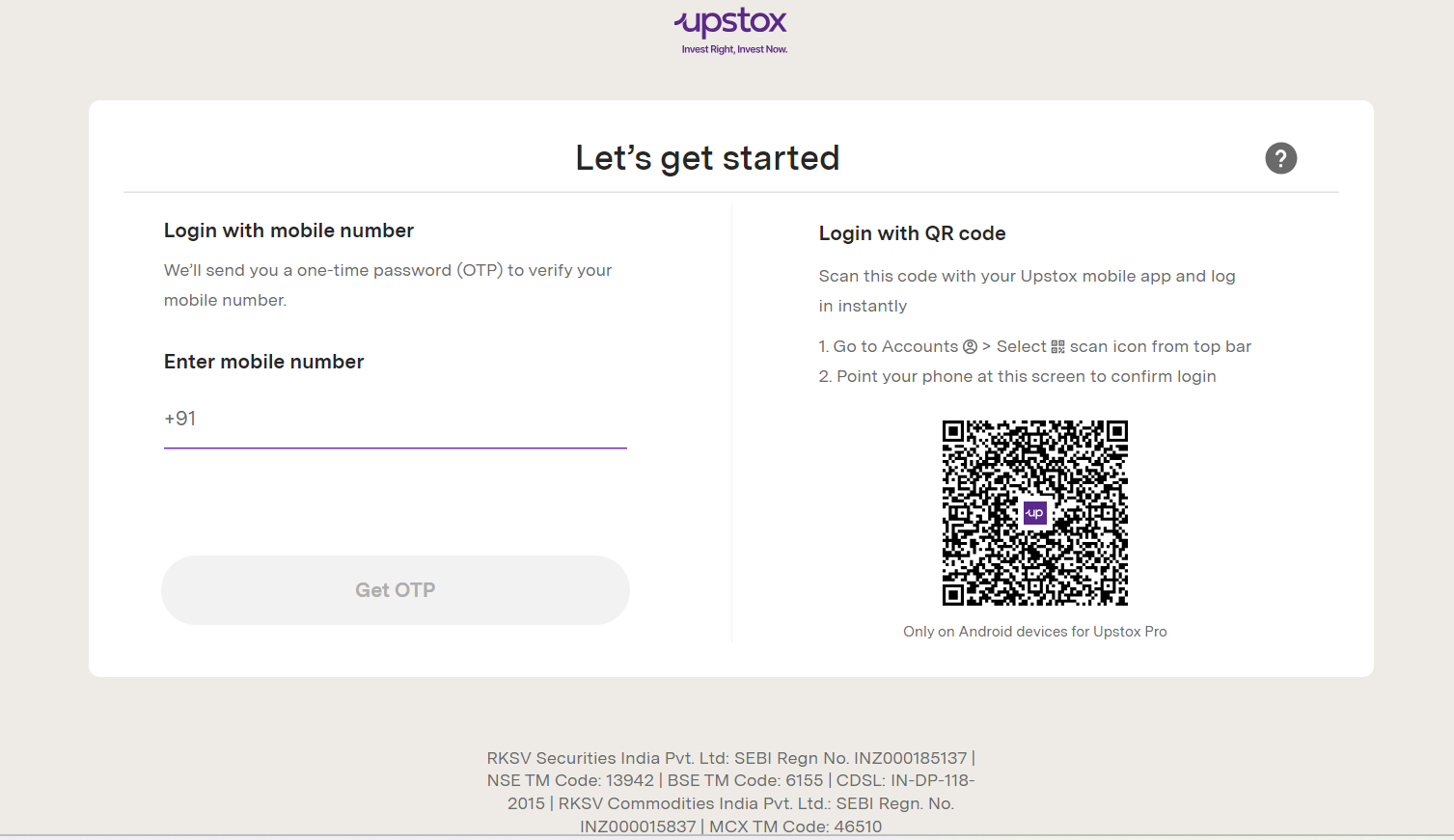
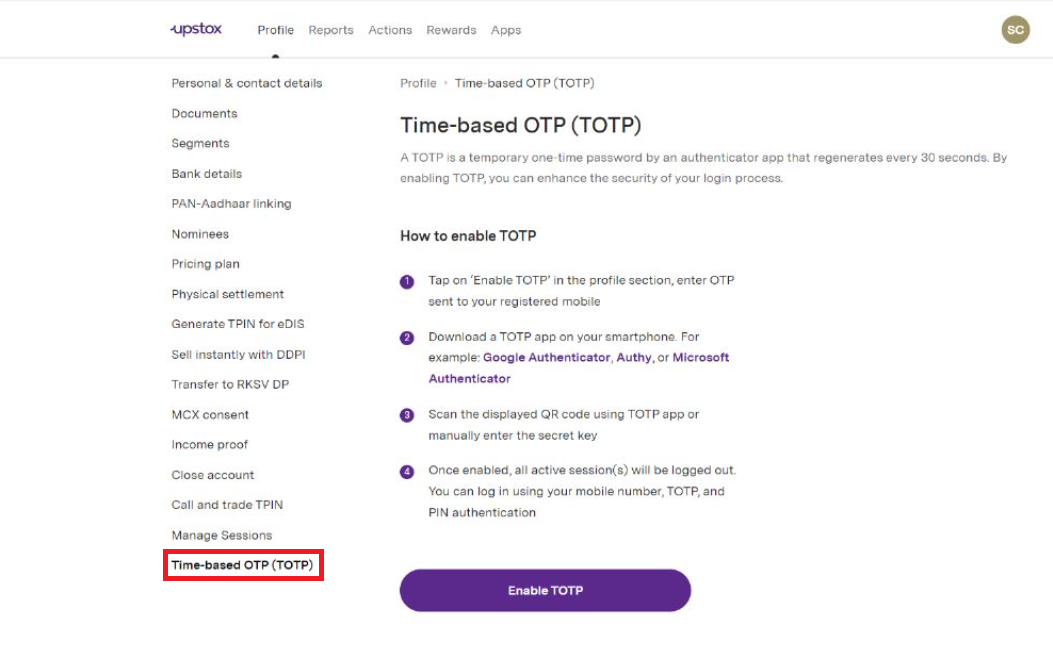
Step 2: Click on ‘Time-based OTP (TOTP)’.
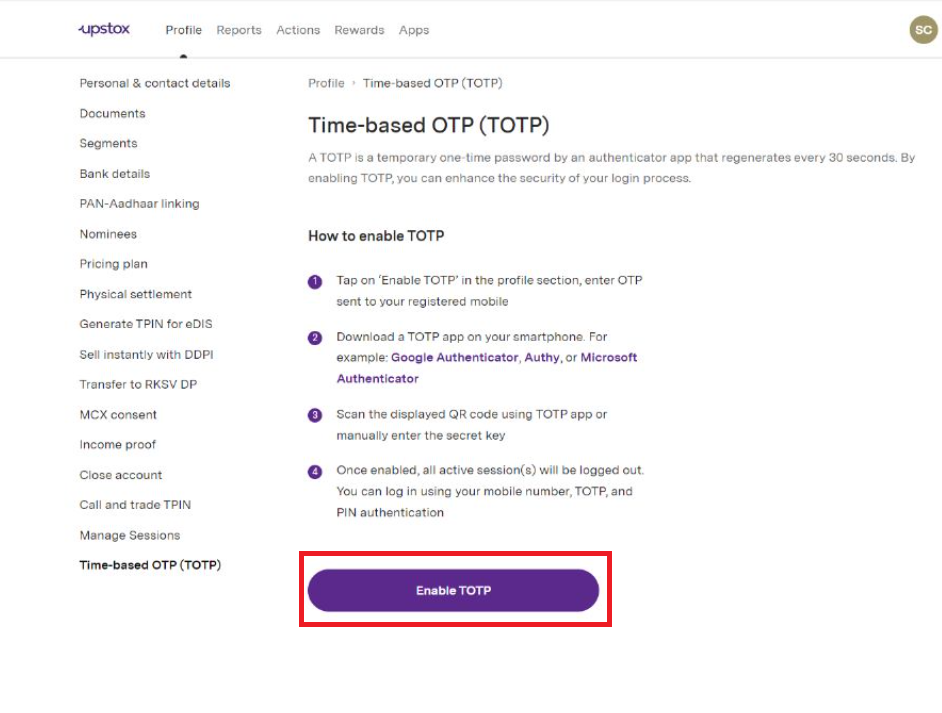
Step 3: Click on ‘Enable TOTP’.
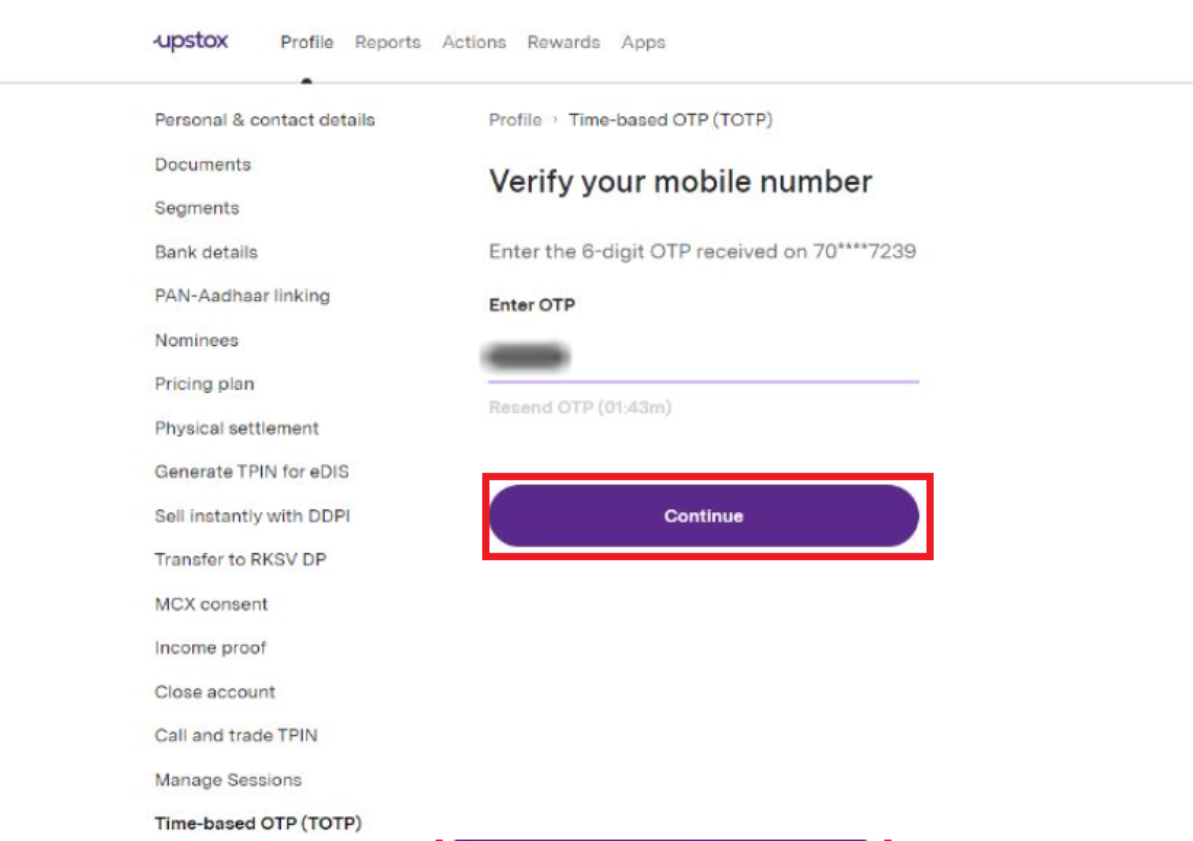
Step 4: Enter the 6-digit OTP received on your registered mobile number. Then click on 'Continue'.
Step 5: Scan QR code on your authenticator app. Also enter the generated 6-digit TOTP. Then click on 'Enable TOTP'.
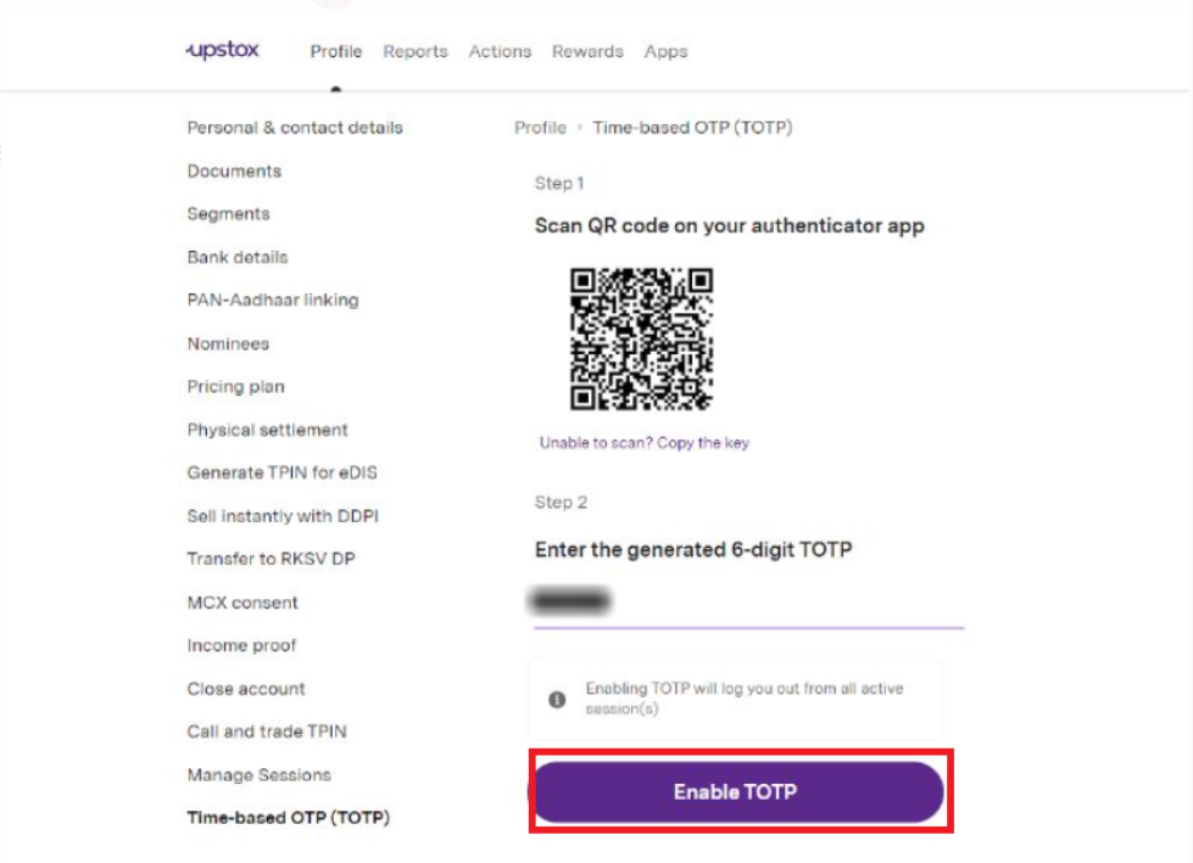
Note: You can download any app Google Authenticator, Twilio Authy Authenticator or Microsoft Authenticator to scan the above QR code.
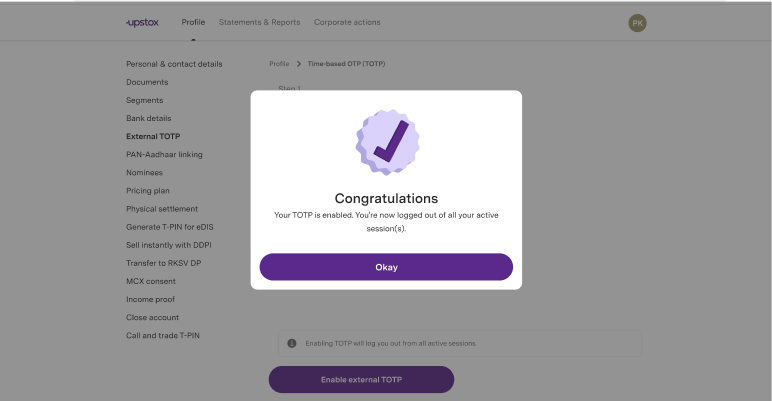
Step 6: Your TOTP is enabled successfully.
Related Articles:
Trade with Upstox
Want to open a Demat account?
Open a FREE Demat and Trading account to invest in Stocks, Mutual Funds, IPOs and more.
By signing up you agree to receive transaction updates on Whatsapp. You may also receive a call from an Upstox representative to help you with the account opening process.
Upstox Community
Upstox Community
| Topic | Replies | Views | Activity |
|---|