
Help Center

Getting Started
Trading
My Account
Mutual Funds
IPOs
Stock SIP
Gold
NPS
Government Securities
Fixed Deposits
Insurance
Loan
Smallcase
DartStock
Upstox API
NCD
US Stocks
How can I make a one-time investment in mutual funds?
Note: We have discontinued the 'Regular' plan and only the 'Direct' plan is now available for investing.
To place a Mutual Funds order, follow these steps:
Step 1: Log in to the Upstox app and access the Mutual Fund section directly from the Home screen.
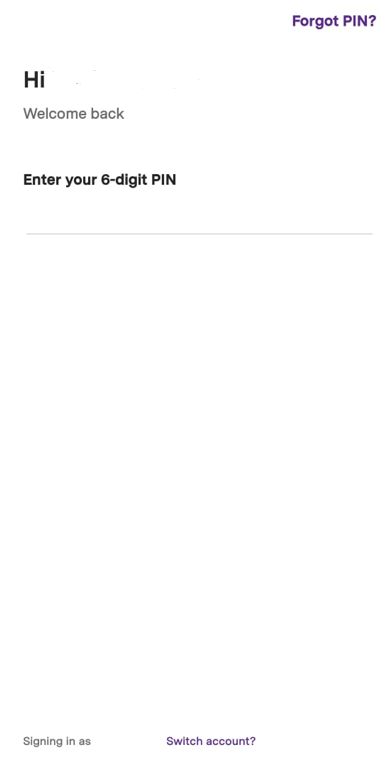
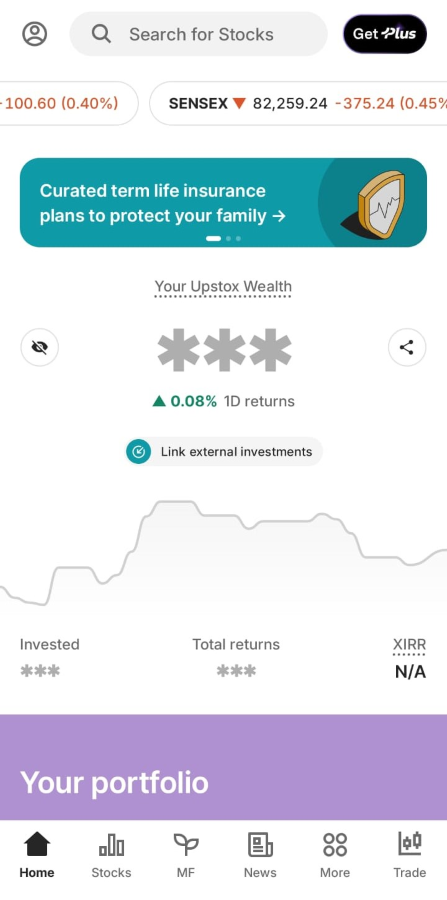
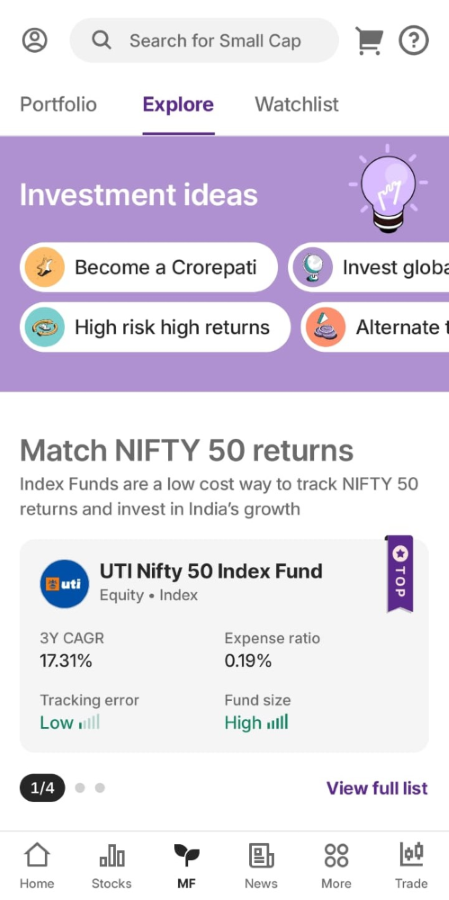
Step 2: Upon selecting 'Explore', various smartlists will be visible for you to explore and choose the fund.
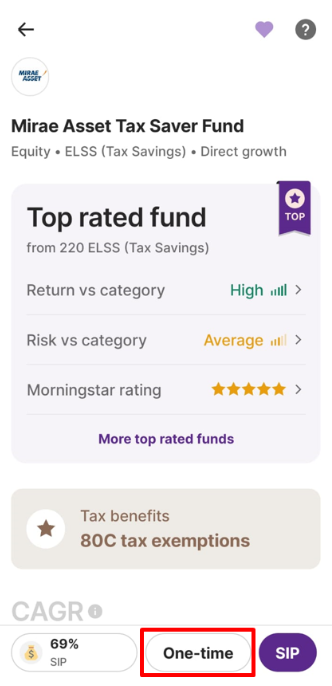
Step 3: Now click on 'One-time'.
Step 4: Enter the amount and click on continue.
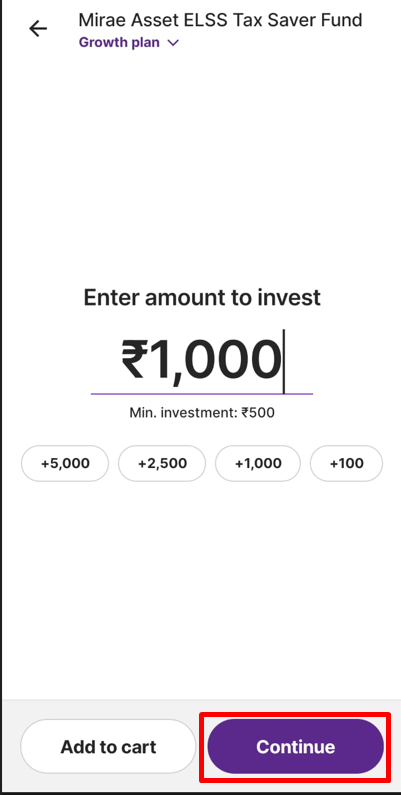
Step 5: You have the option to choose Net banking/UPI as the payment method to finalize the payment.
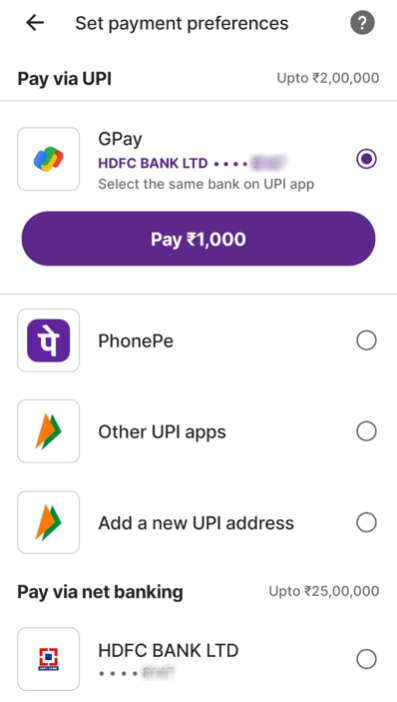
Step 6: In case of Net banking, the registered bank page will appear to complete your payment for a one-time investment.
Step 7: After completing the payment through Net banking/UPI, a one-time order will be successfully executed. The funds will be deducted from your registered bank account and not from the Upstox account.
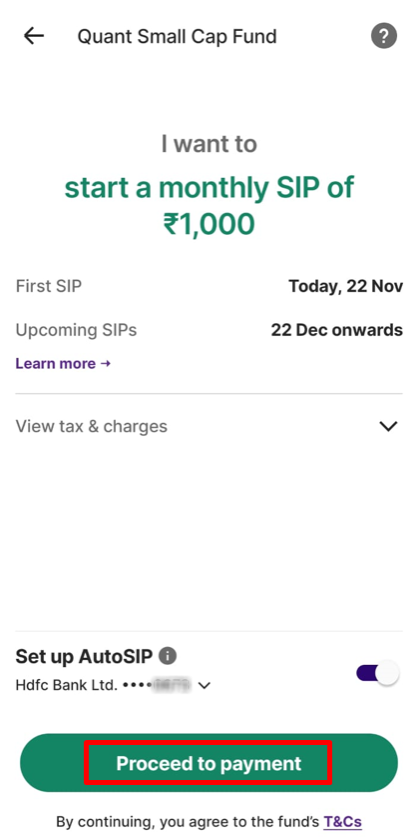
Step 8: Review your one-time order details before proceeding, once confirmed click on 'Proceed to payment’. You can also check stamp duty charges under 'View tax & charges.'

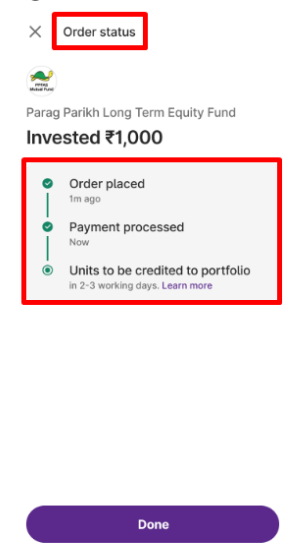
Step 9: Additionally, you can view the details of your one-time investment payment order as outlined below. Usually, the units will be credited within 2-3 working days.
Note: In some funds, one time investments may not be possible.
Once your MF order (One-time/SIP) is placed and here's how you can know about the settlement TAT.
Related Articles:
Trade with Upstox
Want to open a Demat account?
Open a FREE Demat and Trading account to invest in Stocks, Mutual Funds, IPOs and more.
By signing up you agree to receive transaction updates on Whatsapp. You may also receive a call from an Upstox representative to help you with the account opening process.
Upstox Community
Upstox Community
| Topic | Replies | Views | Activity |
|---|