
Help Center

Getting Started
Trading
My Account
Mutual Funds
IPOs
Stock SIP
Gold
NPS
Government Securities
Fixed Deposits
Insurance
Loan
Smallcase
DartStock
Upstox API
NCD
US Stocks
What should I do if I want to redeem my MF investment by selecting the sell by amount/units option?
Sell by amount:
Step 1: After selecting the fund you want to redeem/sell, switch to the 'Amount' option and choose from the provided preset amounts. Additionally, you can check the units 'Available to sell.'
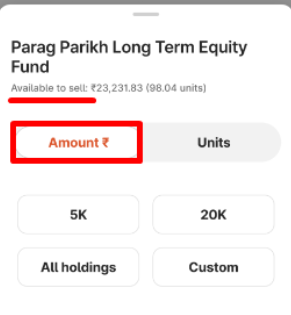
Step 2: Once you select the amount click on ‘Continue’.
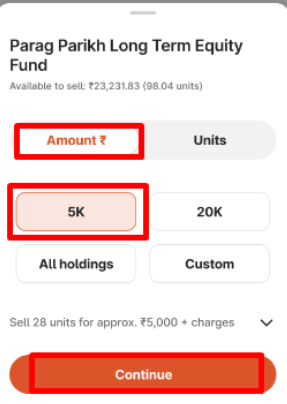
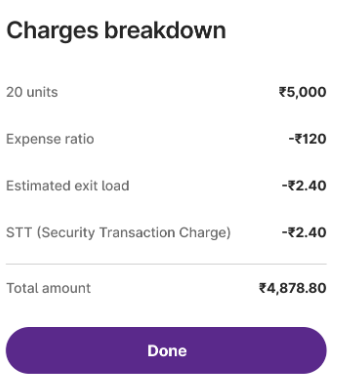
Step 3: Select the dropdown icon to review the charges associated with selling your units, then proceed by clicking 'Continue.'
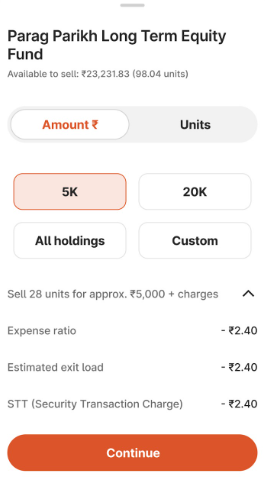
Note:The units owned should not be less than minimum units that can be sold.
Sell by amount - custom
Step 1: You can select the custom option to modify the amount.
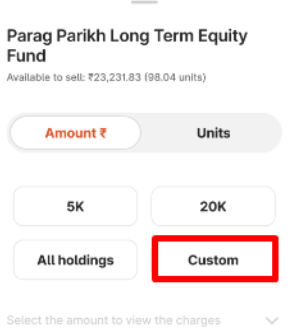
Step 2: Enter the amount which should not exceed your available to sell amount.
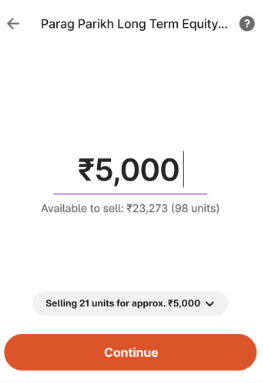
Step 3: Click the dropdown icon to see a breakdown of the charges.
Sell by units:
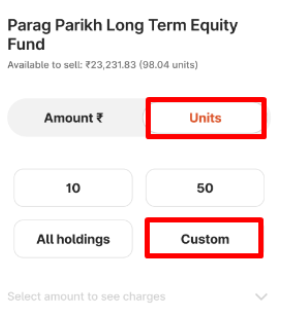
Step 1: Click on ‘Units’ and select from the given options below, then ‘Continue’.
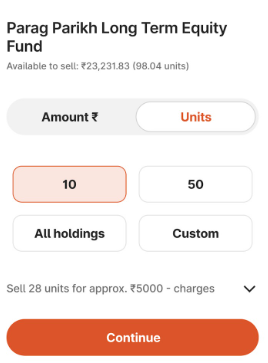
Step 2: You can access the charges by clicking on the dropdown icon.
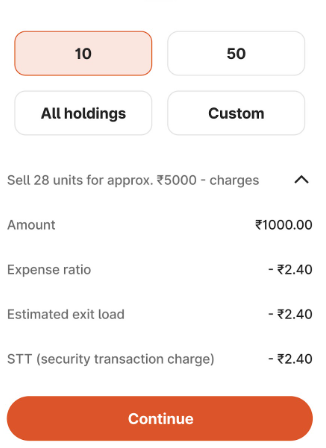
Sell by units - custom
Step 1: Click on ‘Custom’ and continue.
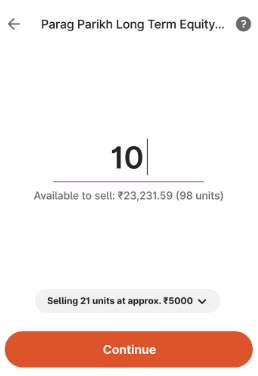
Step 2: Enter the units you wish to sell and click on continue. Ensure that you enter the units available for sell.
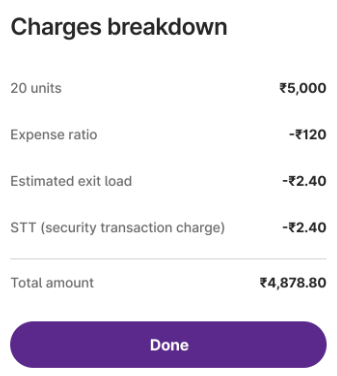
Step 3: You can also check the charges by clicking the dropdown icon.
Related Articles:
Trade with Upstox
Want to open a Demat account?
Open a FREE Demat and Trading account to invest in Stocks, Mutual Funds, IPOs and more.
By signing up you agree to receive transaction updates on Whatsapp. You may also receive a call from an Upstox representative to help you with the account opening process.
Upstox Community
Upstox Community
| Topic | Replies | Views | Activity |
|---|