
Help Center

Getting Started
Trading
My Account
Mutual Funds
IPOs
Stock SIP
Gold
NPS
Government Securities
Fixed Deposits
Insurance
Loan
Smallcase
DartStock
Upstox API
NCD
US Stocks
How to create P&L alerts for active positions in trading?
Step 1: Navigate to the ‘Position’ tab from the ‘Portfolio’ section.
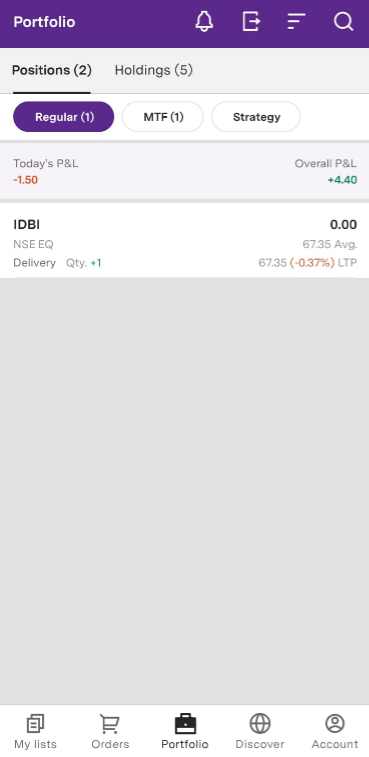
Step 2: Choose a Category and select scrips within the same category to create an alert. Then, click on ‘Create alert’.
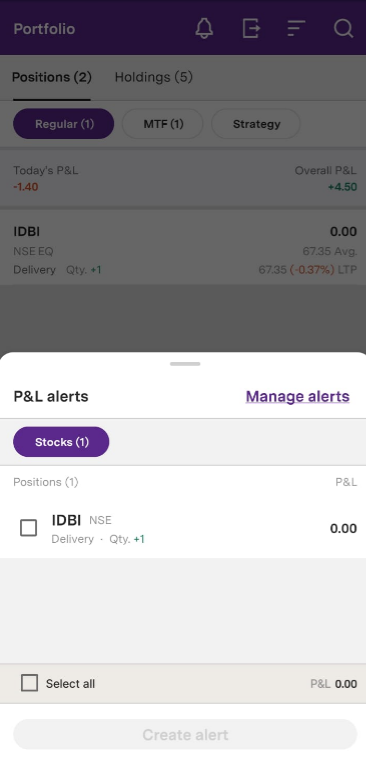
Step 3: You have the flexibility to name the alert.
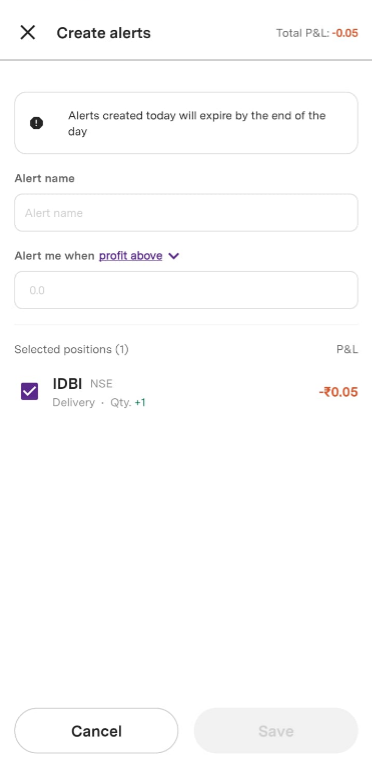
Step 4: Enter the alert name, select any one of these conditions - [Profit above, Profit below, Loss above, Loss below) and enter the price.
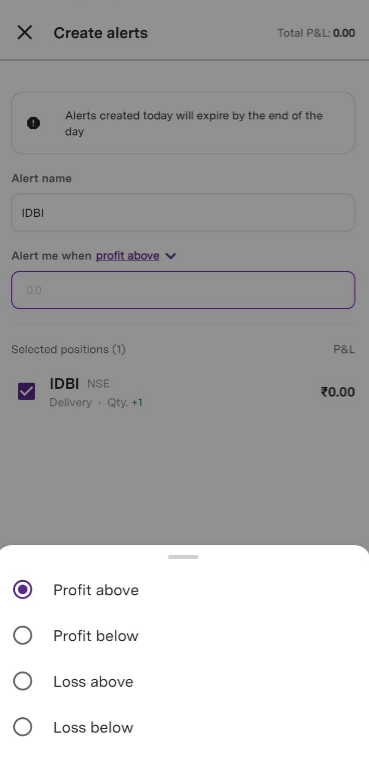
Step 5: Click 'Save' to save your alert.
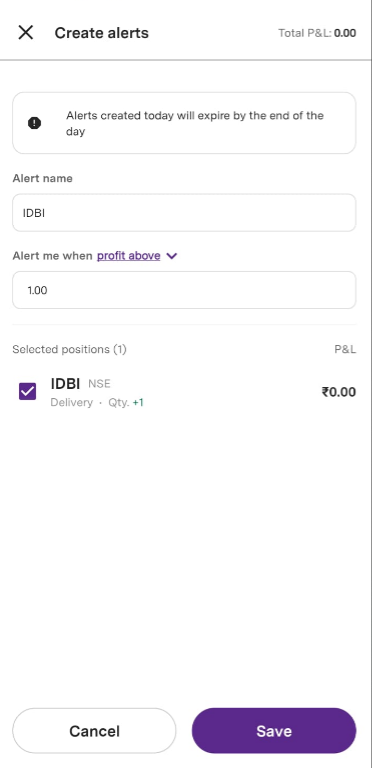
Note: You can create a maximum of 20 alerts and each one will expire by the end of the day.
Trade with Upstox
Want to open a Demat account?
Open a FREE Demat and Trading account to invest in Stocks, Mutual Funds, IPOs and more.
By signing up you agree to receive transaction updates on Whatsapp. You may also receive a call from an Upstox representative to help you with the account opening process.
Upstox Community
Upstox Community
| Topic | Replies | Views | Activity |
|---|