
Help Center

Getting Started
Trading
My Account
Mutual Funds
IPOs
Stock SIP
Gold
NPS
Government Securities
Fixed Deposits
Insurance
Loan
Smallcase
DartStock
Upstox API
NCD
US Stocks
How to remove a bank account linked with Upstox for tracking bank account balances from Upstox Investors mode?
If you wish to unlink a bank account currently linked with Upstox for tracking bank account balances, you can do so through Onemoney, an RBI-licensed Account Aggregator (AA). Follow these steps:
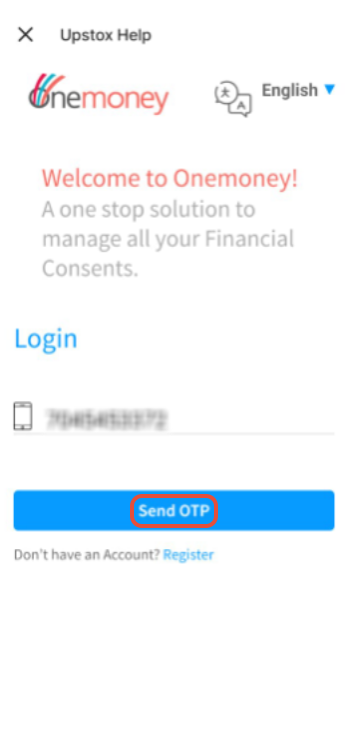
Step 1: Enter your mobile number linked to your bank which you want to delink and click on 'Send OTP'.
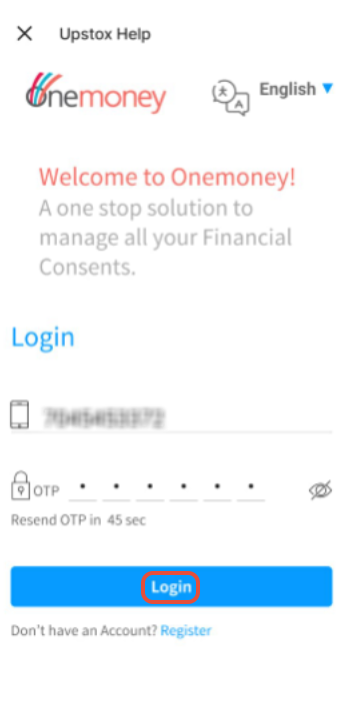
Step 2: Enter the OTP received on your registered mobile number and click on 'Login'.
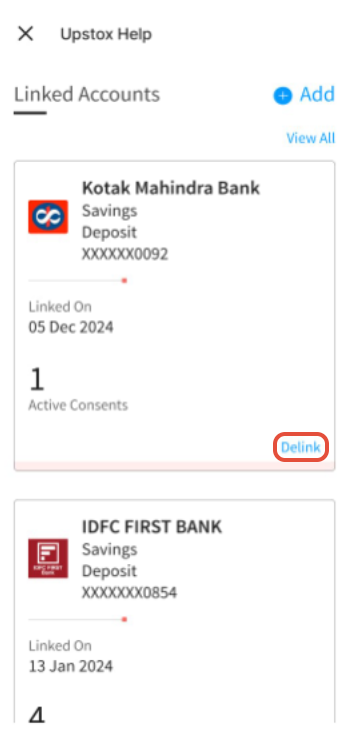
Step 3: Scroll down and click on 'Delink' on which bank you wish to delink.
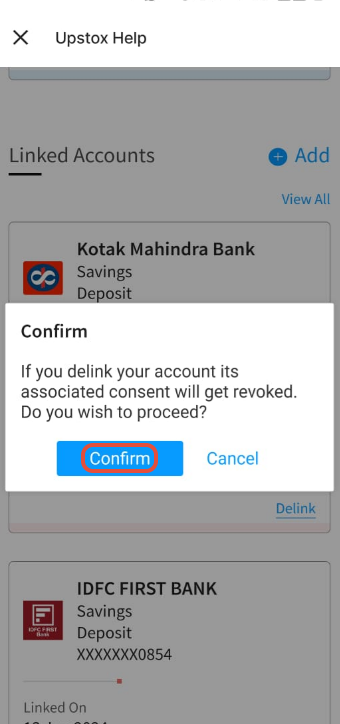
Step 4: Click on 'Confirm'.
Step 5: Enter the OTP received on your registered mobile number and click on 'Confirm'.
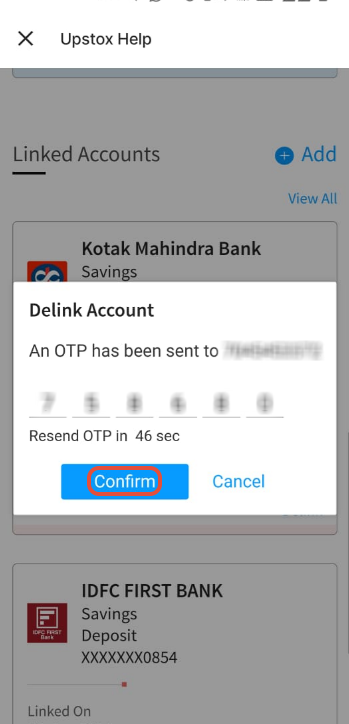
That’s it, your account will be delinked within 15 minutes.
Note: We won't fetch your bank details from the moment you requested delinking. However, you will continue to see the older bank balance.
Trade with Upstox
Want to open a Demat account?
Open a FREE Demat and Trading account to invest in Stocks, Mutual Funds, IPOs and more.
By signing up you agree to receive transaction updates on Whatsapp. You may also receive a call from an Upstox representative to help you with the account opening process.
Upstox Community
Upstox Community
| Topic | Replies | Views | Activity |
|---|