
Help Center

Getting Started
Trading
My Account
Mutual Funds
IPOs
Stock SIP
Gold
NPS
Government Securities
Fixed Deposits
Insurance
Loan
Smallcase
DartStock
Upstox API
NCD
US Stocks
How can I download my Mutual Funds account statement?
Mutual funds account statement gives you a summary of your current portfolio, list of funds you have invested in, and current P&L over it. It also has a history of all the previously completed orders for the current financial year.
Click the link to access the Upstox Mutual Funds portal - https://upstox.com/mutual-funds
Follow the simple steps below to download mutual funds account statement:
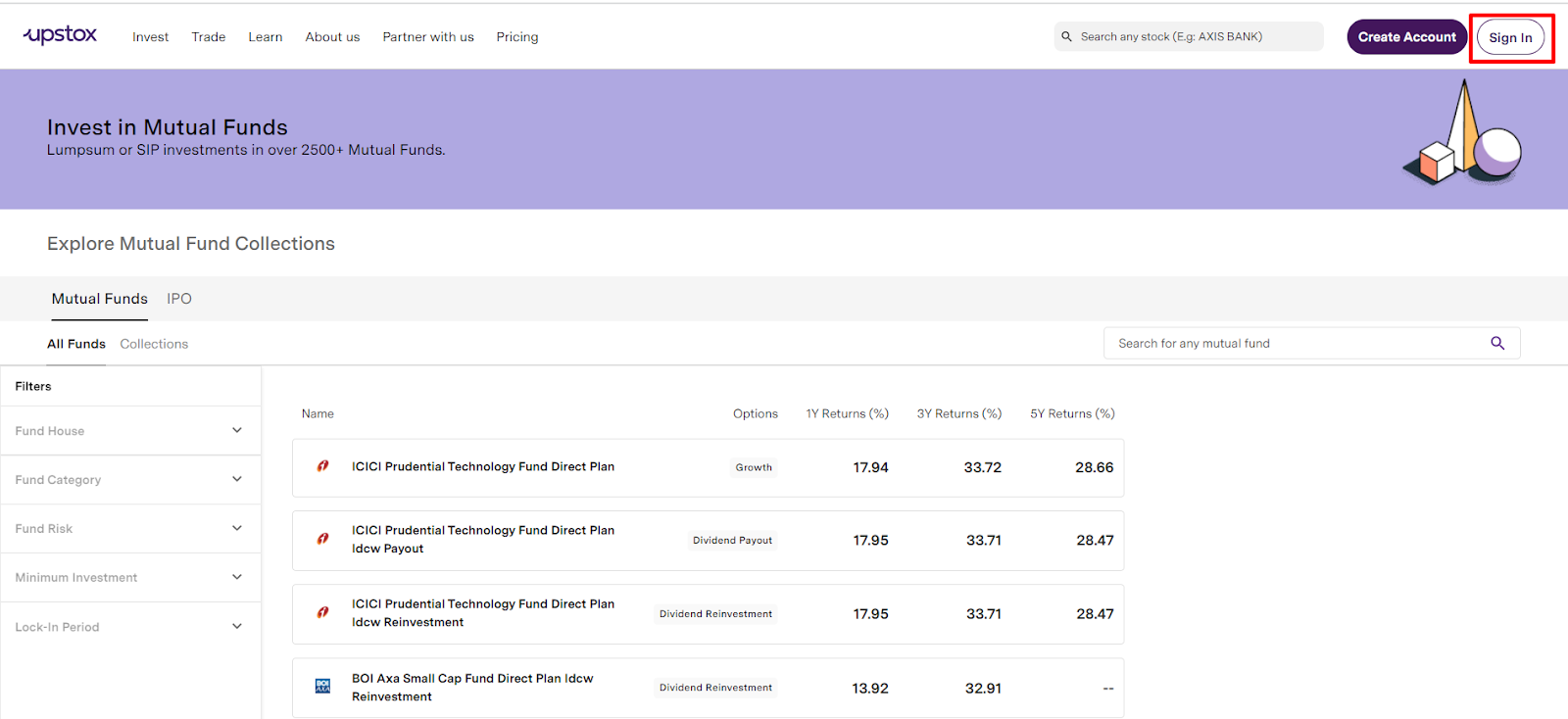
Step 1: Click on the ‘Sign in’ tab on the top right side of the screen.
Step 2: Use the same login credentials as that of the Upstox trading platform.
- Enter registered mobile number with Upstox and click on ‘Get OTP’
- Enter the 6-digit OTP received on registered mobile number and email id. Click on ‘Continue’.
- Enter the 6-digit PIN and then click on ‘Continue’.
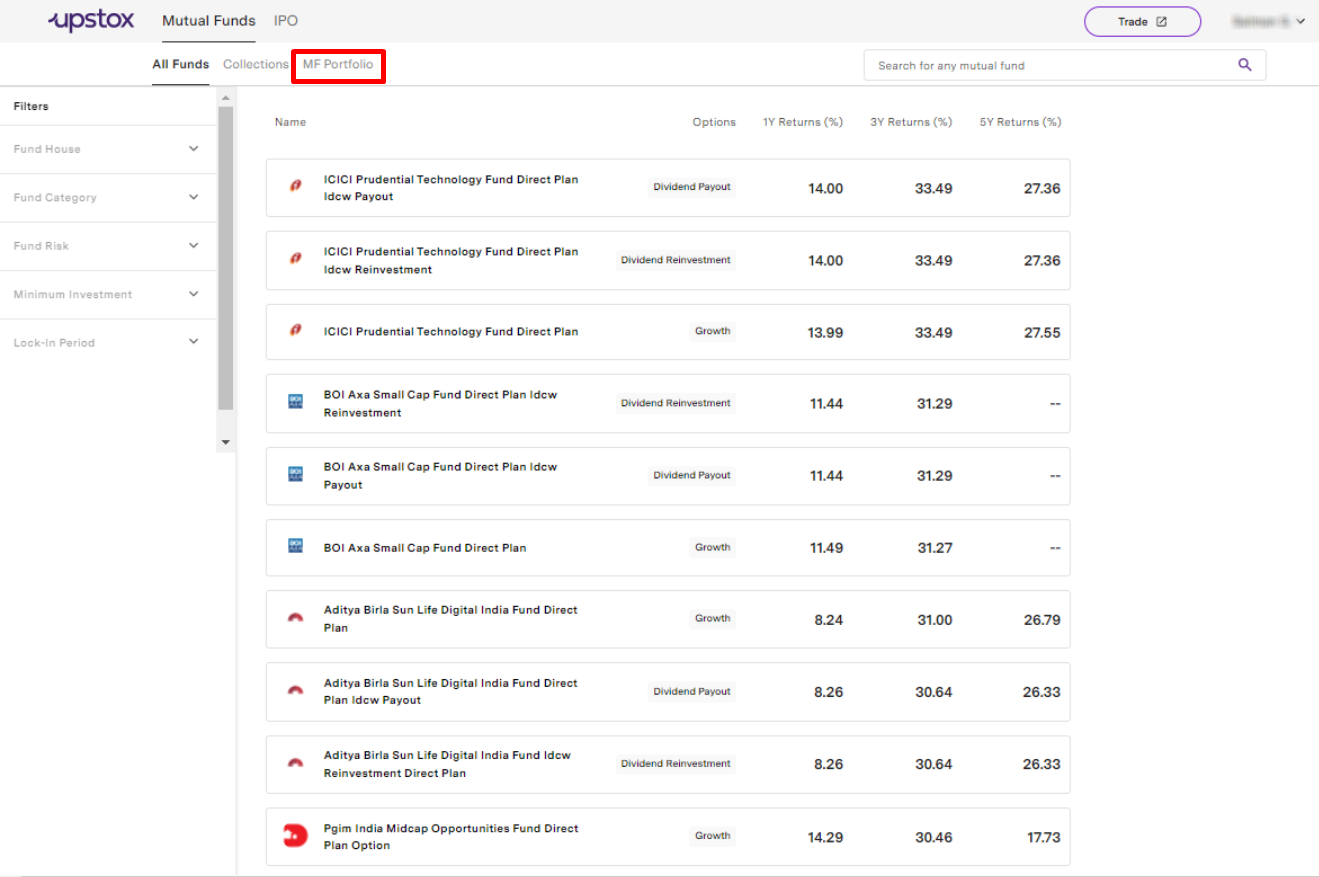
Step 3: Click on the ‘MF Portfolio’ on the top left side of the screen.
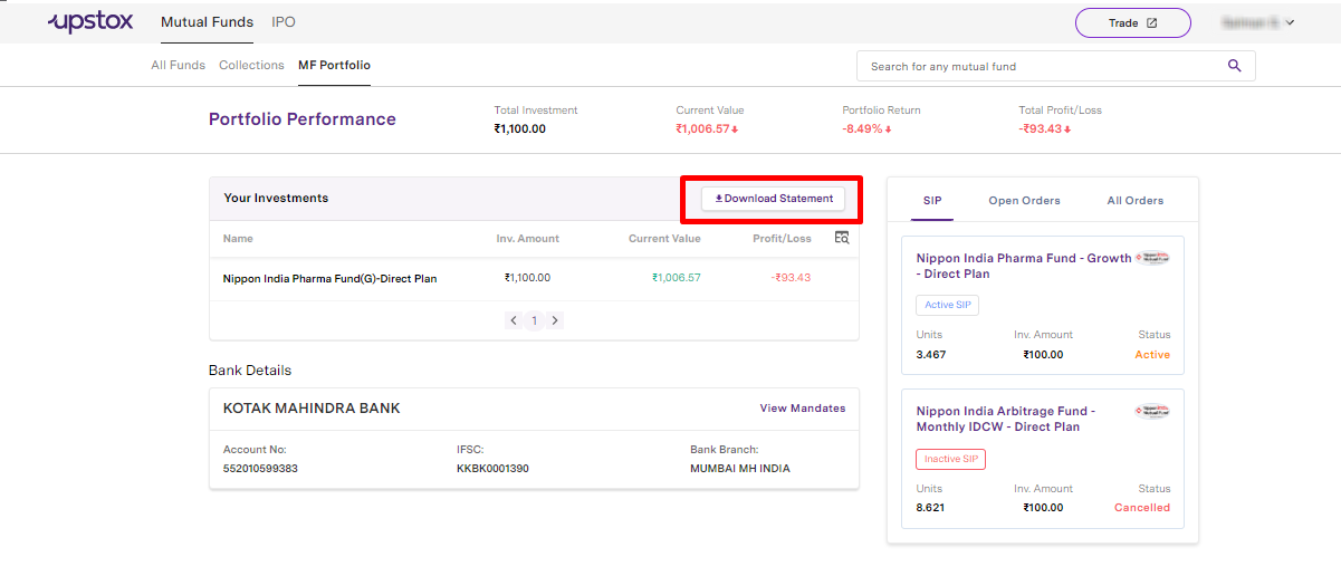
Step 4: Click on ‘Download Statement’.
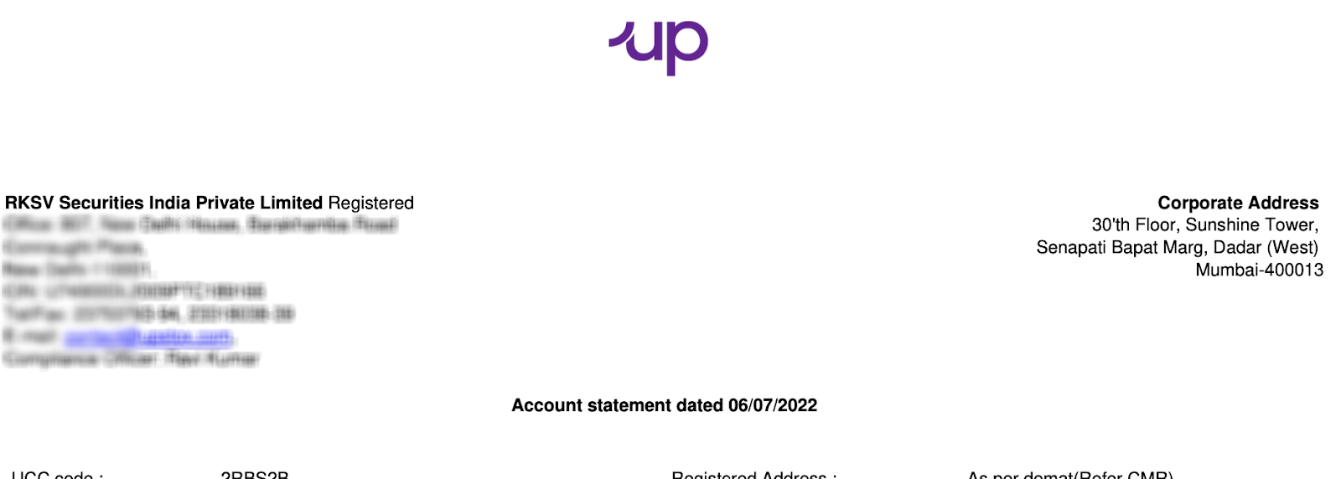
Step 5: Your mutual funds statement will now be downloaded on your device.
Related Articles:
Trade with Upstox
Want to open a Demat account?
Open a FREE Demat and Trading account to invest in Stocks, Mutual Funds, IPOs and more.
By signing up you agree to receive transaction updates on Whatsapp. You may also receive a call from an Upstox representative to help you with the account opening process.
Upstox Community
Upstox Community
| Topic | Replies | Views | Activity |
|---|