
Help Center

Getting Started
Trading
My Account
Mutual Funds
IPOs
Stock SIP
Gold
NPS
Government Securities
Fixed Deposits
Insurance
Loan
Smallcase
DartStock
Upstox API
NCD
US Stocks
How to buy a MTF position?
Once MTF is activated, buying Stocks using MTF is easy. Just follow these steps:
Step 1: Log into your Upstox account.
Step 2: Navigate to My lists and select any MTF scrip mentioned there.
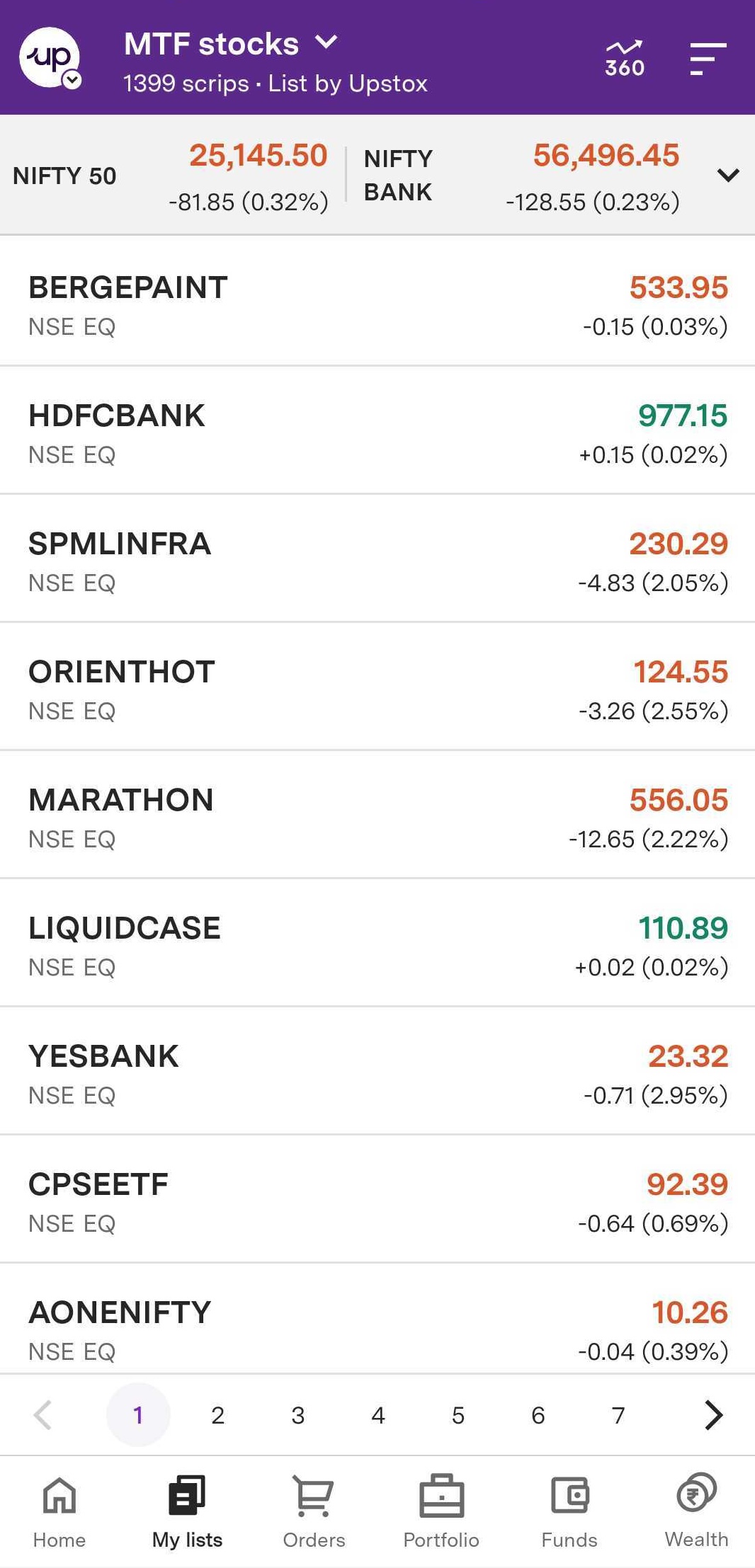
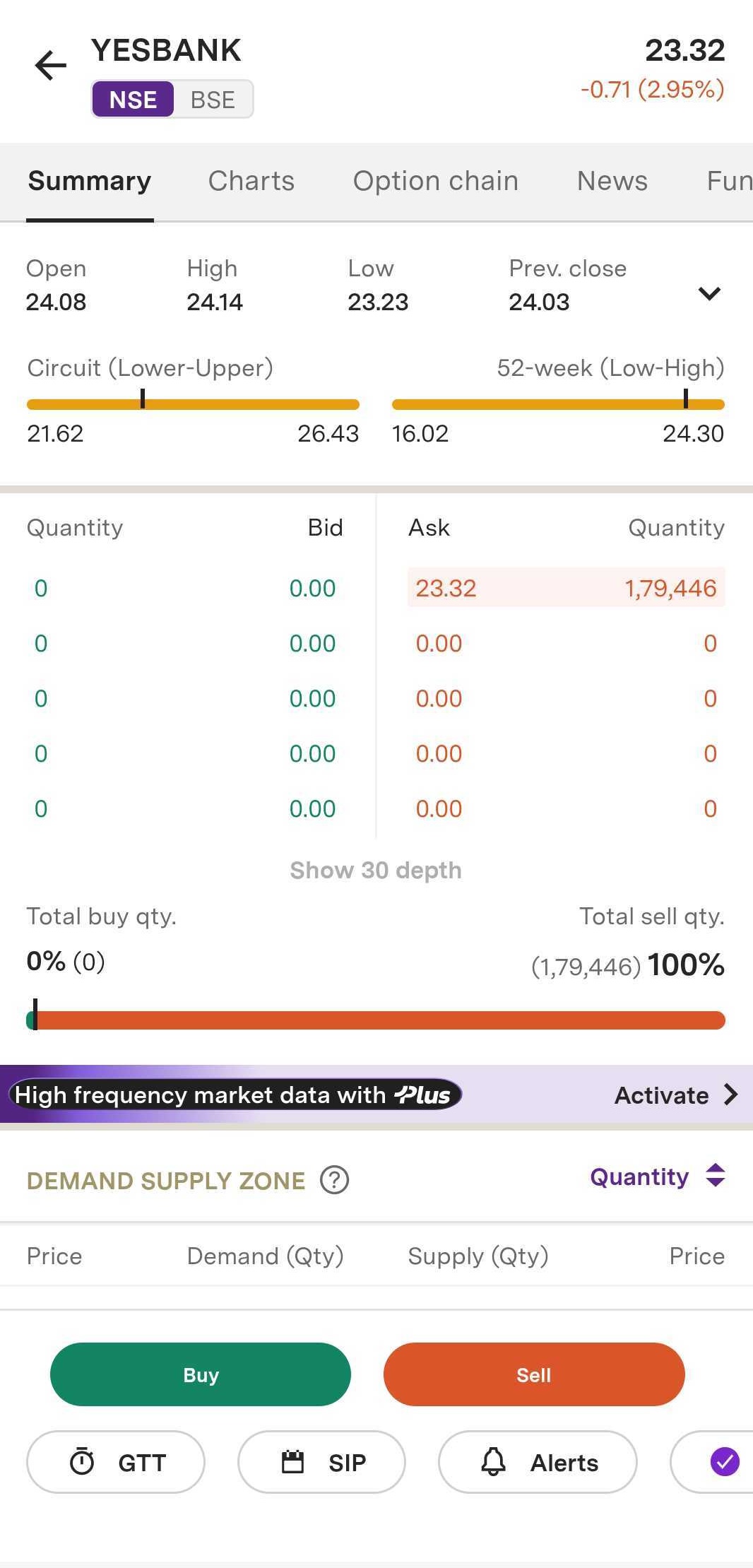
Step 3: Click on the Buy button and Choose ‘Delivery’ as the product type.
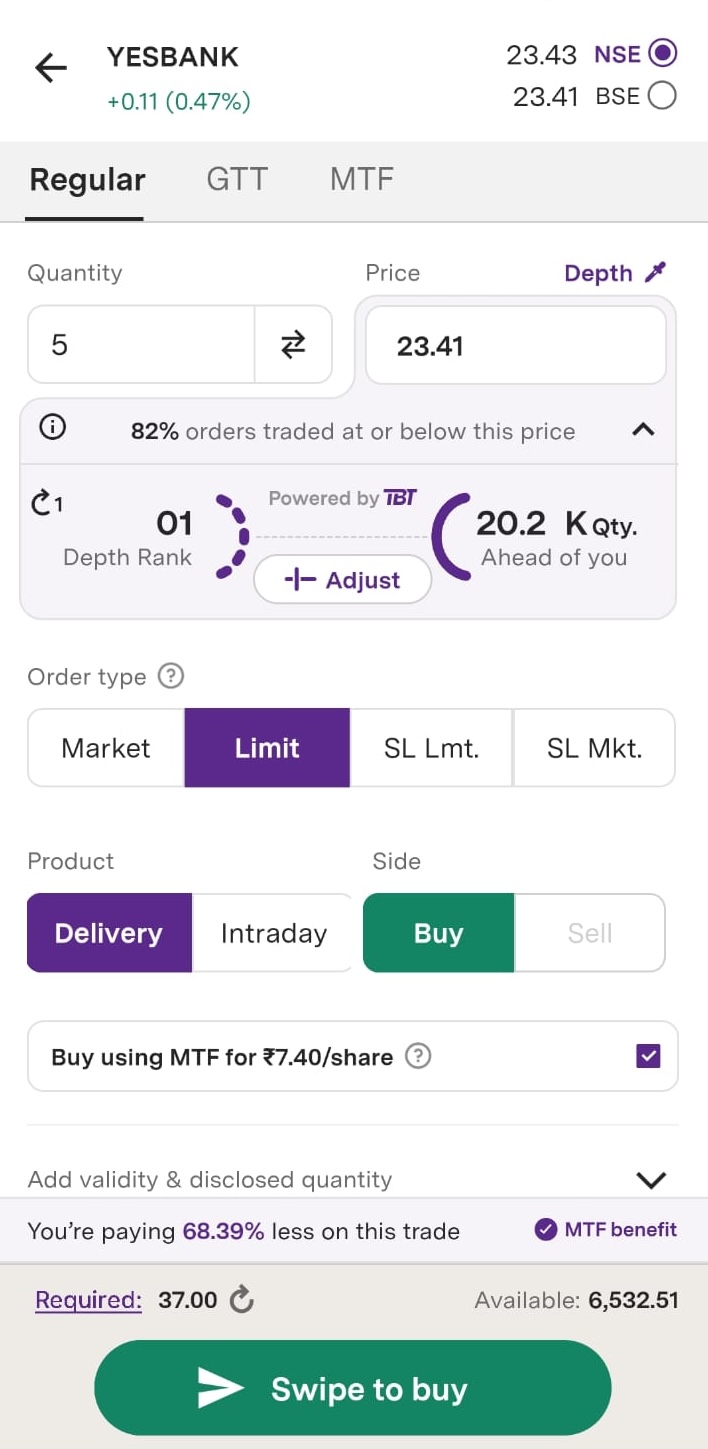
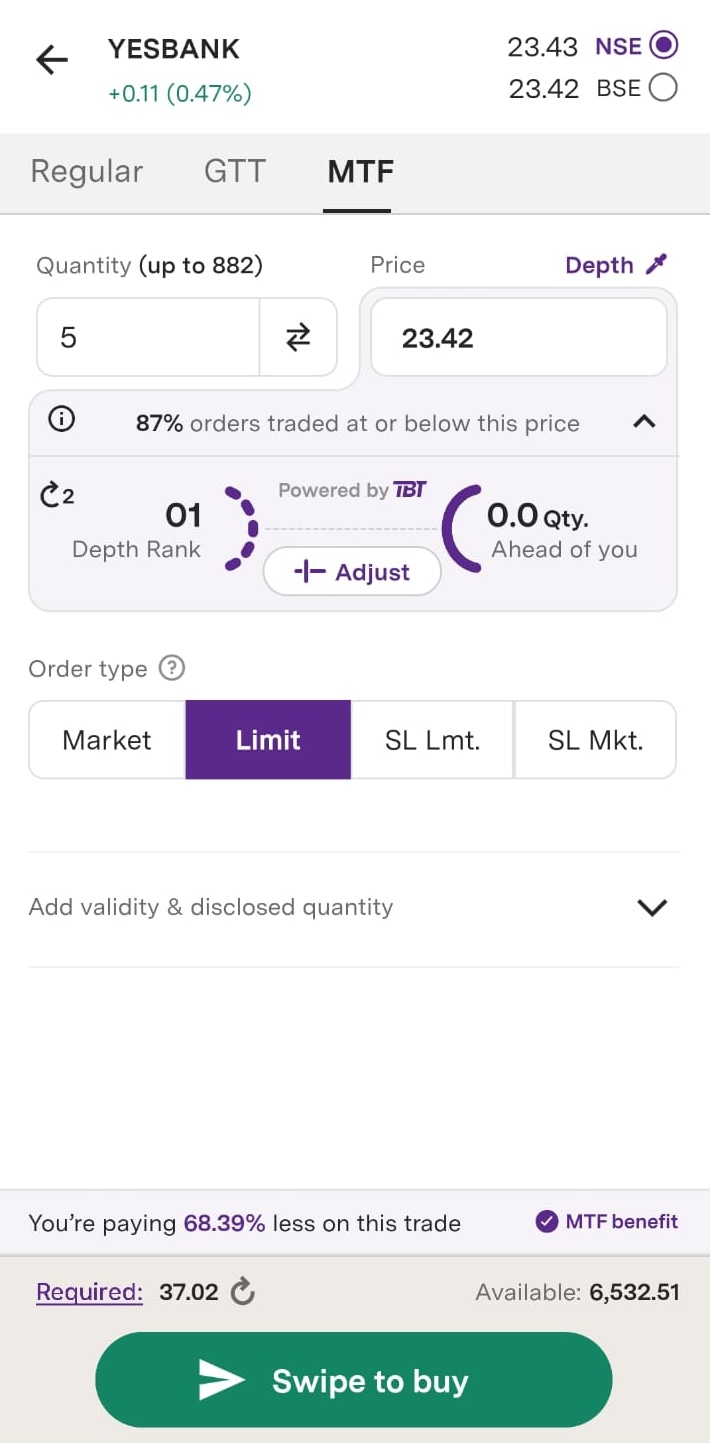
Step 4: You can view the ‘Buy using MTF for XXX/share via MTF’ checkbox under the ‘Regular’ order or you can go to the ‘MTF’ tab, enter the order details, and then Swipe to buy’.
Step 5: You can review your MTF order by navigating to Portfolio → Positions → MTF tab.
Note: MTF is only available for equity delivery orders.
Terms & Conditions Apply:
RIGHTS & OBLIGATIONS OF STOCK BROKERS & CLIENTS FOR MARGIN TRADING FACILITY (MTF) - NSE & BSE
Trade with Upstox
Want to open a Demat account?
Open a FREE Demat and Trading account to invest in Stocks, Mutual Funds, IPOs and more.
By signing up you agree to receive transaction updates on Whatsapp. You may also receive a call from an Upstox representative to help you with the account opening process.
Upstox Community
Upstox Community
| Topic | Replies | Views | Activity |
|---|