
Help Center

Getting Started
Trading
My Account
Mutual Funds
IPOs
Stock SIP
Gold
NPS
Government Securities
Fixed Deposits
Insurance
Loan
Smallcase
DartStock
Upstox API
NCD
US Stocks
How to access and download margin reports?
What is a margin report?
A margin report tells you how much margin is currently blocked from your overall available balance against any open positions. It contains important fields such as Mark-to-Market (MTM) margin, the total margin available, and any margin excess/ shortfall. After the billing is completed, you will get a margin report on your registered email ID. This is a compliance report in the format prescribed by SEBI.
To access and download your margin report:
Step 1: Log in to the Upstox app using your 6-digit PIN or biometrics.
Step 2: Click on the 'Upstox icon'.
Step 3: Select 'My account' and then 'Reports'
Step 4: Under ‘Reports’, select ‘Miscellaneous reports'.
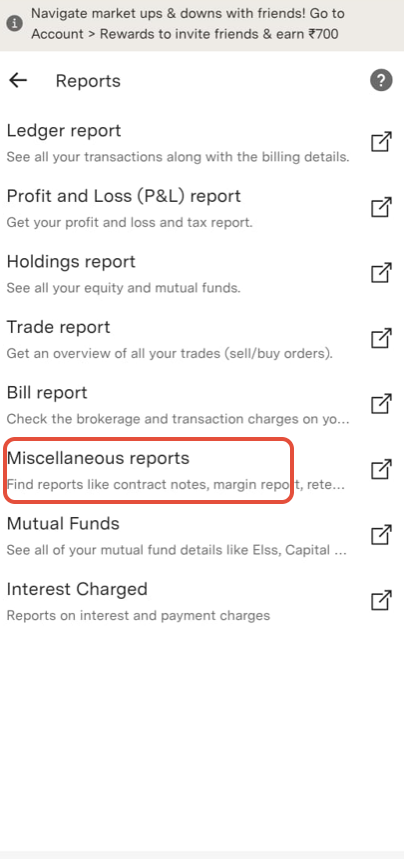
Step 5: Click on Filters.
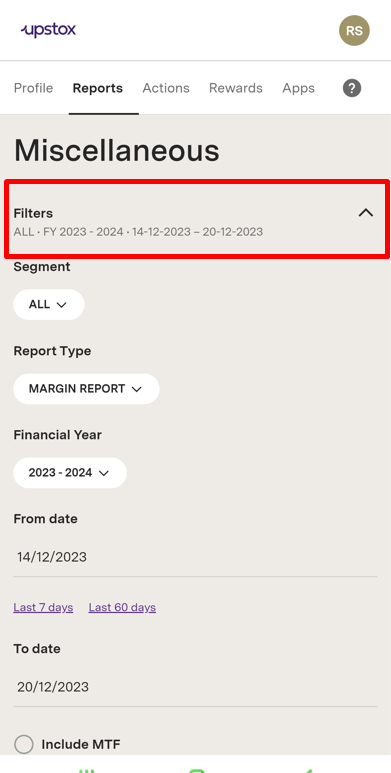
Step 6: Select the Segment, Report type , financial year, and From date.
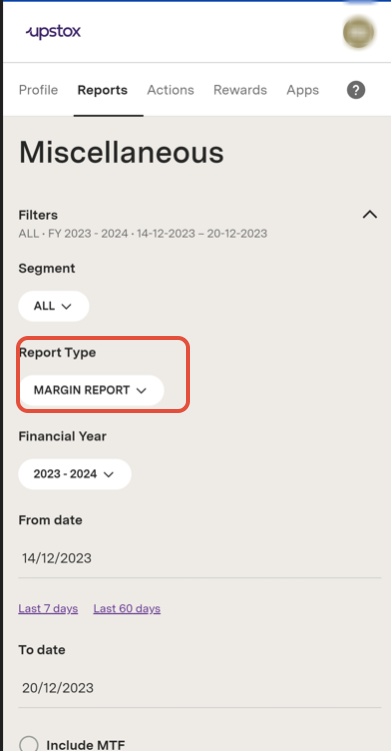
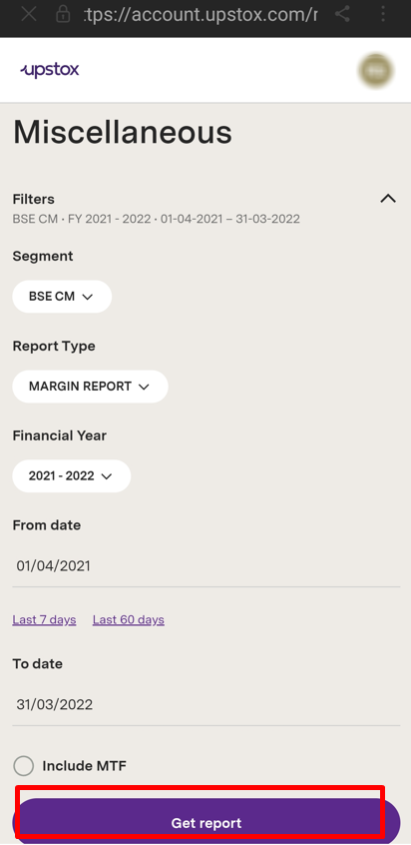
Step 7: Click on ‘Report Type’ to select the ’MARGIN REPORT'.
Step 8: After this, click ‘Get report'
Trade with Upstox
Want to open a Demat account?
Open a FREE Demat and Trading account to invest in Stocks, Mutual Funds, IPOs and more.
By signing up you agree to receive transaction updates on Whatsapp. You may also receive a call from an Upstox representative to help you with the account opening process.
Upstox Community
Upstox Community
| Topic | Replies | Views | Activity |
|---|