
Help Center

Getting Started
Trading
My Account
Mutual Funds
IPOs
Stock SIP
Gold
NPS
Government Securities
Fixed Deposits
Insurance
Loan
Smallcase
DartStock
Upstox API
NCD
US Stocks
Is it possible to modify a Good Till Triggered (GTT) Order?
Yes, Upstox lets you modify your Good Till Triggered (GTT) orders without any hassle. GTT orders remain valid for 365 days from the date they are placed. You can modify your GTT orders anytime within this period, provided that they are not triggered or executed.
You can modify your GTT orders by following the steps below,
Step 1: Open the ‘Upstox’ app, and enter your biometric or PIN to log in.
Step 2: The ‘Upstox’ homepage will appear on the screen. At the top left corner of the screen, click on the icon. Click on ‘Upstox for traders’, and it will switch to Upstox for traders.
Step 3: At the homepage of the ‘Upstox for Traders’, in the bottom middle of the screen, you will see a cart icon. Click on the ’Orders’.
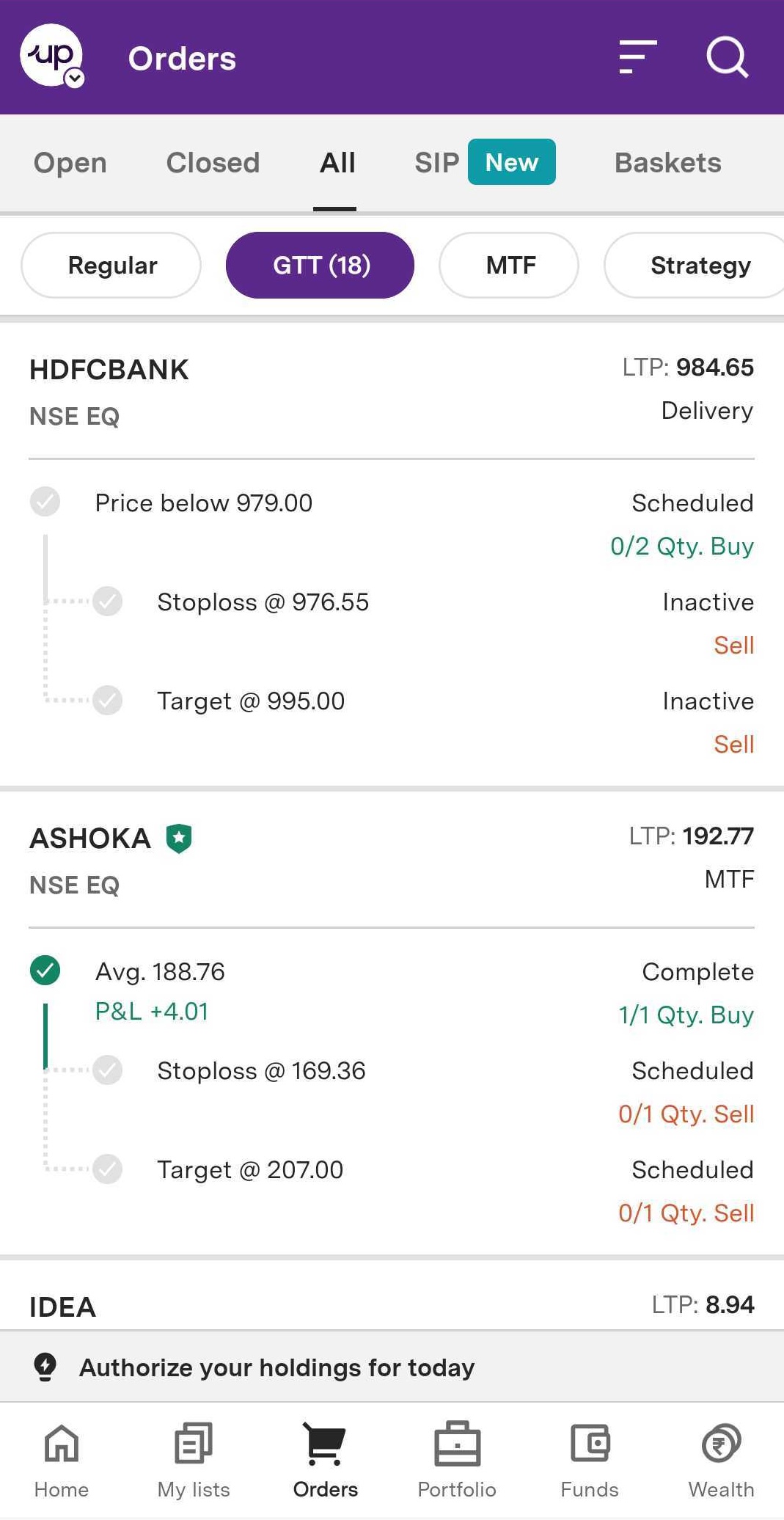
Step 4: All orders you place will appear there. It will show the open, closed, all, SIP, and baskets.
Step 5: You will see Regular, GTT, MTF, and Strategy toggle on the top. Click on ‘GTT’ to see your GTT orders.
Step 6: All your GTT orders will appear on your screen. Tap on the order you wish to cancel, and your order details will open up with two options: ‘Cancel’ and ‘Modify’.
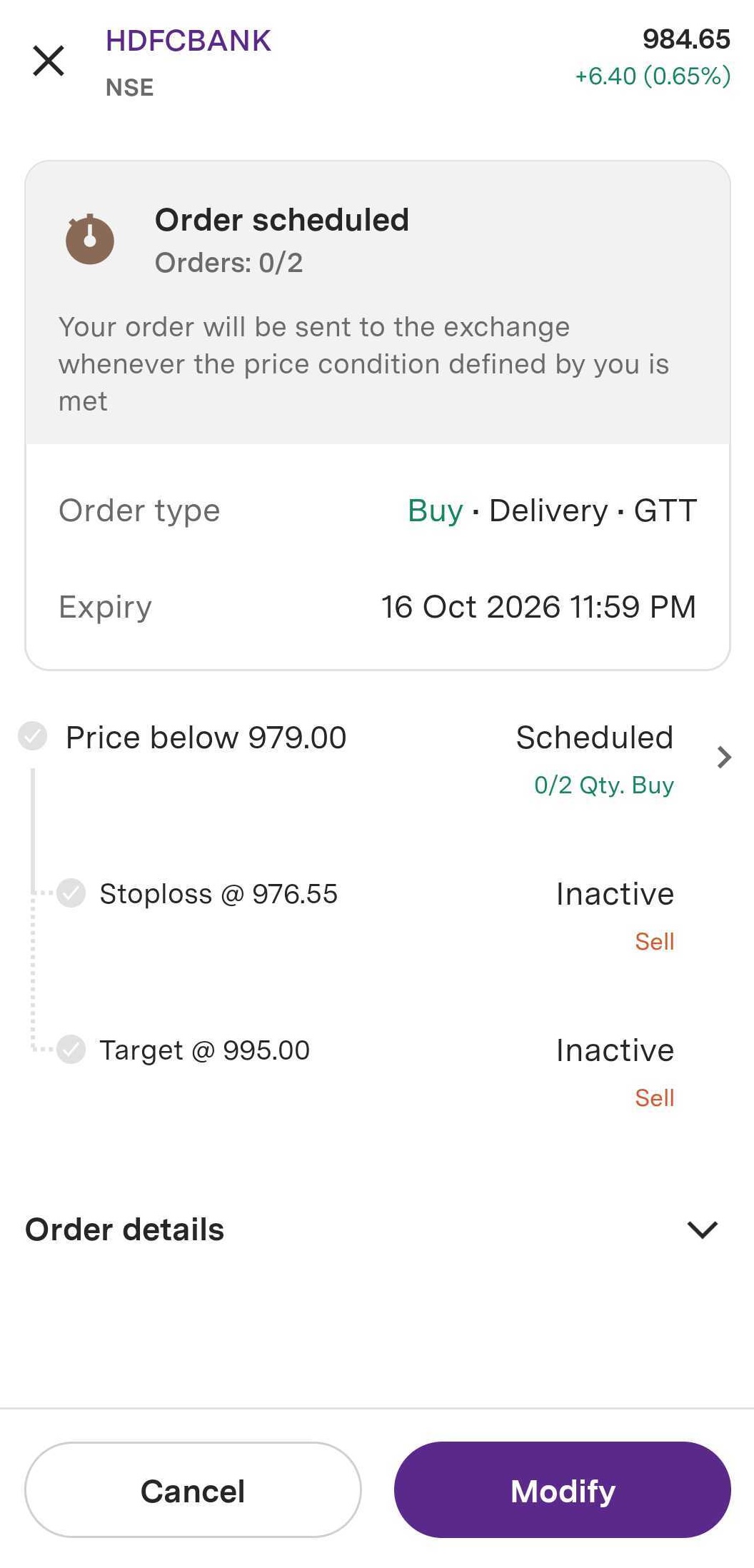
Step 7: Click on ‘Modify’ since you wish to modify your GTT order.
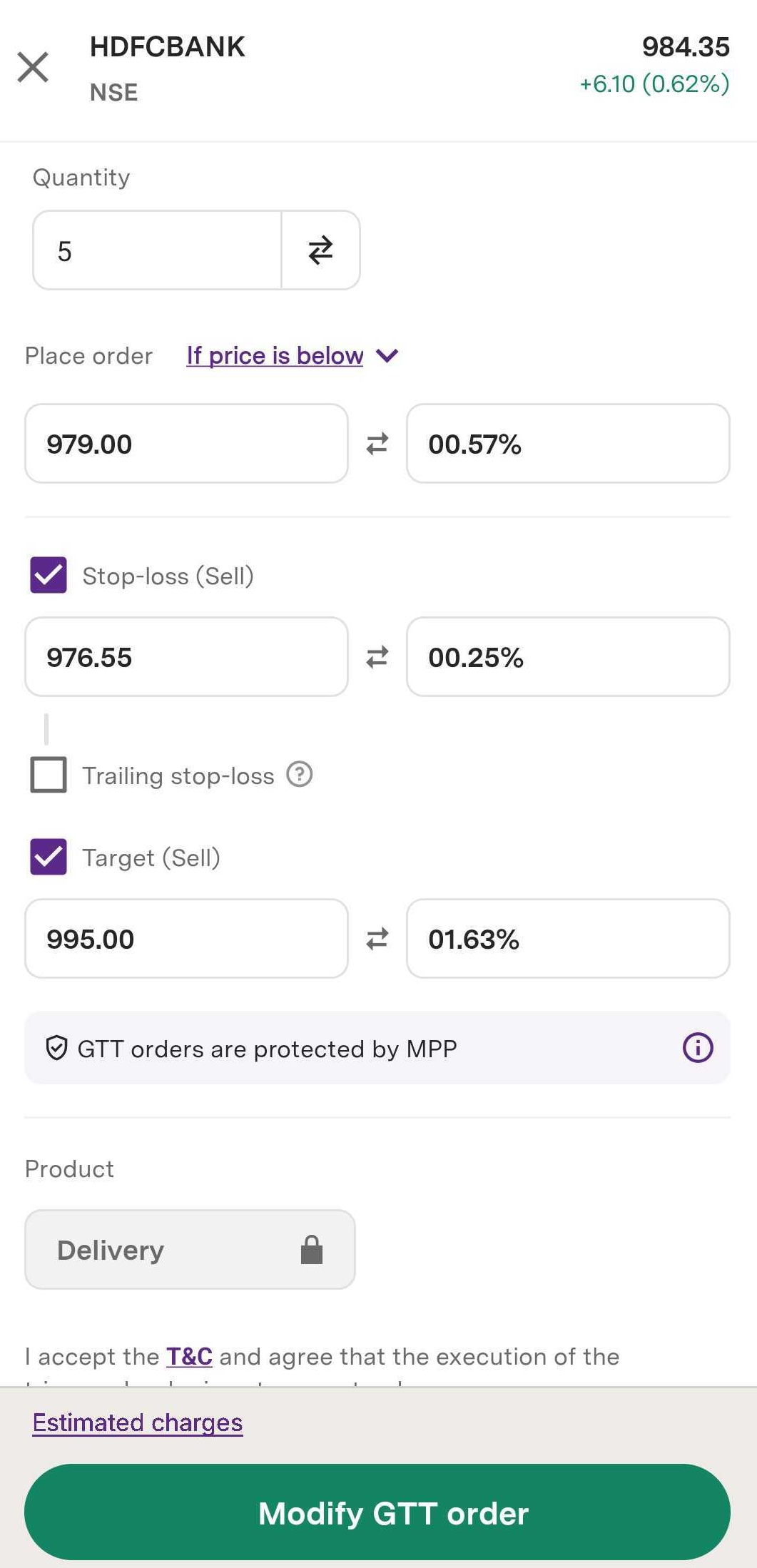
Step 8: You can now make the changes in your GTT order. This GTT order will remain valid for the next 365 days from the date of modification.
Trade with Upstox
Want to open a Demat account?
Open a FREE Demat and Trading account to invest in Stocks, Mutual Funds, IPOs and more.
By signing up you agree to receive transaction updates on Whatsapp. You may also receive a call from an Upstox representative to help you with the account opening process.
Upstox Community
Upstox Community
| Topic | Replies | Views | Activity |
|---|