
Help Center

Getting Started
Trading
My Account
Mutual Funds
IPOs
Stock SIP
Gold
NPS
Government Securities
Fixed Deposits
Insurance
Loan
Smallcase
DartStock
Upstox API
NCD
US Stocks
How to set chart preferences like countdown timer, chart type, etc in Chart 360?
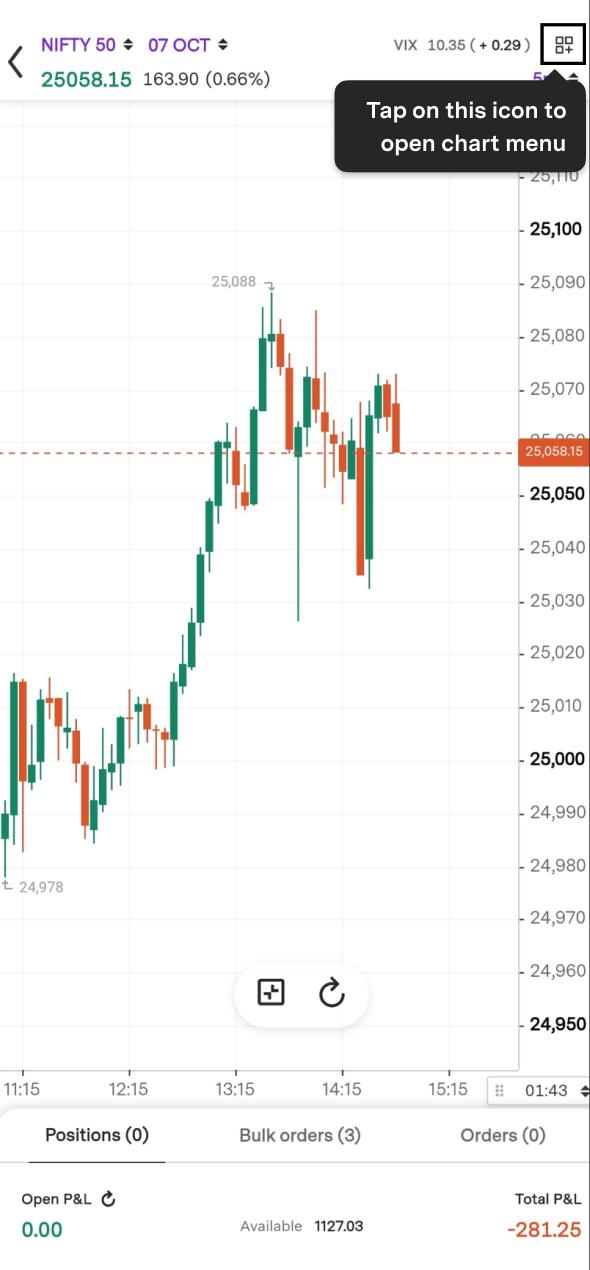
Step 1: Click on the launcher icon to access preferences.
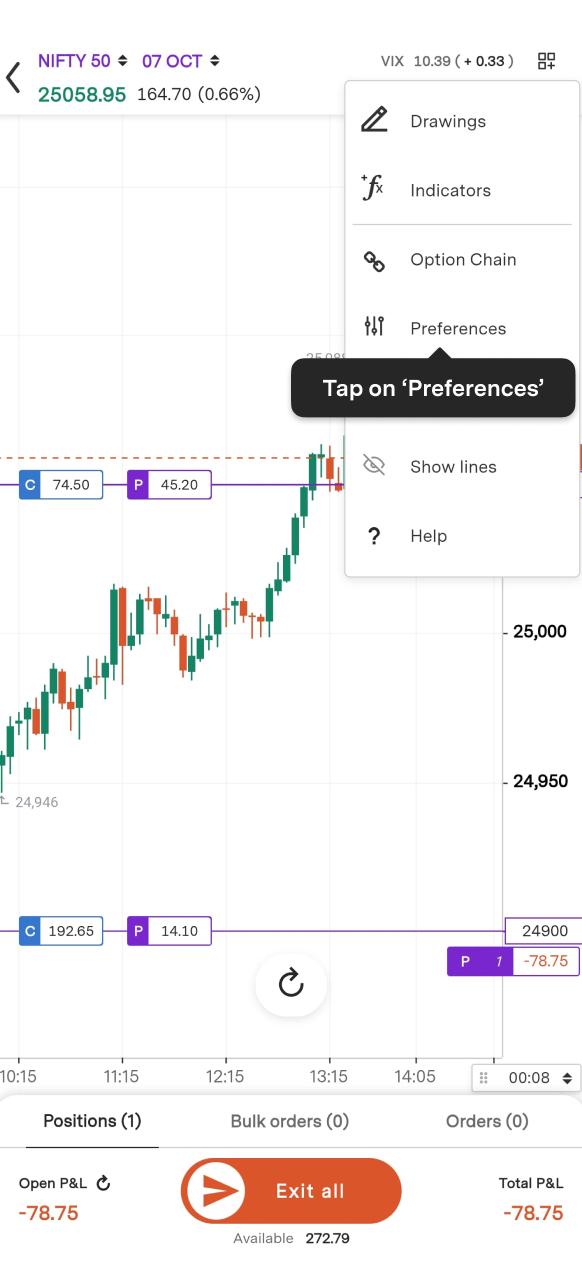
Step 2: Tap on ‘Preferences’.
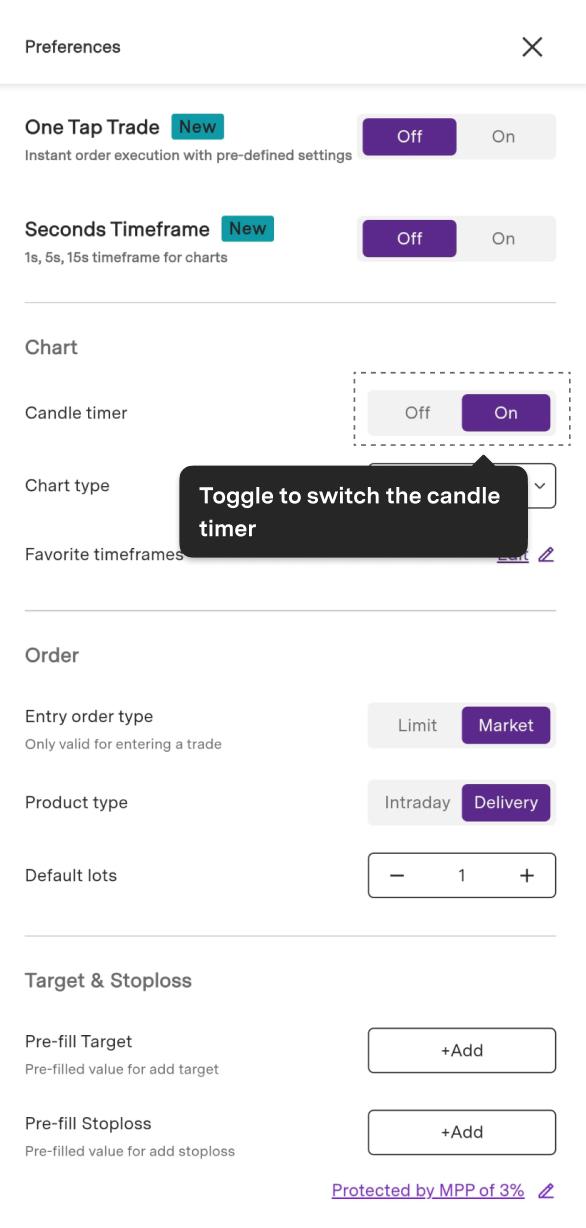
Step 3: Toggle to activate one click trade mode and enable seconds timeframe.
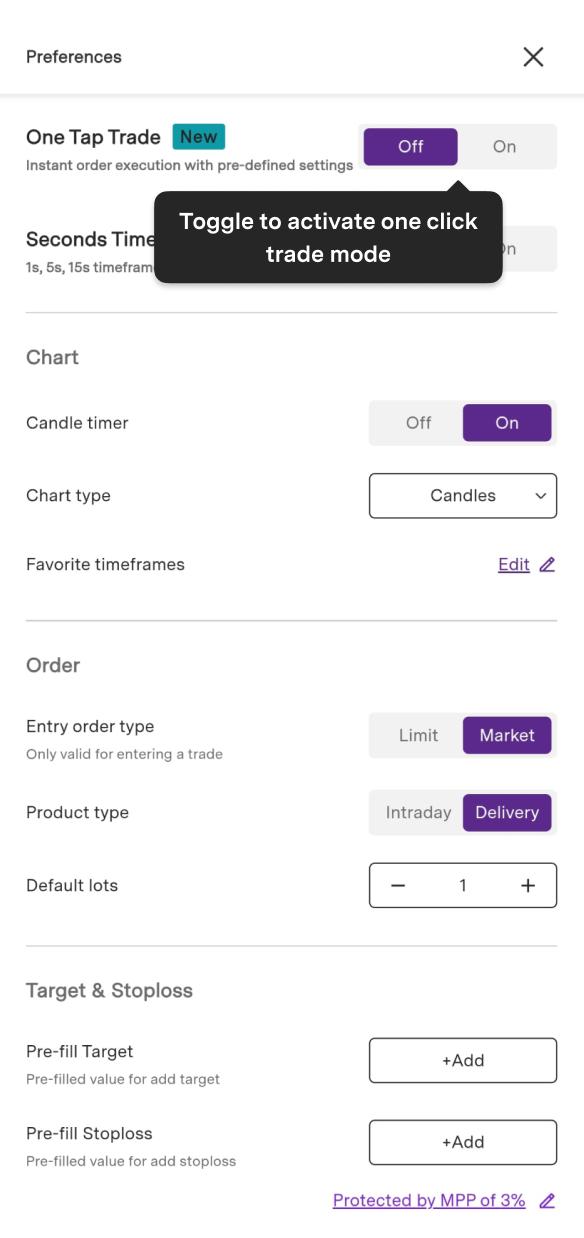
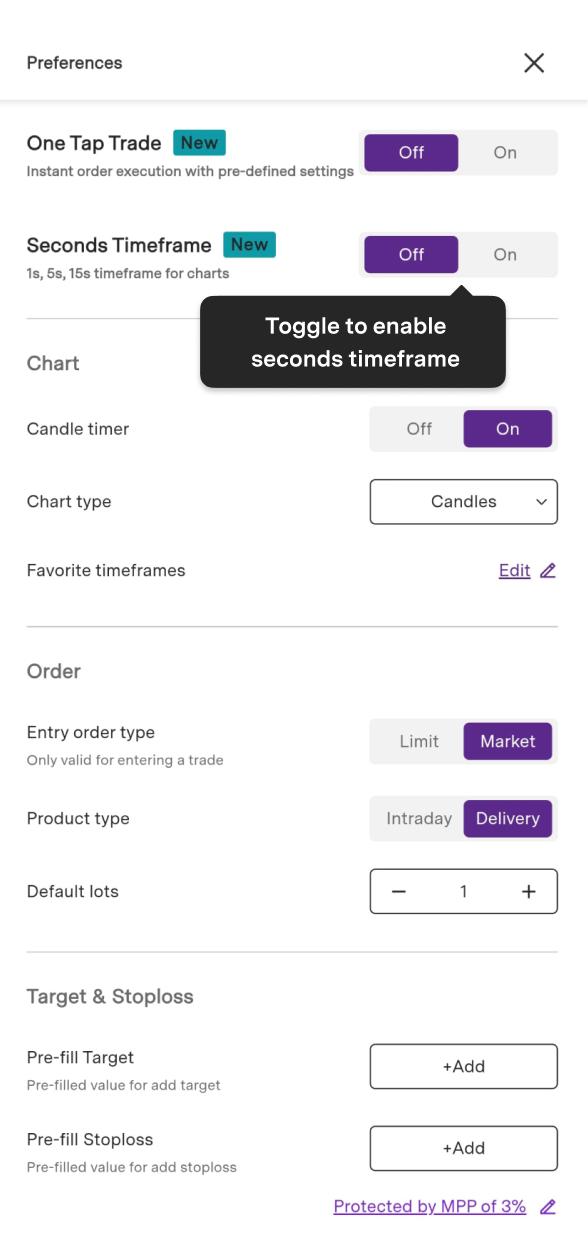
Step 4: You can also select a chart type from a candlestick chart or line chart.
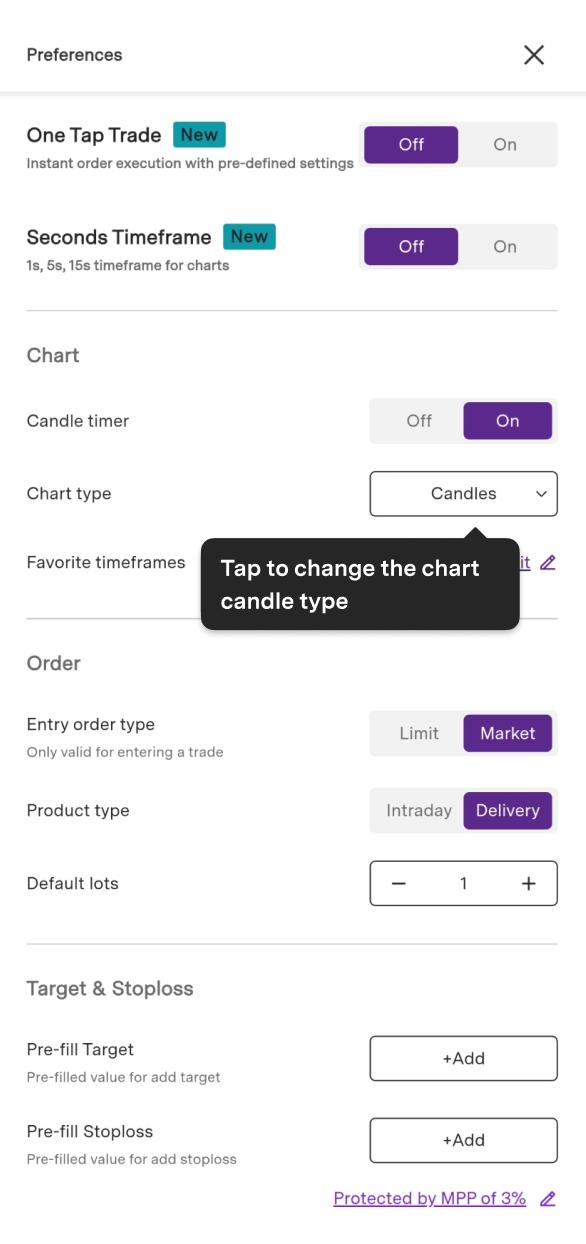
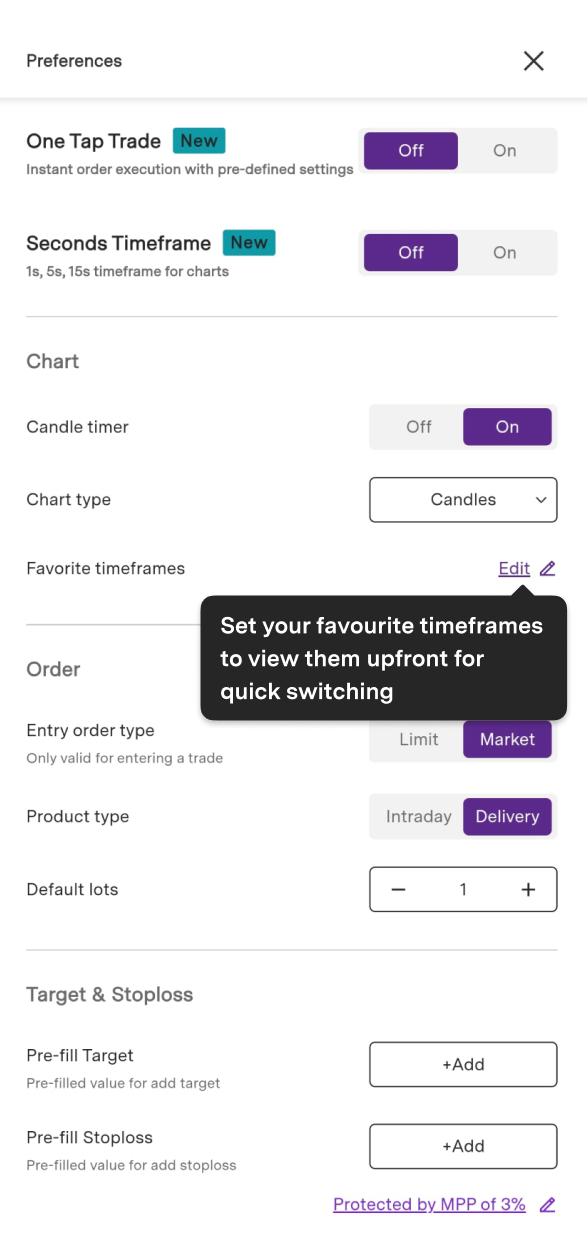
Step 5: You can also set the default timeframe under the ‘Favourite timeframe’ section that you prefer the most.
Trade with Upstox
Want to open a Demat account?
Open a FREE Demat and Trading account to invest in Stocks, Mutual Funds, IPOs and more.
+91
By signing up you agree to receive transaction updates on Whatsapp. You may also receive a call from an Upstox representative to help you with the account opening process.
Upstox Community
Upstox Community
| Topic | Replies | Views | Activity |
|---|