
Help Center

Getting Started
Trading
My Account
Mutual Funds
IPOs
Stock SIP
Gold
NPS
Government Securities
Fixed Deposits
Insurance
Loan
Smallcase
DartStock
Upstox API
NCD
US Stocks
How to check my documents listed with Upstox?
In order to check your documents, kindly follow the below steps.
Step 1: Login to the Upstox app using your 6-digit PIN or Biometrics.
Step 2: Click on ‘Upstox Icon’ at the top left corner of the screen.

Step 3: Click on ‘My Account’.
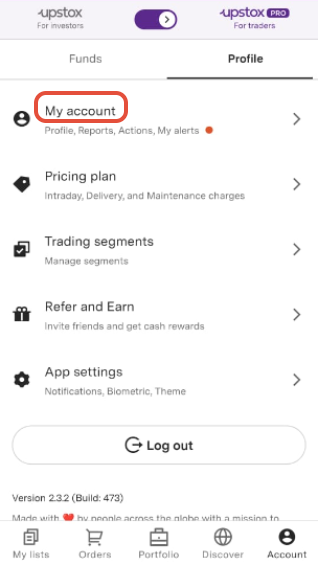
Step 4: Click on ‘Profile’.
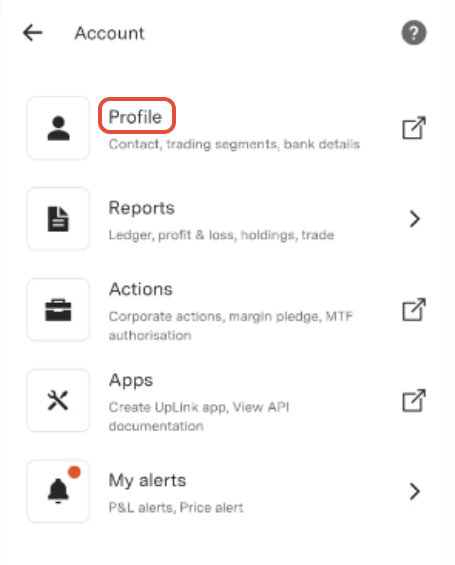
Step 5: Click on ‘Documents’.
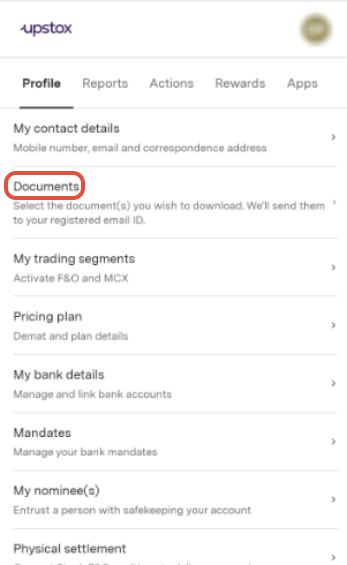
Step 6: Select the document(s) you wish to get on your registered email id.
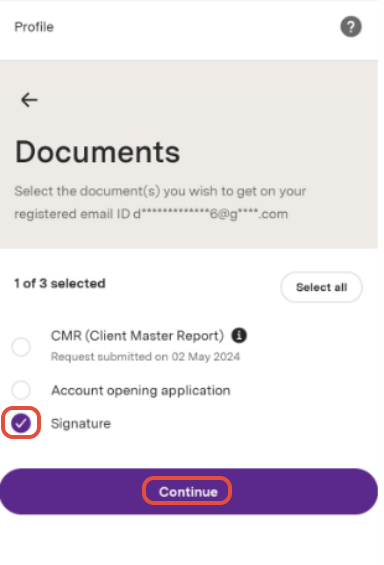
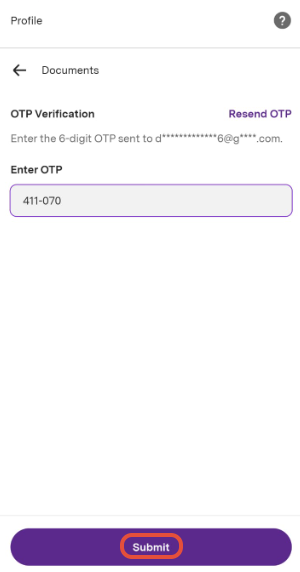
Step 7: Enter the 6 digit OTP sent to your registered email ID. Then click on ‘Submit’.
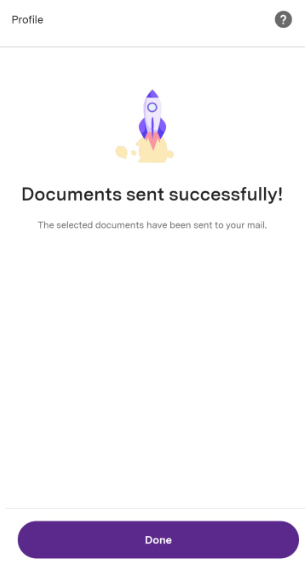
Note: You will successfully receive your documents via email.
Trade with Upstox
Want to open a Demat account?
Open a FREE Demat and Trading account to invest in Stocks, Mutual Funds, IPOs and more.
By signing up you agree to receive transaction updates on Whatsapp. You may also receive a call from an Upstox representative to help you with the account opening process.
Upstox Community
Upstox Community
| Topic | Replies | Views | Activity |
|---|