
Help Center

Getting Started
Trading
My Account
Mutual Funds
IPOs
Stock SIP
Gold
NPS
Government Securities
Fixed Deposits
Insurance
Loan
Smallcase
DartStock
Upstox API
NCD
US Stocks
How to cancel an SGB (Sovereign Gold Bond) application on Upstox?
You can cancel your SGB (Sovereign Gold Bond) application before the application end date. To cancel your SGB application, follow these steps:
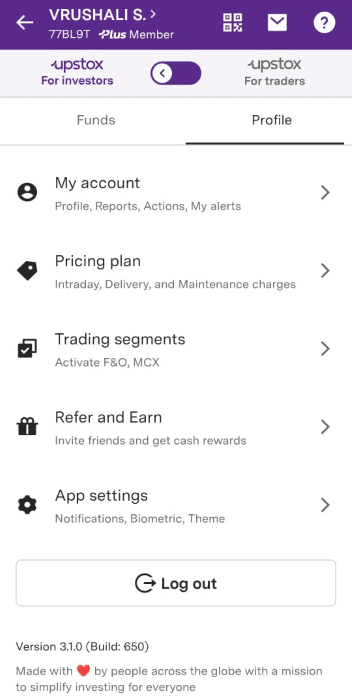
Step 1: On the Upstox app, from the ‘Account’ section switch to ‘Upstox for investors’ mode if you’re on the ‘Upstox Pro for traders’ mode.
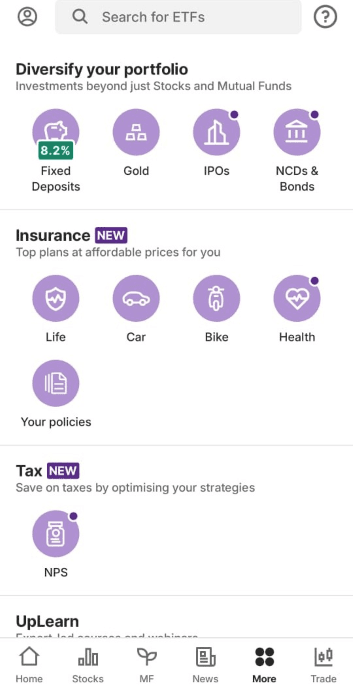
Step 2: Click on ‘Gold’ from the More section.
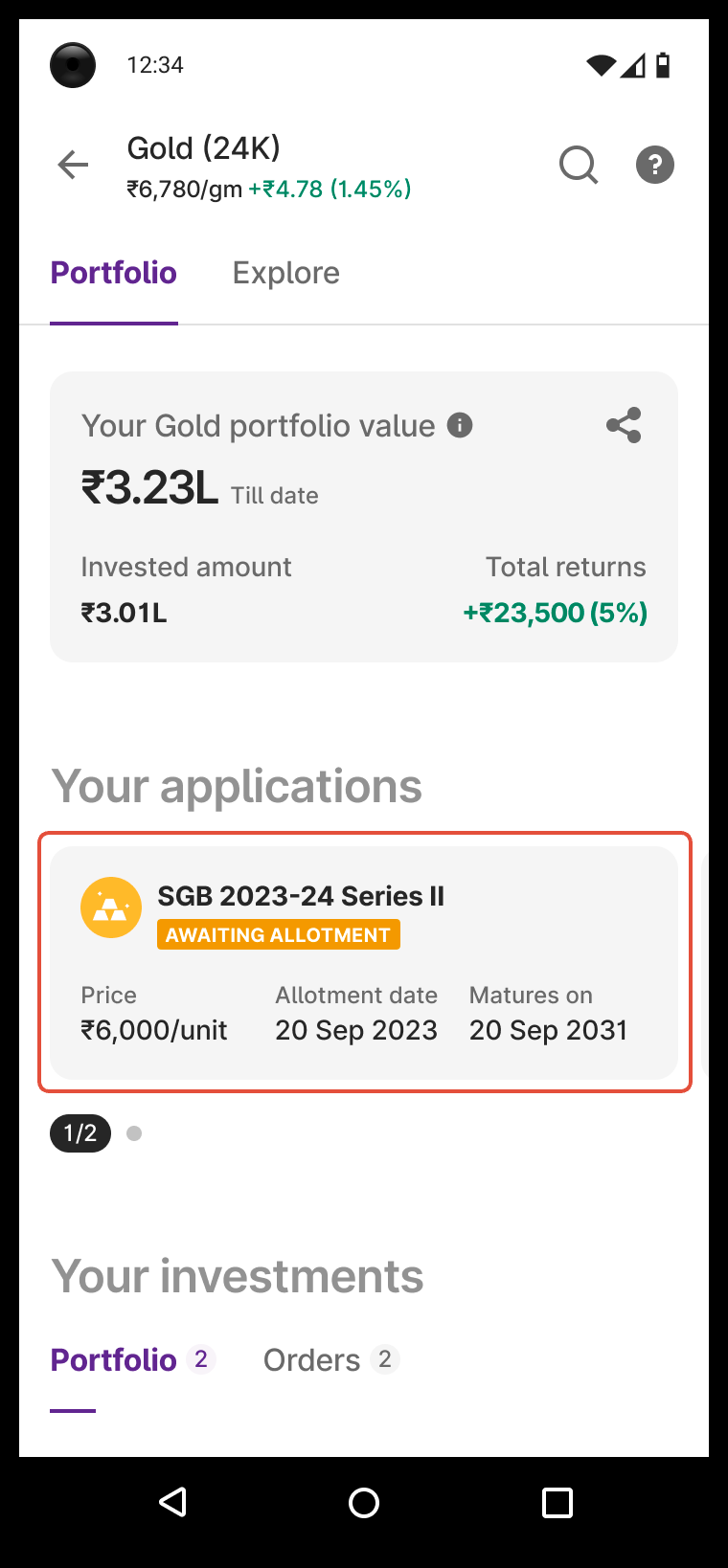
Step 3: Under ‘Portfolio’ - Click on the Application that you want to cancel.
Step 4: Click on your application status card.
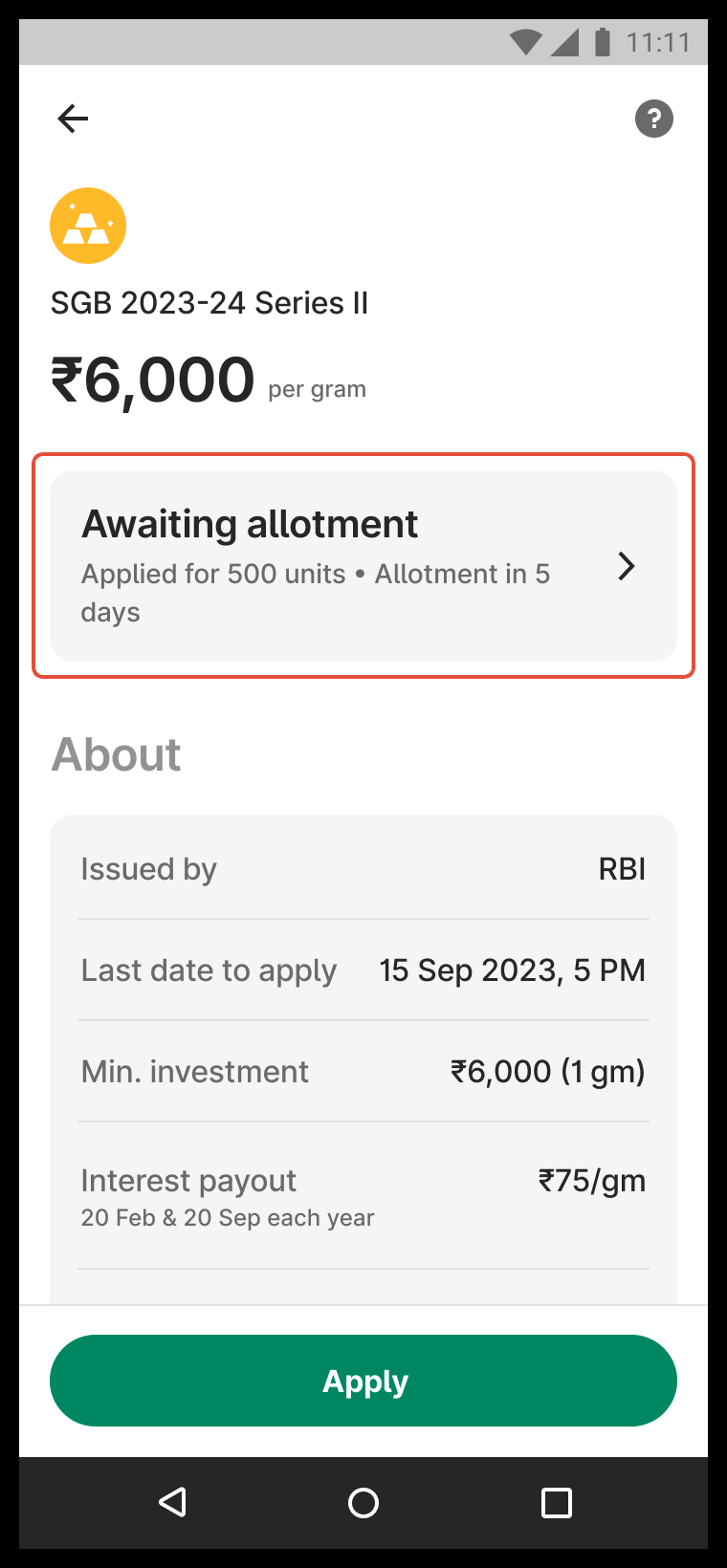
Step 5: Click on the ‘Cancel’ button and confirm your request.
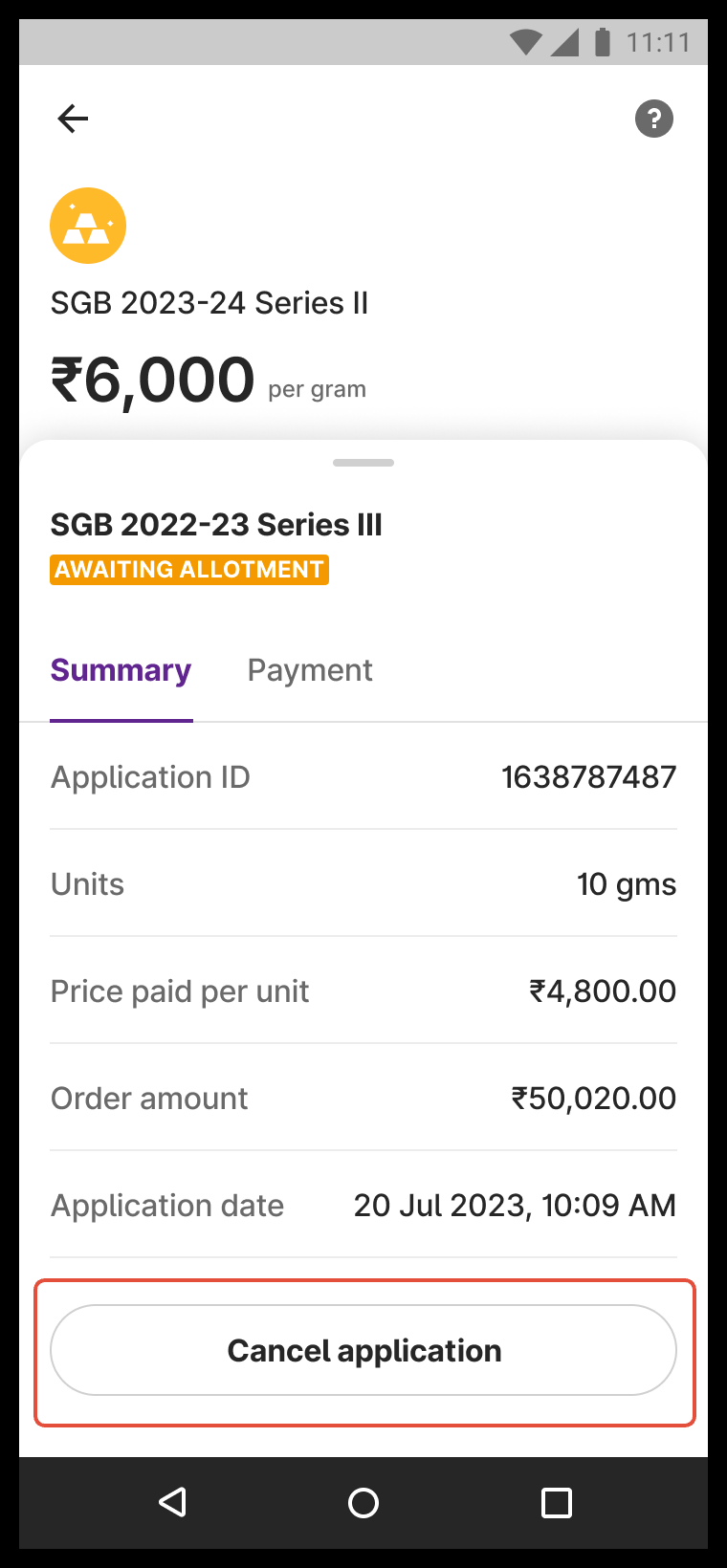
Step 6: Done! Your order has been cancelled.
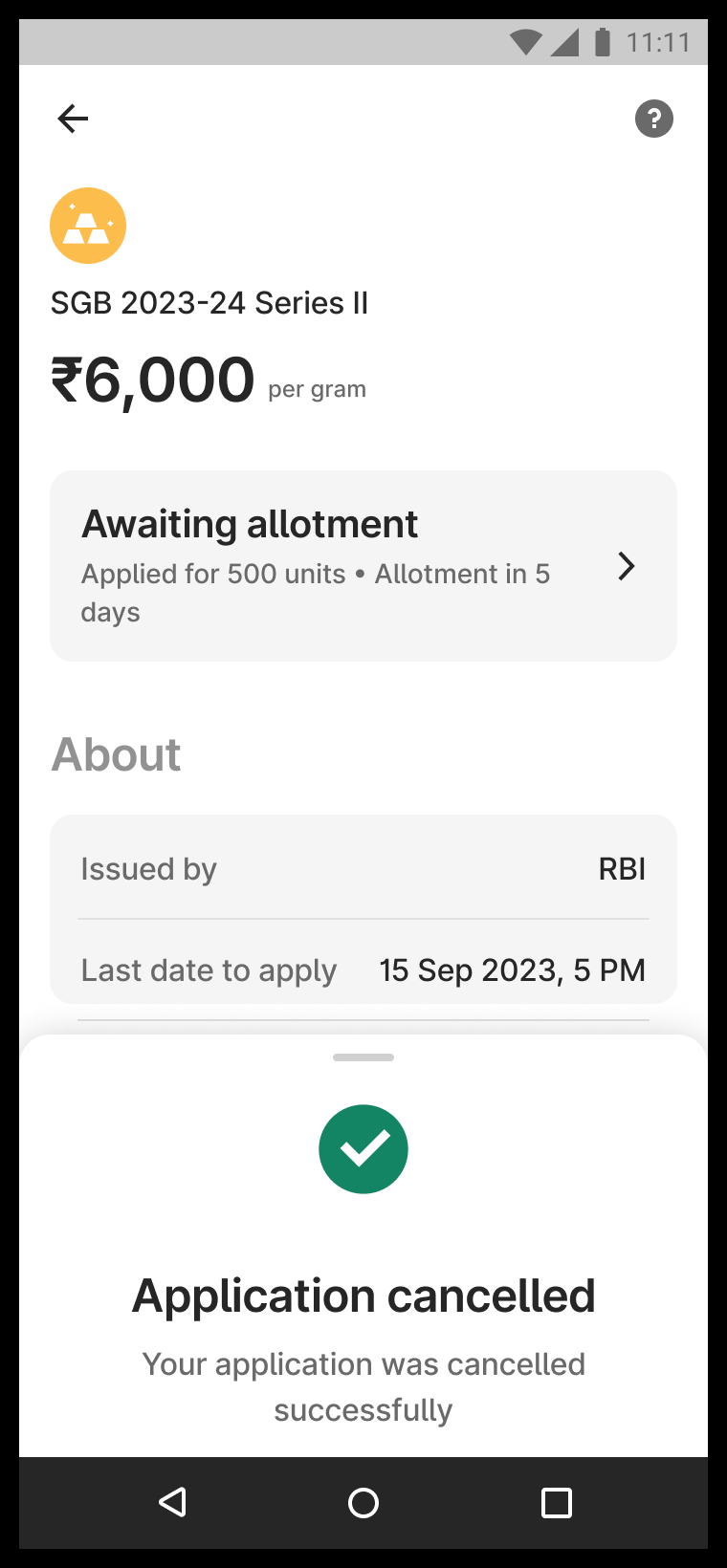
Keep in mind:
- Cancellation will be disabled on the last day of the tranche (T).
- People who applied before T can only cancel till T-1.
- People who applied on T cannot cancel their application.
Note: Refund will be credited to your Upstox account (Securities Wallet) within one working day after you cancel your application.
Trade with Upstox
Want to open a Demat account?
Open a FREE Demat and Trading account to invest in Stocks, Mutual Funds, IPOs and more.
By signing up you agree to receive transaction updates on Whatsapp. You may also receive a call from an Upstox representative to help you with the account opening process.
Upstox Community
Upstox Community
| Topic | Replies | Views | Activity |
|---|