
Help Center

Getting Started
Trading
My Account
Mutual Funds
IPOs
Stock SIP
Gold
NPS
Government Securities
Fixed Deposits
Insurance
Loan
Smallcase
DartStock
Upstox API
NCD
US Stocks
How to book Bank Fixed Deposits (FDs) on Upstox?
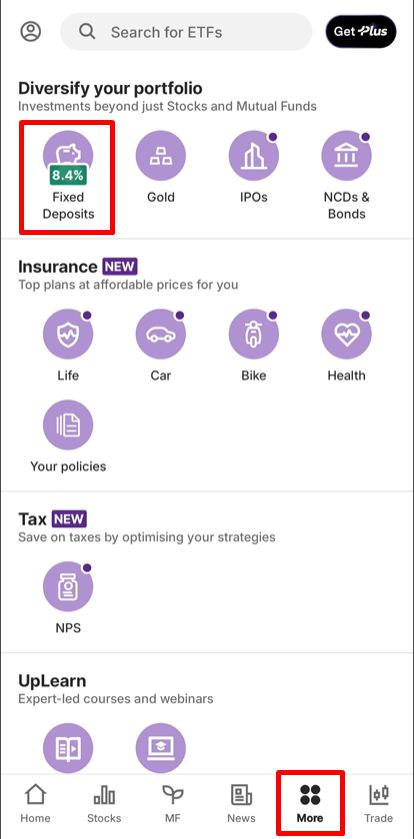
1. Open the Upstox app and go to the ‘More’ section, then tap on ‘Fixed Deposits’.
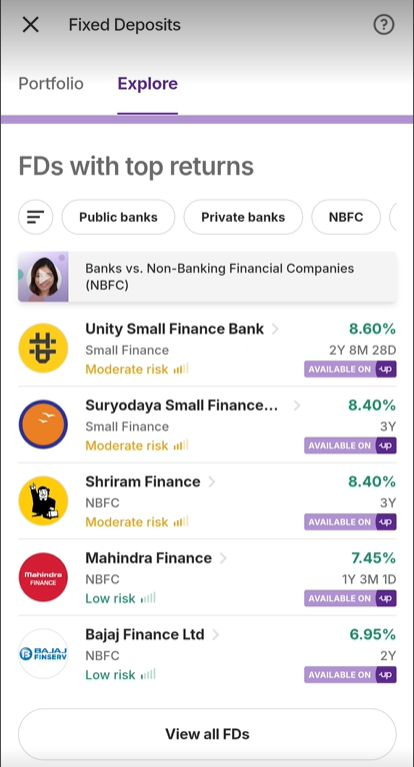
2. Under the ‘Explore’ section, you’ll see a list of top-return FDs. Select either ‘Suryoday Small Finance Bank’ or ‘Unity Small Finance Bank’ to proceed.
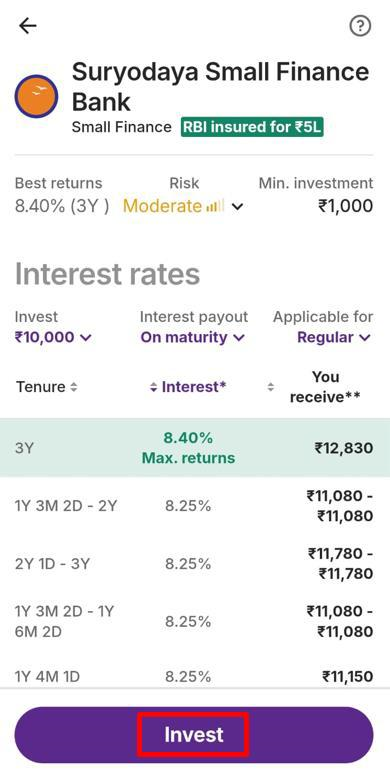
3. Review the details and tap ‘Invest’ to proceed.
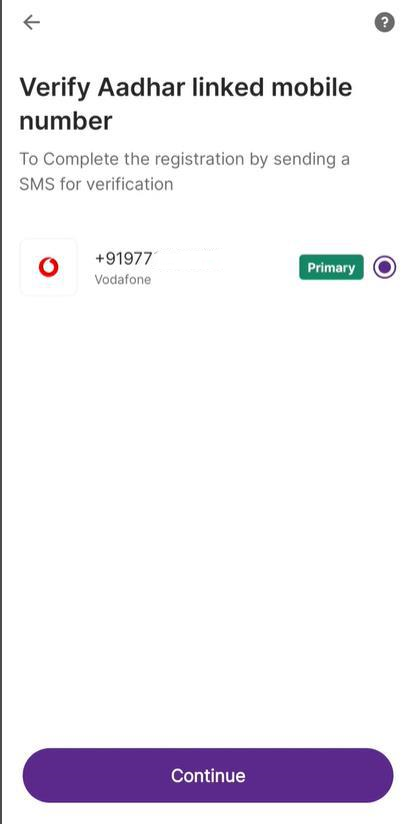
4. Security Permission (only for first-time FD users):
- A message will appear asking for permission to send an SMS or make/manage phone calls
- Tap ‘Continue to send SMS’
- When prompted, tap ‘Allow’ so your Aadhaar-linked mobile number can be detected
- Select your number and tap ‘Continue’ to complete the registration.
5. Enter the investment amount and tenure. Tap ‘Continue’.
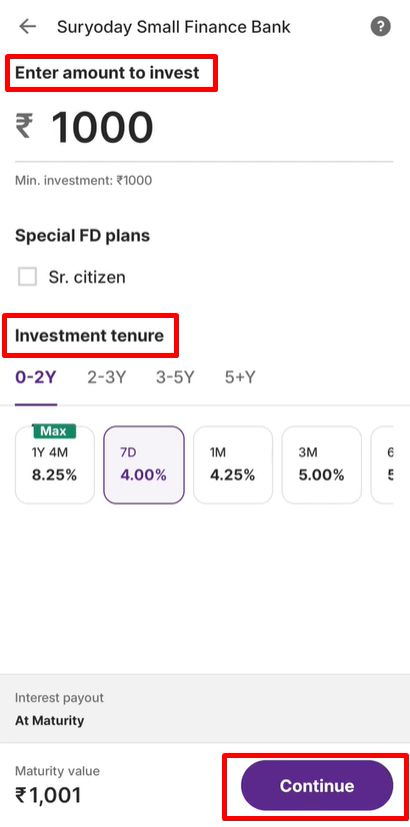
6. Review your full FD summary. Tap ‘Confirm to buy’ to proceed.
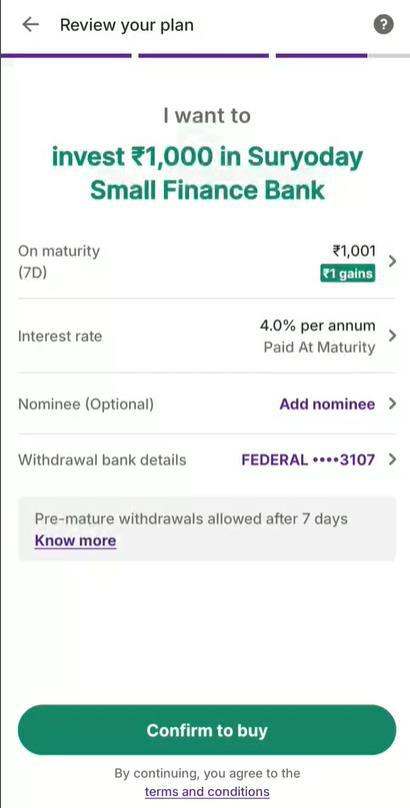
Choose from various payment options (UPI, net banking, etc.).
Important: Don’t close the screen or hit back while the payment is processing.
Complete Video KYC: This is a one-time verification process per bank. Users must complete Video KYC before investing in an FD with that particular bank.
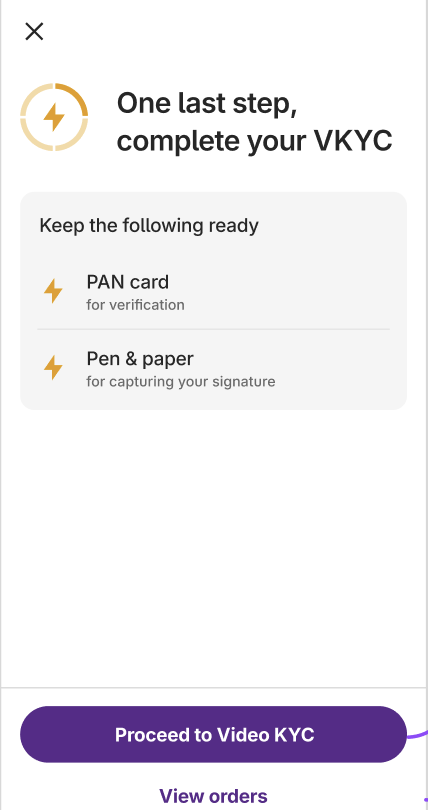
7. After a successful transaction, tap on ‘View Orders’.
8. You can track your FD under Fixed Deposits > Portfolio.
Trade with Upstox
Want to open a Demat account?
Open a FREE Demat and Trading account to invest in Stocks, Mutual Funds, IPOs and more.
By signing up you agree to receive transaction updates on Whatsapp. You may also receive a call from an Upstox representative to help you with the account opening process.
Upstox Community
Upstox Community
| Topic | Replies | Views | Activity |
|---|