
Help Center

Getting Started
Trading
My Account
Mutual Funds
IPOs
Stock SIP
Gold
NPS
Government Securities
Fixed Deposits
Insurance
Loan
Smallcase
DartStock
Upstox API
NCD
US Stocks
How to add a new bank account via UPI to your Upstox account?
Adding a new bank account via UPI to your Upstox account is incredibly simple. We've prepared easy-to-follow steps along with screenshots to guide you through the process seamlessly. With just a few clicks, you'll be able to link your bank account to Upstox, ensuring smooth transactions. Just follow the steps below to get started:
Step 1: Log in to the Upstox app using your 6-digit PIN or biometrics.
Step 2: Click on ‘Upstox Icon’ at the top left corner of the screen.
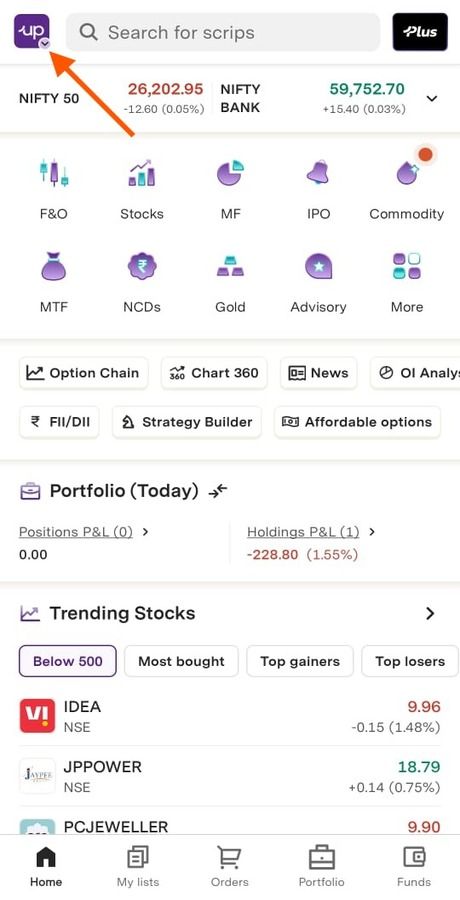
Step 3: Select 'My Account’.
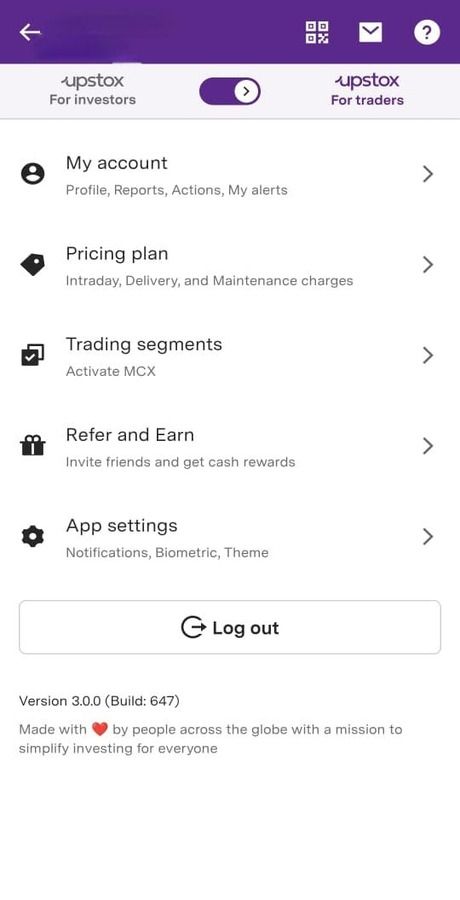
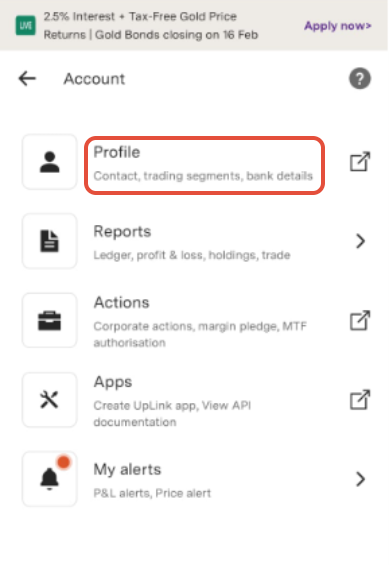
Step 4: Click on 'Profile’.
Step 5: Access 'My Bank Details’.
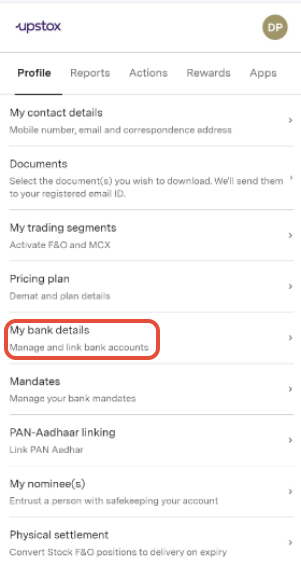
Step 6: Choose 'Add New Bank Account’.
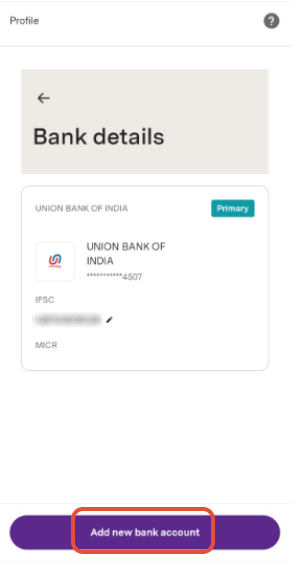
Step 7: Next, click on 'Continue’.
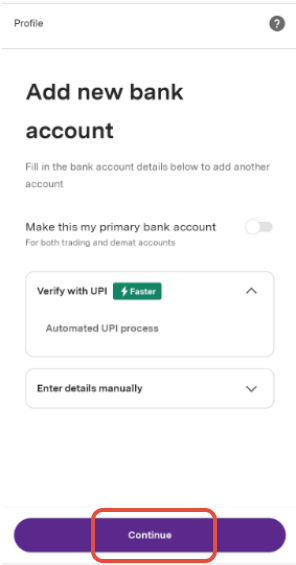
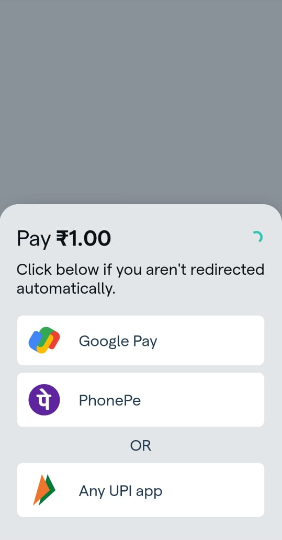
Step 8: Initiate the process through any mode.

Step 9: Make a refundable payment of ₹1 to identify and confirm your bank details.
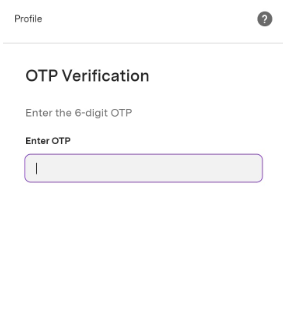
Step 10: Enter the 6-digit OTP for verification.
Step 11: Your request has been successfully submitted.
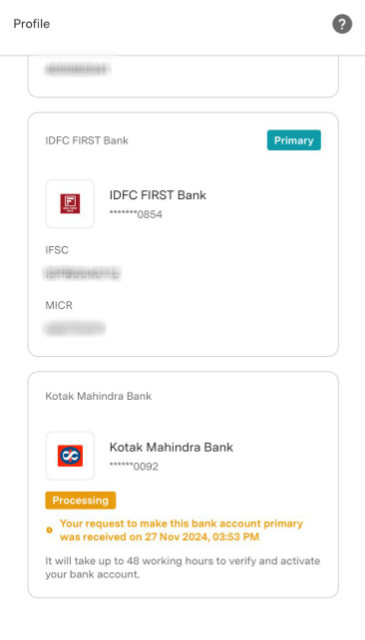
Note: Please be aware that it might take up to 48 working hours to verify and activate your newly added bank account. A charge of ₹50 + GST will be debited from your trading account for any changes made to your bank account.
Trade with Upstox
Want to open a Demat account?
Open a FREE Demat and Trading account to invest in Stocks, Mutual Funds, IPOs and more.
By signing up you agree to receive transaction updates on Whatsapp. You may also receive a call from an Upstox representative to help you with the account opening process.
Upstox Community
Upstox Community
| Topic | Replies | Views | Activity |
|---|