
Help Center

Getting Started
Trading
My Account
Mutual Funds
IPOs
Stock SIP
Gold
NPS
Government Securities
Fixed Deposits
Insurance
Loan
Smallcase
DartStock
Upstox API
NCD
US Stocks
How to access an Upstox web platform via a QR code?
To login on an Upstox web platform:
You can log in via https://pro.upstox.com or http://tv.upstox.com/ via a QR code, please follow these steps.
Step 1: Login on your Upstox app using your 6-digit PIN or Biometrics.
Step 2: Click on ‘Upstox Icon’ at the top left corner of the screen.
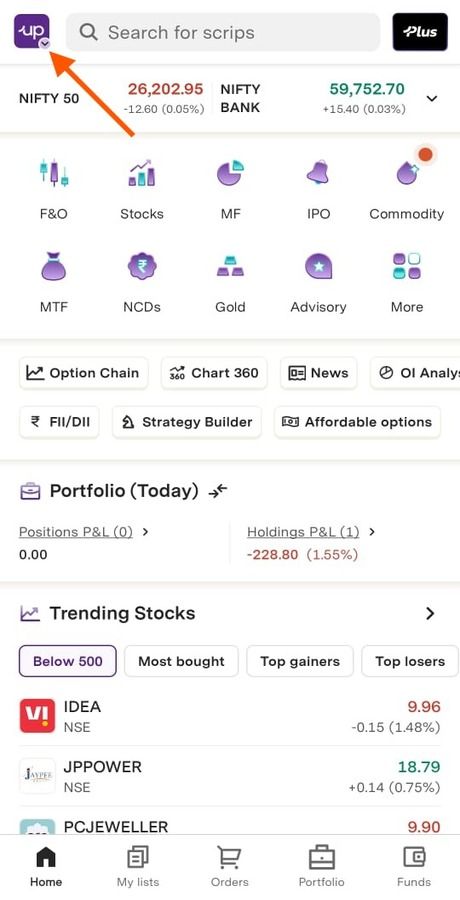
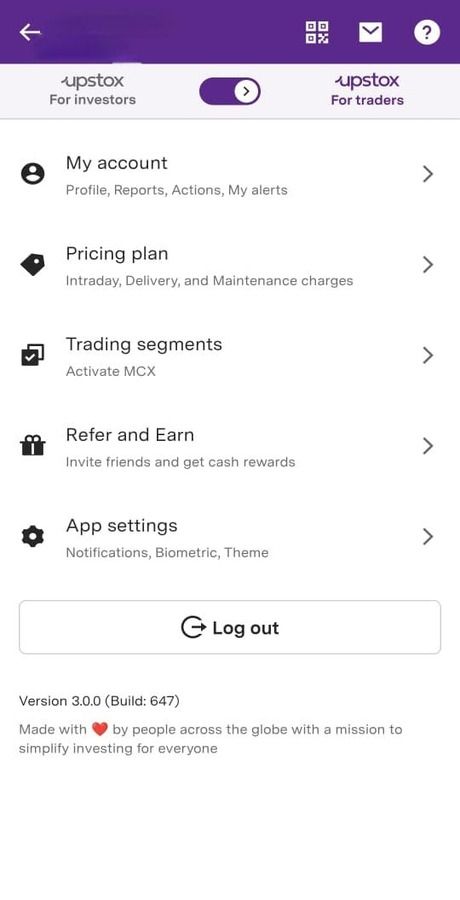
Step 3: Click on the ‘Scanner’ option on top.
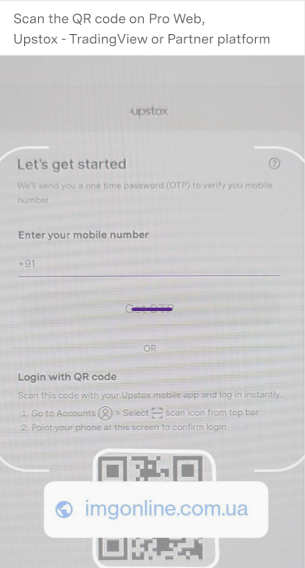
Step 4: Scan the QR code on Pro Web, Upstox - TradingView or Partner platform.
Step 5: After Scanning the QR code you need to click on ‘Confirm’ within 3 minutes.
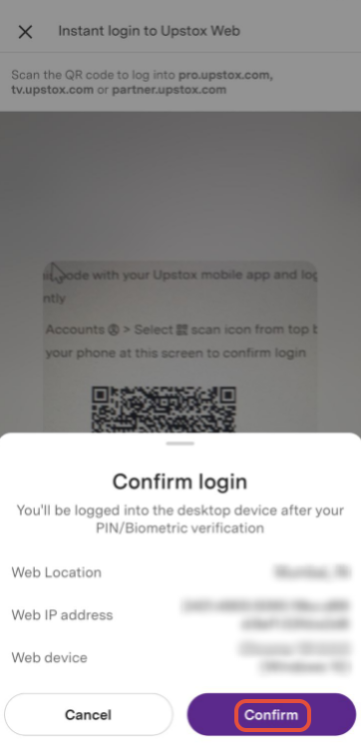
Step 6: Once you click on confirm you will be logged in to web portal.
Note: QR code is valid for 30 seconds only. After 30 seconds you may have to refresh the QR code.
Trade with Upstox
Want to open a Demat account?
Open a FREE Demat and Trading account to invest in Stocks, Mutual Funds, IPOs and more.
By signing up you agree to receive transaction updates on Whatsapp. You may also receive a call from an Upstox representative to help you with the account opening process.
Upstox Community
Upstox Community
| Topic | Replies | Views | Activity |
|---|