
Help Center

Getting Started
Trading
My Account
Mutual Funds
IPOs
Stock SIP
Gold
NPS
Government Securities
Fixed Deposits
Insurance
Loan
Smallcase
DartStock
Upstox API
NCD
US Stocks
How do you place stop loss and target orders on Chart 360 web?
Step 1: Click on the settings icon to open the order panel.
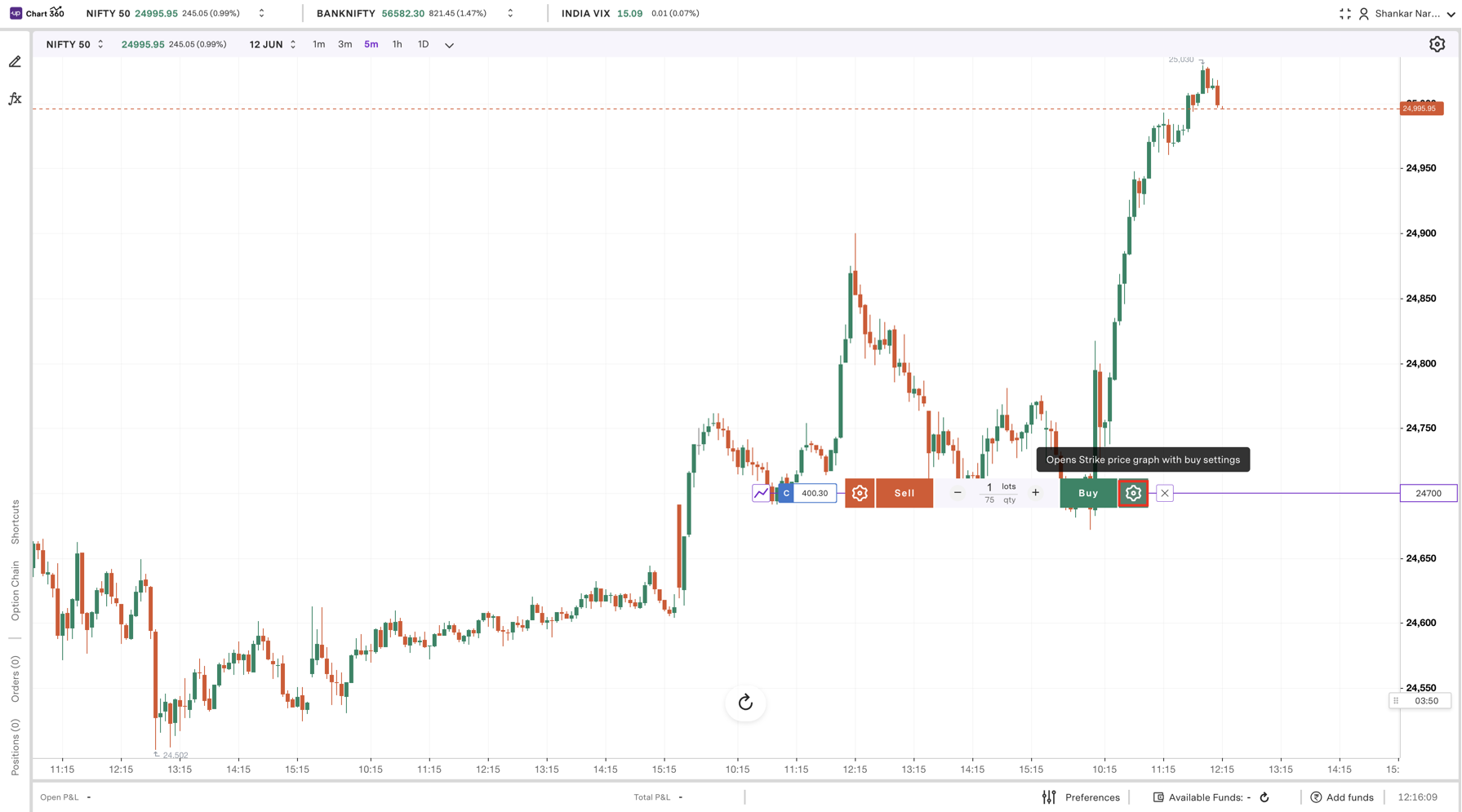
Step 2: Click on +SL or +TG to add Stop Loss or Target.
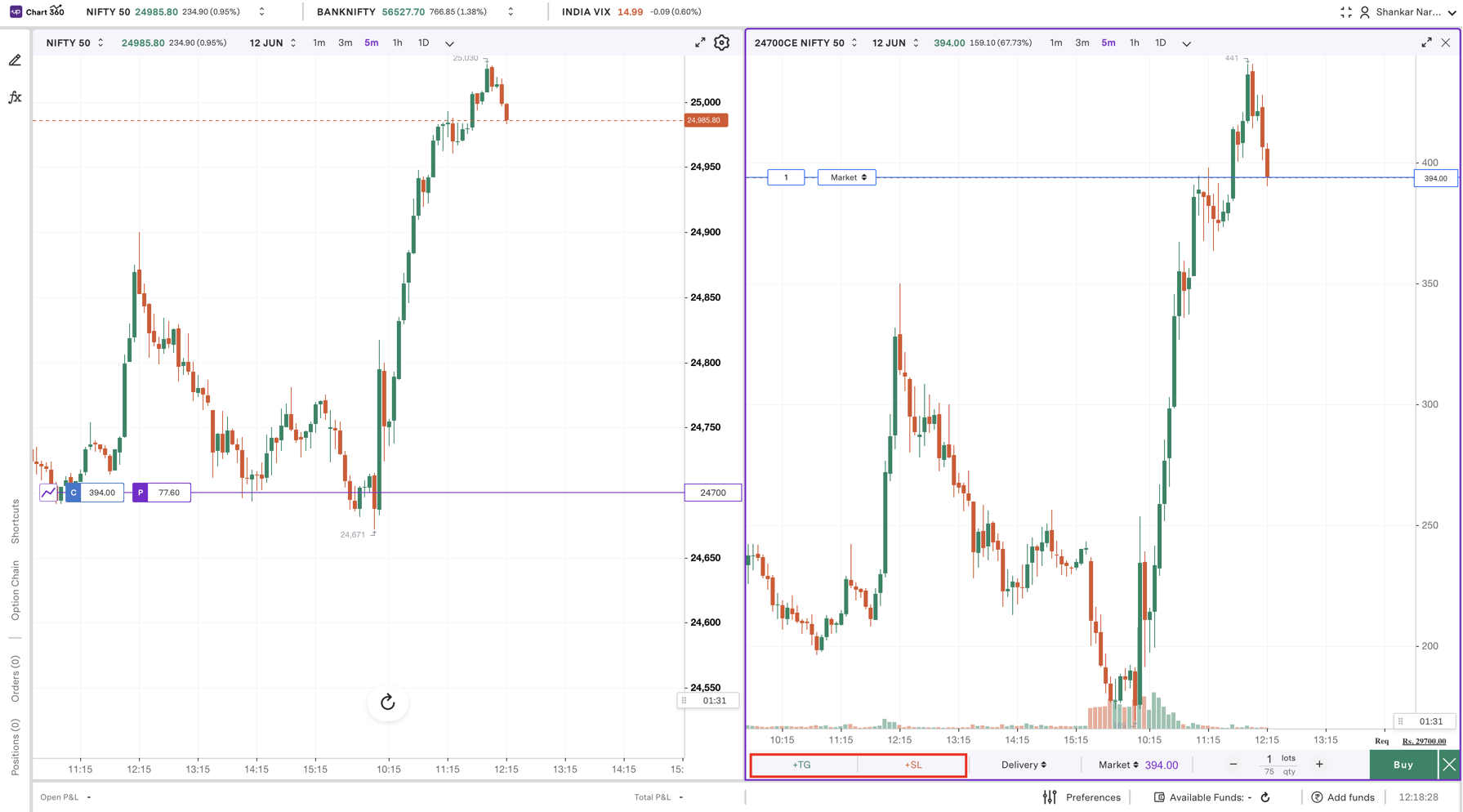
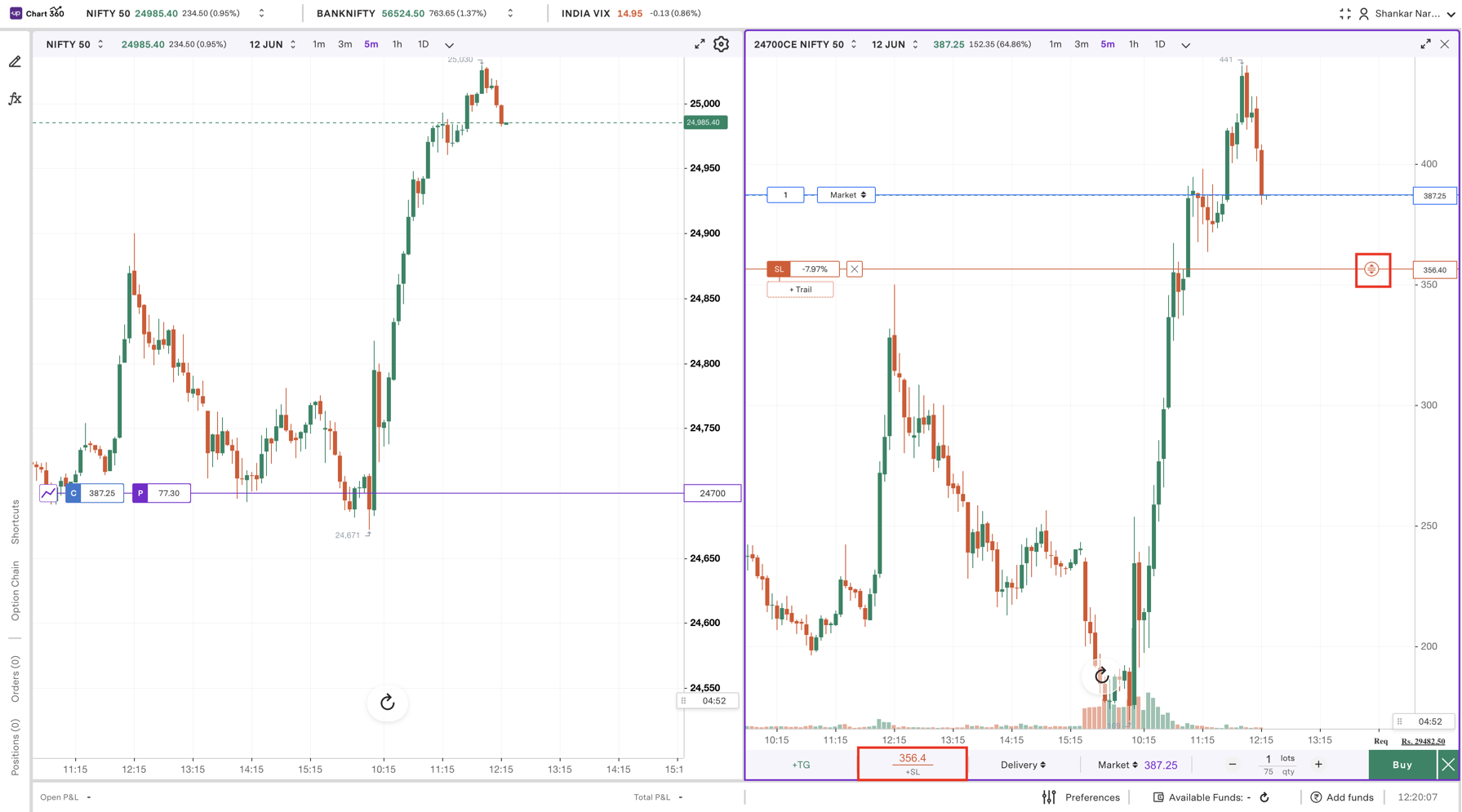
Step 3: Enter/Drag your Stop Loss price, the level at which your position will auto-exit to prevent losses.
Step 4: Enter / Drag your Target price, the level at which you'd like to book profits.
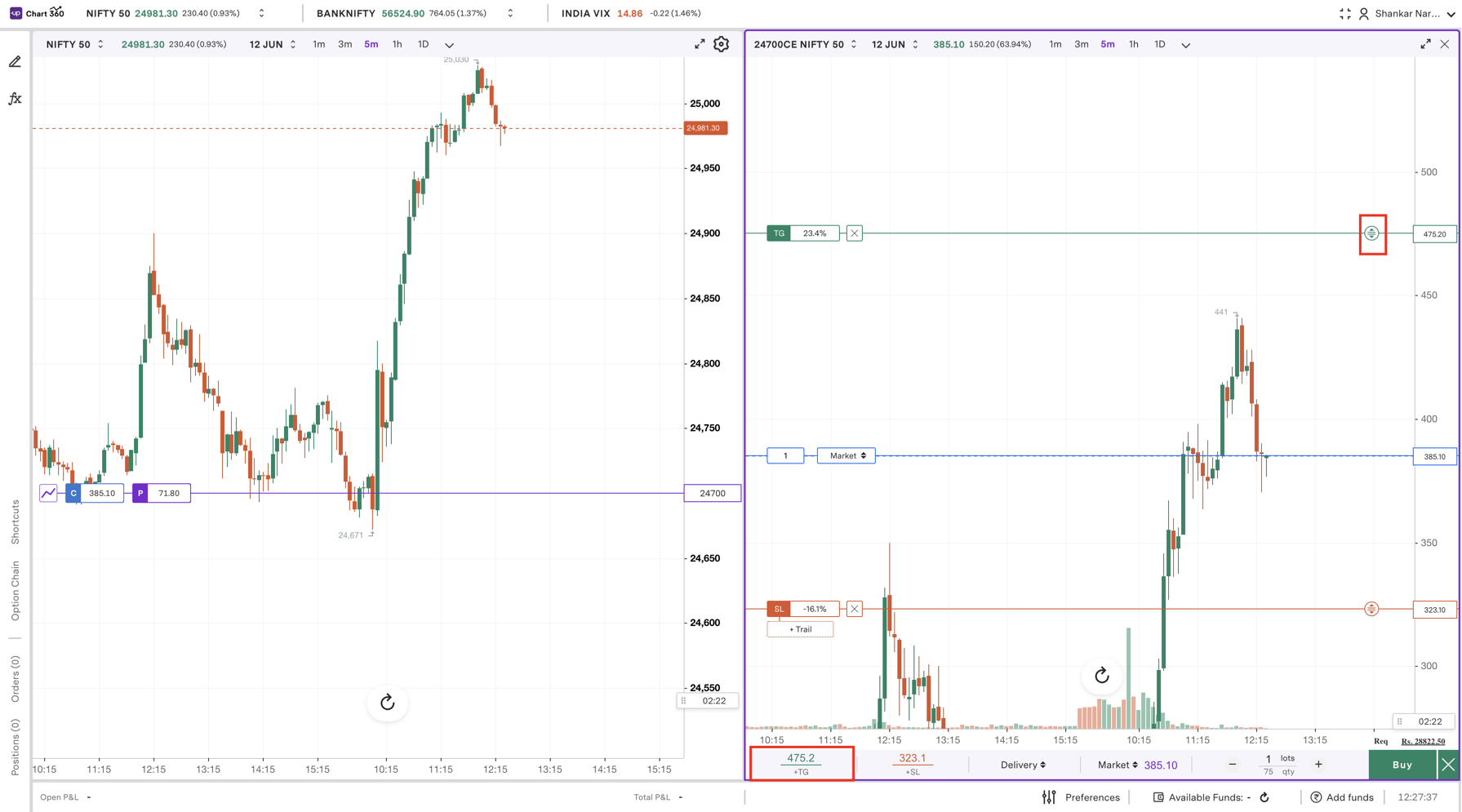
Step 5: Review all order details, including SL and Target.
Step 6: Click ‘Buy’ to place the order.
Step 7: You can also add or update SL/Target from the ‘Orders’ tab by clicking ‘Modify’.
Trade with Upstox
Want to open a Demat account?
Open a FREE Demat and Trading account to invest in Stocks, Mutual Funds, IPOs and more.
By signing up you agree to receive transaction updates on Whatsapp. You may also receive a call from an Upstox representative to help you with the account opening process.
Upstox Community
Upstox Community
| Topic | Replies | Views | Activity |
|---|