
Help Center

Getting Started
Trading
My Account
Mutual Funds
IPOs
Stock SIP
Gold
NPS
Government Securities
Fixed Deposits
Insurance
Loan
Smallcase
DartStock
Upstox API
NCD
US Stocks
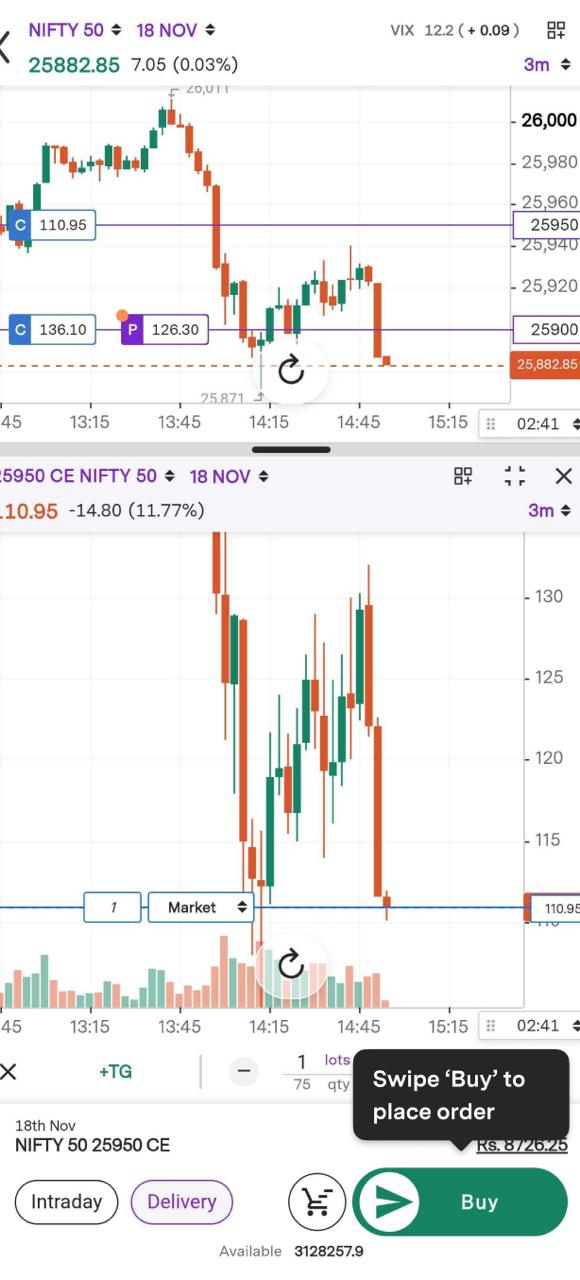
How can I trade from the Multi-Chart mode in Chart 360?
Step 1: Click on the call option and then tap the chart icon.
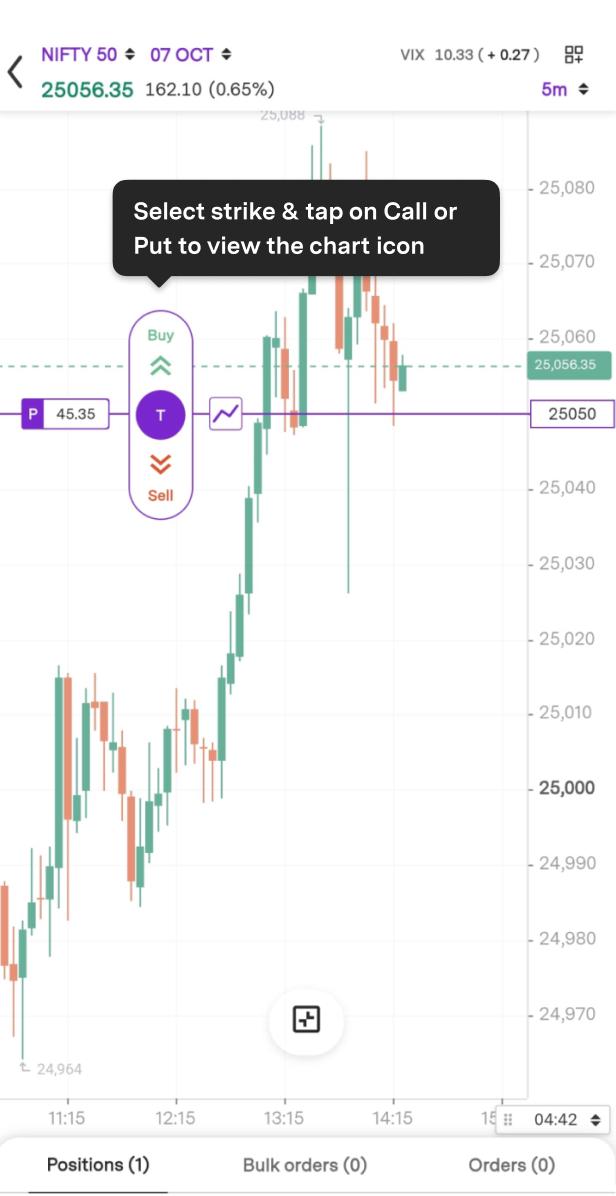
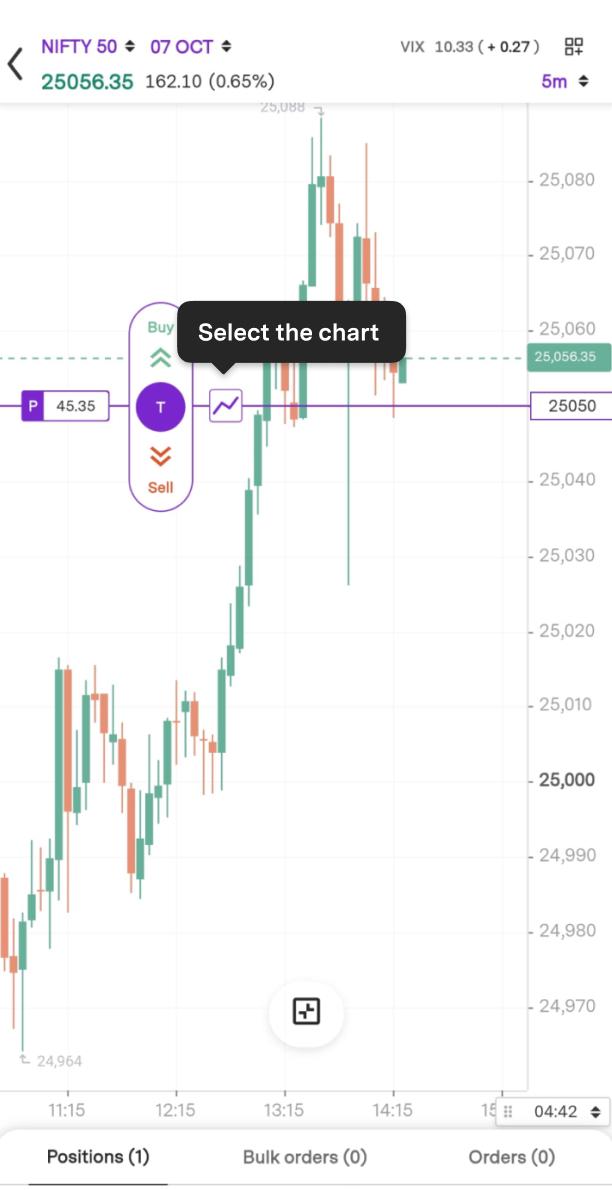
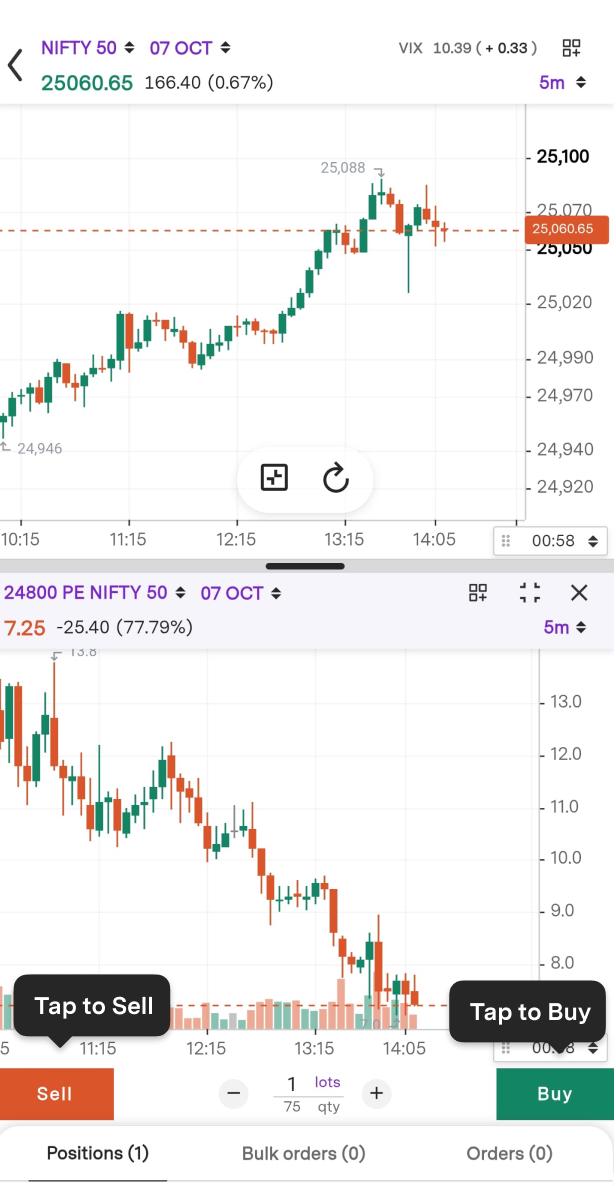
Step 2: You can view both charts side by side.
Step 3: Click "Expand" to enter full-screen mode.
Step 4: Tap to Buy or Sell button.
Step 5: Tap to change the number of lots.
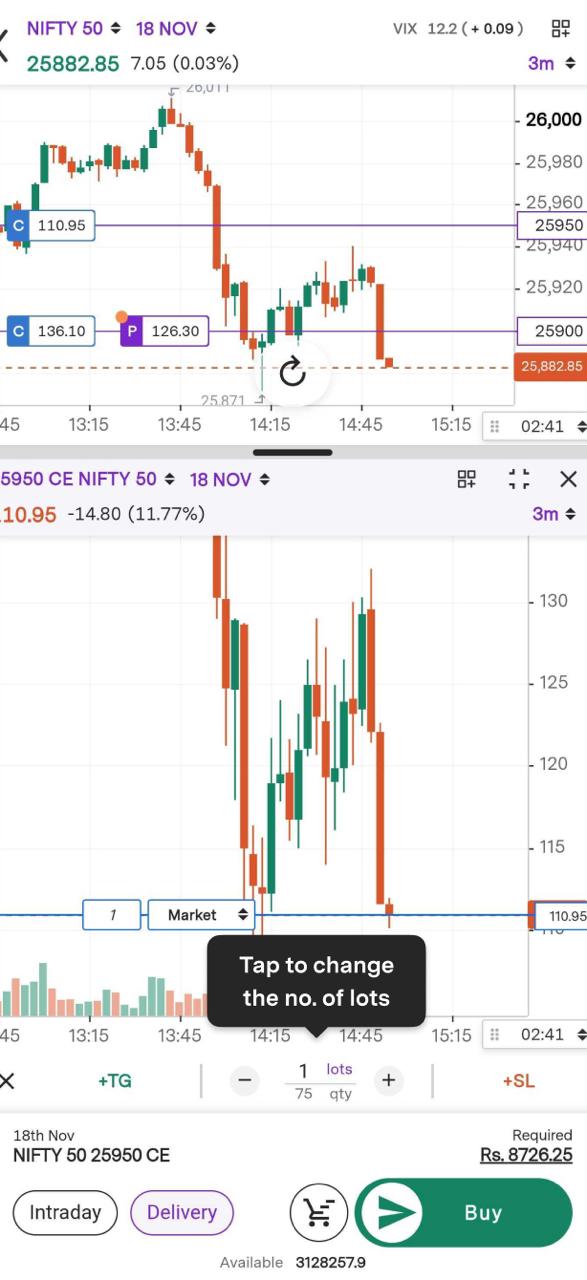
Step 6: Swipe Buy to place order.
Trade with Upstox
Want to open a Demat account?
Open a FREE Demat and Trading account to invest in Stocks, Mutual Funds, IPOs and more.
+91
By signing up you agree to receive transaction updates on Whatsapp. You may also receive a call from an Upstox representative to help you with the account opening process.
Upstox Community
Upstox Community
| Topic | Replies | Views | Activity |
|---|