
Help Center

Getting Started
Trading
My Account
Mutual Funds
IPOs
Stock SIP
Gold
NPS
Government Securities
Fixed Deposits
Insurance
Loan
Smallcase
DartStock
Upstox API
NCD
US Stocks
How can I track my bank accounts in Upstox Investors mode?
Tracking all your bank account balances in one place provides a convenient and efficient way for you to stay on top of your finances, enabling better financial management and decision-making.
We have tied up with an account aggregator (RBI-regulated entity) to help you track your bank accounts safely and securely on Upstox after you provide your consent.
Step 1: Log in to the Upstox app using your 6-digit PIN or biometrics and navigate to ‘Investors’ mode.
Step 2: Click on 'Bank Accounts'.
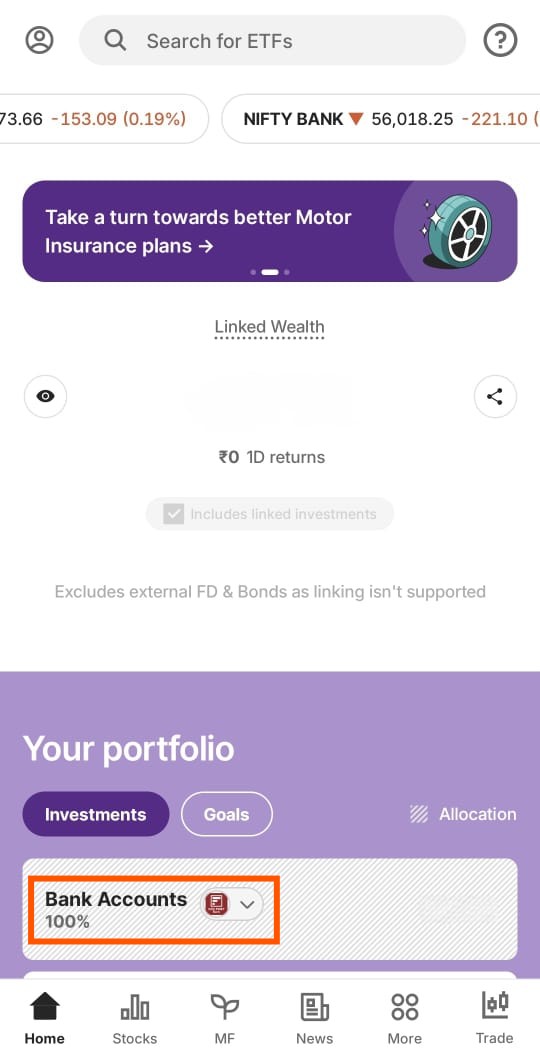
Step 3: Click on 'Add bank account'.
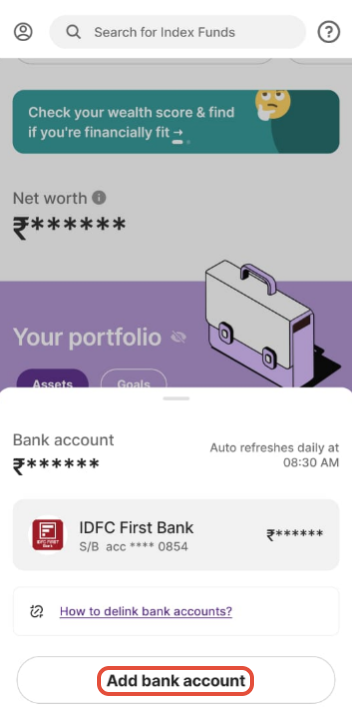
Step 4: Click on 'Continue'.
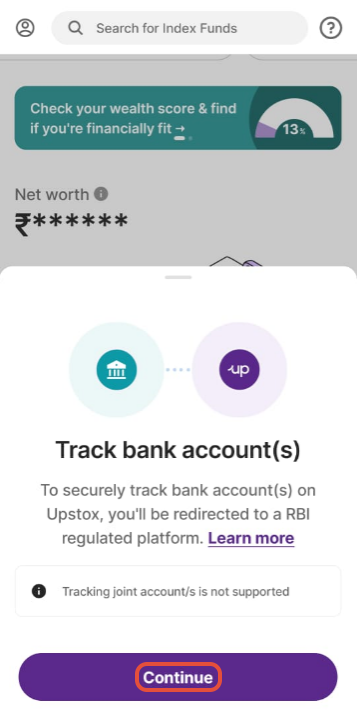
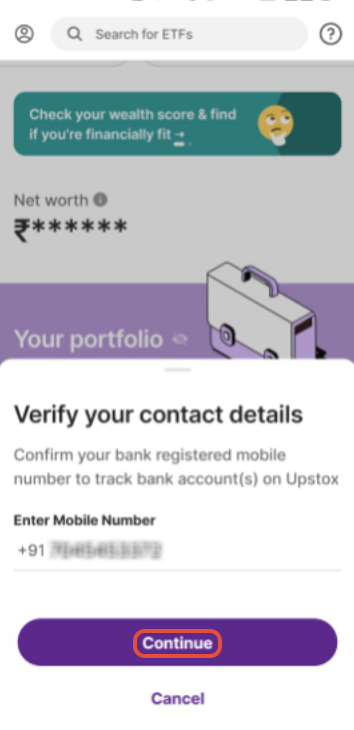
Step 5: Confirm your bank's registered mobile number to track bank accounts and click on 'Continue'.
Step 6: Enter the OTP received on your registered mobile number and click on 'Login'.
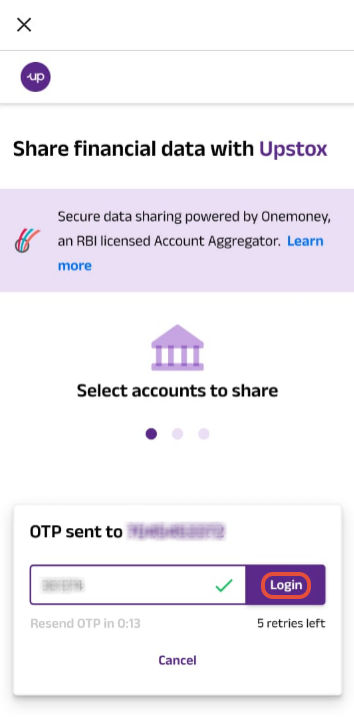
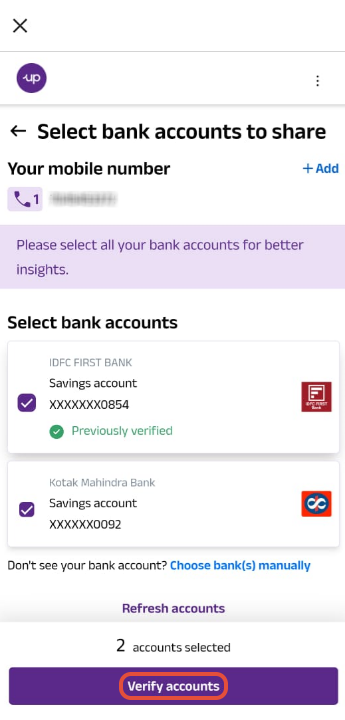
Step 7: Select the bank which you want to verify and click on 'Verify accounts'.
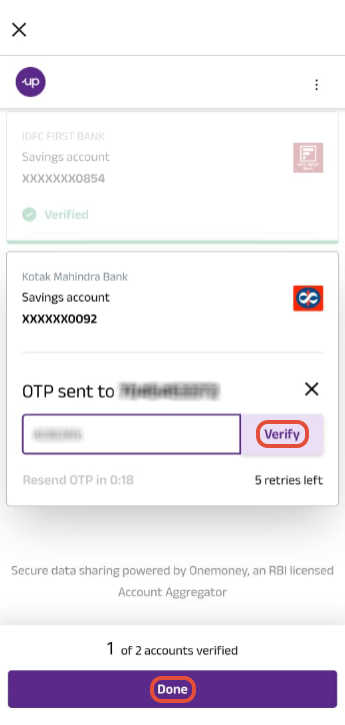
Step 8: Enter the OTP received on your registered mobile number and click on 'Verify' and then 'Done'.
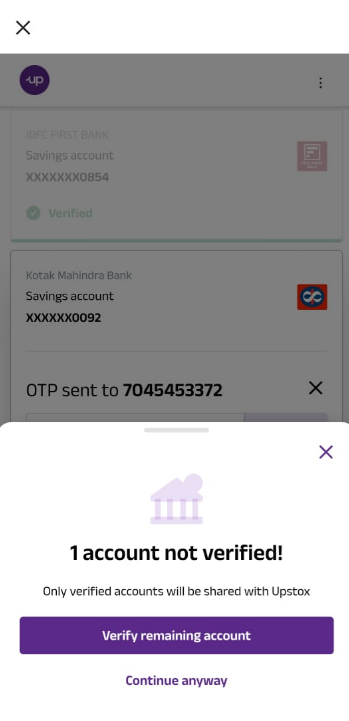
Step 9: Click on 'Verify remaining account'.
Step 10: Click on 'Approve data sharing'.
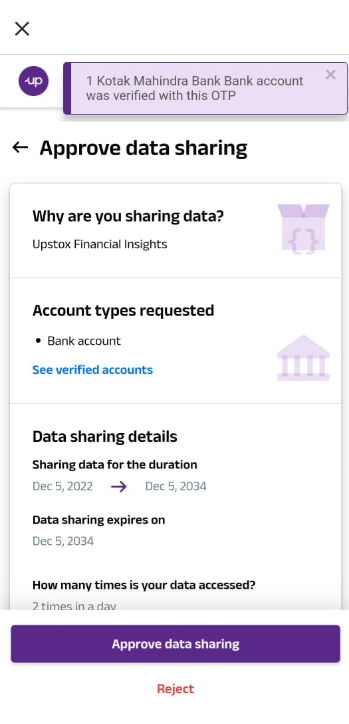
Done! You will now be redirected to Upstox. The bank account has been successfully verified, and you can track it there.
Trade with Upstox
Want to open a Demat account?
Open a FREE Demat and Trading account to invest in Stocks, Mutual Funds, IPOs and more.
By signing up you agree to receive transaction updates on Whatsapp. You may also receive a call from an Upstox representative to help you with the account opening process.
Upstox Community
Upstox Community
| Topic | Replies | Views | Activity |
|---|