
Help Center

Getting Started
Trading
My Account
Mutual Funds
IPOs
Stock SIP
Gold
NPS
Government Securities
Fixed Deposits
Insurance
Loan
Smallcase
DartStock
Upstox API
NCD
US Stocks
How can I place a normal Good Till Triggered (GTT) order?
Upstox has simplified the task that traders and investors face of placing GTT orders, thus allowing for the automation of entrance and exit positions.
Below is a step-by-step guide on how to place a regular GTT order on the Upstox platform.
Step 1: Log in to your Upstox account with the registered credentials.
Step 2: Select any Cash Segment stock or F&O scrip that you want to trade.
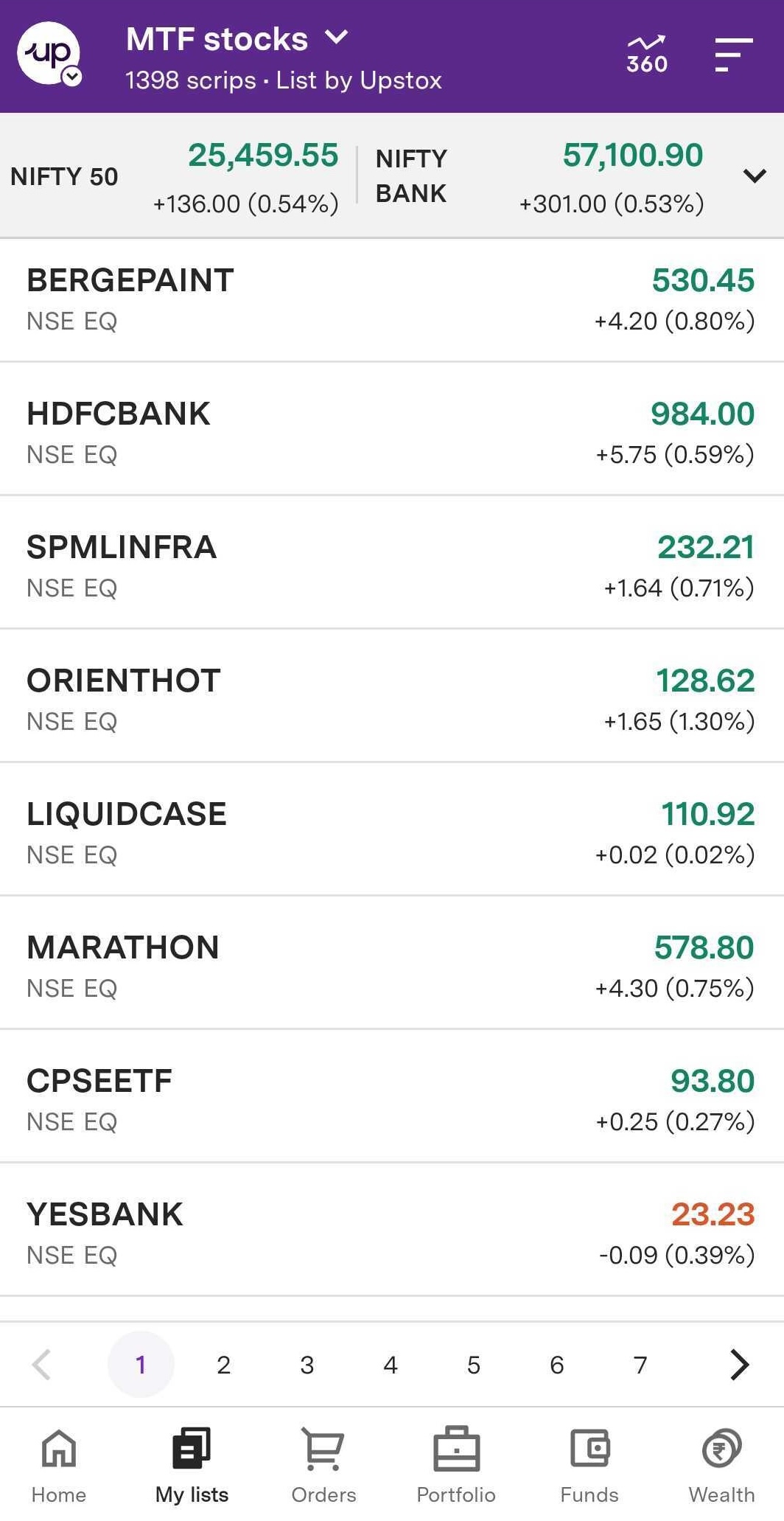
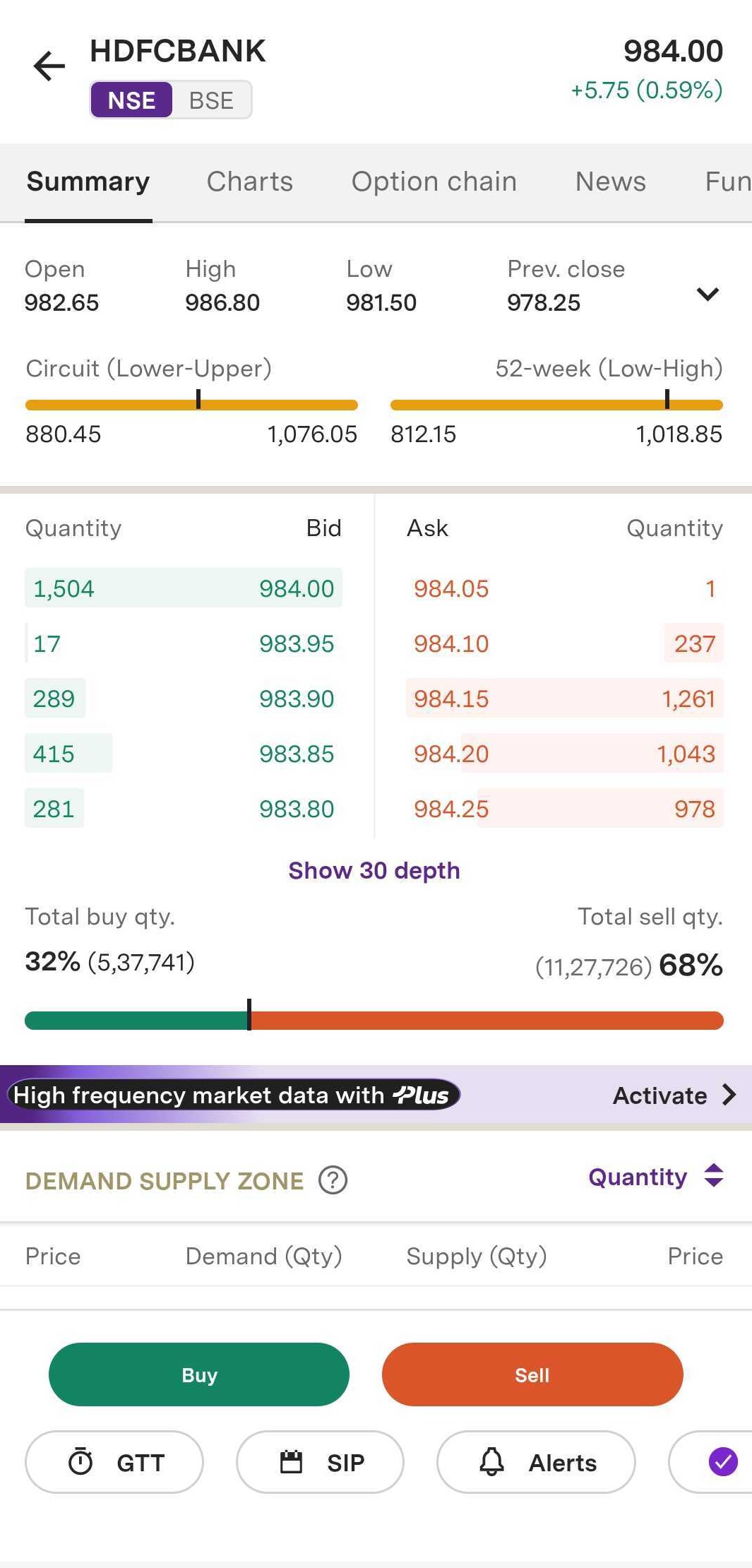
Step 3: To utilise the ‘GTT’ feature, go to the ‘Summary’ page and click on the ‘GTT’ button. Alternatively, press the ‘Buy’ button and select ‘GTT’ from there.
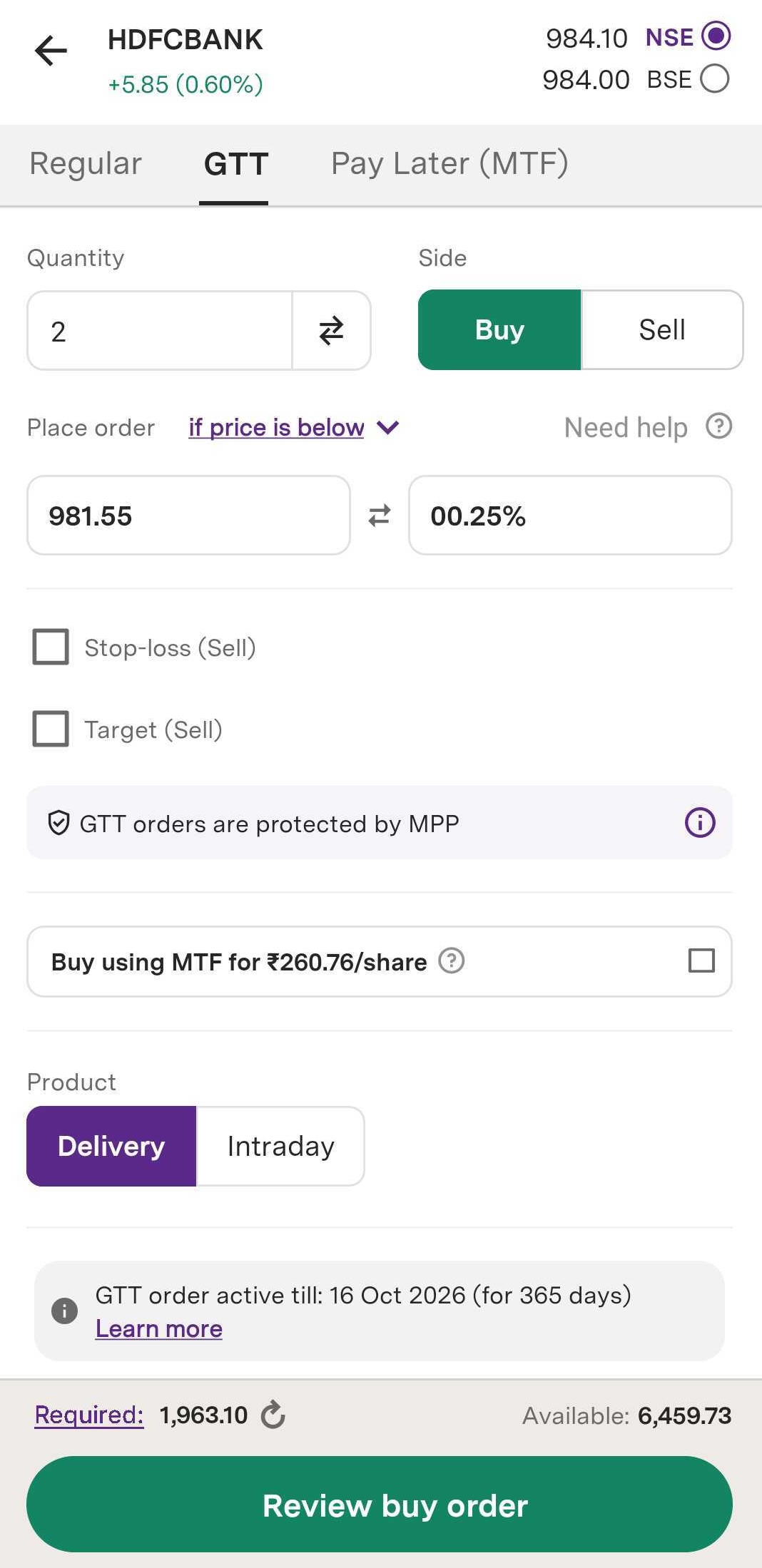
Step 4: You will enter the desired quantity of shares to buy or sell.
Step 5: Select the type of product — either ‘Delivery’, for medium to long-term holdings or ‘Intraday’, for same-day trading.
Step 6: Determine the trigger condition for your order:
Select ‘Above’ if you wish to buy or sell a scrip once it exceeds your stated price.
Select ‘Immediately’ if you wish to complete the order at the current market price.
Select ‘Below’ if you wish to buy or sell a scrip once it falls below the stated price.
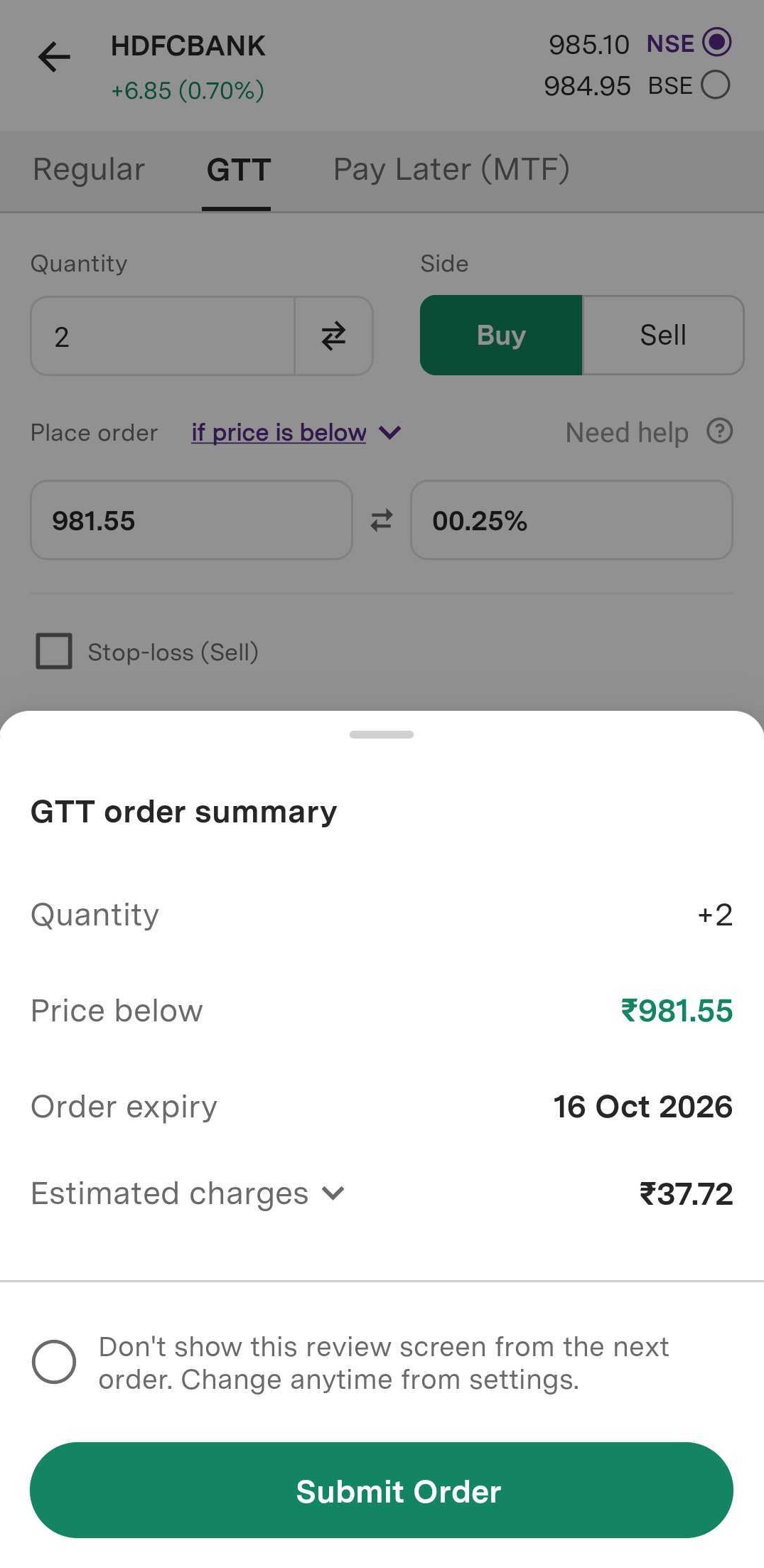
Step 7: Select ‘Review buy order’ to confirm all entered details are verified.
Step 8: Finally, select ‘Submit order’. Your GTT order will be placed successfully.
Trade with Upstox
Want to open a Demat account?
Open a FREE Demat and Trading account to invest in Stocks, Mutual Funds, IPOs and more.
By signing up you agree to receive transaction updates on Whatsapp. You may also receive a call from an Upstox representative to help you with the account opening process.
Upstox Community
Upstox Community
| Topic | Replies | Views | Activity |
|---|