
Help Center

Getting Started
Trading
My Account
Mutual Funds
IPOs
Stock SIP
Gold
NPS
Government Securities
Fixed Deposits
Insurance
Loan
Smallcase
DartStock
Upstox API
NCD
US Stocks
How can I place a GTT order with target and stop-loss?
Step1: Log into your Upstox account.
Step 2: Select any Cash Segment Stock or F&O scrip.
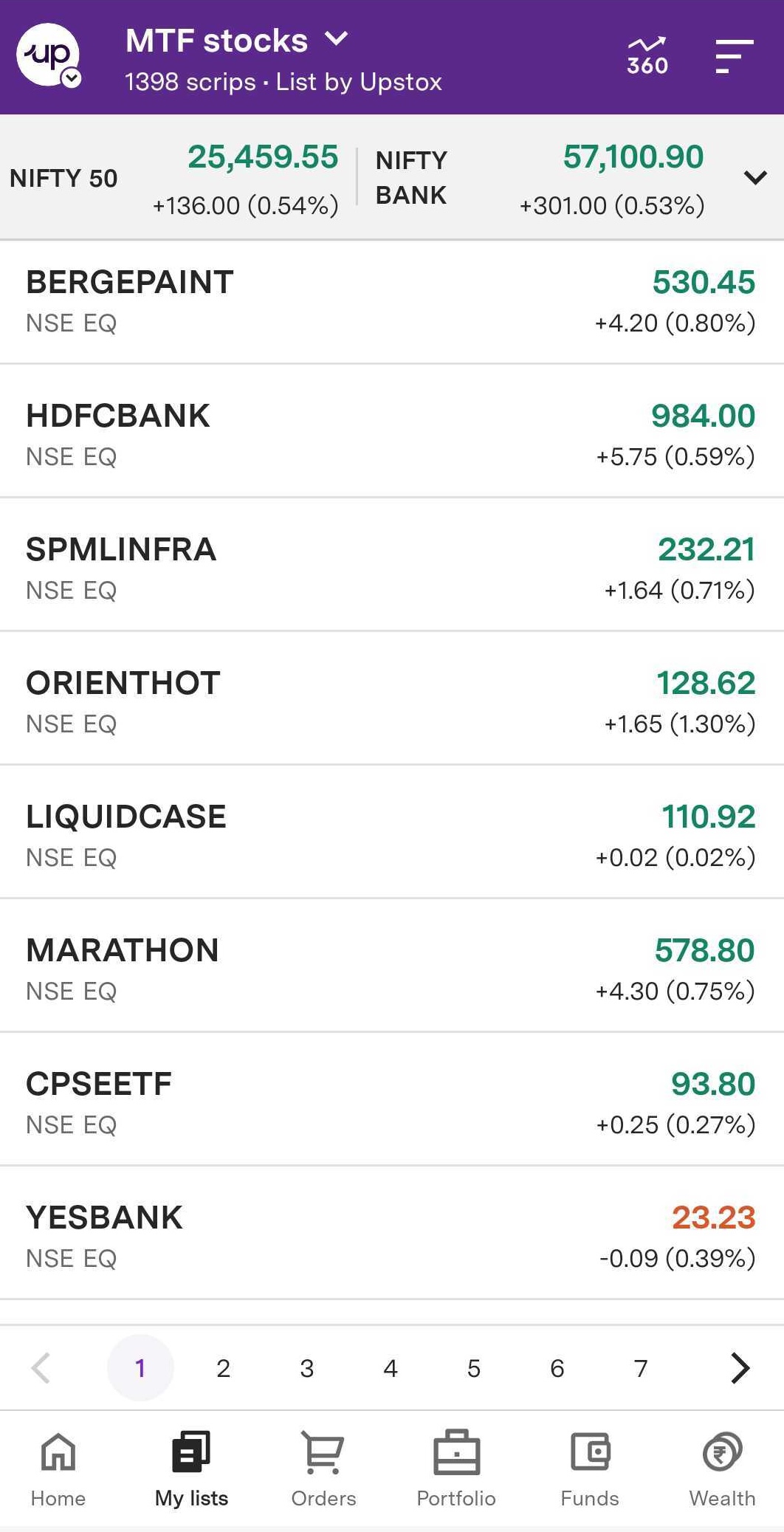
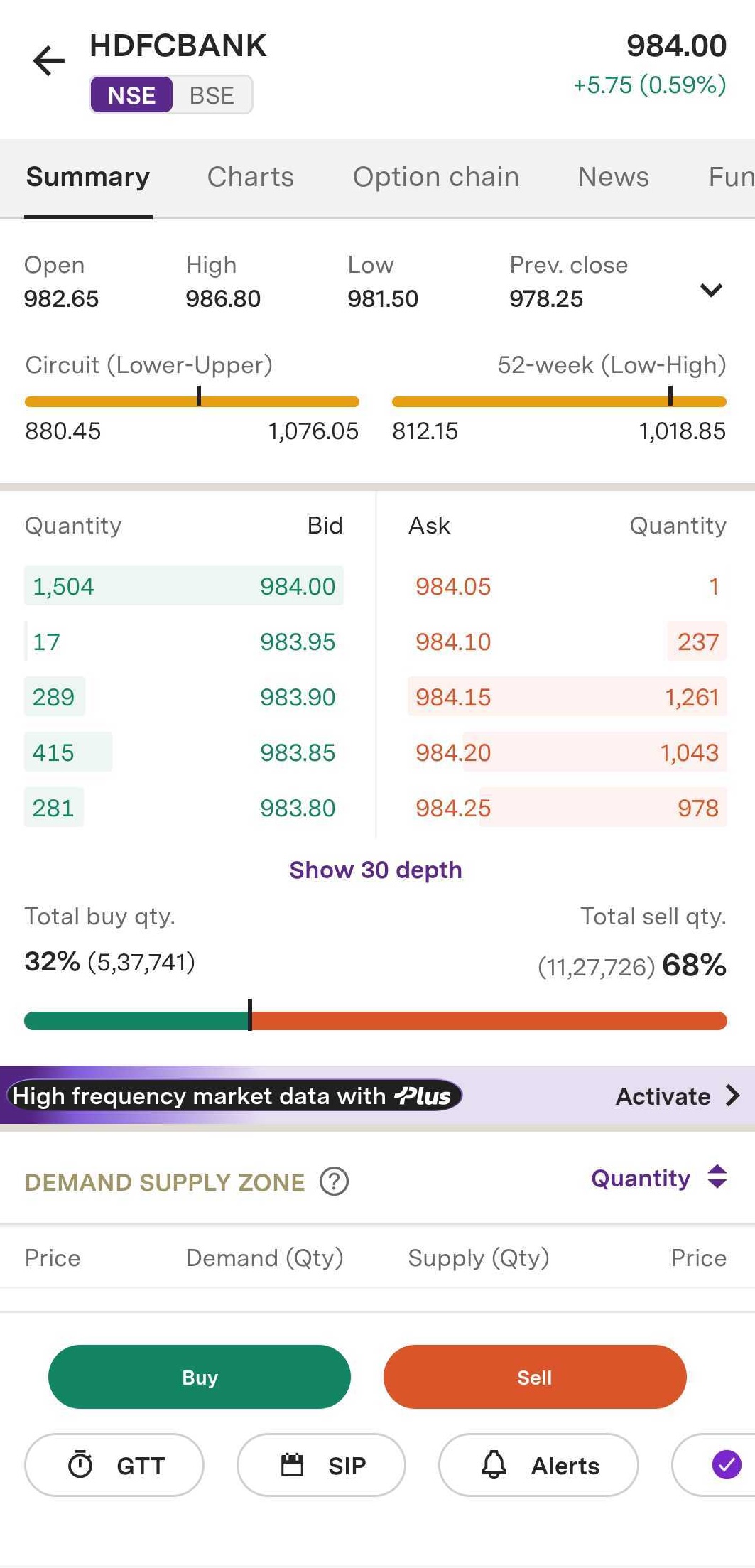
Step 3: To access the 'GTT' tab, navigate to the Summary page and select it. Alternatively, you can click on 'Buy' and then choose 'GTT'.
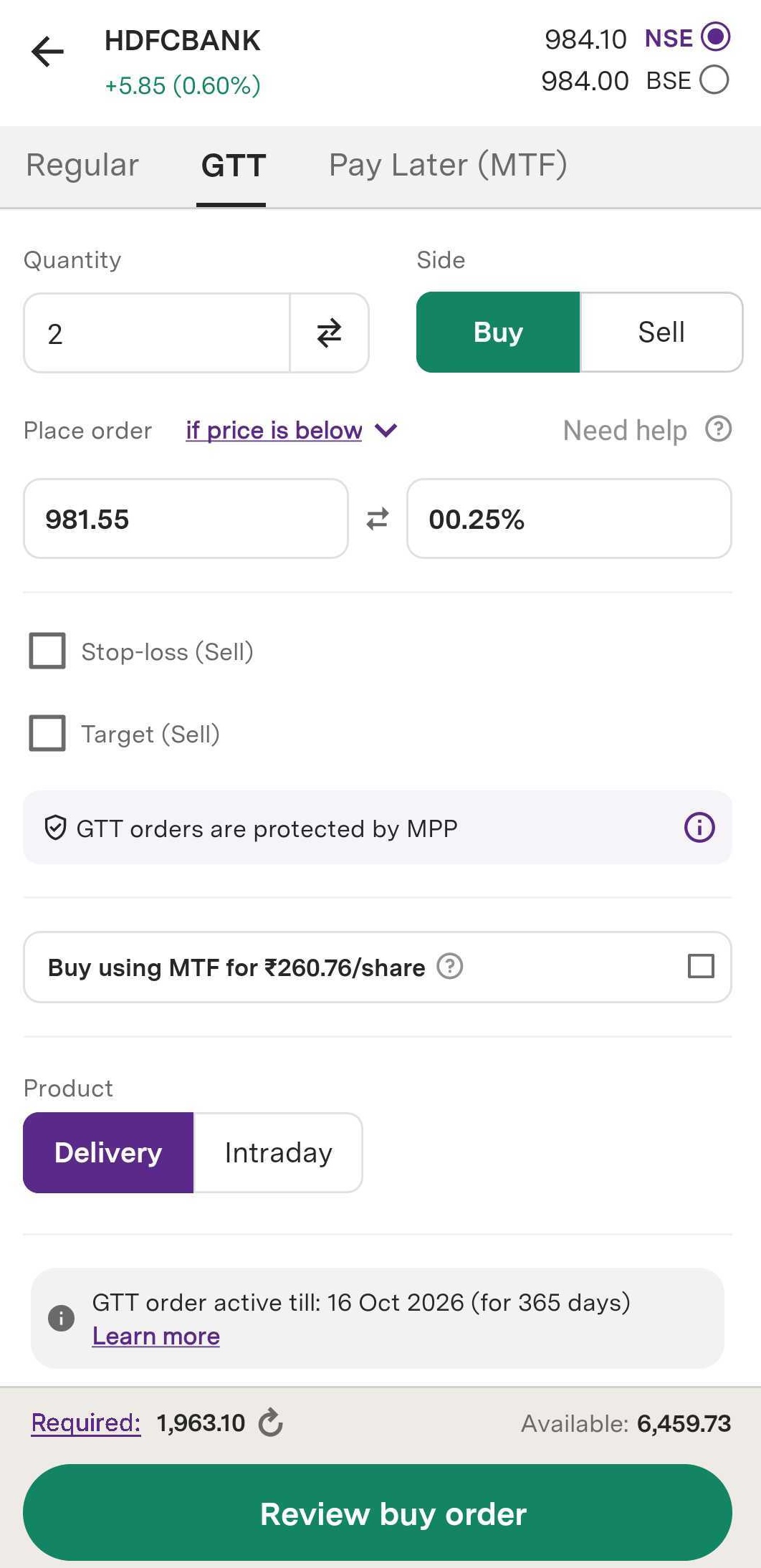
Step 4: Enter your desired quantity.
Step 5: Select product type as either ‘Delivery’ or ‘Intraday’.
Step 6: To place your GTT Order, select any one of the following:
- Select 'Above' if you want to buy or sell a scrip at a price above your stated price.
- Select ‘Immediately’ if you want to buy or sell a scrip at the current price.
- Select 'Below' if you want to buy or sell a scrip at a price below your stated price.
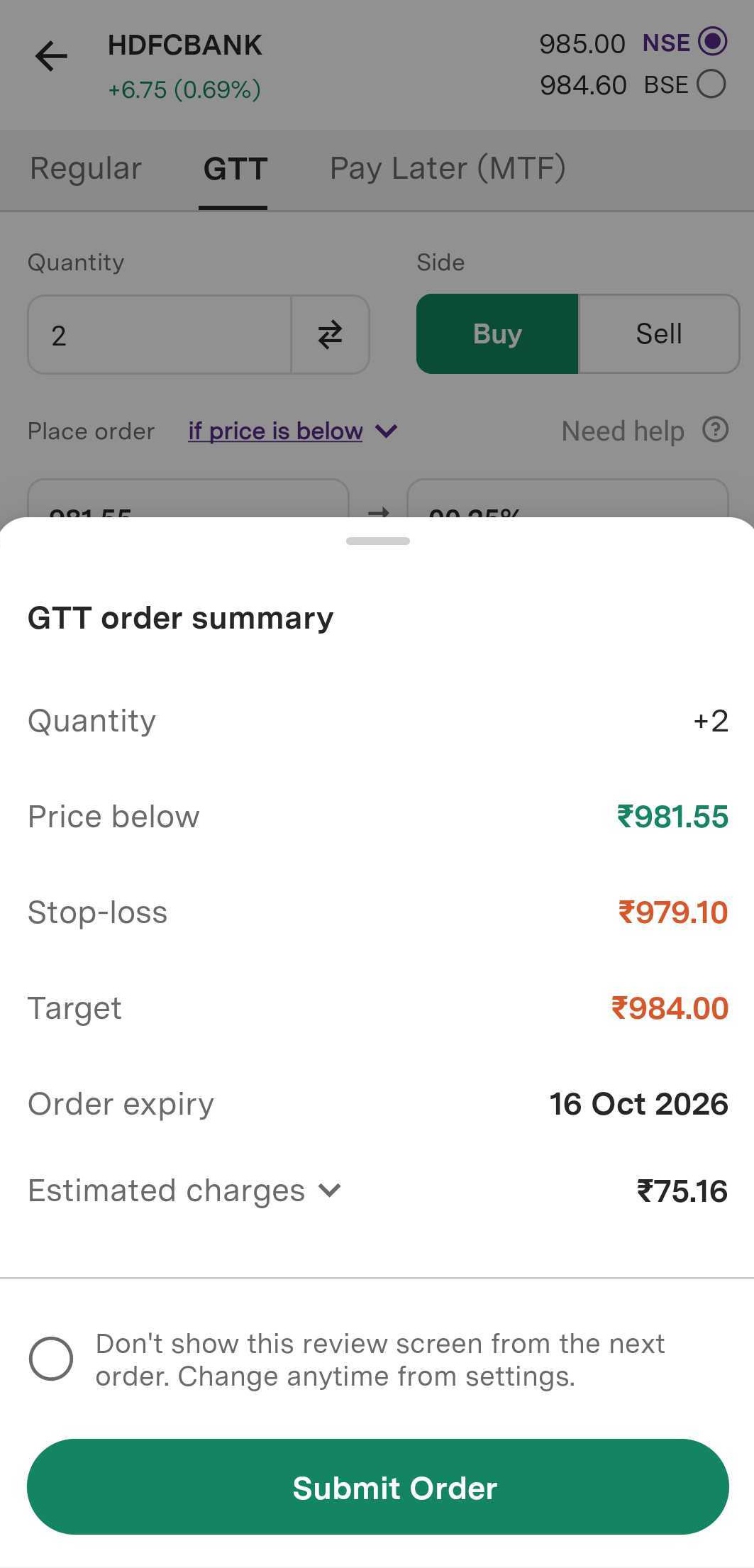
Step 7: Based on your preference, select any one or both ‘Stop-loss and Target’.
Step 8: Enter the desired percentage in ‘Stop-Loss’ and ‘Target’ fields.
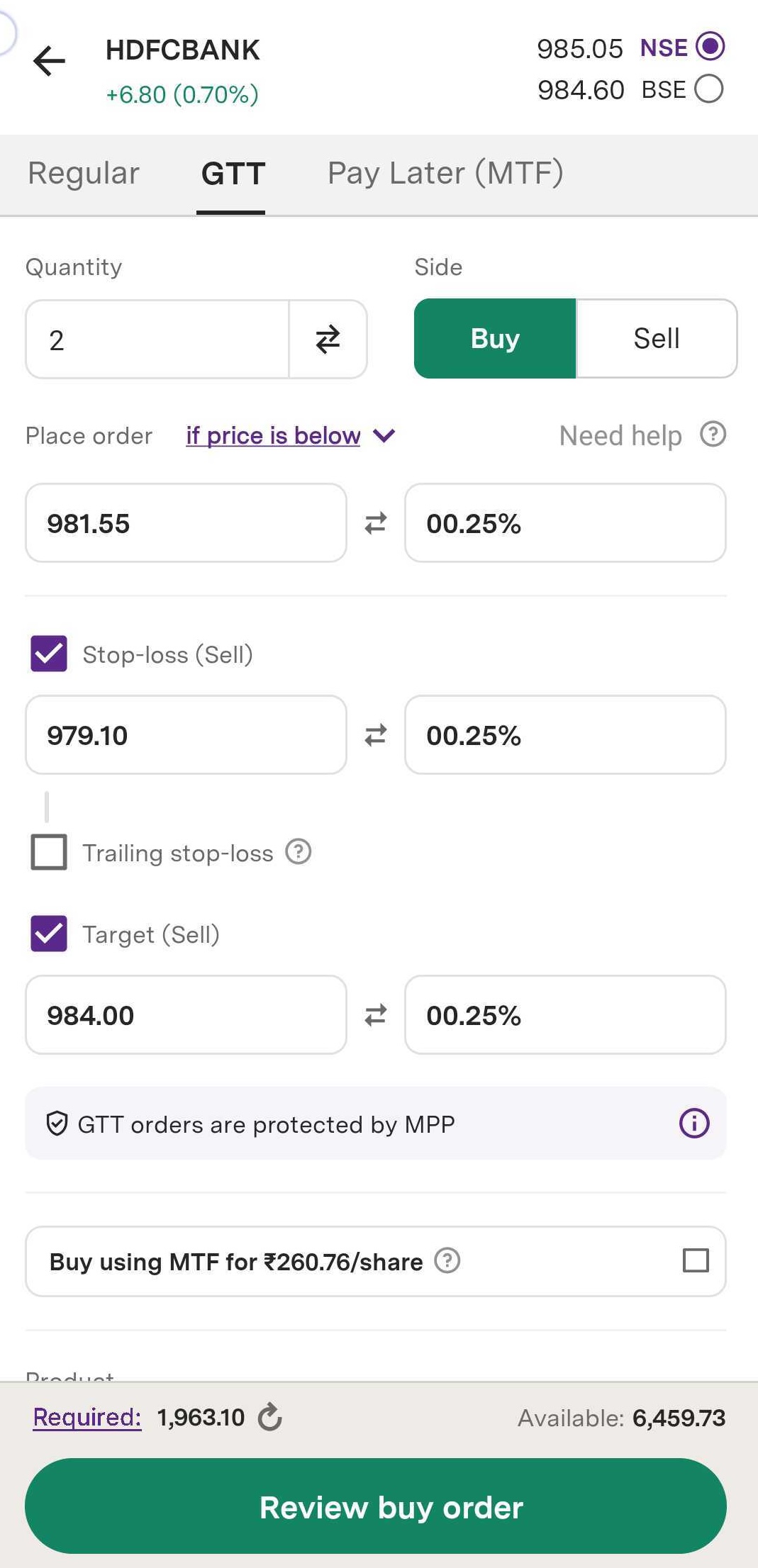
Step 9: Click on ‘Review buy order’ to place your order.
Step 10: Click on ‘Submit order’ and your GTT Order will be successfully placed.
Trade with Upstox
Want to open a Demat account?
Open a FREE Demat and Trading account to invest in Stocks, Mutual Funds, IPOs and more.
By signing up you agree to receive transaction updates on Whatsapp. You may also receive a call from an Upstox representative to help you with the account opening process.
Upstox Community
Upstox Community
| Topic | Replies | Views | Activity |
|---|