
Help Center

Getting Started
Trading
My Account
Mutual Funds
IPOs
Stock SIP
Gold
NPS
Government Securities
Fixed Deposits
Insurance
Loan
Smallcase
DartStock
Upstox API
NCD
US Stocks
How can I delete a template in Scalper?
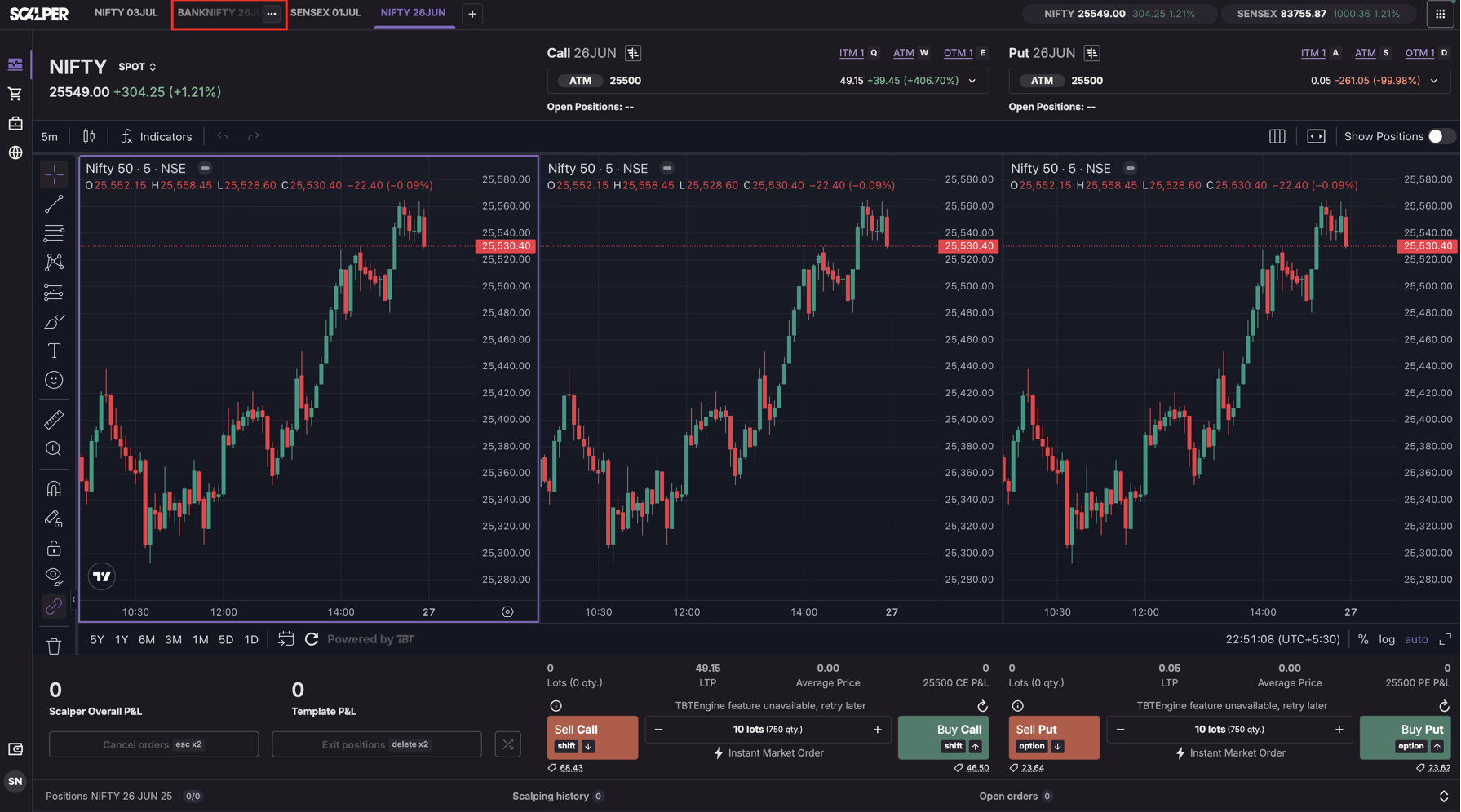
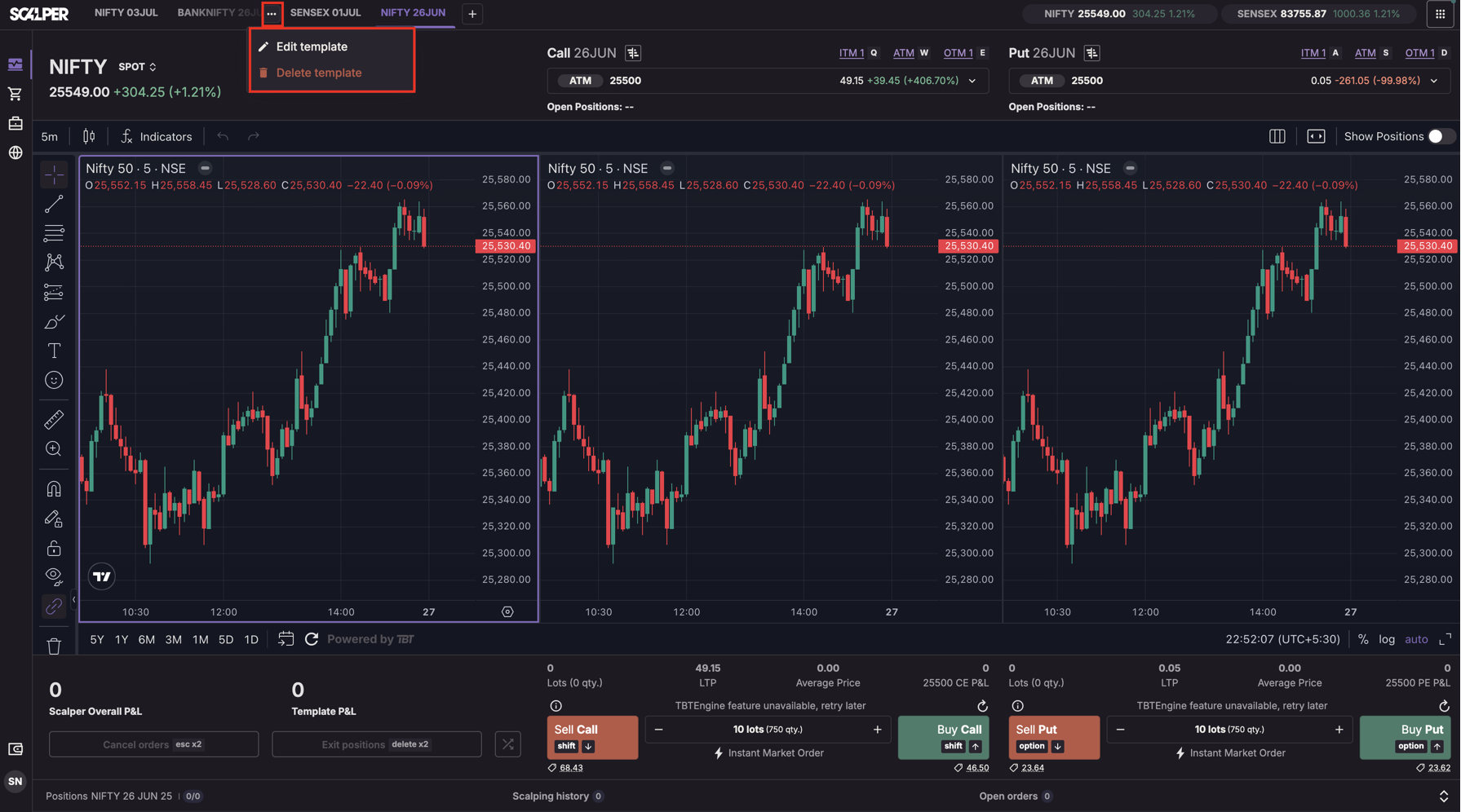
Step 1: Hover over the template tab → Click 3-dot menu (⋮) → Select “Delete”
Step 2: Confirm deletion by clicking "Delete anyway”
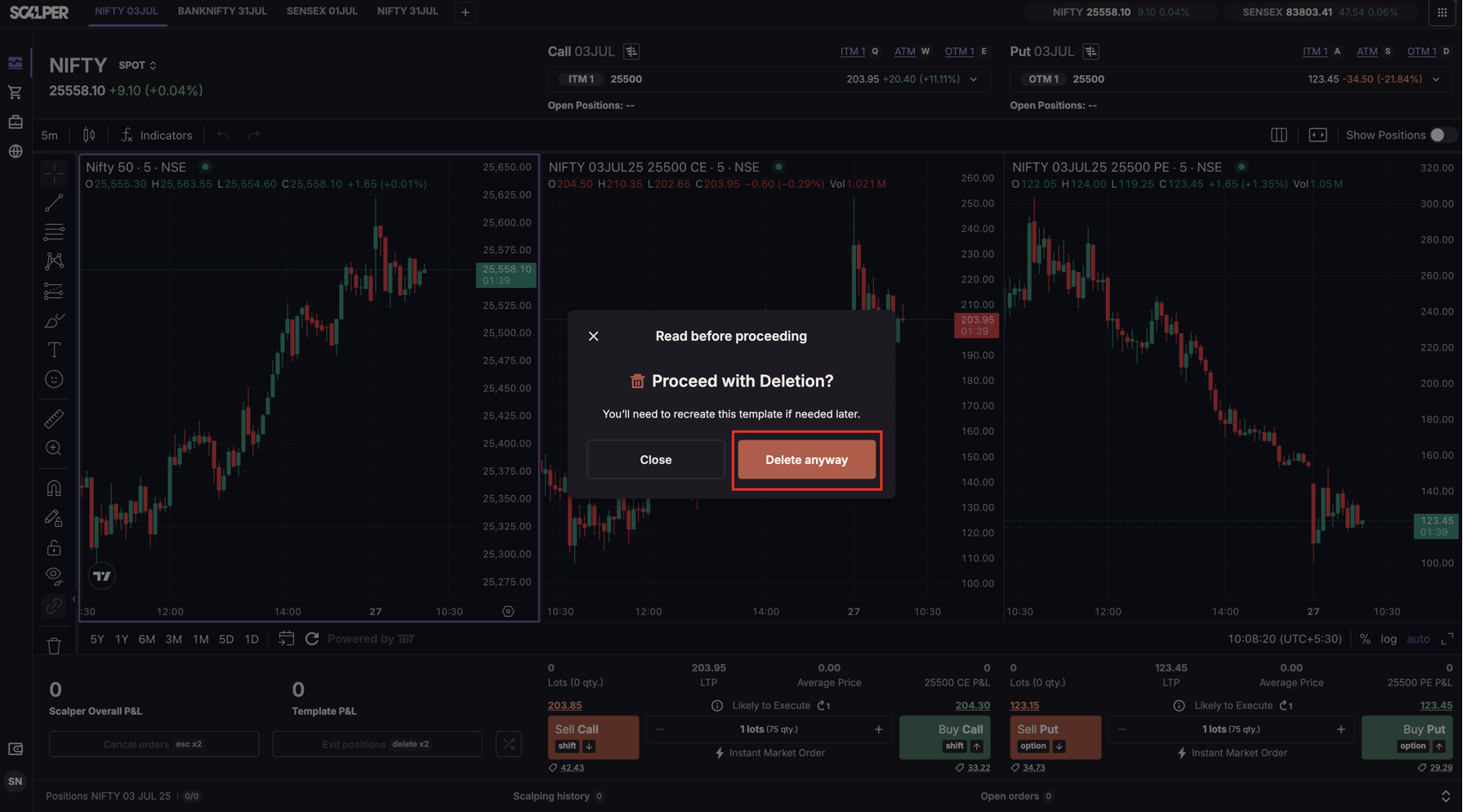
Note: Templates cannot be deleted if they have open positions. A snackbar will show: “Cannot delete a template with open positions.”
Trade with Upstox
Want to open a Demat account?
Open a FREE Demat and Trading account to invest in Stocks, Mutual Funds, IPOs and more.
+91
By signing up you agree to receive transaction updates on Whatsapp. You may also receive a call from an Upstox representative to help you with the account opening process.
Upstox Community
Upstox Community
| Topic | Replies | Views | Activity |
|---|