
Help Center

Getting Started
Trading
My Account
Mutual Funds
IPOs
Stock SIP
Gold
NPS
Government Securities
Fixed Deposits
Insurance
Loan
Smallcase
DartStock
Upstox API
NCD
US Stocks
How can I claim my voucher?
Step 1: Log in to the Upstox app using your 6-digit PIN or Biometrics.
Step 2: Click the ‘Upstox Icon’ at the top left corner of the screen.
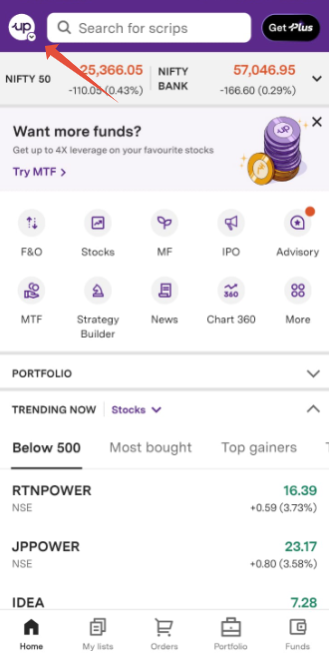
Step 3: Click on 'Refer and Earn'.
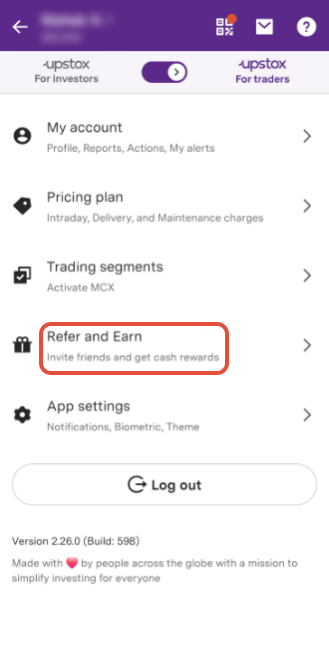
Step 4: Click on ‘Reveal Code’.
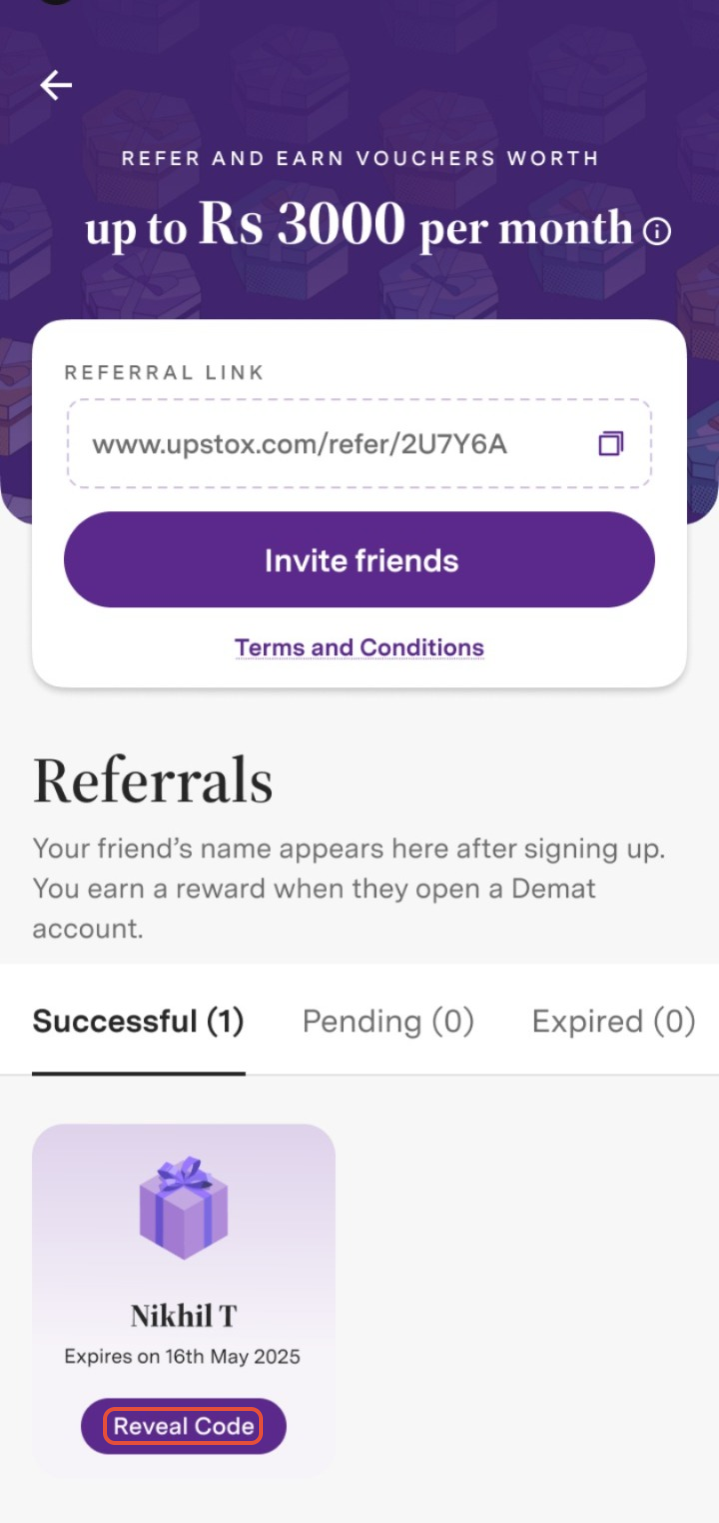
Step 5: Scratch the voucher.
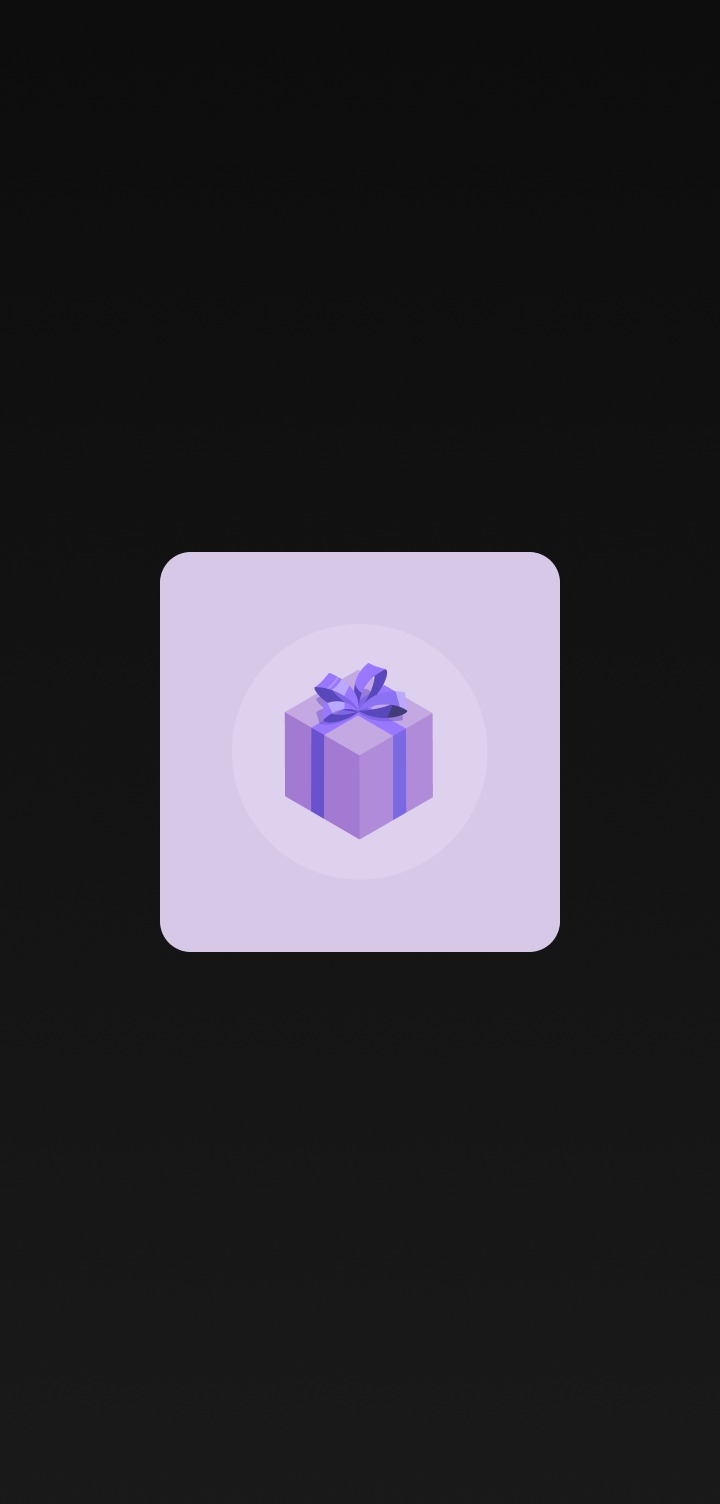
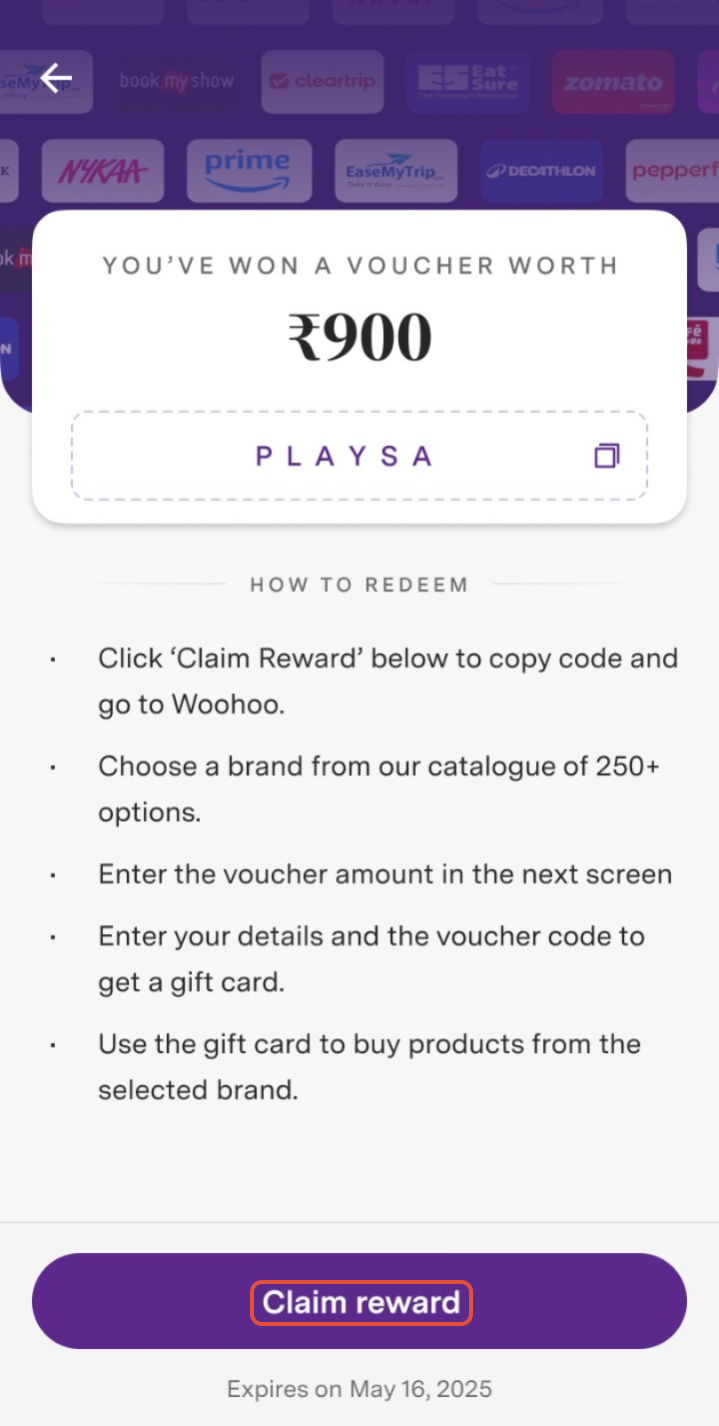
Step 6: Click on ‘Claim reward’ to copy the voucher code, visit upstox.woohoo.in, enter your Voucher Code. Remember, this voucher will expire in 30 days!
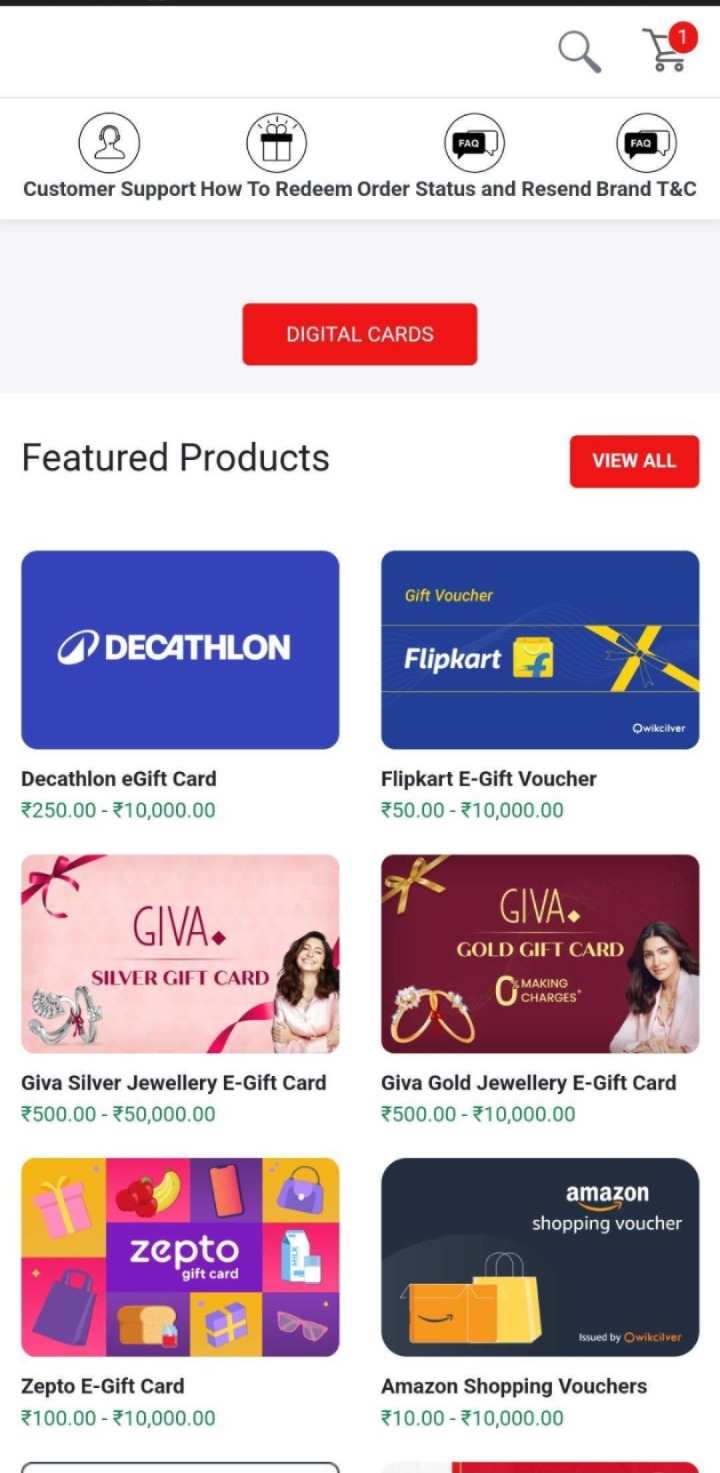
Step 7: Choose a brand from our catalogue of 250+ options.
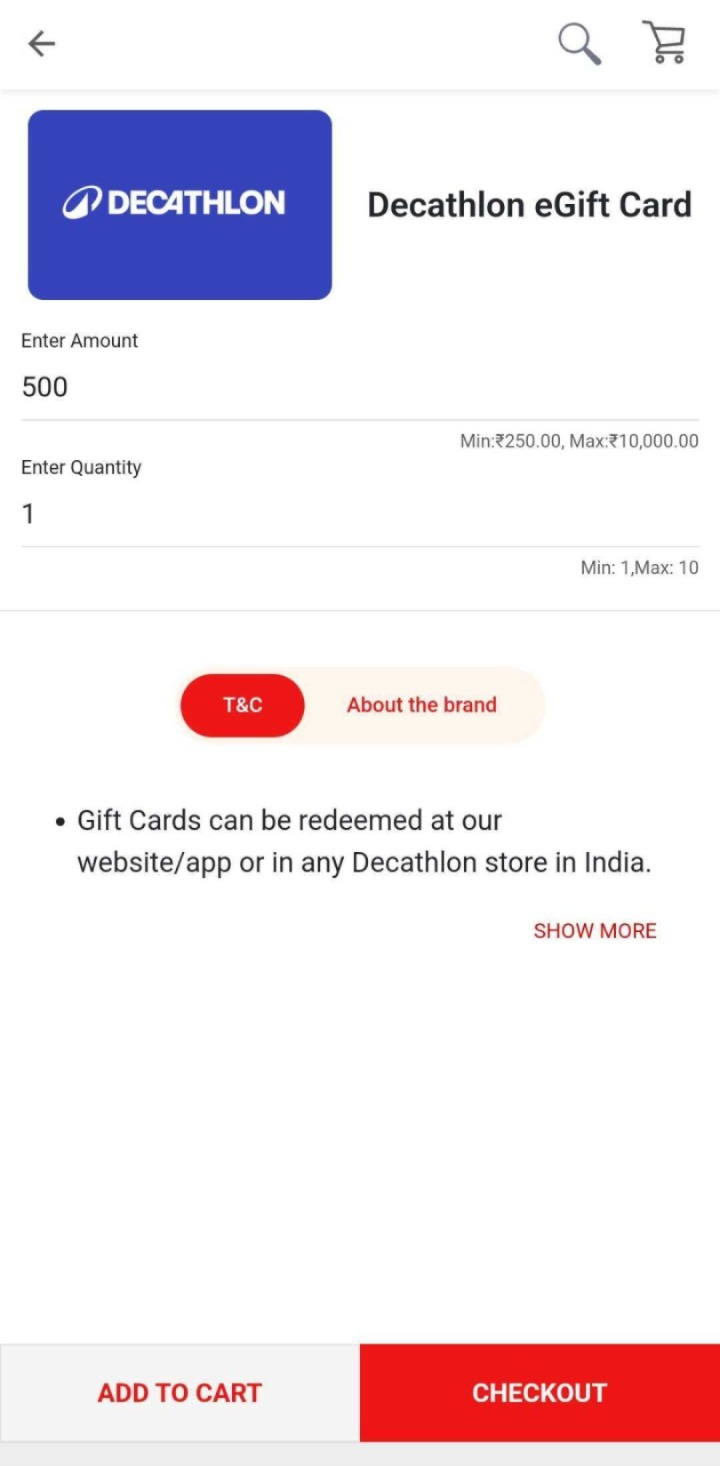
Step 8: Enter the voucher amount and click ‘CHECKOUT’.
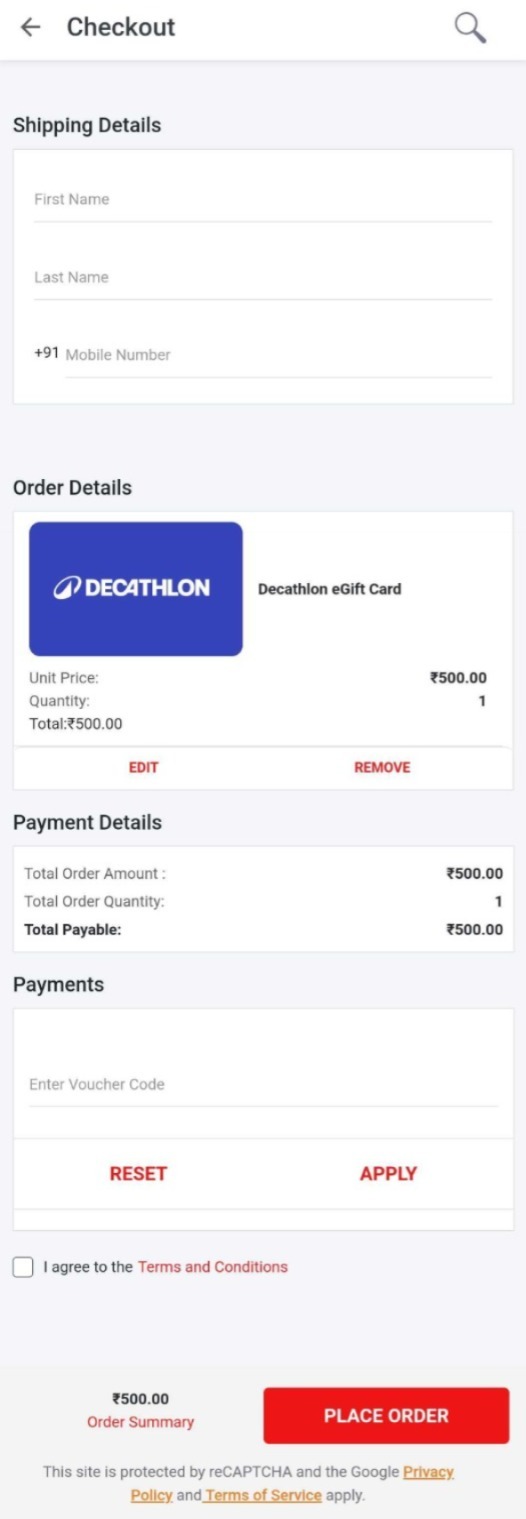
Step 9: Enter your details and the Voucher Code to get a gift card and click ‘Place order’. You’re now ready to use the gift card to buy products from the selected brand.
Step 10: You will receive the gift card on your registered email ID and SMS.
Trade with Upstox
Want to open a Demat account?
Open a FREE Demat and Trading account to invest in Stocks, Mutual Funds, IPOs and more.
By signing up you agree to receive transaction updates on Whatsapp. You may also receive a call from an Upstox representative to help you with the account opening process.
Upstox Community
Upstox Community
| Topic | Replies | Views | Activity |
|---|