
Help Center

Getting Started
Trading
My Account
Mutual Funds
IPOs
Stock SIP
Gold
NPS
Government Securities
Fixed Deposits
Insurance
Loan
Smallcase
DartStock
Upstox API
NCD
US Stocks
Can users modify or cancel a TBO?
Yes. Users have full control over the order until it is sent to the exchange or executed.
Modifying a Time-Based Order (TBO)
You can modify the price, quantity, or scheduled time while the order is still scheduled.
Steps to modify Time-Based Order (TBO):
Step 1: Go to the Order Book by tapping the Orders tab in the bottom navigation bar.
Step 2: Select the order you want to modify.
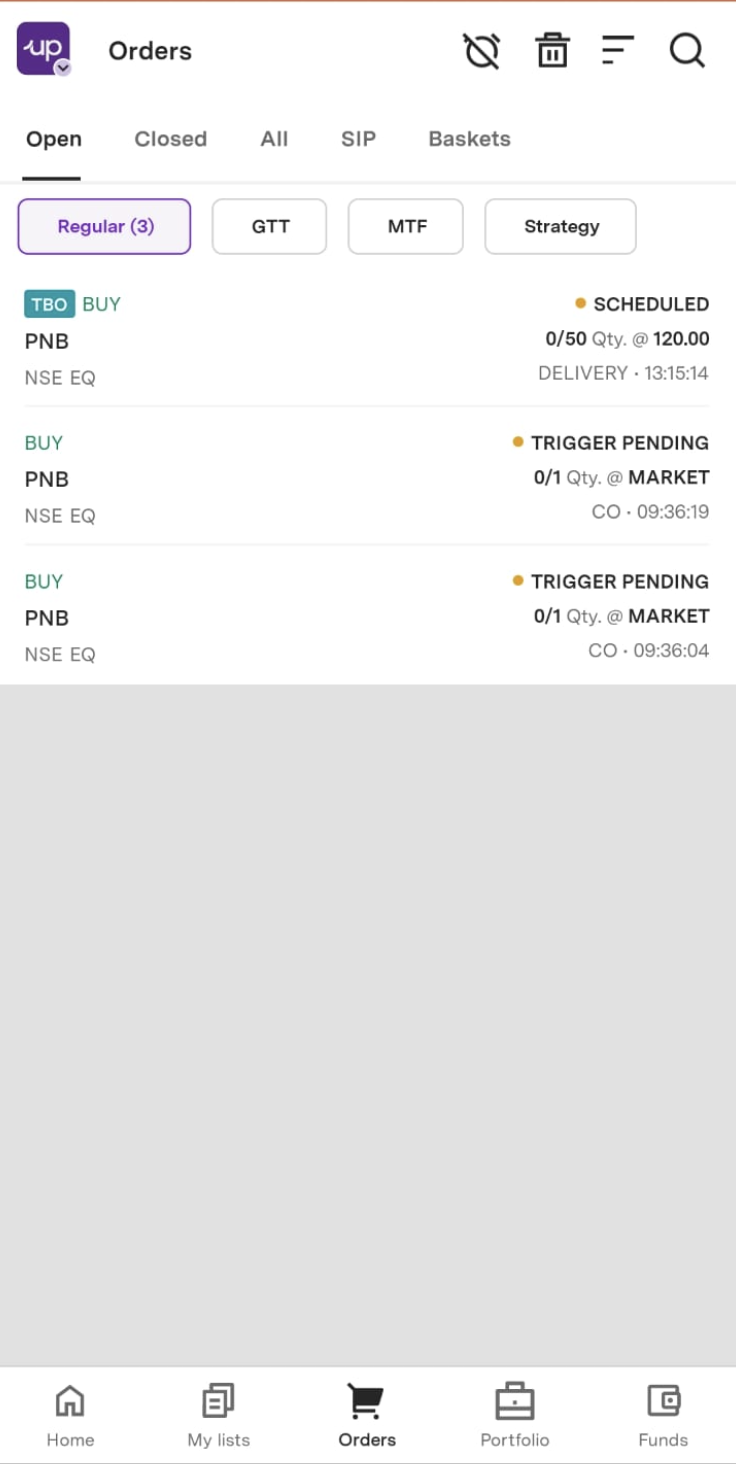
Step 3: Tap on Modify Order.
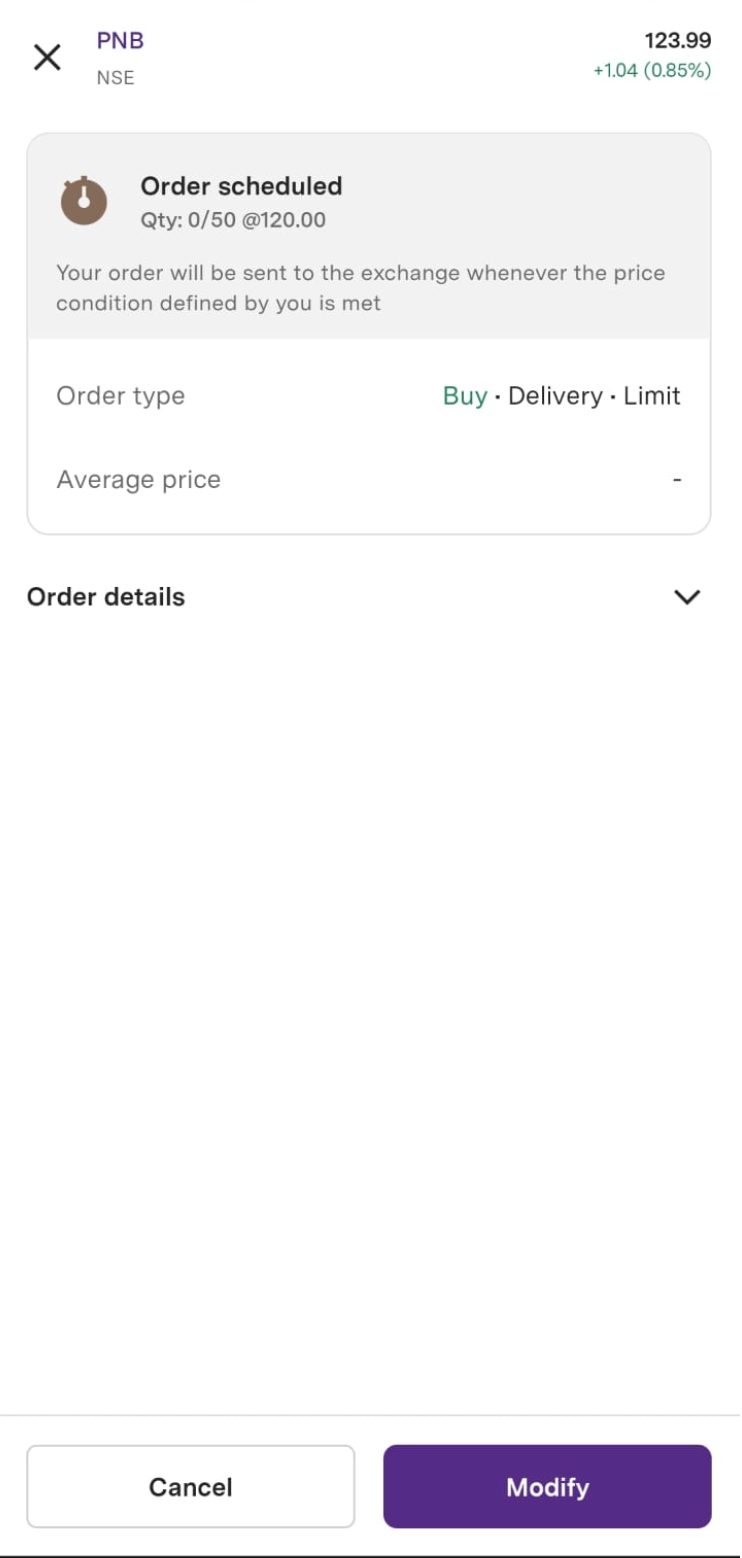
Step 4: The Order Entry screen will reopen, allowing you to make changes.
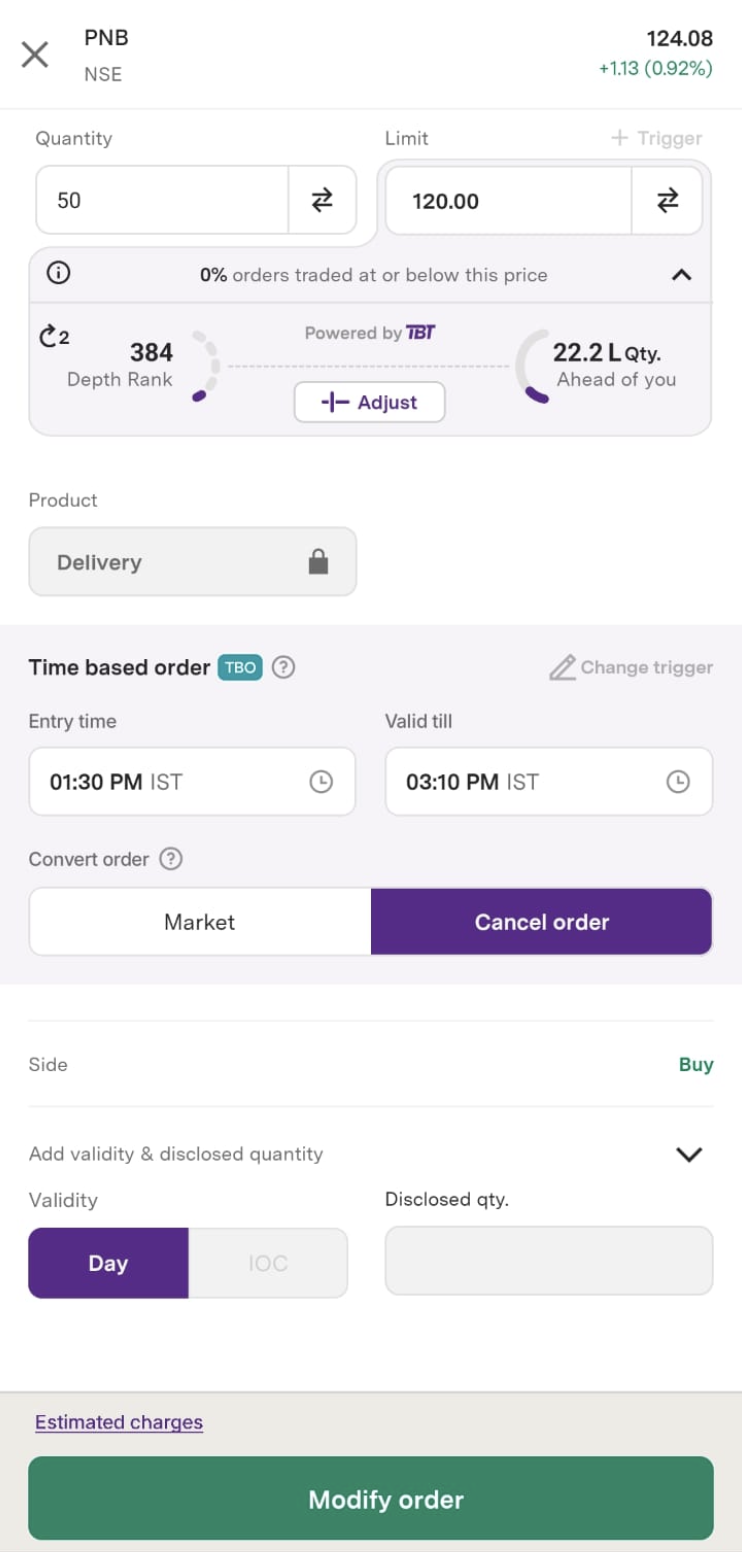
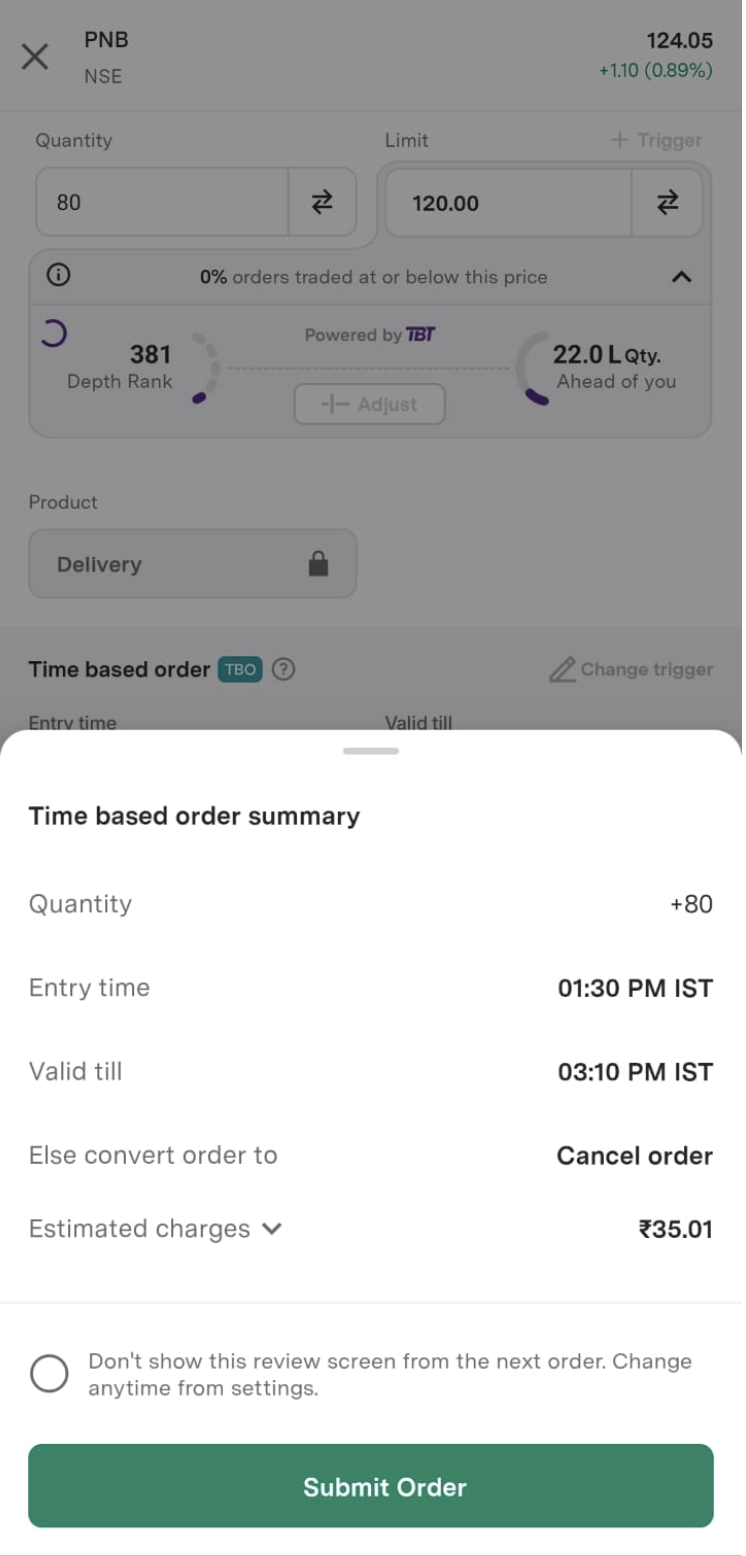
Step 5: Update the required details and tap Modify Order to review the changes.
Step 6: On the Time-Based Order Summary screen, tap Submit Order to confirm and place the modified order.
Cancelling a Time-Based Order (TBO)
You can cancel the order at any time before it is executed.
Steps to cancel Time-Based Order (TBO):
Step 1: Go to the Order Book by tapping the Orders tab in the bottom navigation bar.
Step 2: Select the order you want to cancel.
Step 3: Tap on Cancel.
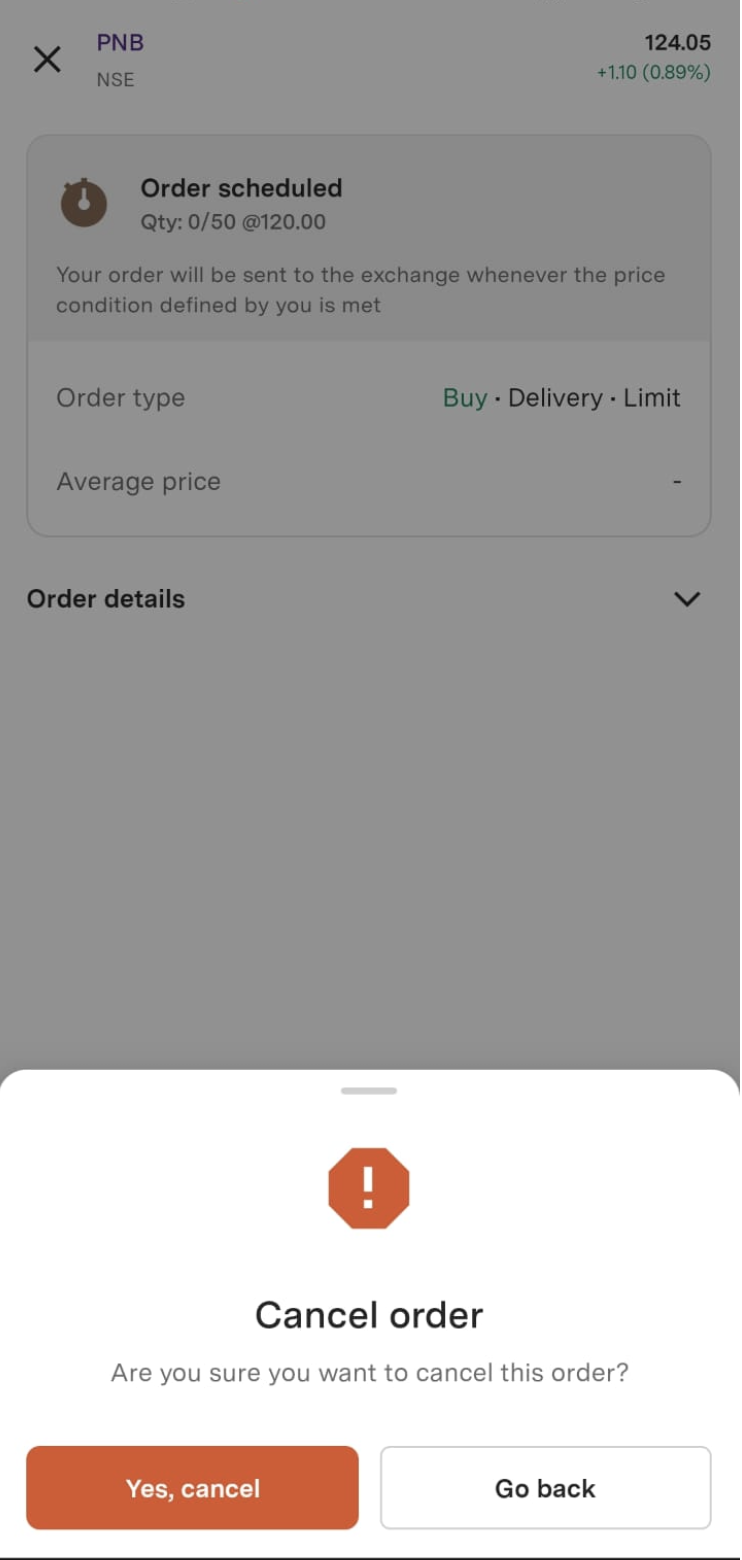
Step 4: A confirmation pop-up will appear. Tap Yes to cancel the order successfully.
Trade with Upstox
Want to open a Demat account?
Open a FREE Demat and Trading account to invest in Stocks, Mutual Funds, IPOs and more.
By signing up you agree to receive transaction updates on Whatsapp. You may also receive a call from an Upstox representative to help you with the account opening process.
Upstox Community
Upstox Community
| Topic | Replies | Views | Activity |
|---|