
Help Center

Getting Started
Trading
My Account
Mutual Funds
IPOs
Stock SIP
Gold
NPS
Government Securities
Fixed Deposits
Insurance
Loan
Smallcase
DartStock
Upstox API
NCD
US Stocks
How to add a beneficiary account on CDSL's Easi/Easiest platform for transferring securities?
To add a Beneficial Owner (BO) account you need to follow the below steps.
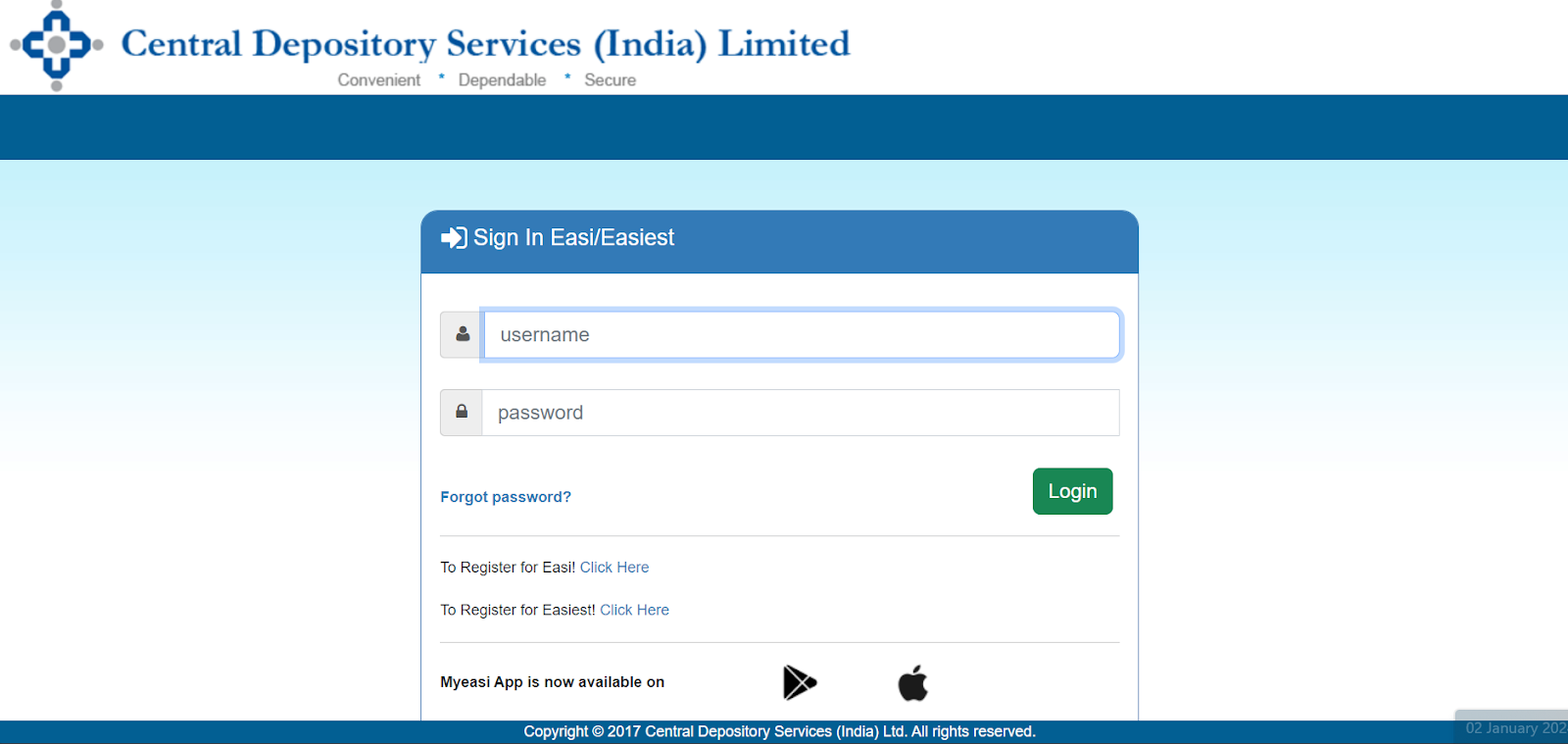
Step 1: Login to EasiEasiest (cdslindia.com).
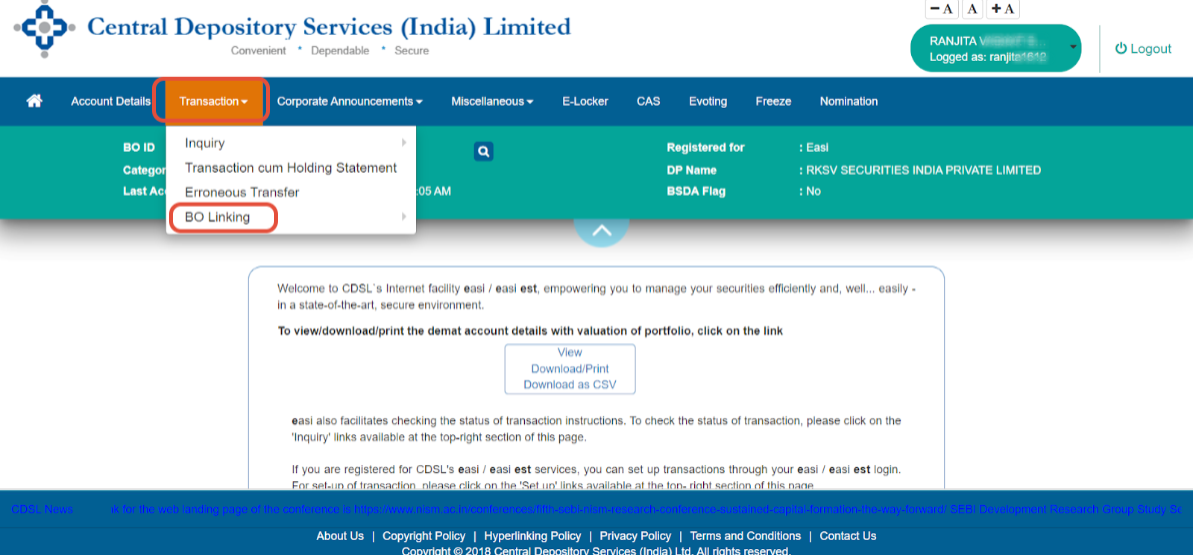
Step 2: Navigate to the 'Transaction' tab and select 'BO Linking.'
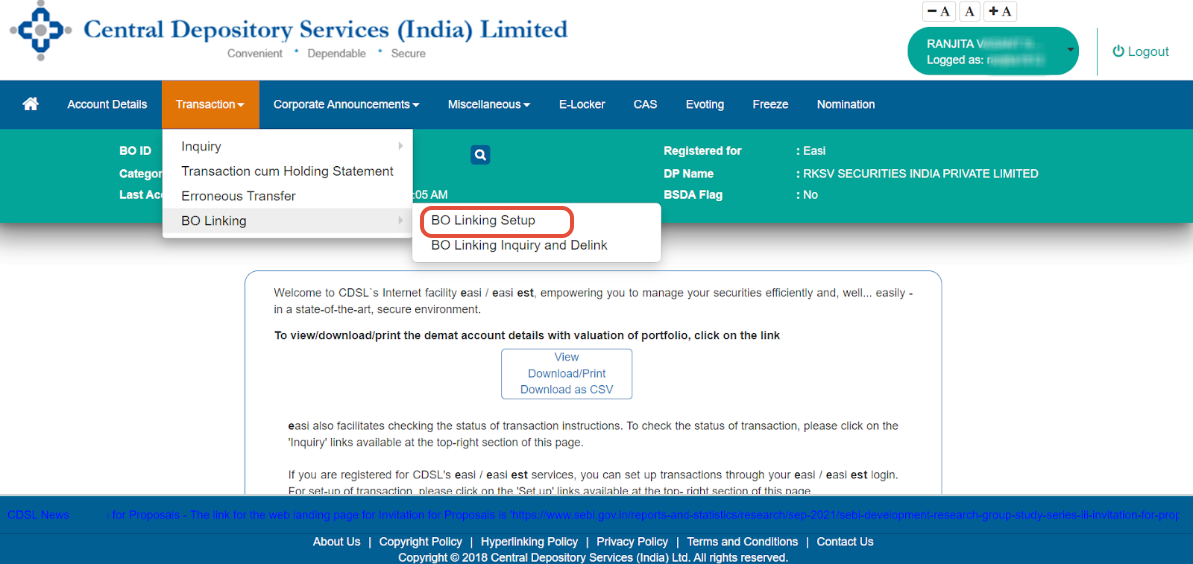
Step 3: Select ‘BO Linking Setup.’
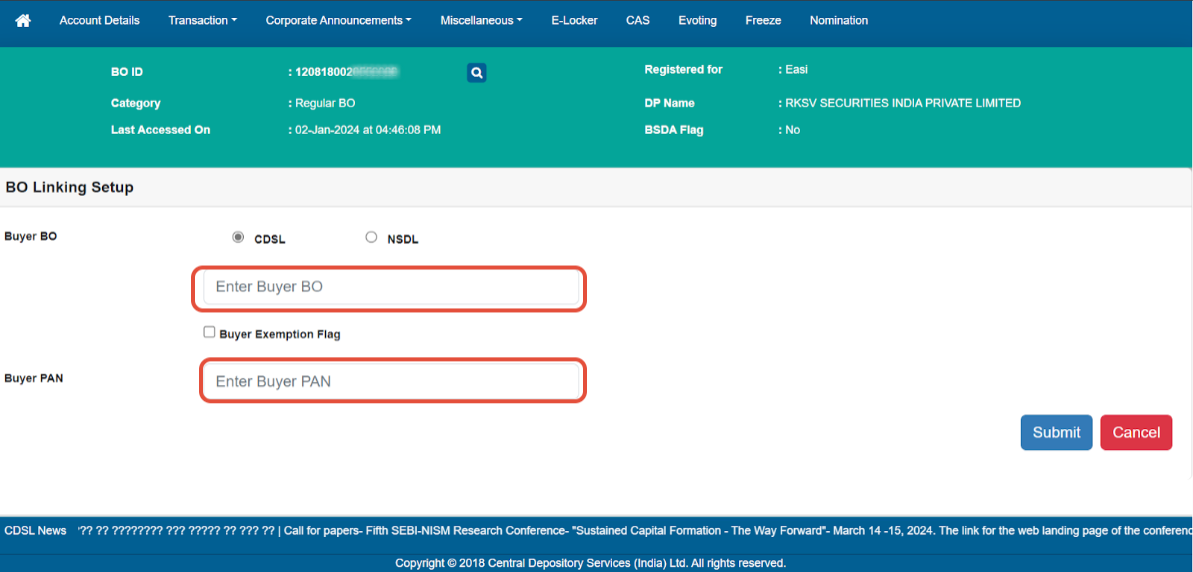
Step 4: In the 'Enter Buyer BO' and 'Enter Buyer PAN' fields, enter the details of the account to which you wish to transfer shares.
IMPORTANT: The procedure will remain incomplete if you don’t verify the information by following these steps.
Step 1: You will receive an email for verification of BO details. Click on the link in the email.
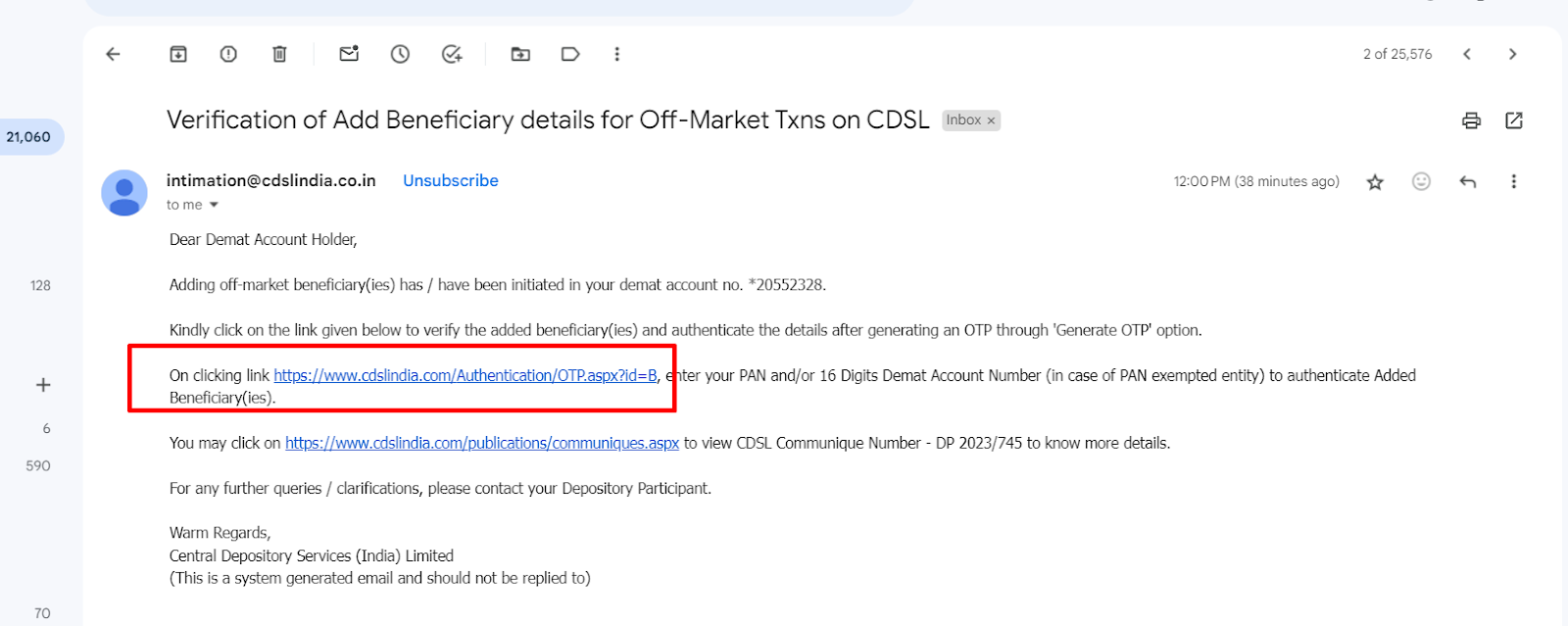
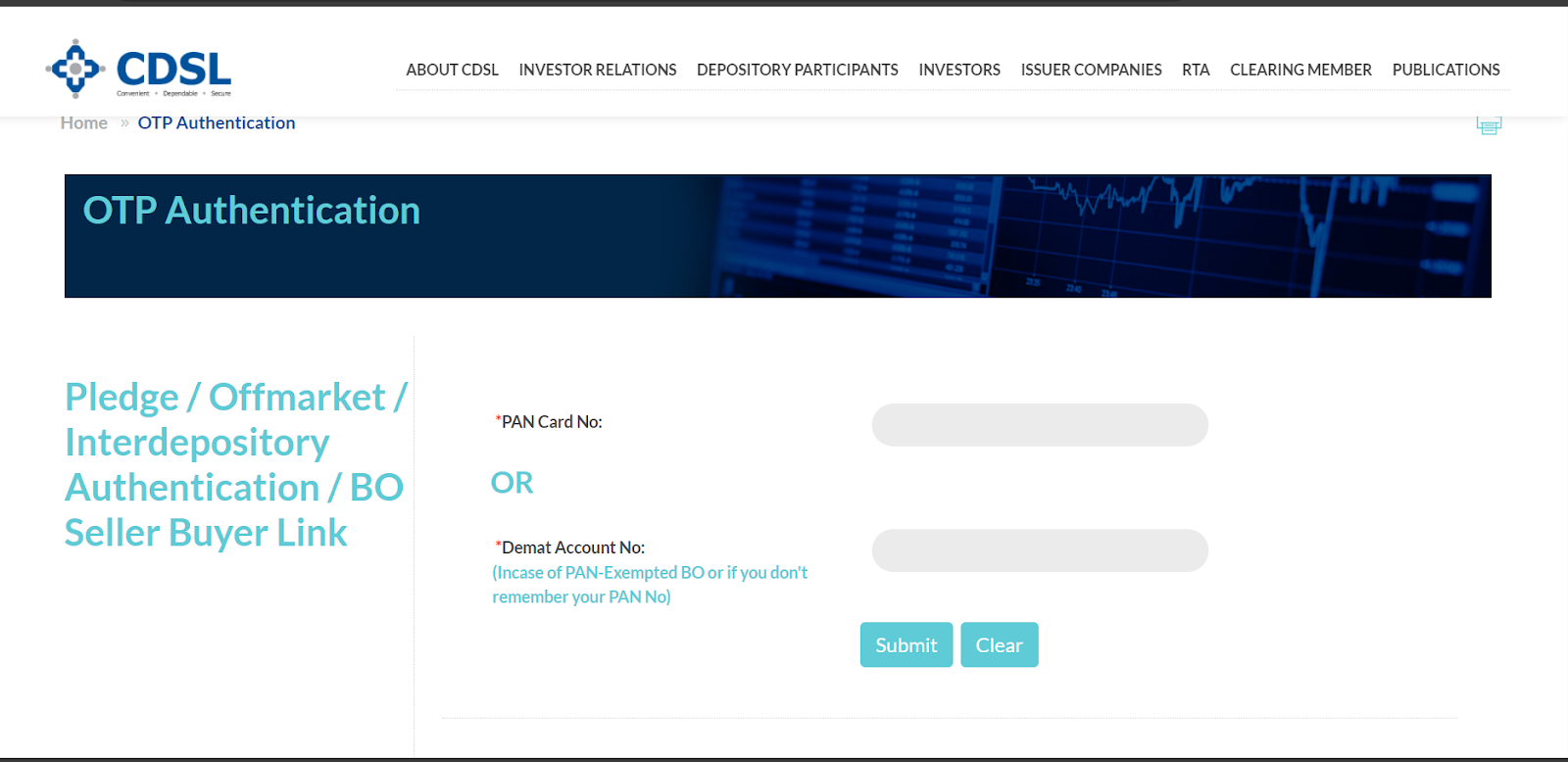
Step 2: Enter PAN details or Demat account number of the ‘Transferor’ and click on ‘Submit.’
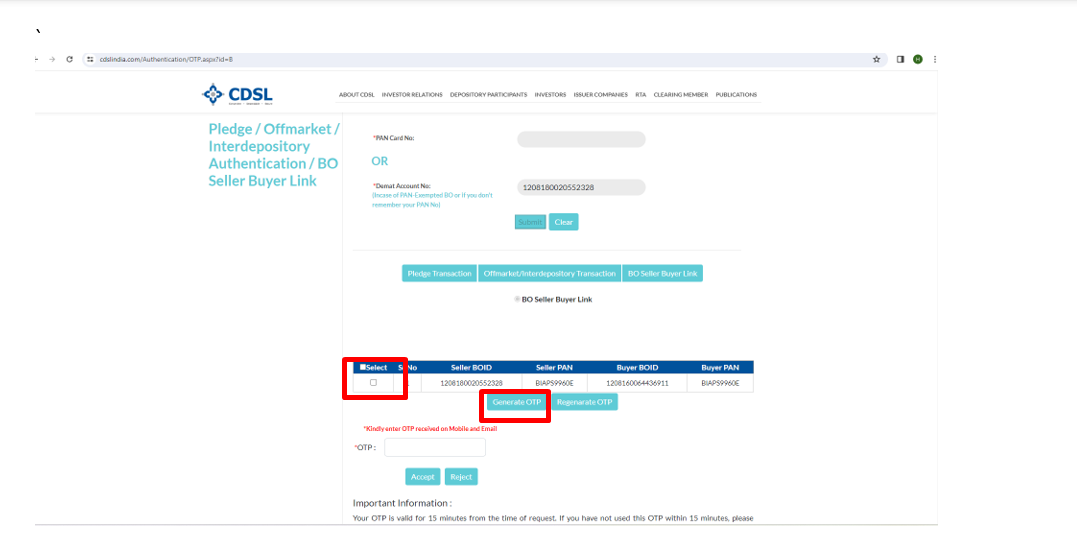
Step 3: Select the BO details and click ‘Generate OTP.’
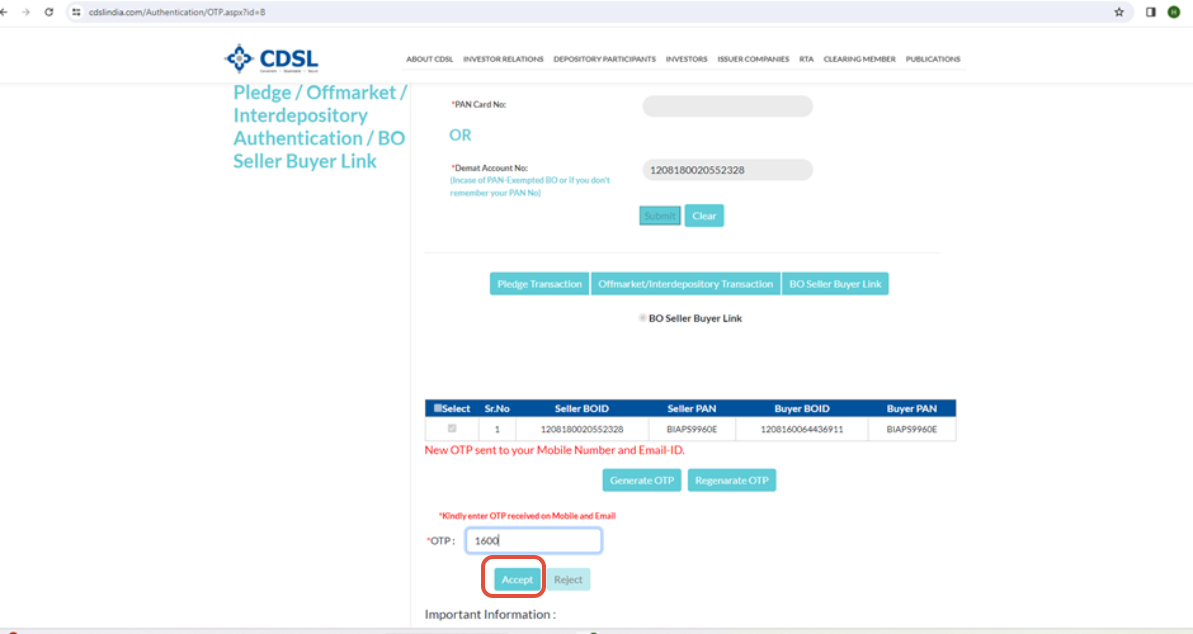
Step 4: Enter the OTP received on the registered mobile or email and click ‘Accept.’
Step 5: Click on ‘OK.’
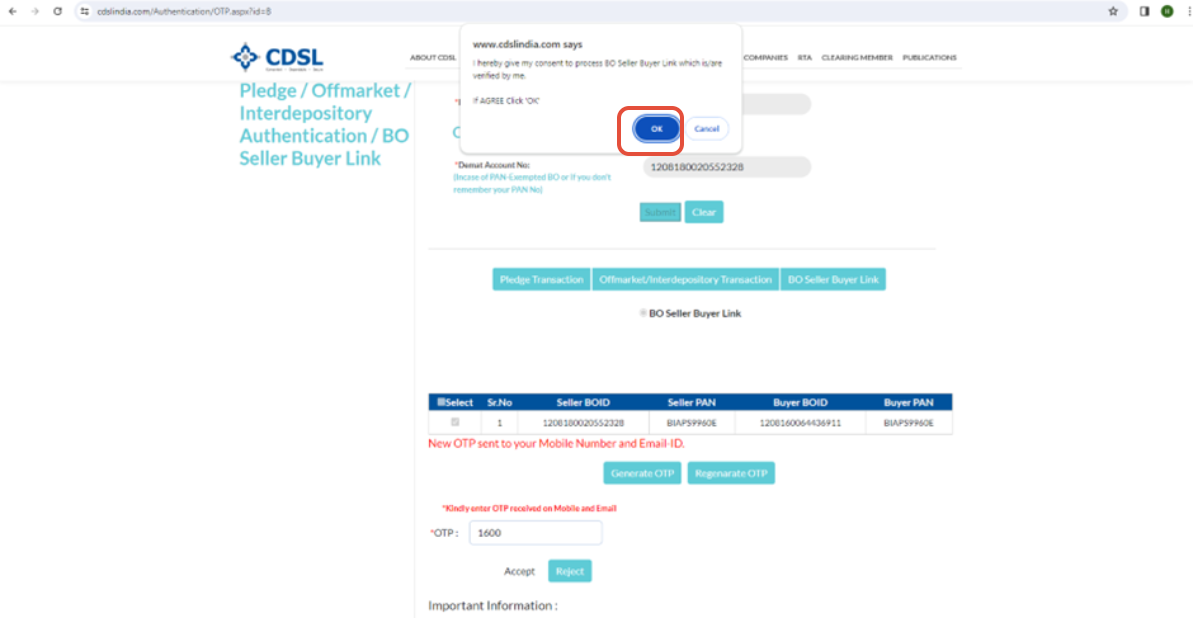
Once the step is completed, your beneficiary details will be added and you can use the Easi/Easiest facilities.
Trade with Upstox
Want to open a Demat account?
Open a FREE Demat and Trading account to invest in Stocks, Mutual Funds, IPOs and more.
By signing up you agree to receive transaction updates on Whatsapp. You may also receive a call from an Upstox representative to help you with the account opening process.
Upstox Community
Upstox Community
| Topic | Replies | Views | Activity |
|---|