
Help Center

Getting Started
Trading
My Account
Mutual Funds
IPOs
Stock SIP
Gold
NPS
Government Securities
Fixed Deposits
Insurance
Loan
Smallcase
DartStock
Upstox API
NCD
US Stocks
How can I download my ELSS and Capital Gains on Mutual Funds report?
To download your ELSS and Capital Gains on mutual fund report on the app, follow these steps:
Step 1: Log in using your 6-digit PIN or biometrics.
Step 2: Navigate to the 'Mutual funds' section directly from the Home screen.
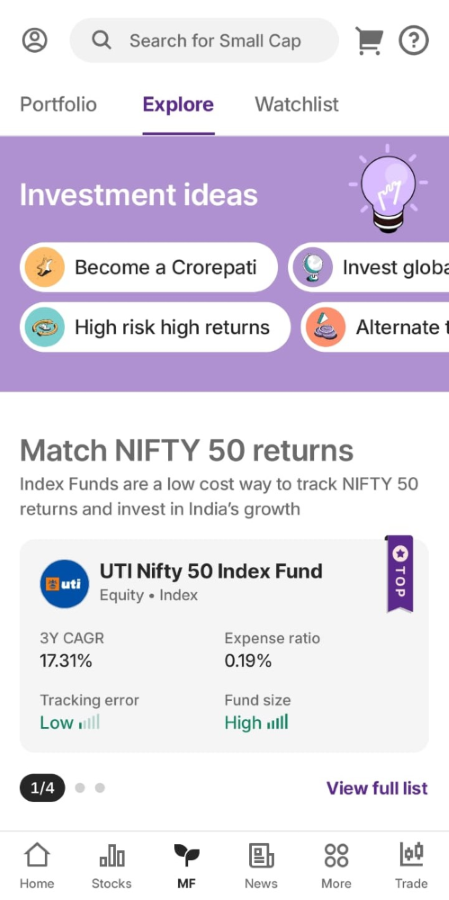
Step 3: Click on ‘Portfolio’ and scroll down to find ‘Your Portfolio’.
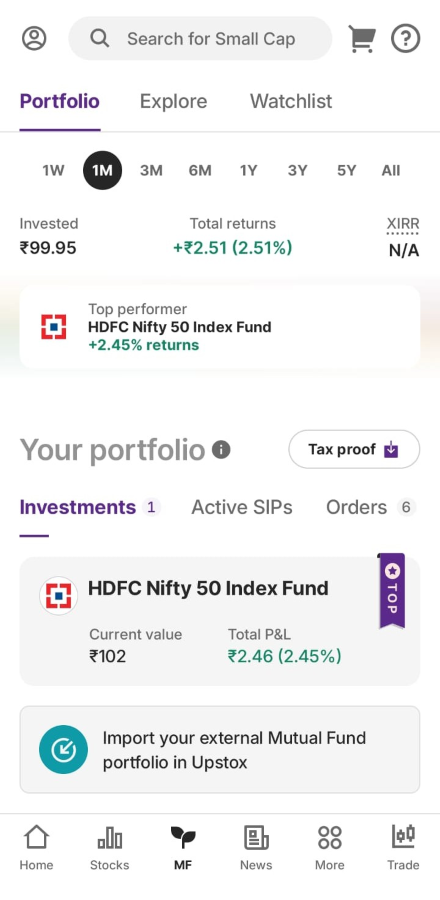
Step 4: Look for the ‘Tax Proof’ option and click on it.
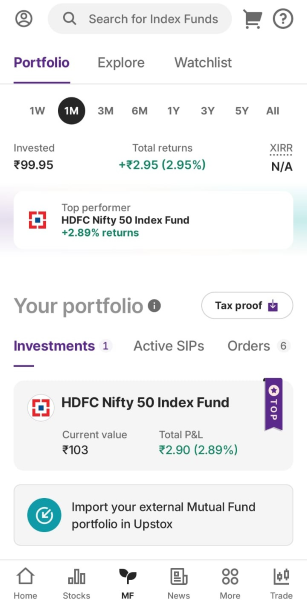
Step 5: You can now easily download your tax report, including ELSS statements and Capital gains.
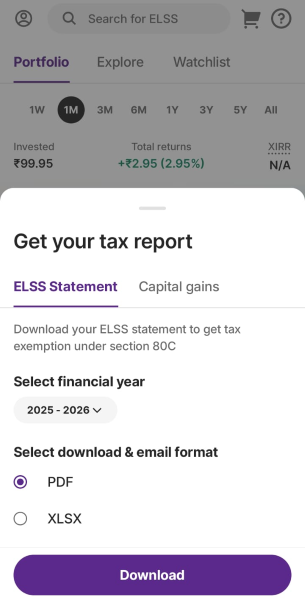
Step 6: Choose the financial year you need and download or email the reports in PDF or XLSX format.
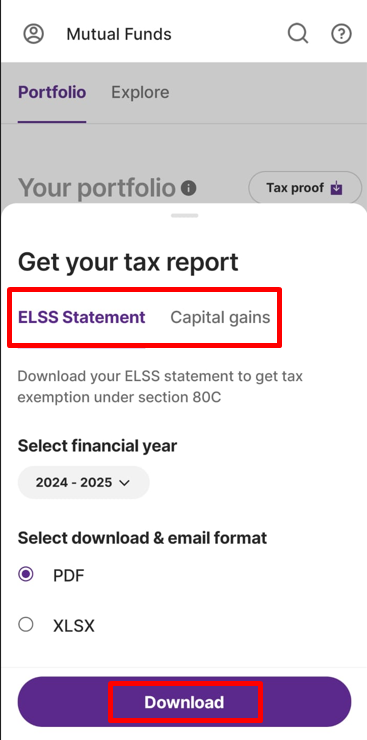
Alternatively, you can download your ELSS and Capital Gains report by following these steps:
Step 1: Log in using your 6-digit PIN or biometrics.
Step 2: Tap on the Upstox icon.
Step 3: Tap on your Profile name.
Step 4: Choose ‘Reports’ and navigate to Mutual Funds to access your ELSS and Capital Gains report. Here you can also download Trades and Holdings report.
Using the Upstox Website:
Step 1: Log in to the Upstox web platform.
Step 2: Click on the profile icon located at the top right corner.
Step 3: Select the ‘Reports and Corporate Actions’ section.
Step 4: Click on ‘Mutual Funds’ to locate your ELSS and Capital Gains reports.
Step 5: Select the financial year and you can download or email the reports in PDF or XLSX format.
Trade with Upstox
Want to open a Demat account?
Open a FREE Demat and Trading account to invest in Stocks, Mutual Funds, IPOs and more.
By signing up you agree to receive transaction updates on Whatsapp. You may also receive a call from an Upstox representative to help you with the account opening process.
Upstox Community
Upstox Community
| Topic | Replies | Views | Activity |
|---|