
Help Center

Getting Started
Trading
My Account
Mutual Funds
IPOs
Stock SIP
Gold
NPS
Government Securities
Fixed Deposits
Insurance
Loan
Smallcase
DartStock
Upstox API
NCD
US Stocks
How to activate DDPI (POA) on Upstox?
DDPI stands for Demat Debit amd Pledge Instruction. It is a feature on the Upstox platform that allows users to sell their holdings instantly and receive the proceeds directly in their trading account.
If you’re using the updated version of the Upstox app, read this.
Step 1: Login to the Upstox app using your 6-digit PIN or biometrics.
Step 2: Click on ‘Upstox Icon’ at the top left corner of the screen.

Step 3: Click on ‘My Account’.
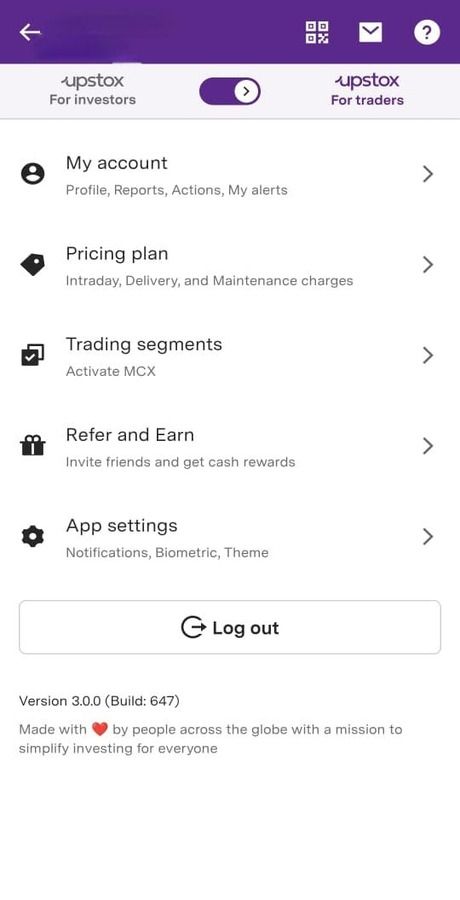
Step 4: Click on ‘Profile’.
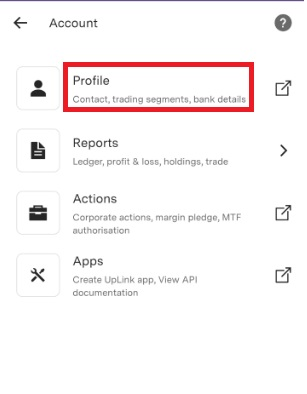
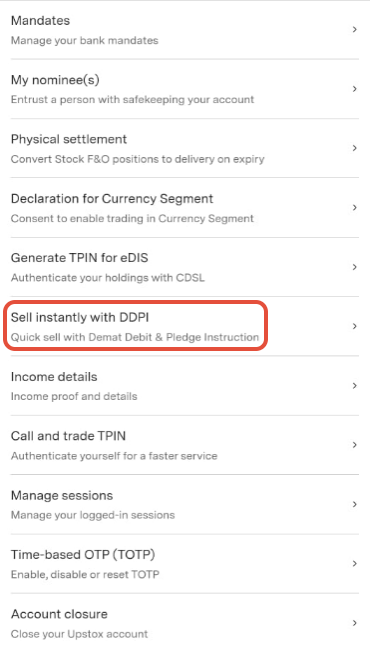
Step 5: Click on ‘Sell instantly with DDPI’.
Step 6: Click on ‘Continue to enable DDPI’.
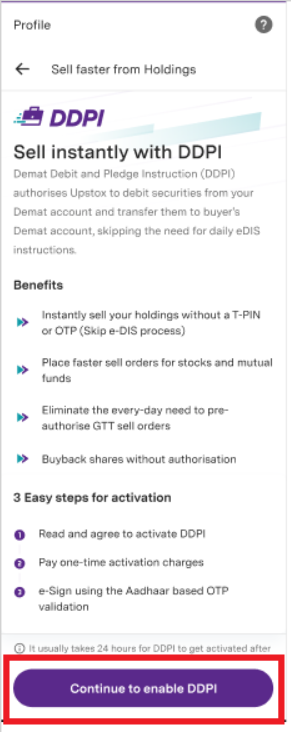
Step 7: Accept the terms and conditions and then click on ‘Continue to pay’.
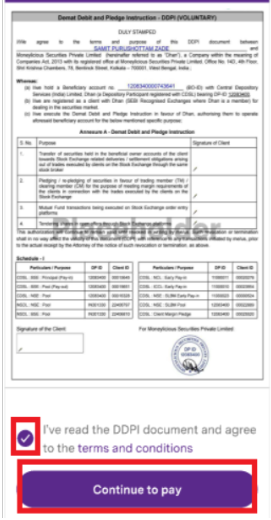
Step 8: Click on ‘Pay from wallet’.
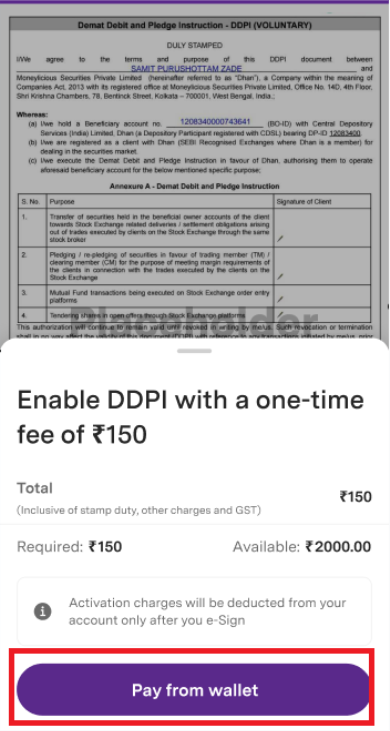
Note: You will be charged ₹150, which includes Stamp Duty, other charges, and GST.
A ledger entry for DDPI for the amount debited will be available within T+1 trading day.
OR
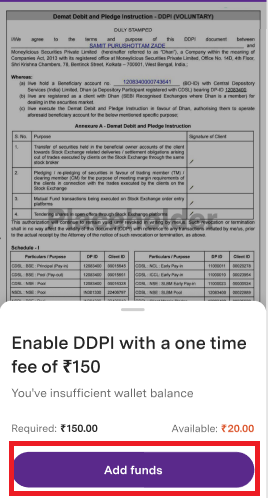
Step 9: If your account balance is less, please click on 'Add funds'.
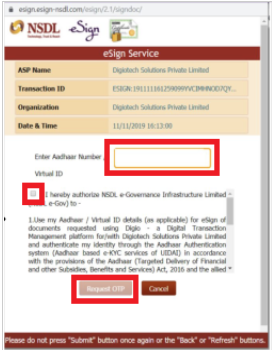
Step 10: Enter your Aadhaar number. Read and accept the conditions, then click on ‘Request OTP’.
Step 11: Enter the OTP received on your Aadhaar registered mobile number.
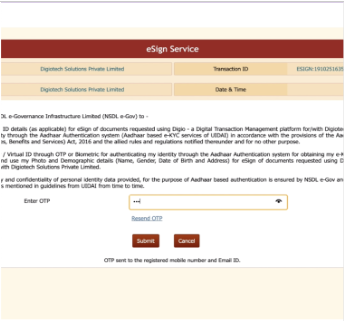
Step 12: Your request will be submitted successfully.
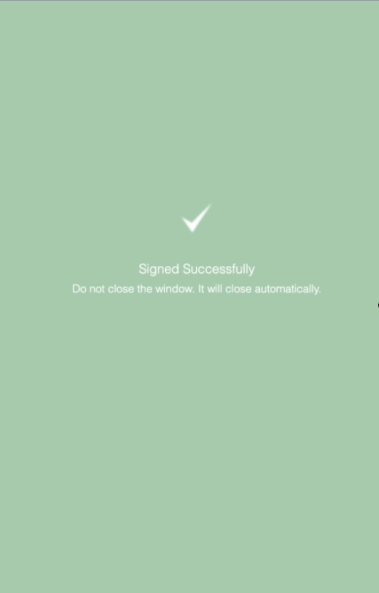
Note: If you submit your DDPI Activation request before 8 PM, it will take T+1 trading day for approval. However, if you submit it after 8 PM, the approval process will take T+2 trading days.
After submitting the request, you will receive a confirmation from Upstox by 8 AM on the next trading day.
Trade with Upstox
Want to open a Demat account?
Open a FREE Demat and Trading account to invest in Stocks, Mutual Funds, IPOs and more.
By signing up you agree to receive transaction updates on Whatsapp. You may also receive a call from an Upstox representative to help you with the account opening process.
Upstox Community
Upstox Community
| Topic | Replies | Views | Activity |
|---|