
Help Center

Getting Started
Trading
My Account
Mutual Funds
IPOs
Stock SIP
Gold
NPS
Government Securities
Fixed Deposits
Insurance
Loan
Smallcase
DartStock
Upstox API
NCD
US Stocks
What are the different order statuses for Mutual Fund SIP and Lump sum?
In the Upstox app, you can view the status of your SIP and Lump sum order by following these steps -
Step 1: Log in to the Upstox app and access the mutual fund section directly from the Home screen.
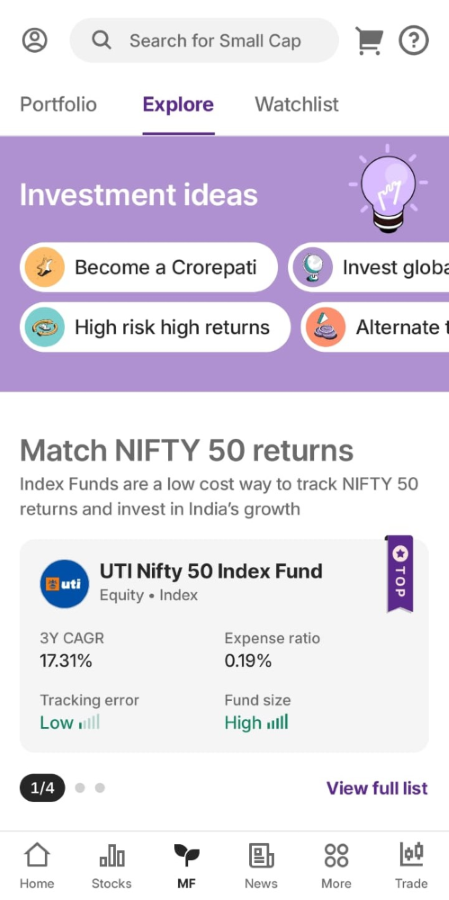
Step 2: Click on Mutual funds > Portfolio > Your Portfolio > Orders.
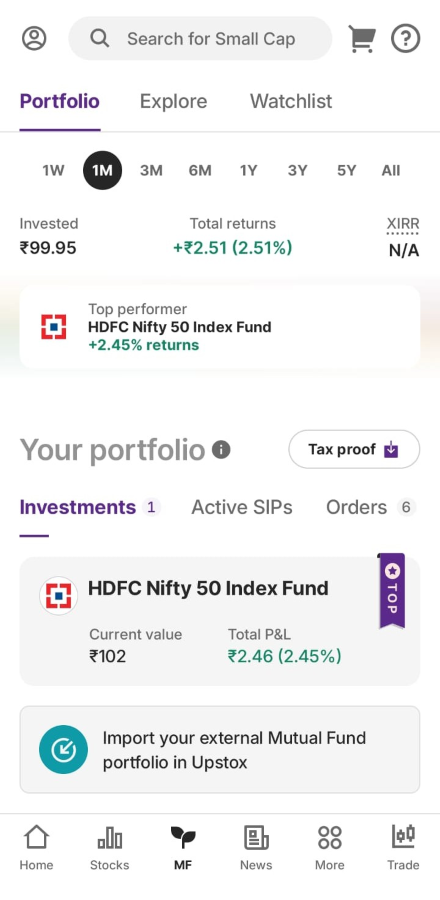
Step 3: Click on 'Orders' to see all order statuses.
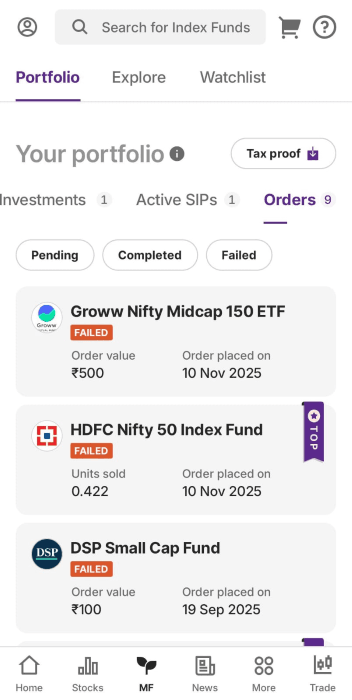
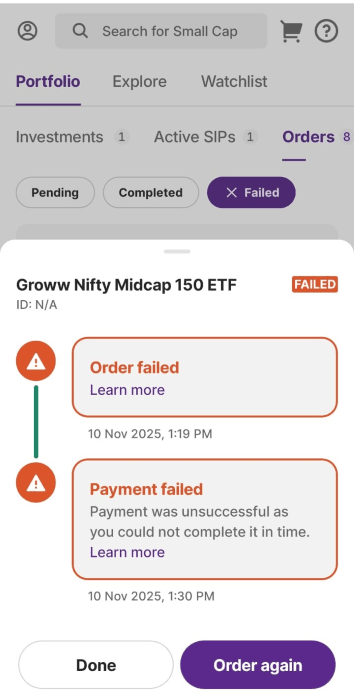
Step 4: Click on any Pending/ Failed/ Completed order to understand why your order is in the particular state.
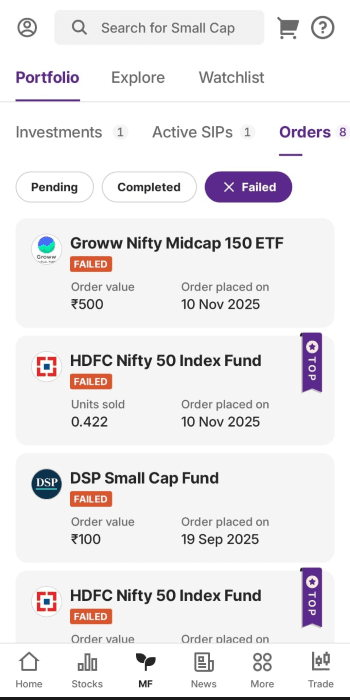
Step 5: Upon selecting 'Failed orders,' the order statuses will be displayed with the failure reason.
Related Articles:
Trade with Upstox
Want to open a Demat account?
Open a FREE Demat and Trading account to invest in Stocks, Mutual Funds, IPOs and more.
By signing up you agree to receive transaction updates on Whatsapp. You may also receive a call from an Upstox representative to help you with the account opening process.
Upstox Community
Upstox Community
| Topic | Replies | Views | Activity |
|---|