
Help Center

Getting Started
Trading
My Account
Mutual Funds
IPOs
Stock SIP
Gold
NPS
Government Securities
Fixed Deposits
Insurance
Loan
Smallcase
DartStock
Upstox API
NCD
US Stocks
How do I cancel a mutual fund SIP on Upstox account?
In order to cancel your MF SIP order, follow the below steps:
Step 1: Log in to the Upstox app using your 6-digit PIN or biometrics.
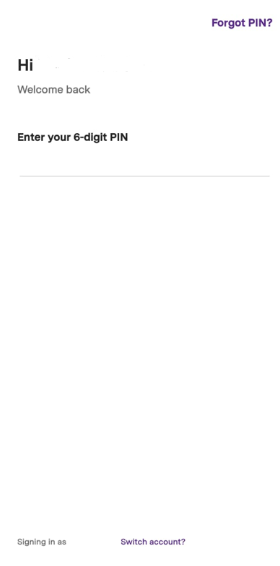
Step 2: Navigate to the 'Mutual funds' section directly from the Home screen.
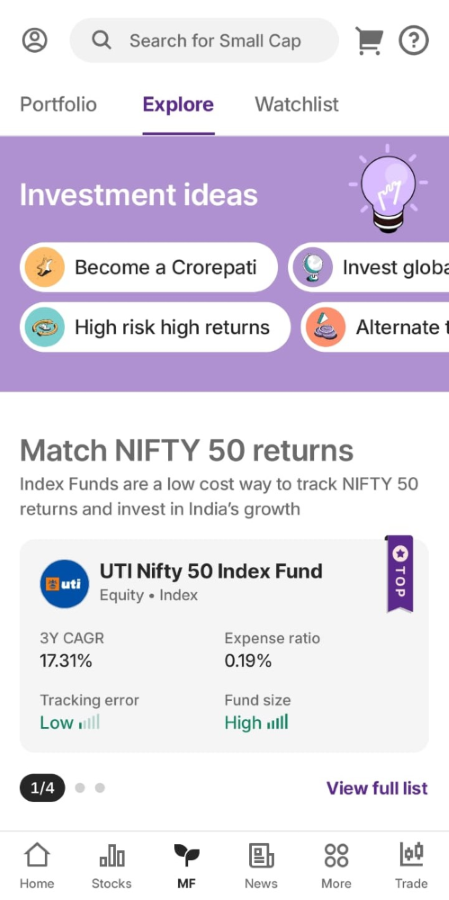
Step 3: Next click on ‘Portfolio’ and scroll down to ‘Your portfolio’ under which you will see the Active SIPs tab.
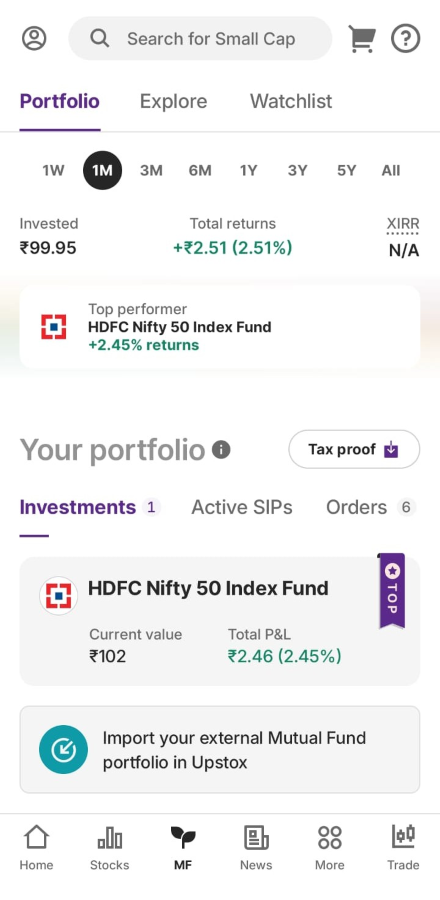
Step 4: Click on view all to see all your active SIPs.
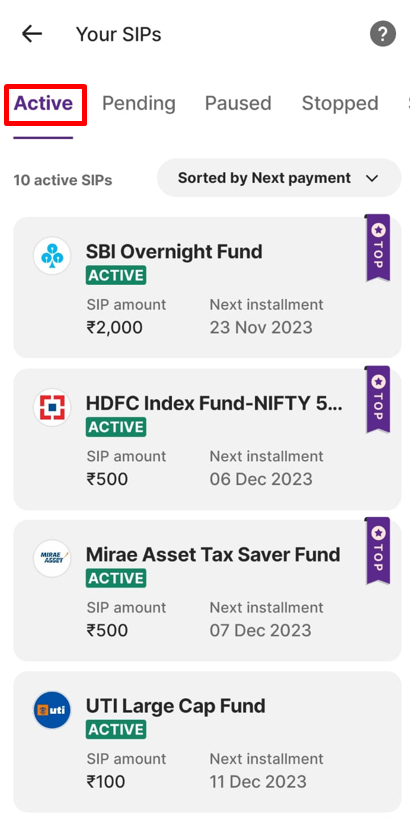
Step 5: Now click on the 'Modify SIP' option for the SIP you wish to delete or cancel. Click on 'Delete'.
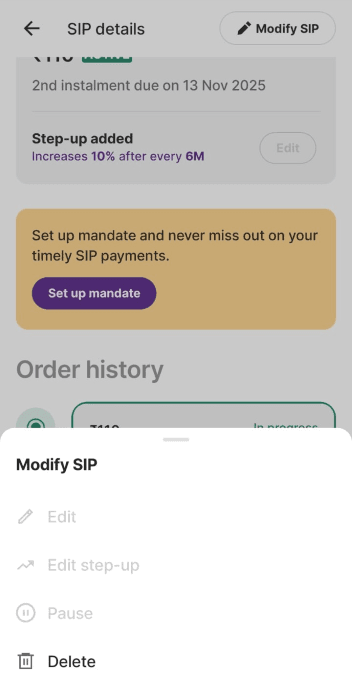
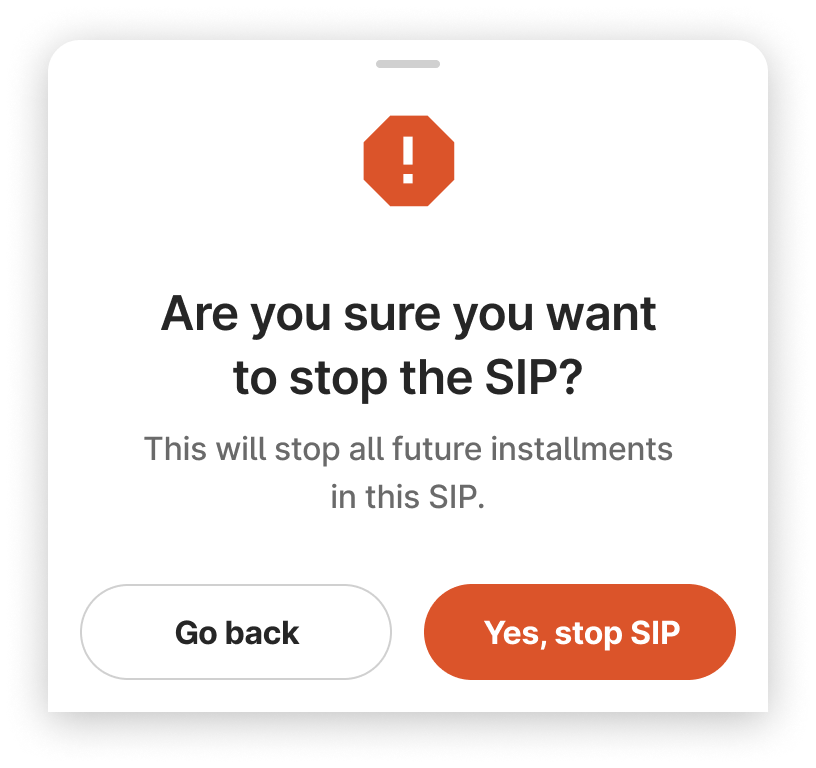
Step 6: Here you will see a confirmation window to stop the SIP.
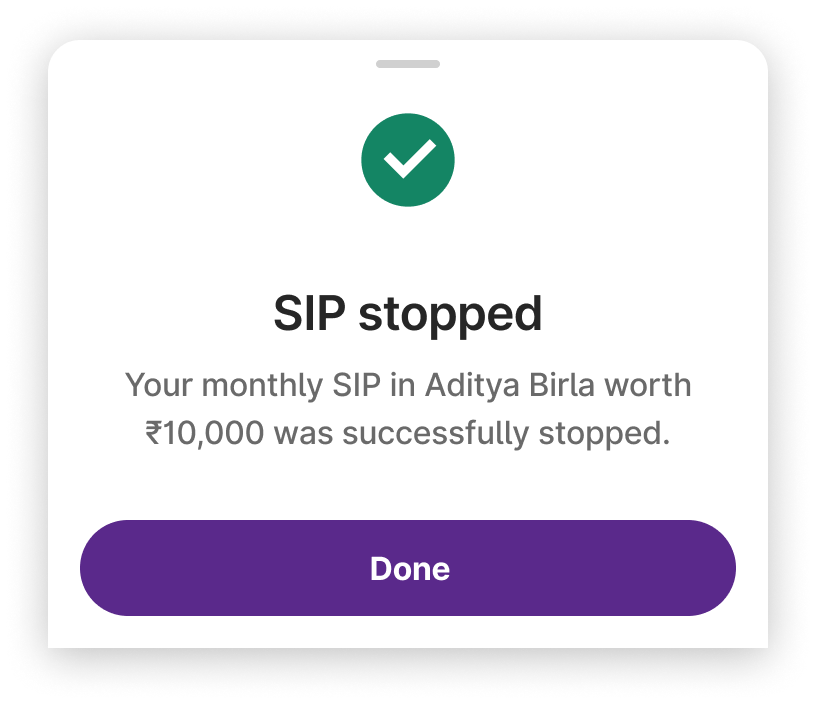
Step 7: Your SIP has been successfully stopped.
Users cannot stop a SIP when there is an upcoming instalment in the next 7 days.
Note: The cancellation process mentioned above will terminate the SIP registration starting from the date of cancellation. However, canceling the SIP does not automatically trigger a redemption. If you wish to redeem all the existing investments made through this SIP, please navigate to the mutual funds portfolio section and proceed with redeeming the investments.
Related Article
Trade with Upstox
Want to open a Demat account?
Open a FREE Demat and Trading account to invest in Stocks, Mutual Funds, IPOs and more.
By signing up you agree to receive transaction updates on Whatsapp. You may also receive a call from an Upstox representative to help you with the account opening process.
Upstox Community
Upstox Community
| Topic | Replies | Views | Activity |
|---|