
Help Center

Getting Started
Trading
My Account
Mutual Funds
IPOs
Stock SIP
Gold
NPS
Government Securities
Fixed Deposits
Insurance
Loan
Smallcase
DartStock
Upstox API
NCD
US Stocks
How to access the ledger report (Desktop/Web portal)?
To check and download reports from our web portal, follow these steps:
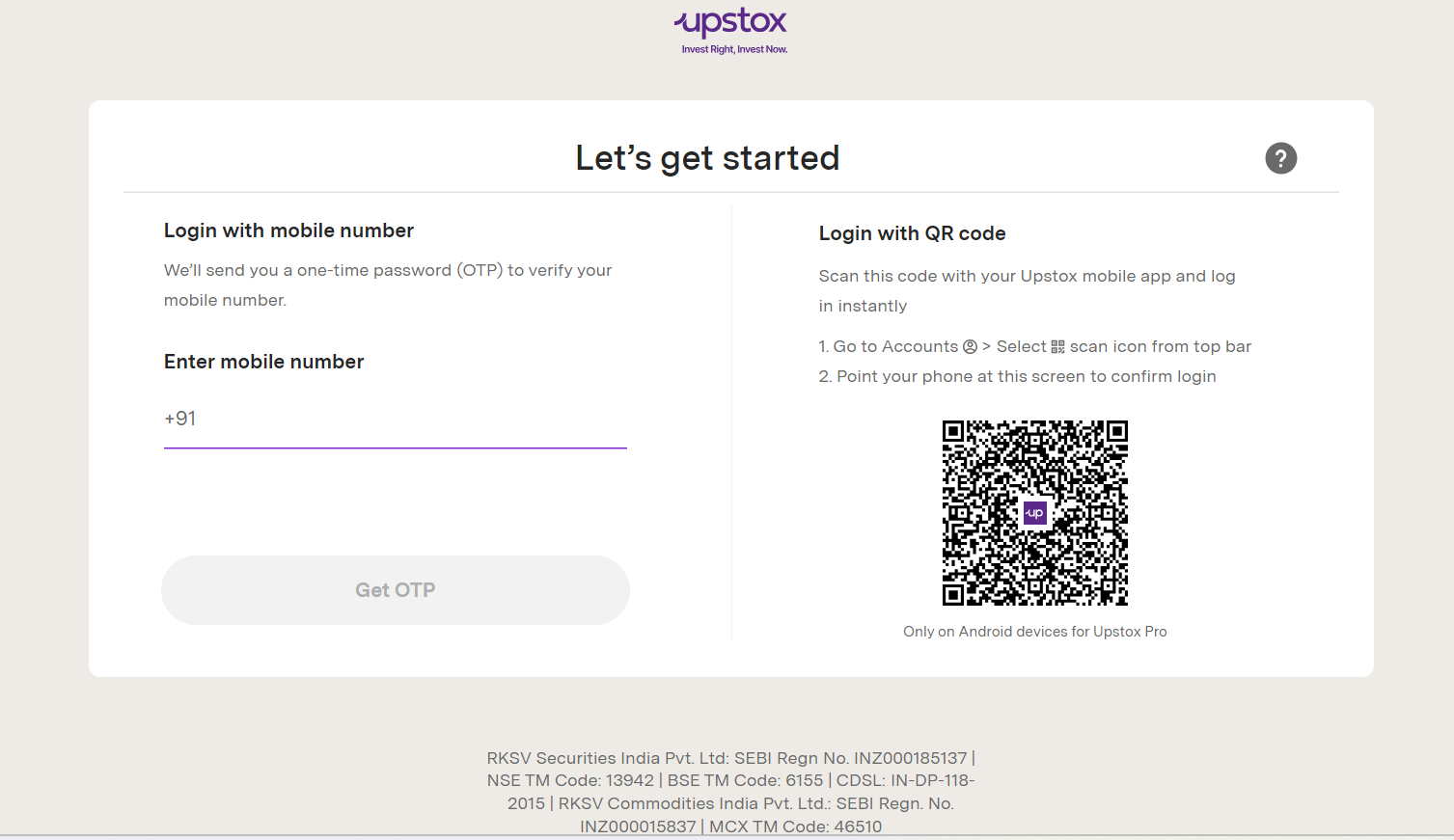
Step 1: Login to account.upstox.com using your registered mobile number or scan the QR code.
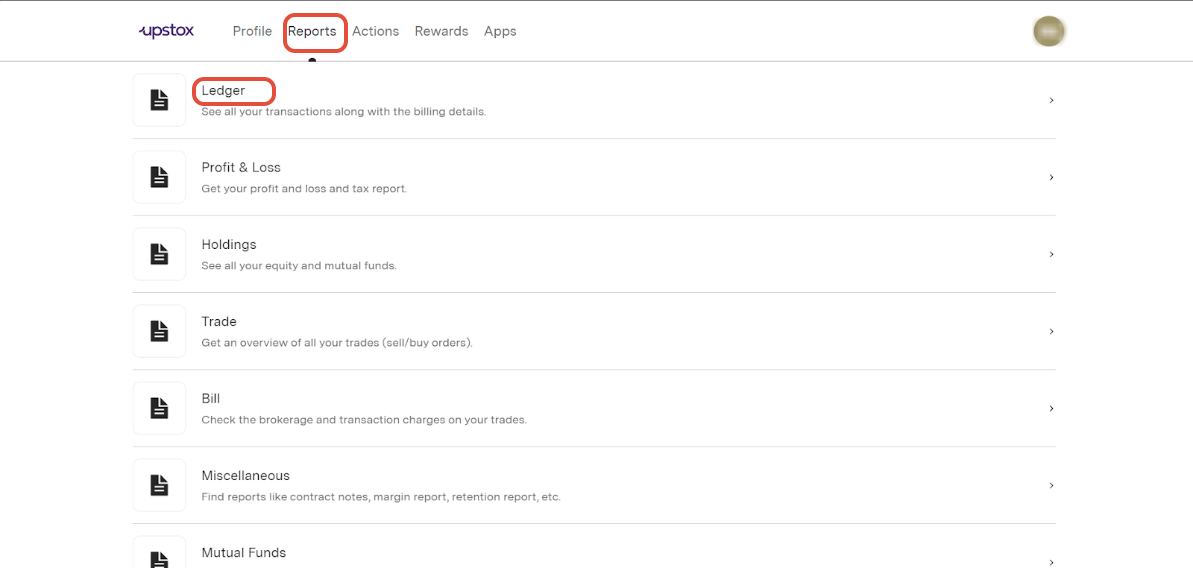
Step 2: Click on 'Ledger' under 'Reports.'
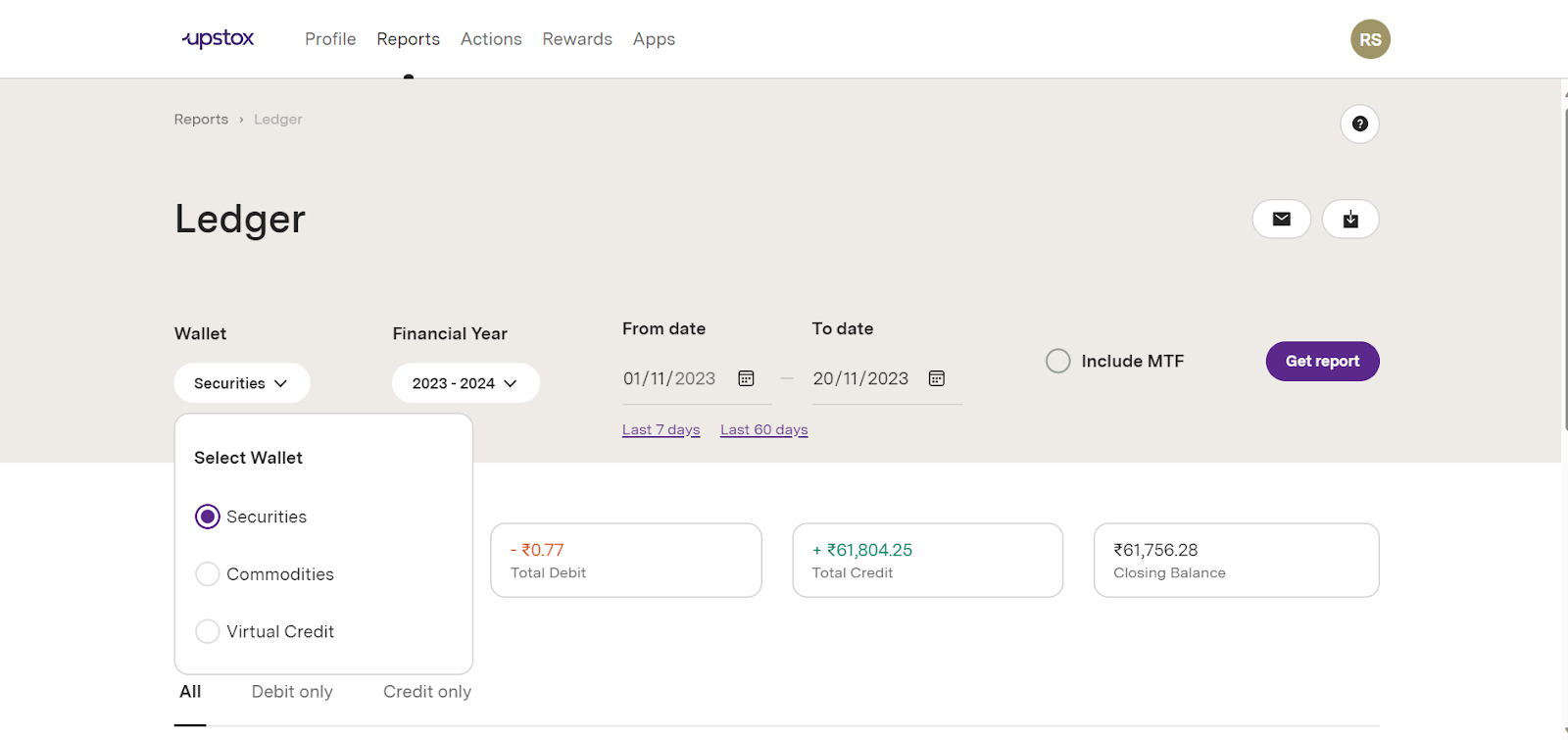
Step 3: To view & download segment-wise reports for Securities and Commodities up to 18/07/2025, please select your preferred segment.
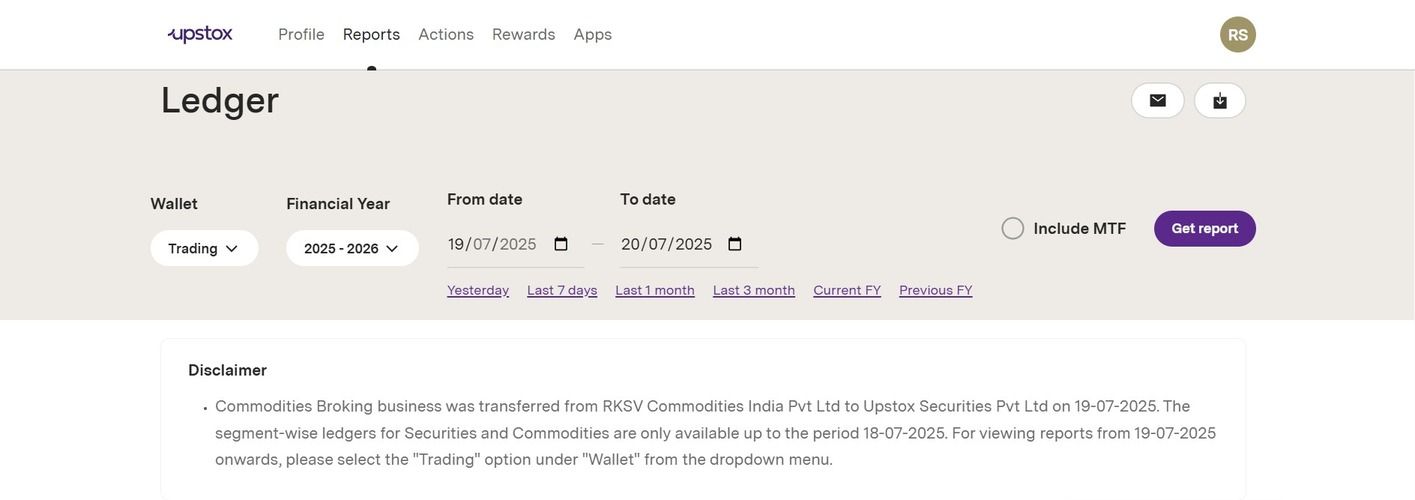
For viewing reports from 19/07/2025 onwards, please select the "Trading" option under "Wallet" from the dropdown menu
Step 4: You can either download the report directly in PDF or Excel format by selecting the ‘Download’ option.
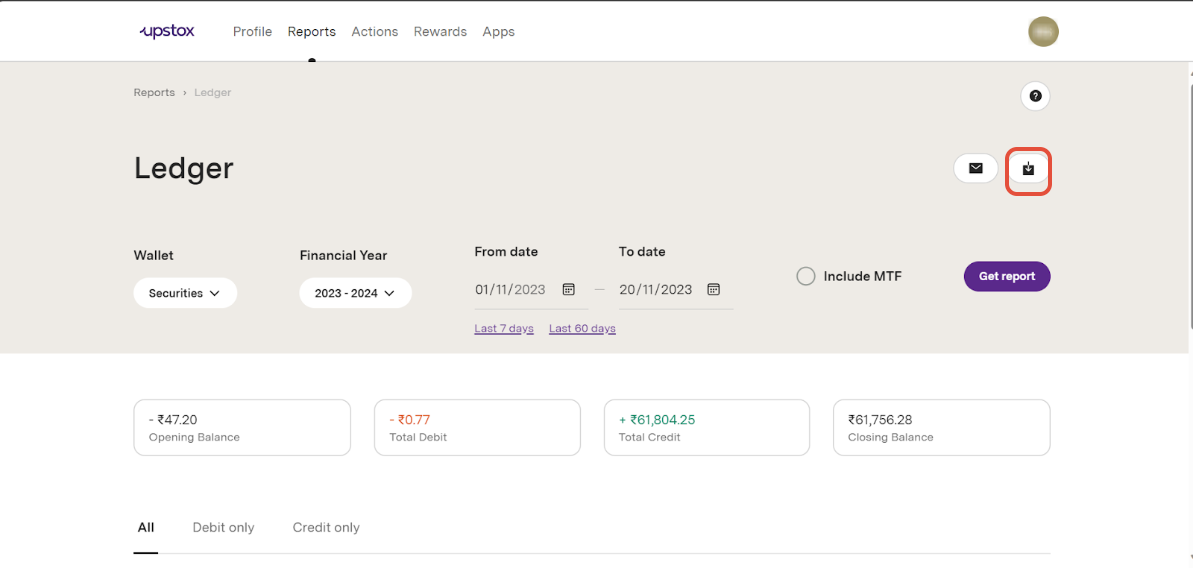
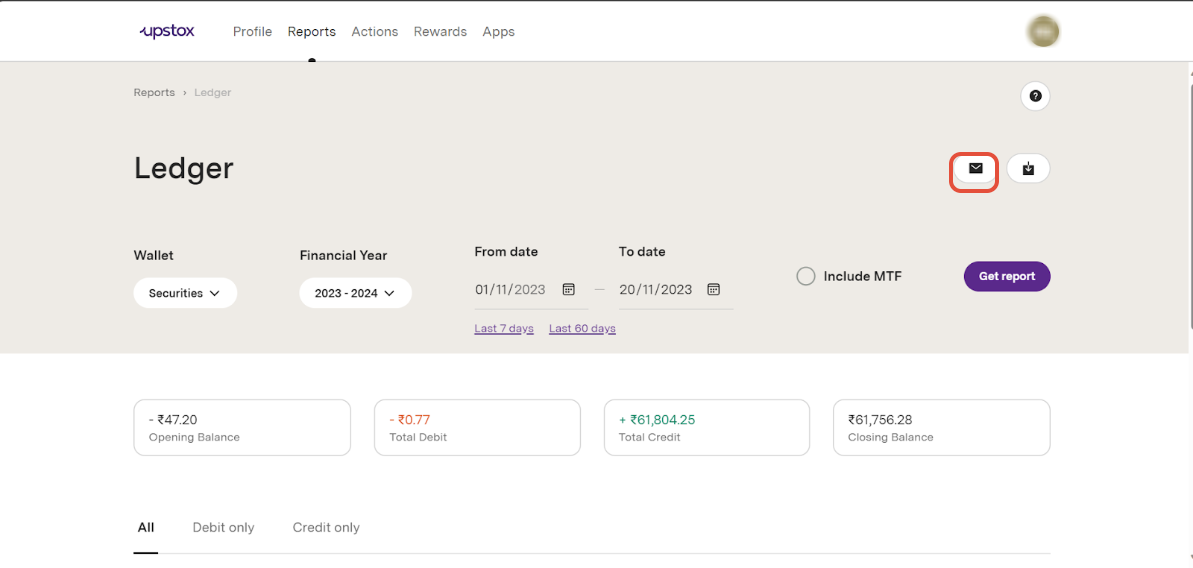
Step 5: Alternatively, you can receive the report on your registered email address by clicking on the email tab.
Step 1: Log in to pro.upstox.com or upstox.com
Step 2: Click on your profile icon (top-right corner).
Step 3: Select 'My Reports' from the menu.
Step 4: Then choose 'Ledger.'
Step 5: Apply relevant filters such as:
- Wallet (Trading, Securities, etc.)
- Financial Year or Custom Date Range
Step 6: Click 'Get Report' to view your ledger details.
Note
- The segment-wise ledgers for Securities and Commodities are only available up to the period 18/07/2025. For viewing reports from 19/07/2025 onwards, please select the "Trading" option under "Wallet" from the dropdown menu.
Related articles
Trade with Upstox
Want to open a Demat account?
Open a FREE Demat and Trading account to invest in Stocks, Mutual Funds, IPOs and more.
By signing up you agree to receive transaction updates on Whatsapp. You may also receive a call from an Upstox representative to help you with the account opening process.
Upstox Community
Upstox Community
| Topic | Replies | Views | Activity |
|---|