
Help Center

Getting Started
Trading
My Account
Mutual Funds
IPOs
Stock SIP
Gold
NPS
Government Securities
Fixed Deposits
Insurance
Loan
Smallcase
DartStock
Upstox API
NCD
US Stocks
What is CMR and How to request for a CMR?
Client Master report (CMR) is a digitally signed or physically signed certificate, issued by a Broker/ DP, containing details of a client who has opened a Demat account.
In case your Broker/ DP asks for a Client Master Report (CMR), you can place a request with us for the same.
To request for a CMR, you need to follow the below steps.
Step 1: Login to the Upstox app using your 6-digit PIN or Biometrics.
Step 2: Click on ‘Upstox Icon’ at the top left corner of the screen.
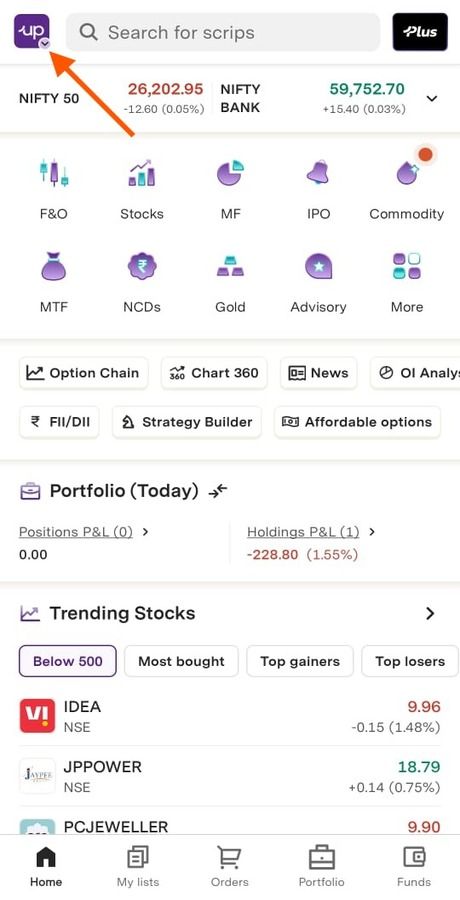
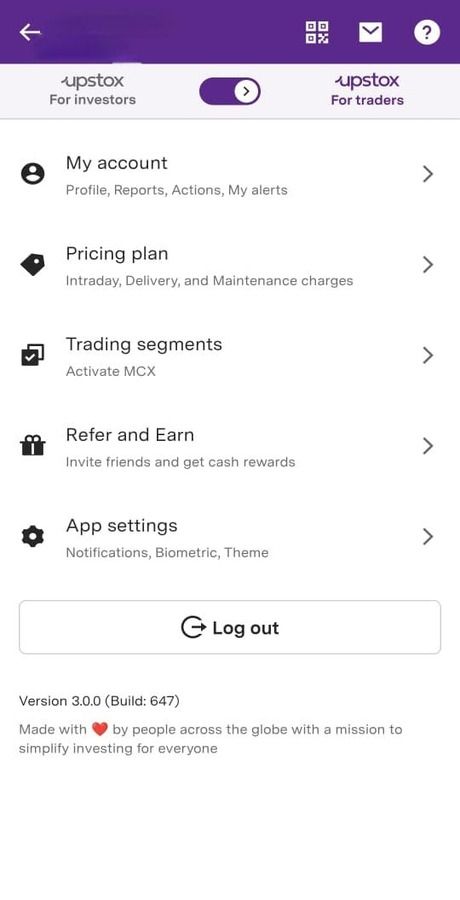
Step 3: Click on ‘My account’.
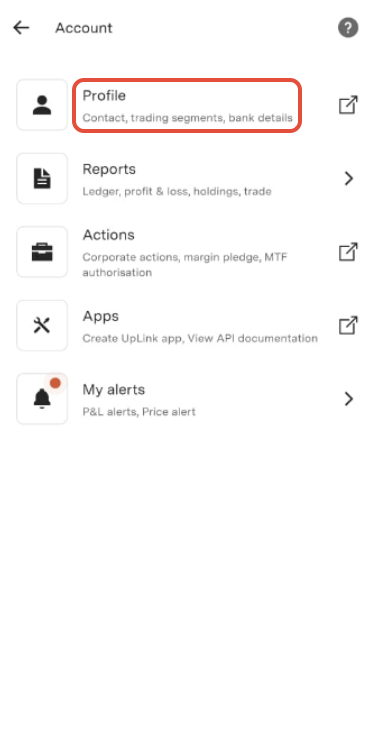
Step 4: Click on ‘Profile’.
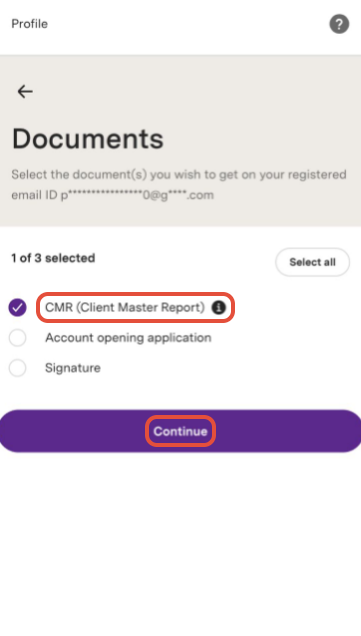
Step 5: Click on ‘Documents’.
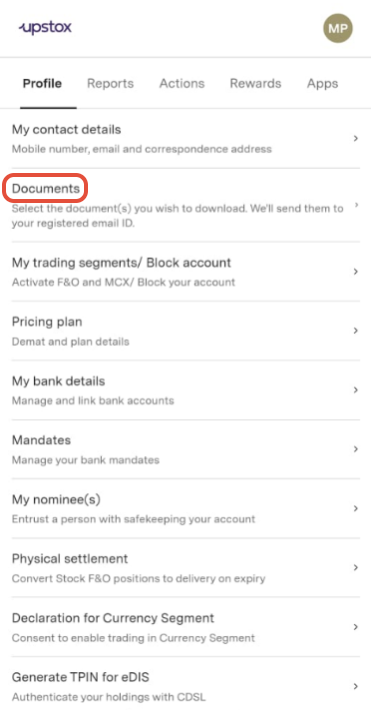
Step 6: Select 'CMR (Client Master Report)' then select 'Continue' to get a copy of your CMR on your registered email.
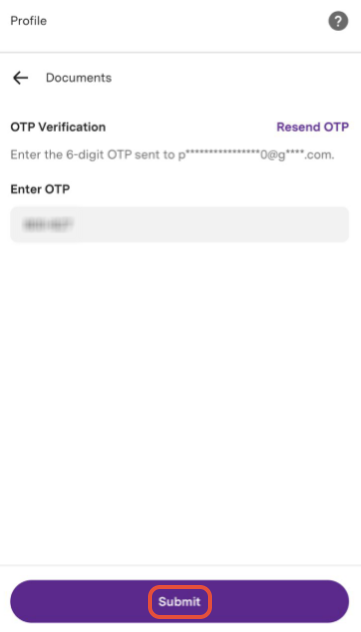
 Step 7: Enter the OTP received on registered email ID, then click on ‘Submit’.
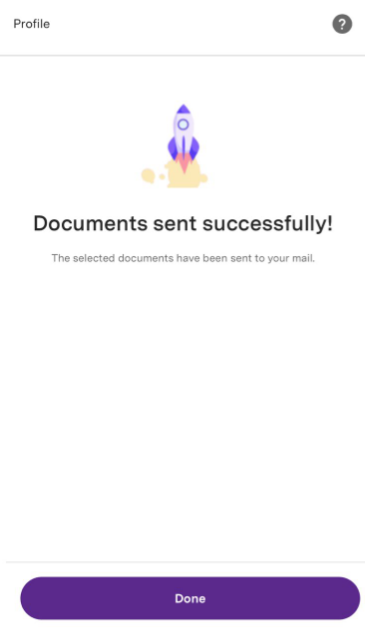
Documents will be sent to your registered email ID.
Notes:
1. Digitally signed CMR copy is used at the time of transfer of securities.
2. The depository regulations don't require submitting a hard copy of the CMR for transfer of shares. In case your broker or DP insists on a hard copy, a customer may present a copy of this circular from NSDL and from CDSL, which states that the transfer is initiated on receiving a digitally signed CMR copy.
Trade with Upstox
Want to open a Demat account?
Open a FREE Demat and Trading account to invest in Stocks, Mutual Funds, IPOs and more.
By signing up you agree to receive transaction updates on Whatsapp. You may also receive a call from an Upstox representative to help you with the account opening process.
Upstox Community
Upstox Community
| Topic | Replies | Views | Activity |
|---|