
Help Center

Getting Started
Trading
My Account
Mutual Funds
IPOs
Stock SIP
Gold
NPS
Government Securities
Fixed Deposits
Insurance
Loan
Smallcase
DartStock
Upstox API
NCD
US Stocks
How to apply for an Offer For Sale (OFS)?
Offer For Sale (OFS) is an investment opportunity for all types of investors to own shares of a listed company where a promoter wants to sell off part of their investment. This is conducted on a specific date, via a process that is separate from the normal market trading process
Applying for an Offer For Sale (OFS) is quick and easy. Please follow these steps to apply for an OFS:
Step 1: Login to the Upstox app using your 6-digit PIN or biometrics.
Step 2: Click on the Upstox icon at the top-left corner of the app screen.'
Step 3: Select ‘My account’ and then click ‘ Actions.’
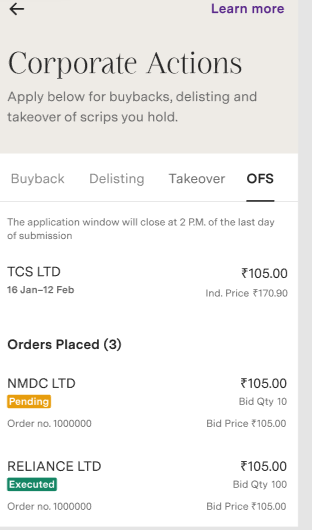
Step 4: Under ‘Actions', Click on 'Corporate actions' and select ‘OFS’ and apply for the required OFS.
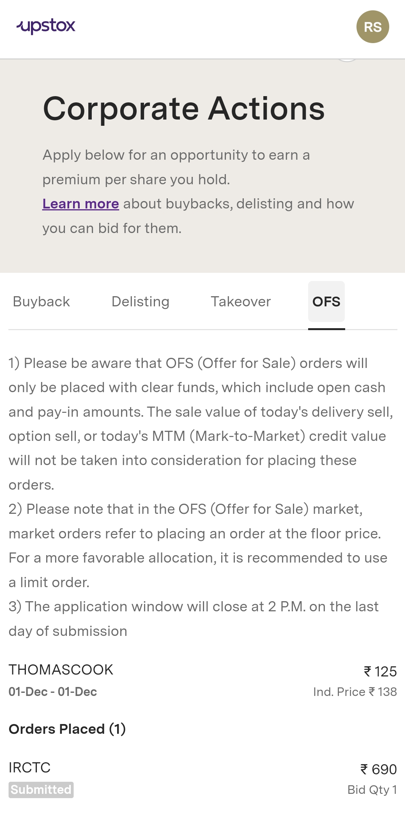
Step 5: Enter the quantity and Price.
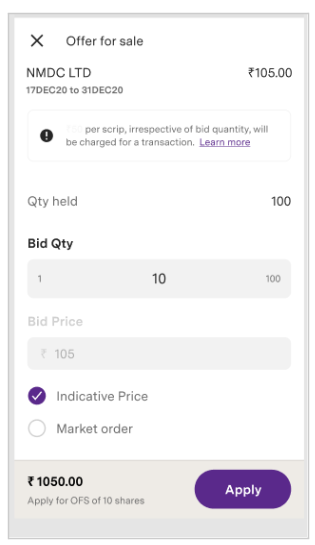
Step 6: Confirm and 'Apply.'
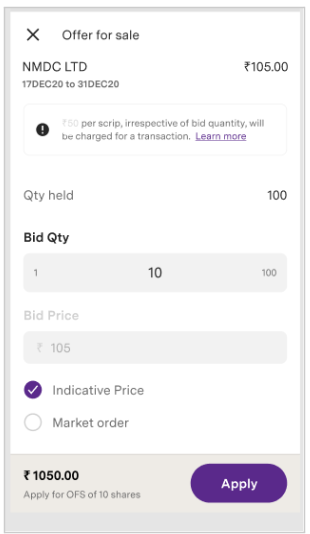
Step 7: Order will be confirmed.
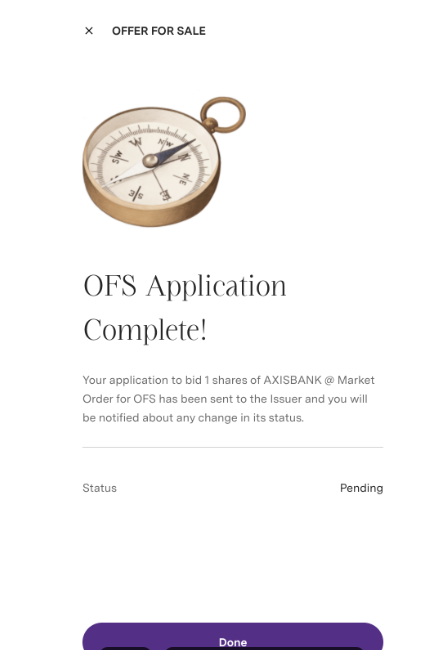
Step 8: Order will reflect under order placed tab.
To know in detail about OFS click here
Note: Applications for the OFS can be submitted through the Upstox mobile app up to 3:30 PM
Trade with Upstox
Want to open a Demat account?
Open a FREE Demat and Trading account to invest in Stocks, Mutual Funds, IPOs and more.
By signing up you agree to receive transaction updates on Whatsapp. You may also receive a call from an Upstox representative to help you with the account opening process.
Upstox Community
Upstox Community
| Topic | Replies | Views | Activity |
|---|