
Help Center

Getting Started
Trading
My Account
Mutual Funds
IPOs
Stock SIP
Gold
NPS
Government Securities
Fixed Deposits
Insurance
Loan
Smallcase
DartStock
Upstox API
NCD
US Stocks
How to change my registered mobile number?
Changing your registered mobile number linked with your Upstox account is simple and can be done in just a few steps:
Step 1: Login to the Upstox app using your 6-digit PIN or biometrics.
Step 2: Click on ‘Upstox Icon’ at the top left corner of the screen.
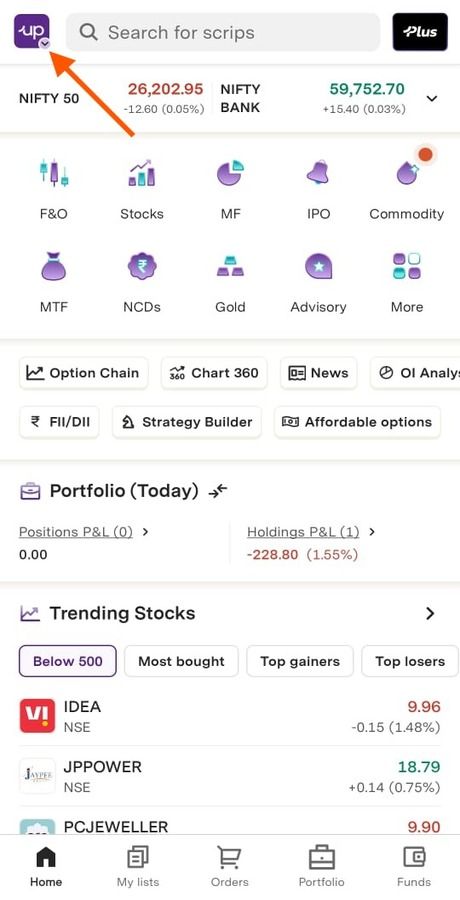
Step 3: Select ‘My Account’.
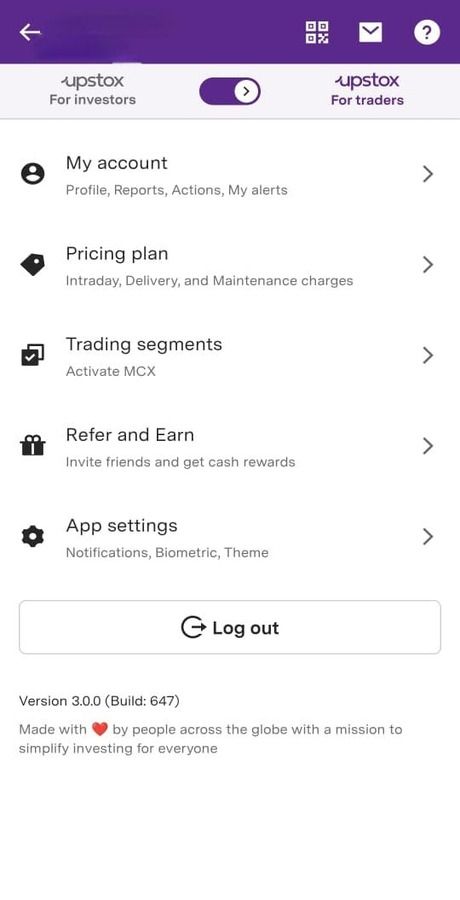
Step 4: Go to ‘Profile’.
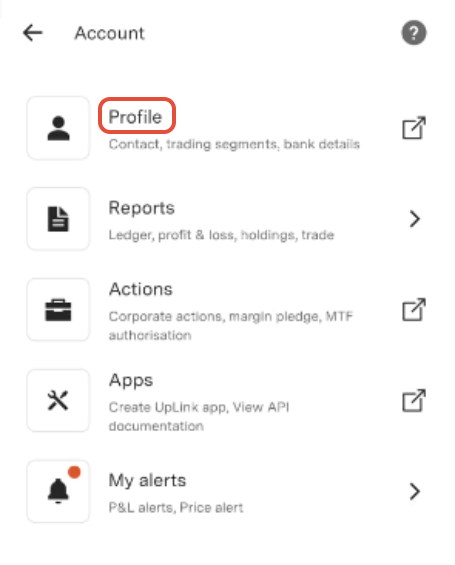
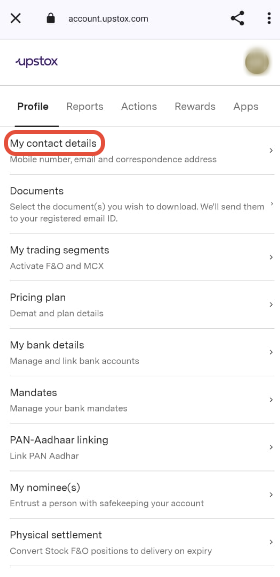
Step 5: Navigate to ‘Profile’, and tap on ‘My contact details’. You will then be redirected to the ‘Contact information’ page.
Step 6: Within the contact information section, verify the registered mobile number and click on the edit icon.
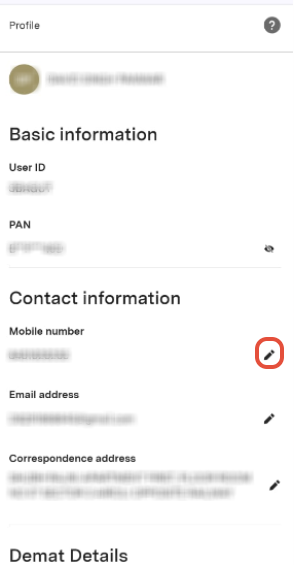
Step 7: Enter the new mobile number that you wish to link to your Upstox account, then click on ‘Update’.
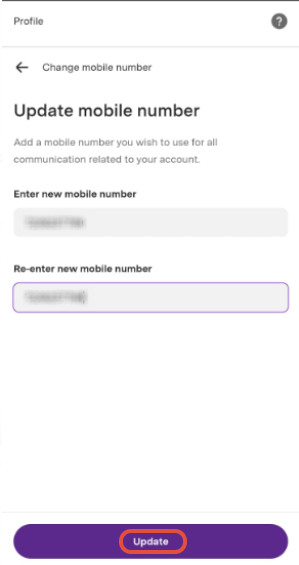
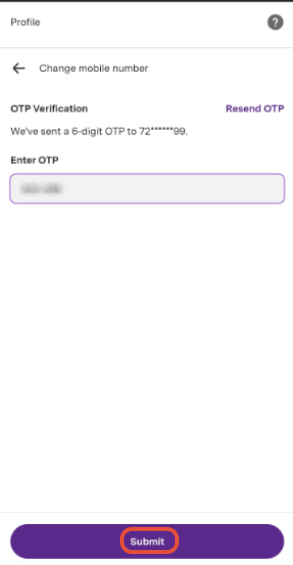
Step 8: Enter the OTP sent to the new mobile number, then click on ‘Submit’.
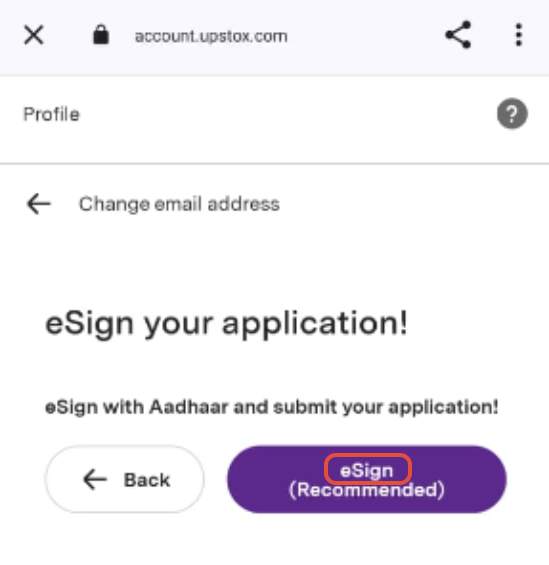
Step 9: eSign with Aadhaar and submit your application.
Step 10: Agree to the ‘Terms of Service’ by clicking on the checkbox.
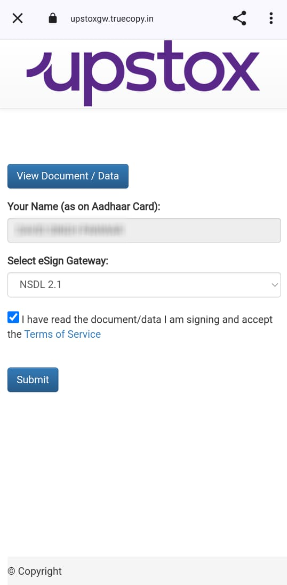
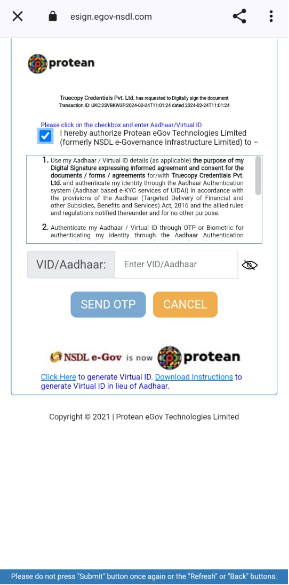
Step 11 : Enter your Aadhaar/VID.
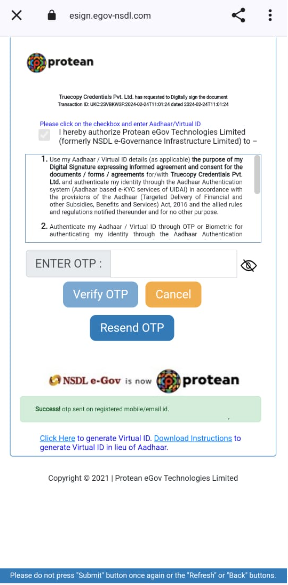
Step 12: Enter the OTP sent to your Aadhaar registered mobile number.
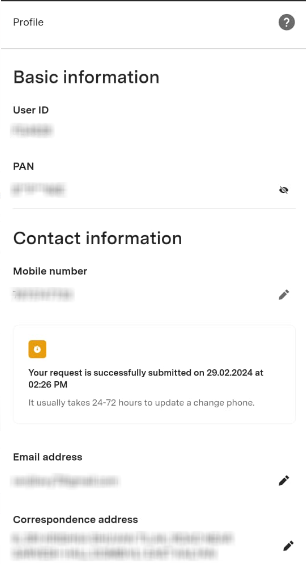
Step 13: Your request to change your mobile number has been successfully submitted.
Note:
- You cannot link an international number while changing your mobile number. Only Indian mobile numbers are accepted.
- It will take 24-72 hours for the new mobile number to be updated. A charge of ₹50 + GST will be debited from your trading account for any changes made to your mobile number.
Related Article
Trade with Upstox
Want to open a Demat account?
Open a FREE Demat and Trading account to invest in Stocks, Mutual Funds, IPOs and more.
By signing up you agree to receive transaction updates on Whatsapp. You may also receive a call from an Upstox representative to help you with the account opening process.
Upstox Community
Upstox Community
| Topic | Replies | Views | Activity |
|---|