
Help Center

Getting Started
Trading
My Account
Mutual Funds
IPOs
Stock SIP
Gold
NPS
Government Securities
Fixed Deposits
Insurance
Loan
Smallcase
DartStock
Upstox API
NCD
US Stocks
How to generate a eDIS-TPIN for smallcase?
You can sell their stocks in real-time without giving us a POA through our electronic delivery instruction slip or eDis.
To do this you'll only need a TPIN from CDSL and an OTP which will come on your registered mobile number.
How to get/generate a TPIN?
There are two methods to generate a TPIN: one through Upstox and the other via the CDSL website.
Generating TPIN via Upstox:
Step 1: After logging into the Upstox trading platform, go to 'Accounts' and then select 'My Account.'
Step 2: Click on the ‘Profile’ section.
Step 3: In the 'Generate TPIN for eDis' section, select 'Get New PIN.' It will be sent to your registered email ID and mobile number.
If you are a web user, login to pro.upstox.com and click on 'Profile' icon. Then tap on 'Generate TPIN for eDIS'.
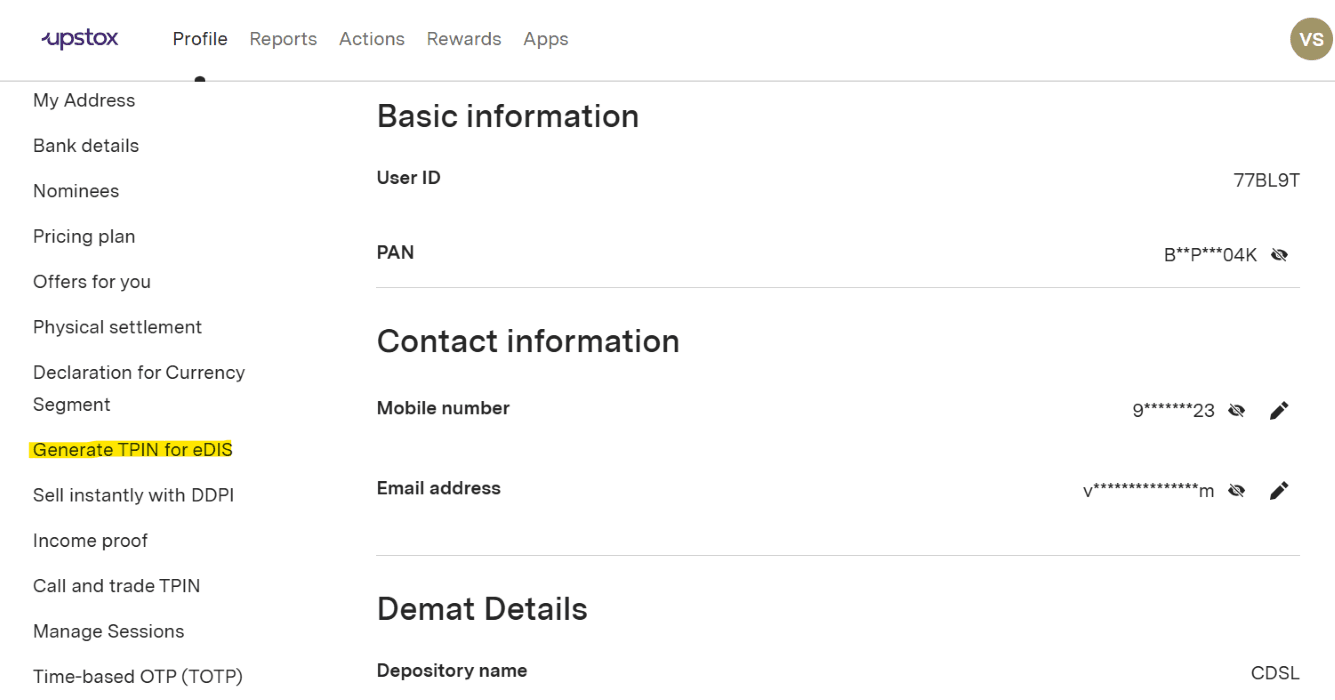
Step 4: Next it will ask for the Approval via PIN. Click on 'Get new PIN'.
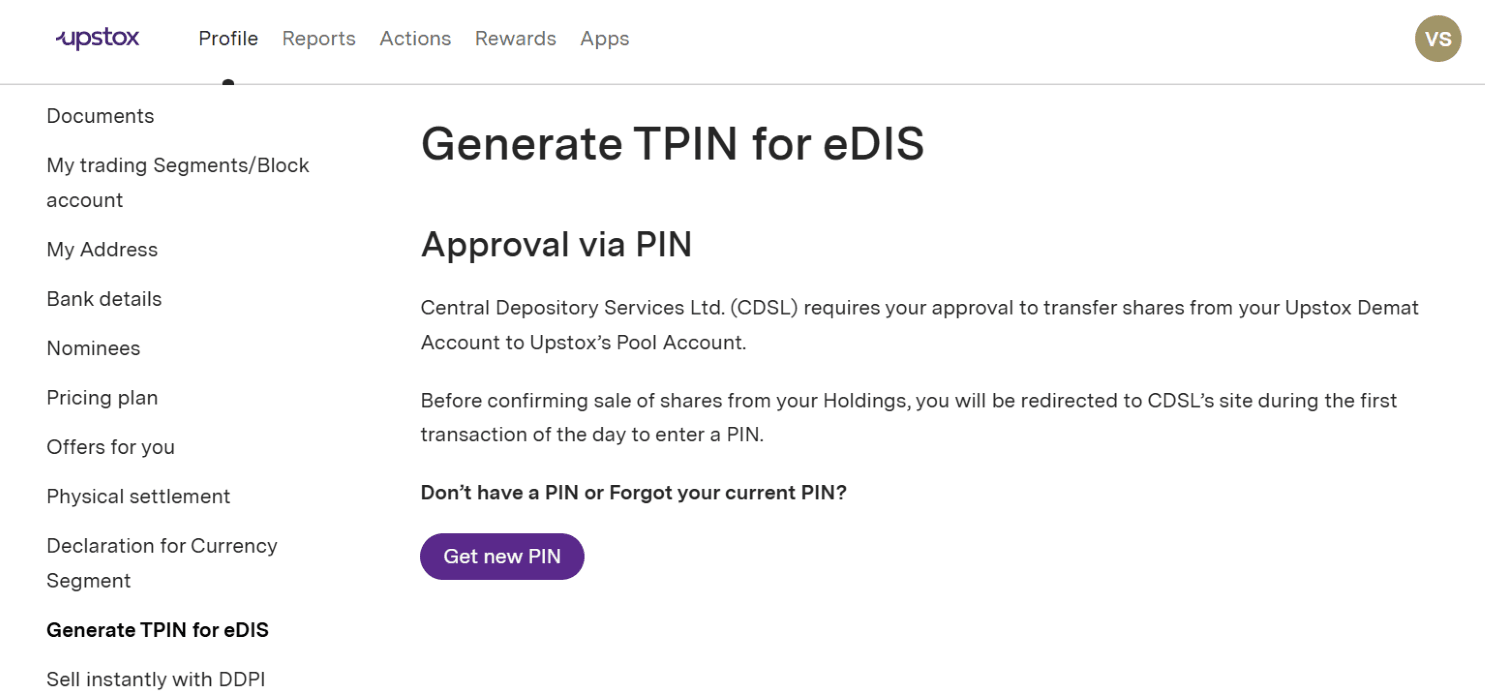
Step 5: That's all. The TPIN will be sent to you by CDSL through SMS and email on your registered mobile number and email ID.
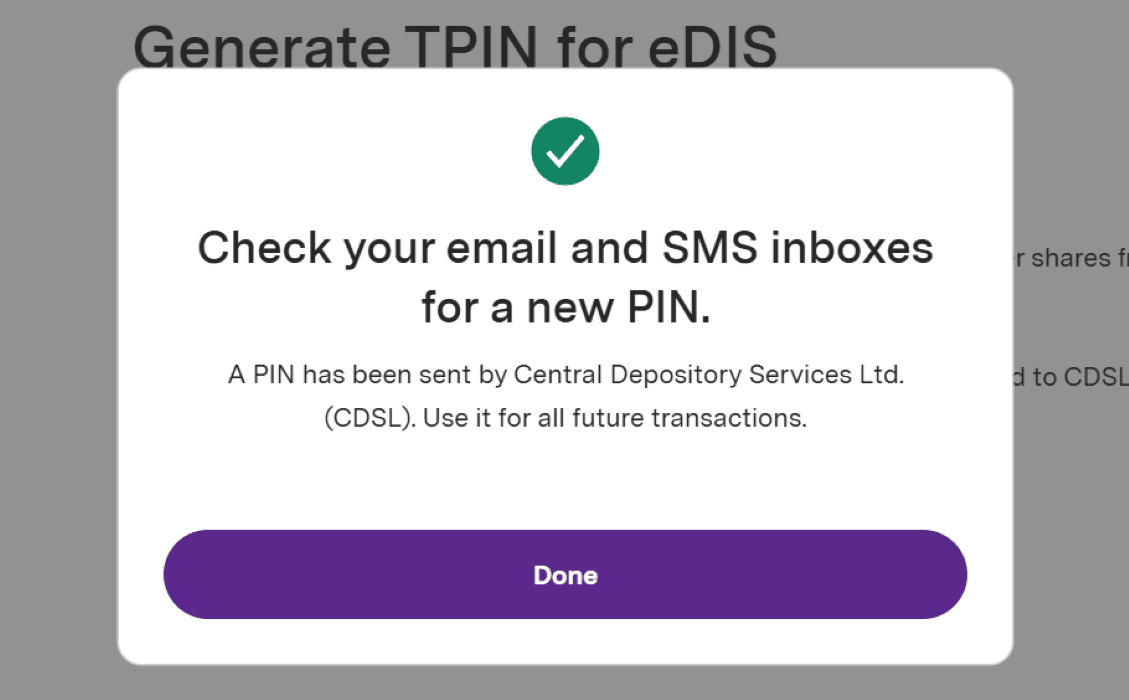
Upon receiving or generating your TPIN, you can utilize it, along with an OTP, to authorize any sell order for your Demat holdings.
Step 6: You have the option to customize your TPIN by following this link. Input your preferred new TPIN and click on submit.
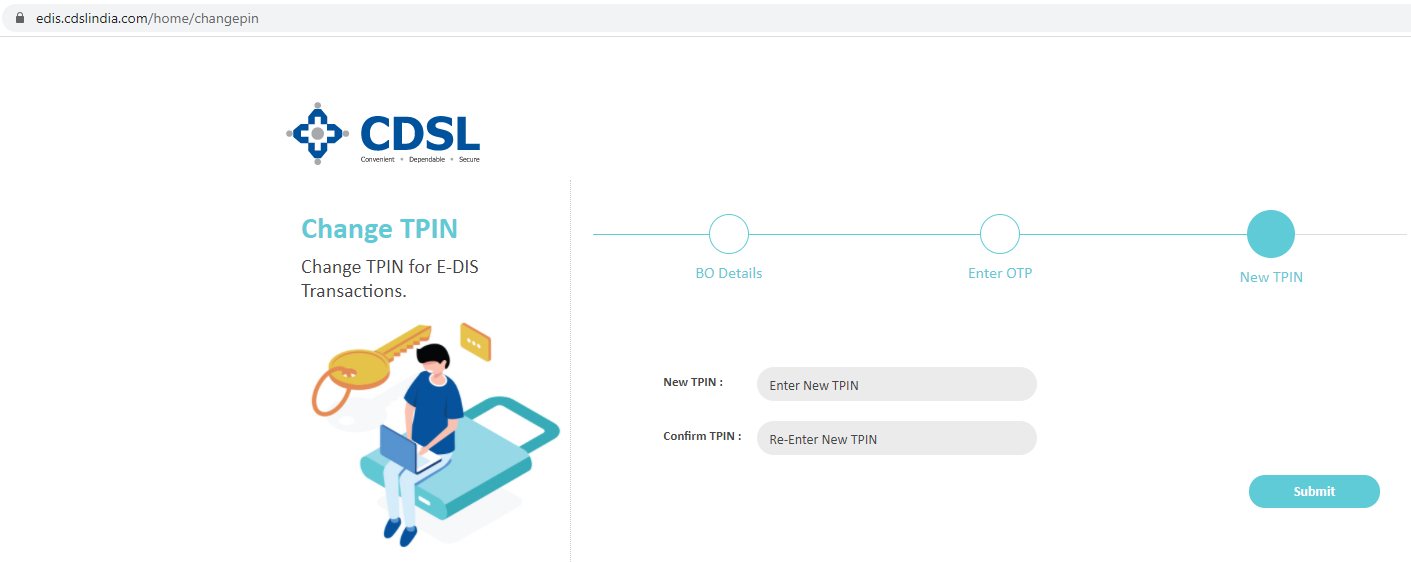
Generating TPIN From CDSL website:
Step 1: Visit the provided link https://edis.cdslindia.com/home/generatepin
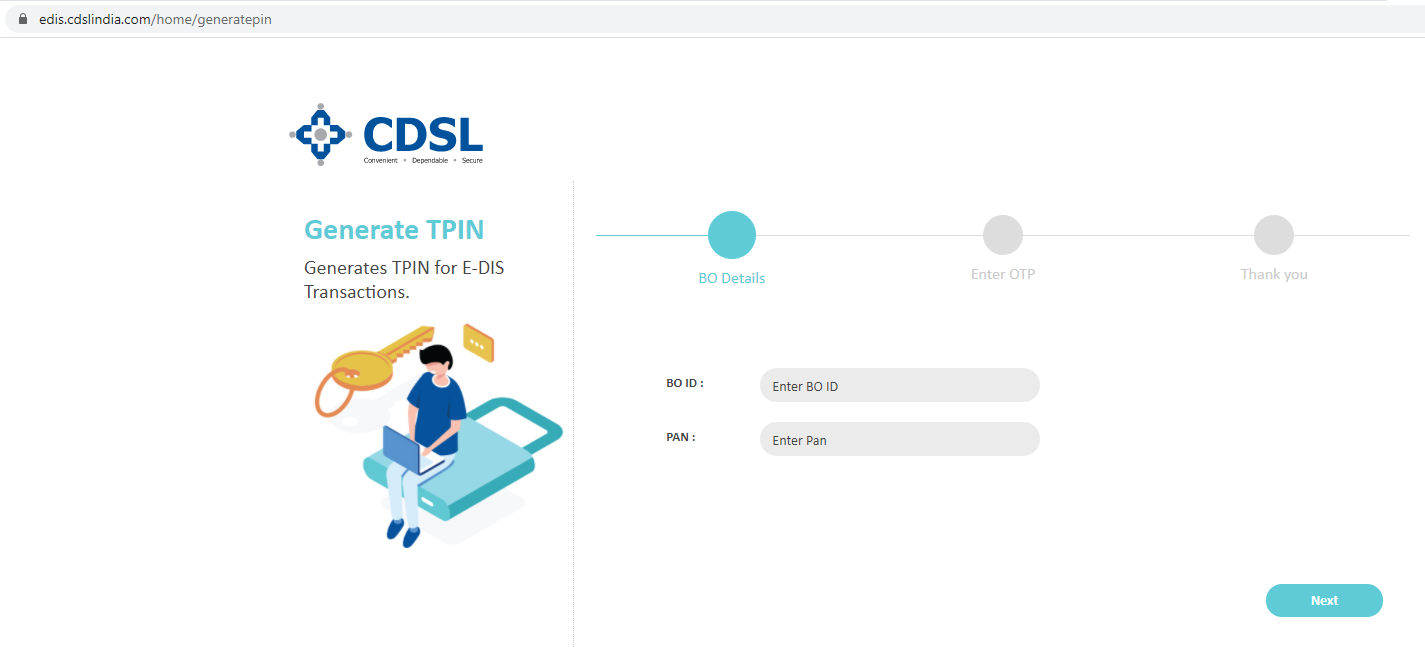
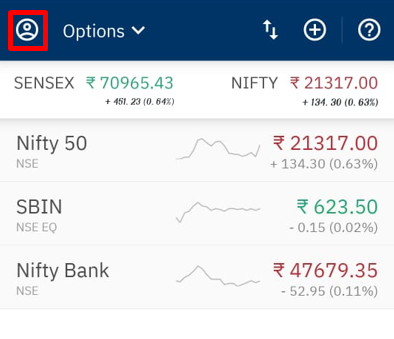
Step 2: Provide your BO ID (Demat Account Number) and PAN details. Retrieve your Demat Account Number by logging into the Upstox Mobile app and selecting the menu icon in the top left-hand corner.
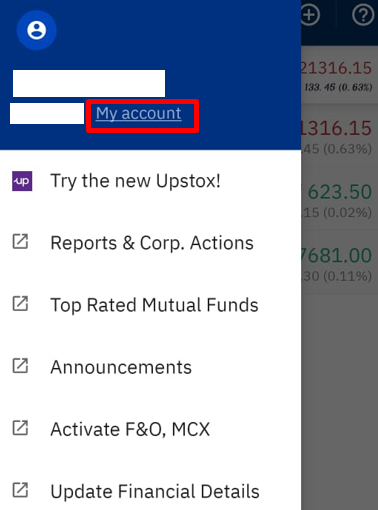
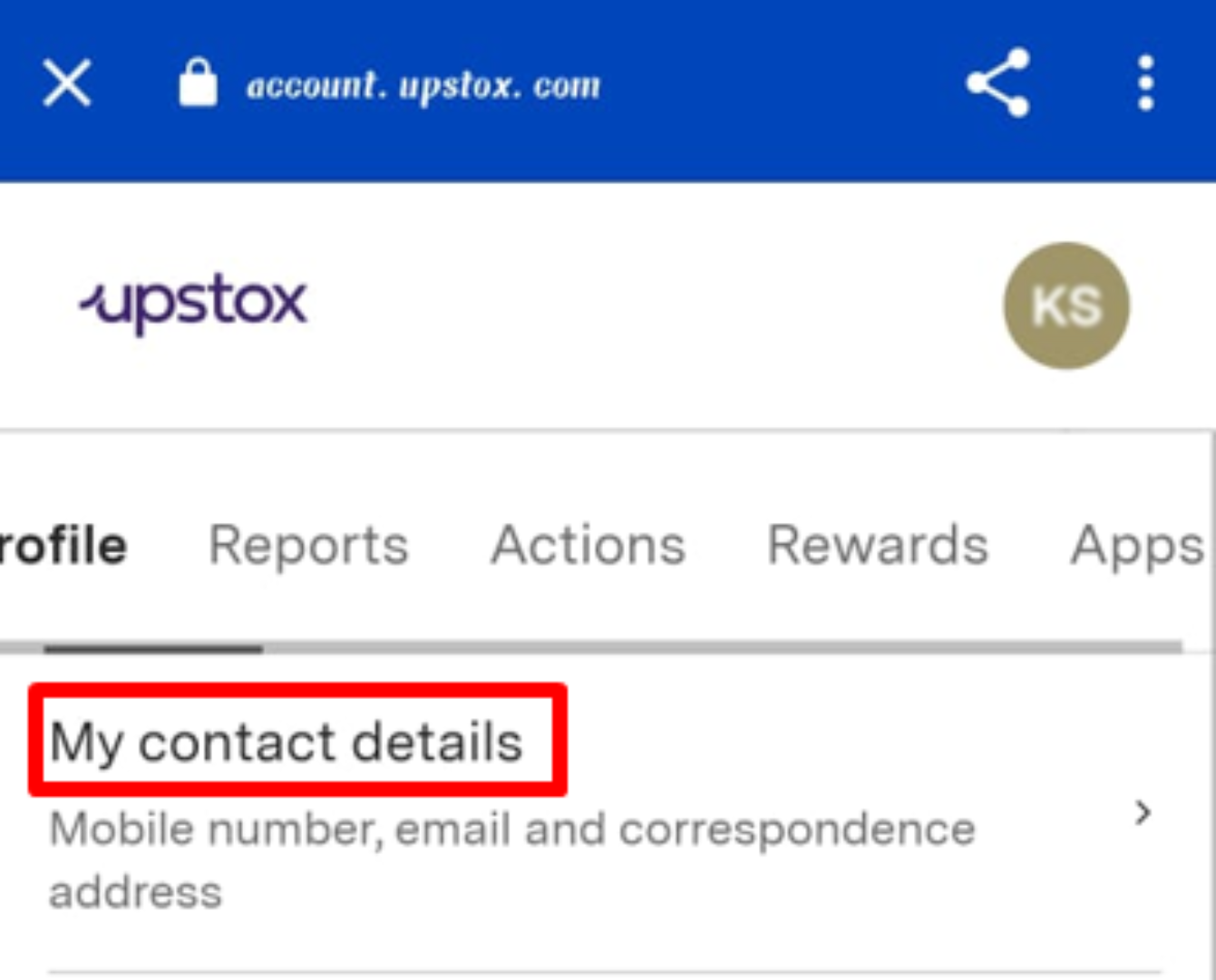
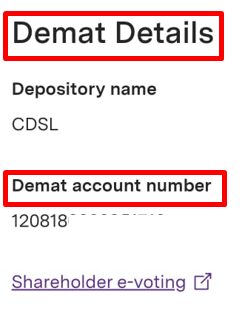
Step 3: Navigate to your profile > 'My account', select 'My Contact Details,' and scroll down to 'Demat Details' to locate your 16-digit Demat account number.
Trade with Upstox
Want to open a Demat account?
Open a FREE Demat and Trading account to invest in Stocks, Mutual Funds, IPOs and more.
By signing up you agree to receive transaction updates on Whatsapp. You may also receive a call from an Upstox representative to help you with the account opening process.
Upstox Community
Upstox Community
| Topic | Replies | Views | Activity |
|---|