
Help Center

Getting Started
Trading
My Account
Mutual Funds
IPOs
Stock SIP
Gold
NPS
Government Securities
Fixed Deposits
Insurance
Loan
Smallcase
DartStock
Upstox API
NCD
US Stocks
How to place a sell order?
For DDPI Enabled Customer
Step 1: After logging in to the trading platform, go to ‘Portfolio’ and click ‘Holdings'.
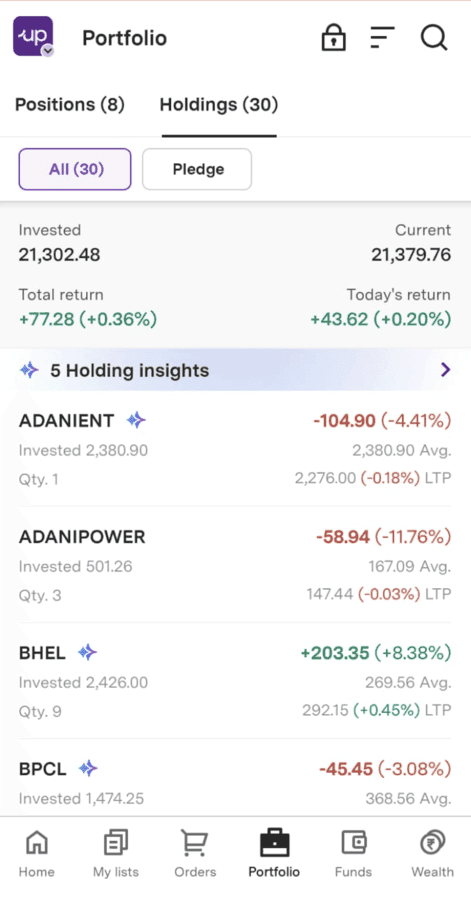
Step 2: Select any stock you want to sell and click ‘Sell’.
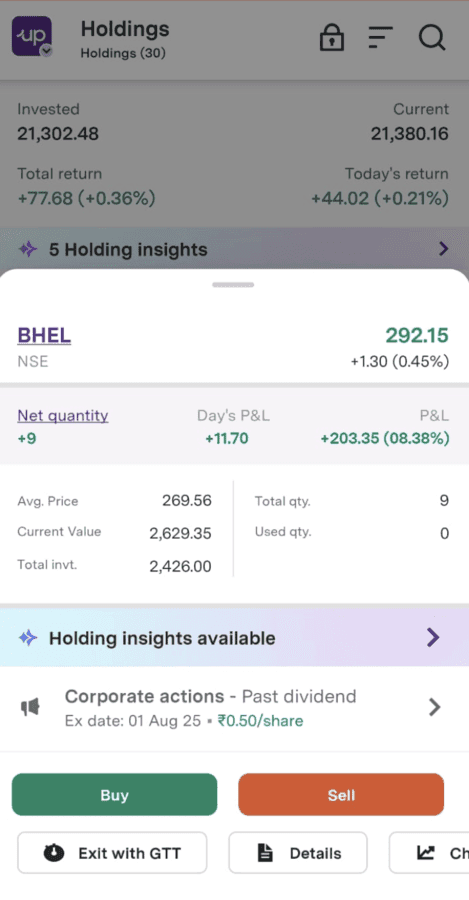
Step 3: Select the exchange in which you want to sell your shares.
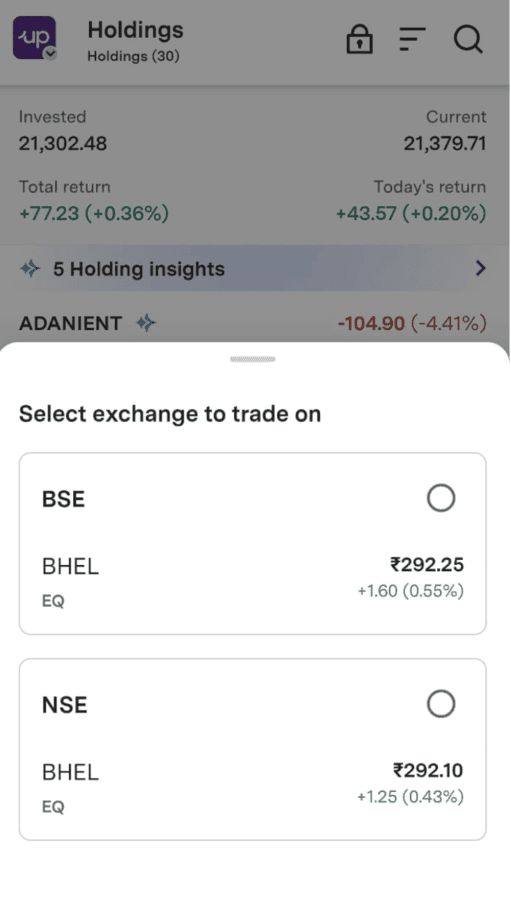
Step 4: Fill in the details on the order entry page and click ‘Review sell order’.
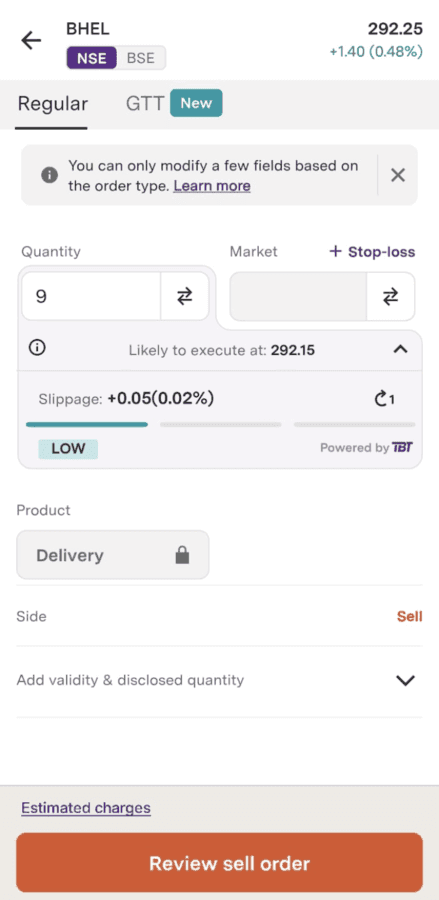
Step 5: After reviewing click on ‘Submit order’.
For NON DDPI Enabled Customers
Step 1: After logging in to the trading platform, go to ‘Portfolio’ and click ‘Holdings’.
Step 2: Select any stock you want to sell and click ‘Sell’.
Step 3: Select the exchange in which you want to sell your shares.
Step 4: Fill in the details on the order entry page and click ‘Review sell order’.
Step 5:
1. If you have a PIN, click on the ‘Continue to CDSL’ button.
2. If you don’t have a PIN, click on 'Generate New PIN.' You will receive it on your registered email id and mobile number.
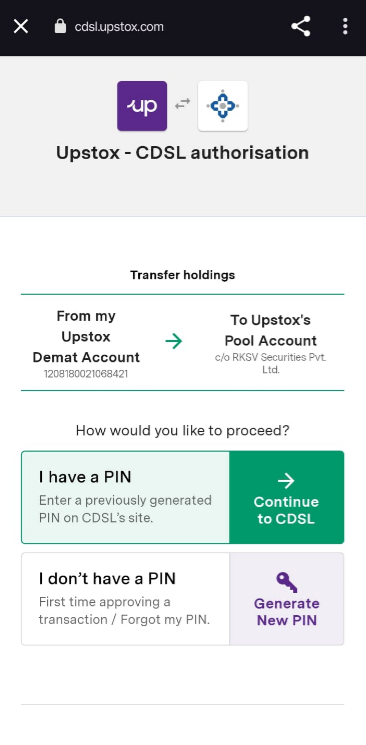
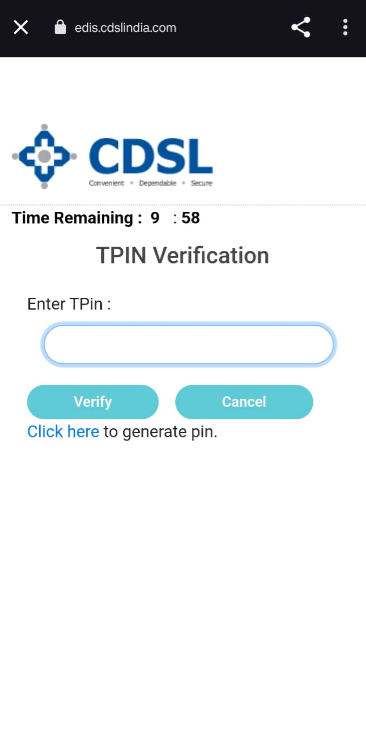
Step 6: Enter your TPIN and click on ‘Verify’.
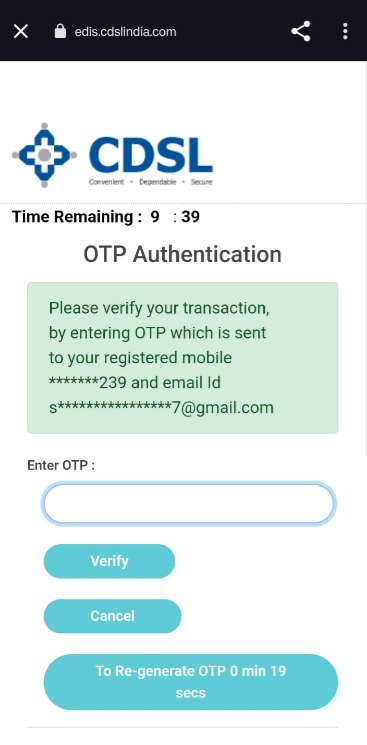
Step 7: A new OTP will be sent to your registered mobile number and email id for verification. Enter the OTP and click 'Verify'.
Step 8: You will be redirected to the order confirmation page. Confirm your order.
Trade with Upstox
Want to open a Demat account?
Open a FREE Demat and Trading account to invest in Stocks, Mutual Funds, IPOs and more.
By signing up you agree to receive transaction updates on Whatsapp. You may also receive a call from an Upstox representative to help you with the account opening process.
Upstox Community
Upstox Community
| Topic | Replies | Views | Activity |
|---|