
Help Center

Getting Started
Trading
My Account
Mutual Funds
IPOs
Stock SIP
Gold
NPS
Government Securities
Fixed Deposits
Insurance
Loan
Smallcase
DartStock
Upstox API
NCD
US Stocks
How to Automate Your Mutual Fund SIPs on Upstox?
To automate your Mutual Fund SIPs you need to complete the e-Mandate approval process by following these steps:
Step 1: Log in on Upstox and go to the Mutual Fund section.
Step 2: Place your SIP order. To know the process click here.
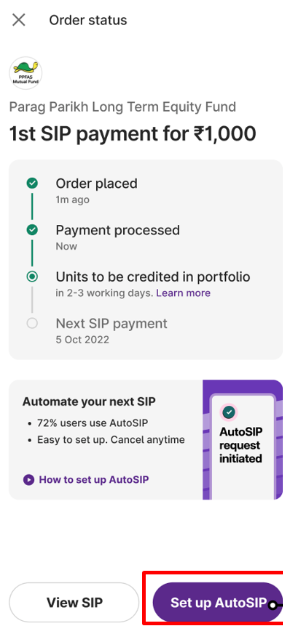
Step 3: On the ‘Order status’ screen, click on ‘Set up AutoSIP’.
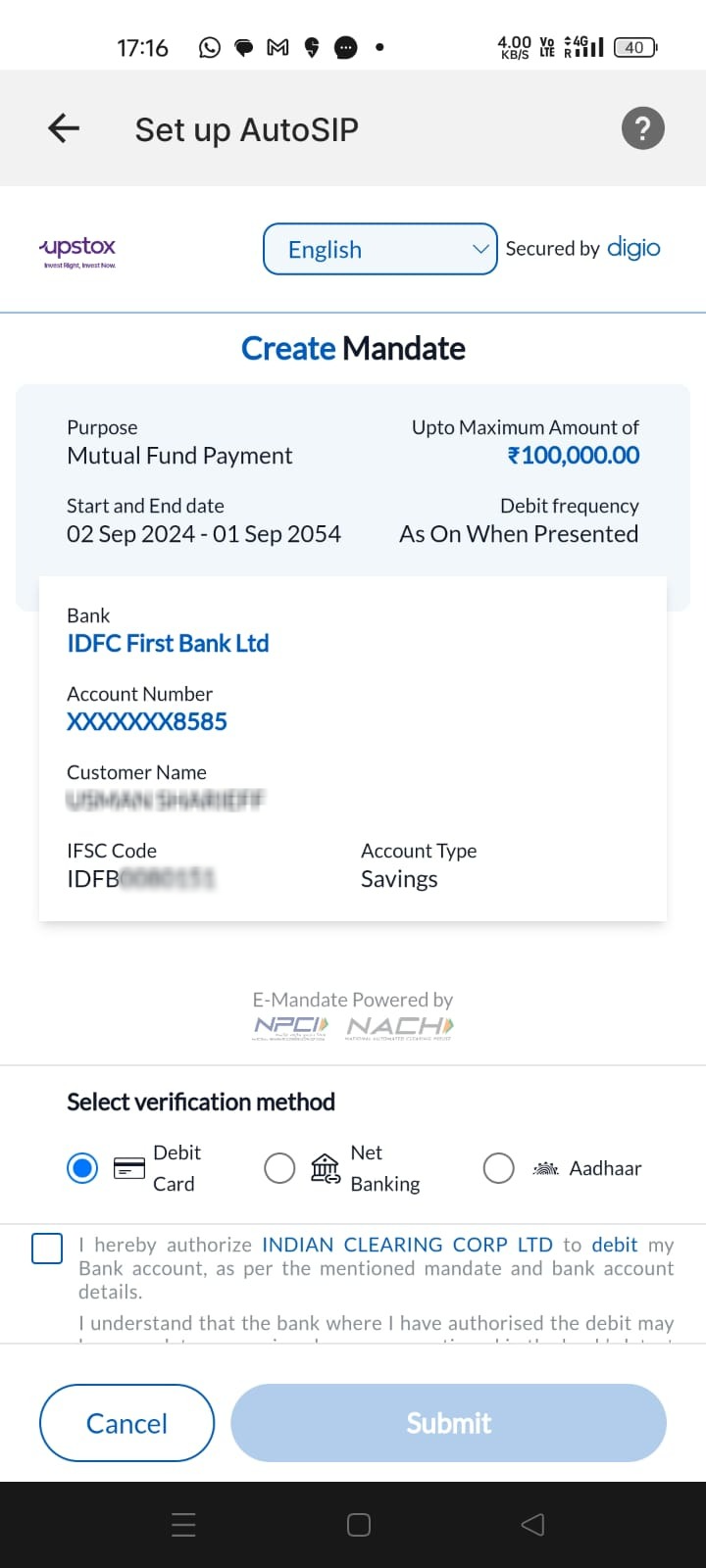
Step 4: You will be directed to the 'Set up AutoSIP' Mandate page. Here, select your preferred verification mode, either NetBanking or Debit Card, agree to the Terms & Conditions, and proceed by clicking Submit.
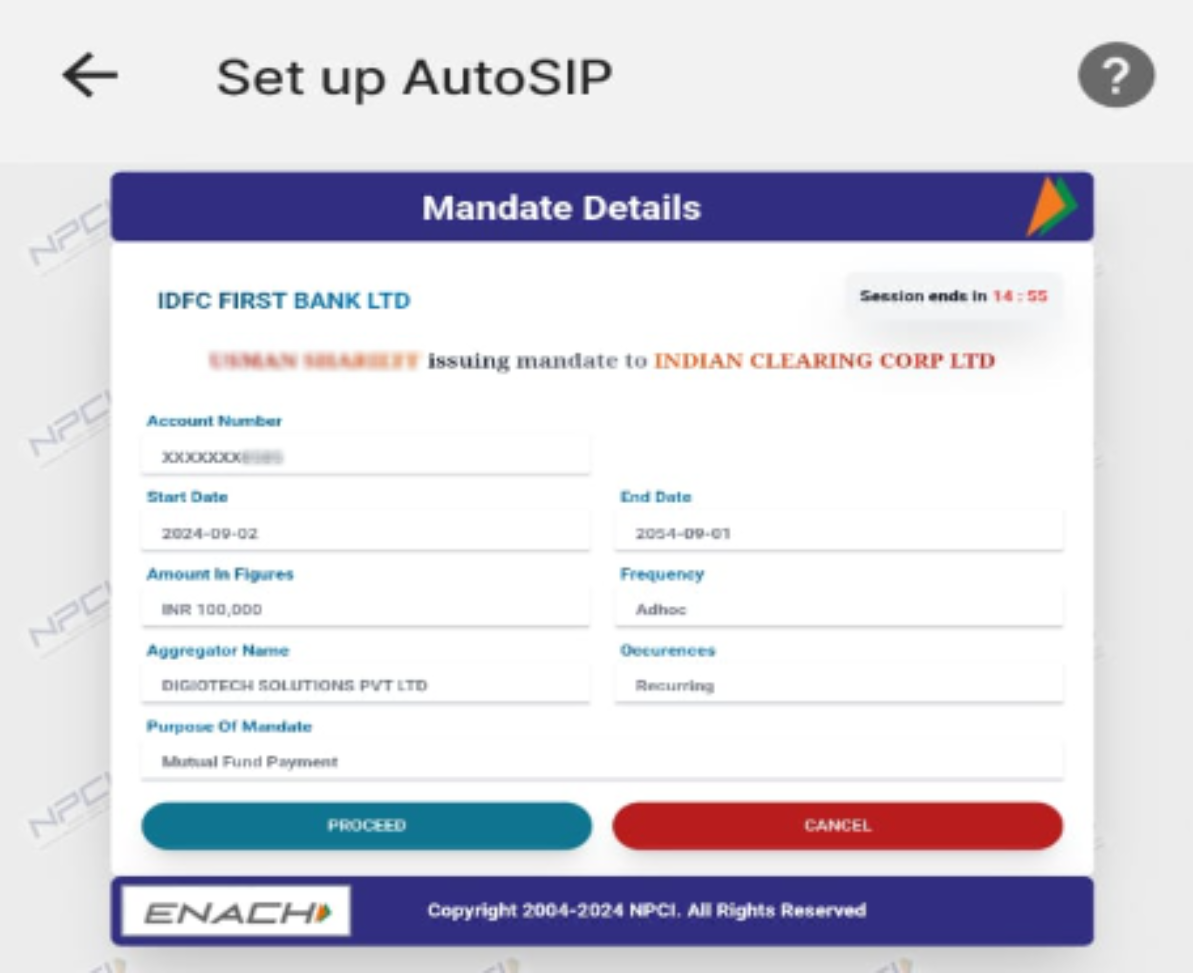
Step 5: Following that, you'll be directed to the Mandate Approval Automation page, where you can review the details of the mandate.
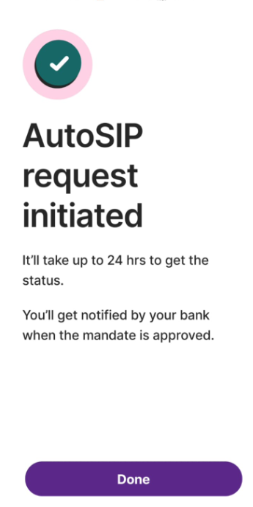
Step 6: Lastly, you will see the following message confirming your AutoSIP request.
Keep in mind:
- The e-Mandate link sent to your registered email needs to be approved within 5 days or else it will expire.
- Depending on your bank, the e-Mandate registration process may take approximately T+7 days.
- Once the authentication process is completed by you, your bank will notify BSE and the same will reflect on Upstox.
- Upstox does not charge you anything for registering an e-Mandate. However, with NPCI’s recent circular, your bank might ask you for a one-time fee in order to register the mandate.
- These charges differ from bank to bank and you can check for the latest ones with your bank.
Related Articles
Trade with Upstox
Want to open a Demat account?
Open a FREE Demat and Trading account to invest in Stocks, Mutual Funds, IPOs and more.
By signing up you agree to receive transaction updates on Whatsapp. You may also receive a call from an Upstox representative to help you with the account opening process.
Upstox Community
Upstox Community
| Topic | Replies | Views | Activity |
|---|