A Guide to Check EPFO Grievance Status 2026

Written by Sachin Gupta
Published on May 26, 2026 | 6 min read
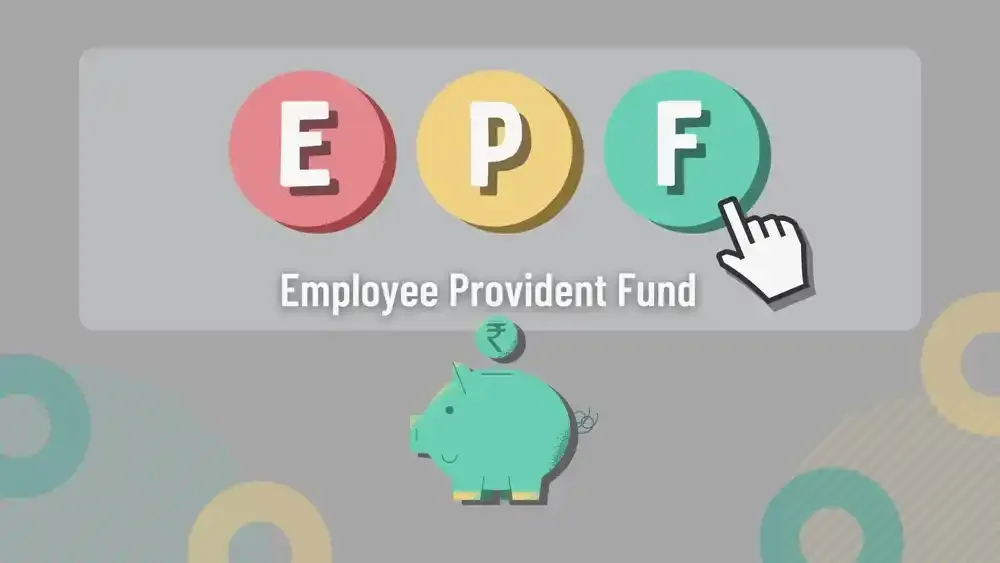

Key Takeaways
- EPFO grievance status can be checked online through the official EPFiGMS portal or the UMANG app using your grievance registration number.
- Keeping your UAN and KYC details updated helps avoid delays in resolving PF-related complaints.
- Supporting documents and correct contact details are important for faster communication and quicker grievance resolution by EPFO officials.
- Regularly monitoring your EPF grievance status helps you stay informed about updates, pending actions, or additional document requests from EPFO.
The Employees’ Provident Fund Organisation (EPFO) is responsible for overseeing and managing provident fund accounts in India. To improve transparency and faster resolution of issues, EPFO provides an online grievance redressal system called EPFiGMS (EPF i-Grievance Management System). If you have raised a complaint related to PF withdrawal, transfer, pension, KYC, or any other service, this article will help you understand the different ways to check the EPFO grievance status.
What is the EPFO Grievance Status?
EPFO grievance status reflects the real-time progress update of your complaint submitted on the EPFiGMS portal. This helps users know whether their issue is:
- Registered
- Under process
- Forwarded to field office
- Resolved
- Pending additional documents
How to Check EPFO Grievance Status Online?
EPFO has made a simple process to check EPF Grievance Status online through the official EPFiGMS portal. EPF members can follow these steps to track their complaint status:
Step 1: Visit the official EPFiGMS portal and click on View Status.
Step 2: Enter required details:
- Registration number (received after filing complaint).
- Mobile number or email ID used during registration.
Step 3: Click on the “Submit” button after entering your details.
Step 4: Now, the system will display:
- Current status of your complaint.
- Assigned EPFO office.
- Remarks or updates from officials.
- Expected resolution action.
Also Read: EPFO Grievance Guideline 2026: Step-by-Step Process to file a Complaint via EPFiGMS
Check EPFO Grievance Status via the UMANG App
You can monitor your EPFO complaint conveniently through the UMANG app, a government mobile application that brings multiple services, including EPFO.
Step 1: Download the UMANG app from Google Play Store or the Apple App Store and log in using your registered mobile number.
Step 2: Search for EPFO Services.
Step 3: Click on the “Raise/View Grievance” option.
Step 4: Enter your registration number, which you received when you first filed the complaint.
Step 5: Now, the app will display your compliant status.
Process to Send an EPF Grievance Reminder
If your complaint has not been resolved within the expected time frame, you can send a reminder through the EPF grievance portal. It is important to note that a reminder can only be raised after 30 days from the date of your original complaint. EPF members can follow the below-mentioned steps to send an EPF grievance reminder:
Step 1: Visit the official portal of EPFiGMS.
Step 2: On the homepage, click on the “Send Reminder” option.
Step 3: Enter required details such as the following:
- Grievance registration number
- Registered mobile number
- Email ID
- Short description of your reminder
- Security code as shown on the screen
Step 4: Finally, click on the “Submit” button to send your reminder request.
After submission, your reminder will be linked to the existing complaint and reviewed by the concerned EPFO office for further action.
Common EPFO Grievance Complaints
- Issues related to EPF withdrawal such as delays or rejection.
- Incorrect EPF member details like name, date of birth, or KYC mismatch issues.
- UAN-related problems.
- Employer non-deposit of EPF contributions.
- Transfer of PF balance delays.
Tips to Ensure Faster Resolution
- Keep Your UAN Active and Updated: Your UAN is the primary identification number for all EPFO-related services. Make sure your UAN is active and linked to the registered mobile number.
- Verify Your KYC Details: Ensure that your Aadhaar, PAN and bank details are correctly updated and verified in your EPFO account.
- Provide Accurate Contact Details: While filing an EPFO grievance, make sure that you are entering the correct mobile number and email ID. EPFO may use these details to send updates or request additional information.
- Attach Clear Supporting Documents: If your complaint is related to PF withdrawal, pension, KYC correction, or transfer issues, upload relevant supporting documents wherever required.
- Regularly Track Your Grievance Status: After submitting your complaint, keep monitoring the grievance status through the official EPFiGMS portal or UMANG app.

Checking your EPFO grievance status online is a simple and convenient process through the official EPFiGMS portal or the UMANG app. These platforms allow EPF members to monitor their complaints in real time and stay updated on the progress of their requests. Employees can ensure faster resolution of their EPF-related complaints by keeping their r UAN and KYC details updated, submitting correct information, and regularly monitoring their complaints.
FAQs
What is EPFO grievance status?
EPFO grievance status refers to the current stage of your complaint submitted through the EPFiGMS portal. It helps users track whether the issue is pending, under process, or resolved.
Where can I check my EPFO grievance status?
You can check your grievance status online through the EPFiGMS portal or the UMANG app. Both platforms provide real-time updates on complaint progress.
What details are required to track a grievance?
To check the status, you usually need your grievance registration number and registered mobile number or email ID. These details are provided when you first submit the complaint.
How long does EPFO take to resolve grievances?
EPFO generally resolves most complaints within 7–20 working days. However, complicated cases may take longer if employer verification or additional documents are required.
Can I send a reminder for my EPF complaint?
Yes, EPFO allows users to send reminders through the grievance portal if the complaint remains unresolved. A reminder can only be submitted after 30 days from the original complaint date.
What types of complaints can be filed with EPFO?
Users can raise complaints related to PF withdrawal delays, pension issues, UAN activation, KYC errors, and PF account transfers. Employer-related discrepancies can also be reported.
Why is my EPFO grievance still pending?
A grievance may remain pending due to incomplete documents, incorrect details, or delays from the employer’s side. High complaint volume at the EPFO office can also increase processing time.
Is there any fee for filing an EPFO grievance?
No, EPFO does not charge any fee for filing or tracking grievances through the EPFiGMS portal. The entire process is available online free of cost for all users.
About Author
Sachin Gupta
Senior Sub-Editor

is a seasoned financial writer with over eight years of experience across global markets, including Australia, the UK, and New Zealand. He specialises in simplifying complex financial concepts, making them accessible and engaging for a wide range of readers. When he’s not writing or traveling, he can often be found exploring the mountains, drawing inspiration from the calm and clarity of the outdoors.
Read more from Sachin










Upstox is a leading Indian financial services company that offers online trading and investment services in stocks, commodities, currencies, mutual funds, and more. Founded in 2009 and headquartered in Mumbai, Upstox is backed by prominent investors including Ratan Tata, Tiger Global, and Kalaari Capital. It operates under RKSV Securities and is registered with SEBI, NSE, BSE, and other regulatory bodies, ensuring secure and compliant trading experiences.
Related articles

Personal Finance
Time Value of Money: Meaning, Formula, How to Calculate It?10 min read | Written by Subhasish Mandal
Personal Finance
What is Public Provident Fund: Meaning, Benefits, Risks, Investment Process and More12 min read | Written by Sachin Gupta

Personal Finance
Complete Guide to Debt Investments in India: Types, Benefits, Risks, and More13 min read | Written by Sachin Gupta

Personal Finance
What is E-Insurance Account and How to Open it?12 min read | Written by Subhasish Mandal
Personal Finance
Post Office Time Deposit: A Complete Guide to Interest Rates, Eligibility & Benefits13 min read | Written by Sachin Gupta

Personal Finance
Bond Yields Explained: Understanding Coupon Rate, Current Yield, and YTM11 min read | Written by Sachin Gupta

Personal Finance
What are Small Savings Schemes: A Complete Guide for Investors12 min read | Written by Sachin Gupta
Personal Finance
What are Bond Credit Ratings: A Complete Guide for Investors13 min read | Written by Sachin Gupta