
Help Center

Getting Started
Trading
My Account
Mutual Funds
IPOs
Stock SIP
Gold
NPS
Government Securities
Fixed Deposits
Insurance
Loan
Smallcase
DartStock
Upstox API
NCD
US Stocks
Minor Account
How can I make a one-time investment in mutual funds?
Note: We have discontinued the 'Regular' plan and only the 'Direct' plan is now available for investing.
To place a Mutual Funds order, follow these steps:
Step 1: Log in to the Upstox app and access the Mutual Fund section directly from the Home screen.
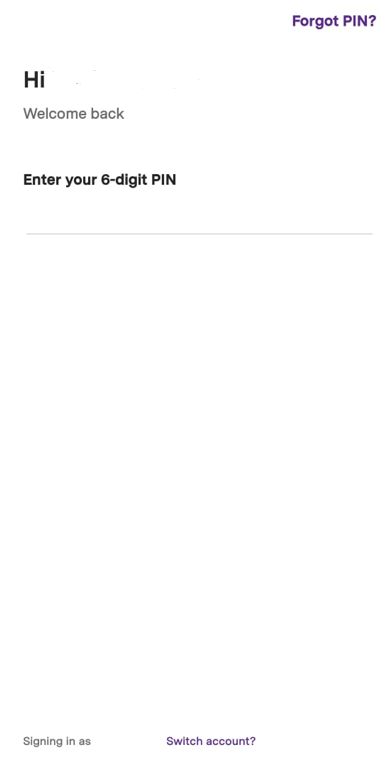
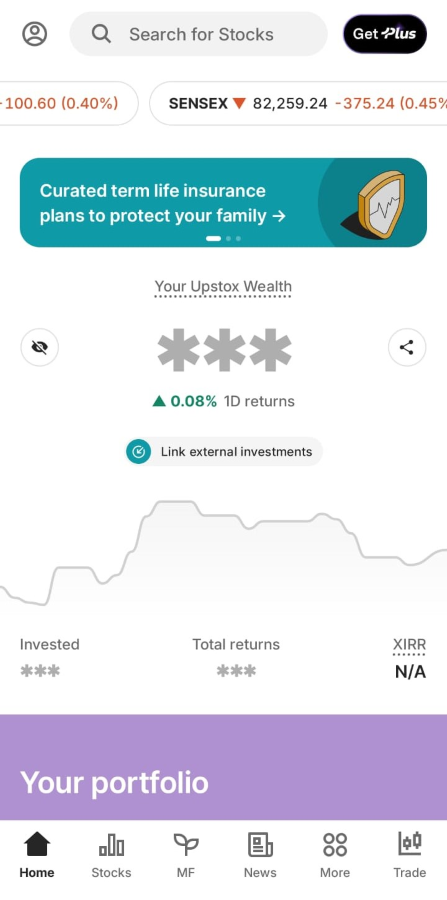
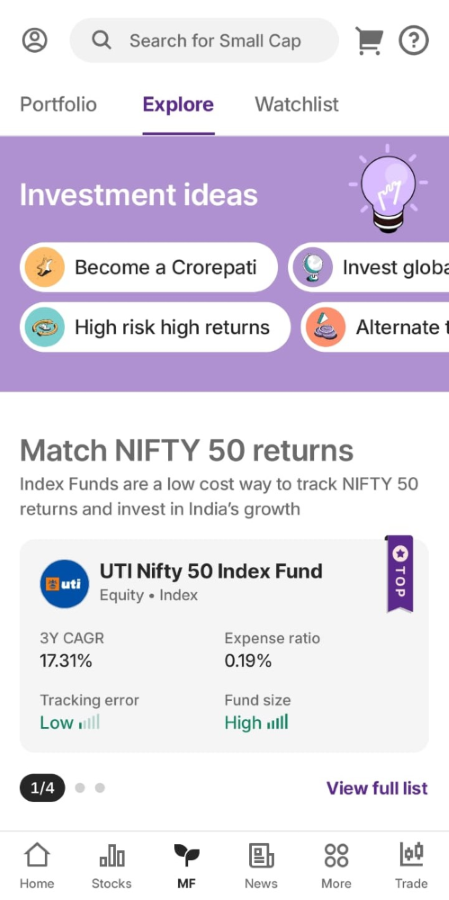
Step 2: Upon selecting 'Explore', various smartlists will be visible for you to explore and choose the fund.
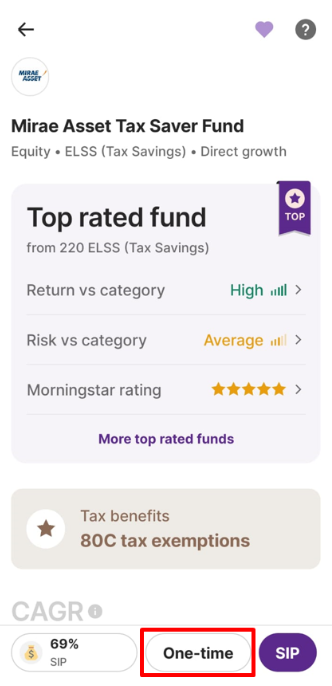
Step 3: Now click on 'One-time'.
Step 4: Enter the amount and click on continue.
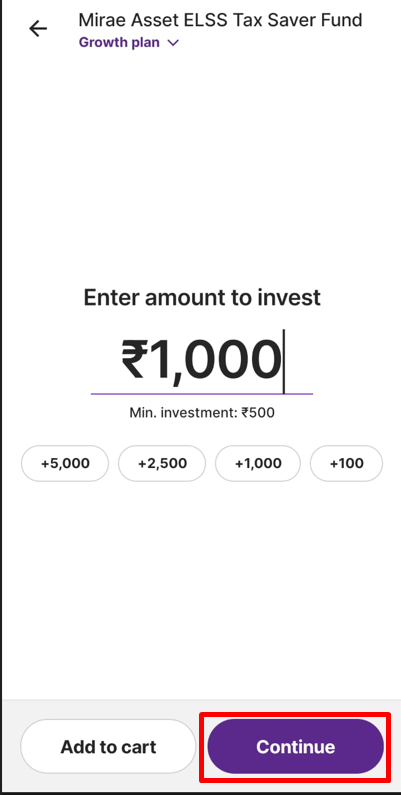
Step 5: You have the option to choose Net banking/UPI as the payment method to finalize the payment.
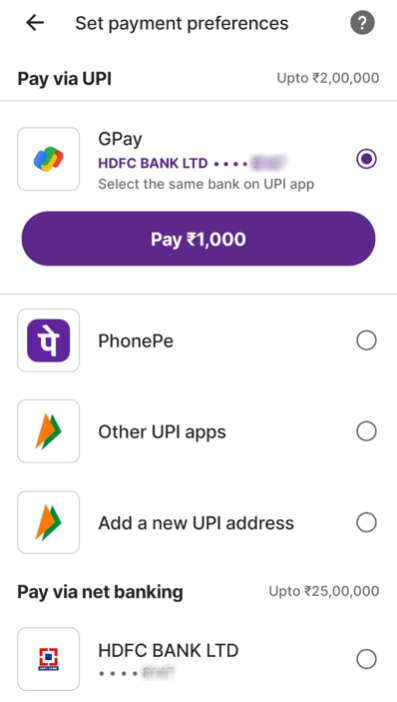
Step 6: In case of Net banking, the registered bank page will appear to complete your payment for a one-time investment.
Step 7: After completing the payment through Net banking/UPI, a one-time order will be successfully executed. The funds will be deducted from your registered bank account and not from the Upstox account.
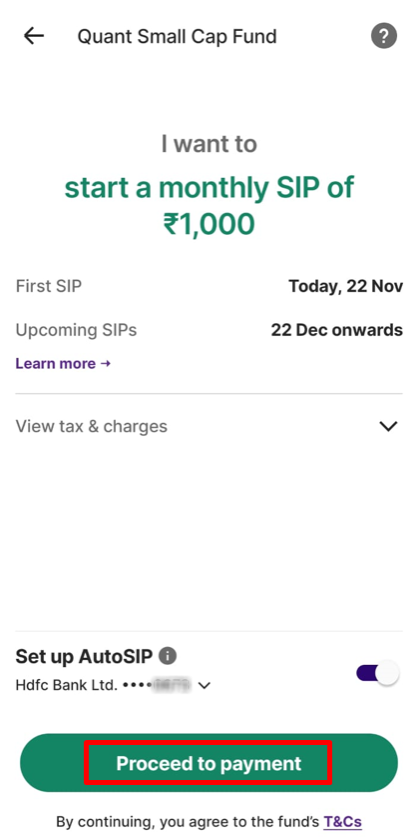
Step 8: Review your one-time order details before proceeding, once confirmed click on 'Proceed to payment’. You can also check stamp duty charges under 'View tax & charges.'

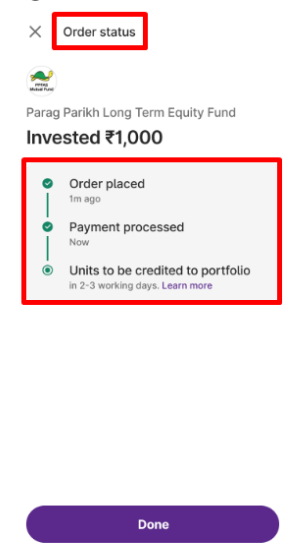
Step 9: Additionally, you can view the details of your one-time investment payment order as outlined below. Usually, the units will be credited within 2-3 working days.
Note: In some funds, one time investments may not be possible.
Once your MF order (One-time/SIP) is placed and here's how you can know about the settlement TAT.
Related Articles:
Trade with Upstox
Want to open a Demat account?
Open a FREE Demat and Trading account to invest in Stocks, Mutual Funds, IPOs and more.
By signing up you agree to receive transaction updates on Whatsapp. You may also receive a call from an Upstox representative to help you with the account opening process.
Upstox Community
Upstox Community
| Topic | Replies | Views | Activity |
|---|