
Help Center

Getting Started
Trading
My Account
Mutual Funds
IPOs
Stock SIP
Gold
NPS
Government Securities
Fixed Deposits
Insurance
Loan
Smallcase
DartStock
Upstox API
NCD
US Stocks
Minor Account
How to view weighted market depth in the Upstox scalper terminal?
The Upstox Scalper Terminal features a weighted market depth view for traders that adds another layer of insight into liquidity available at various price levels. This is especially beneficial for scalpers who want to place a lot of orders and want to evaluate the genuine market depth to act quickly.
Step 1: Navigate to the Execution Panel of the layout of your selected underlying strike price. This confirms the market depth view is associated with the instrument you are going to trade.
Step 2: Hover it over the price above the Buy/Sell button. This will cause the Market Depth window to appear.
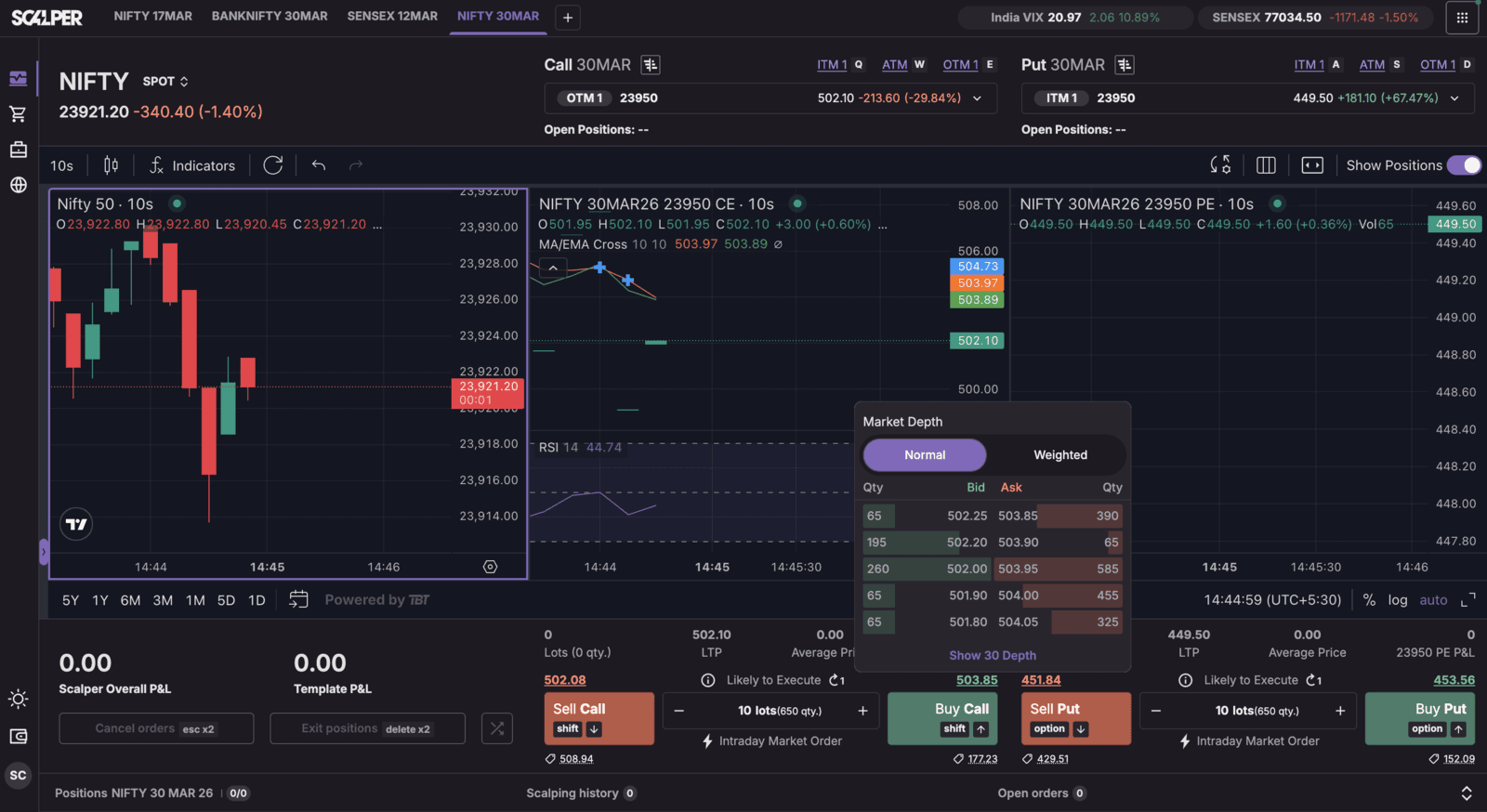
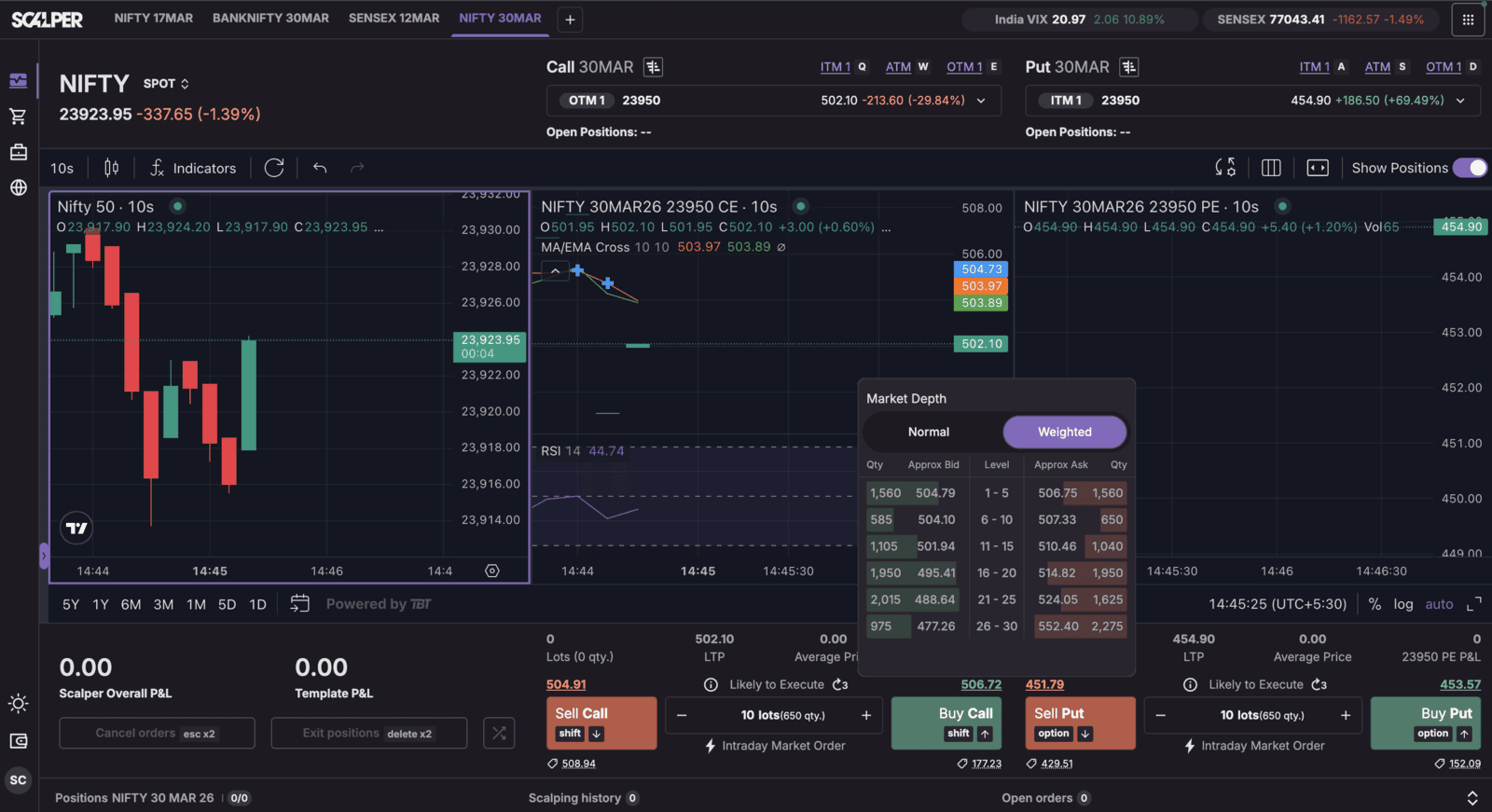
Step 3: Change the view from "Normal" to "Weighted" market depth. The Weighted Market Depth view will show the actual liquidity that exists at price levels making it easier to plan your larger lot trades.
Additional Information:
The Weighted market depth is only available for NFO indices, including Nifty, Bank Nifty, Finnifty, and Midcap Nifty. Weighted Market depth is not available for the BFO Sensex Index, so traders of that instrument will need to rely on the normal market depth view.
Trade with Upstox
Want to open a Demat account?
Open a FREE Demat and Trading account to invest in Stocks, Mutual Funds, IPOs and more.
By signing up you agree to receive transaction updates on Whatsapp. You may also receive a call from an Upstox representative to help you with the account opening process.
Upstox Community
Upstox Community
| Topic | Replies | Views | Activity |
|---|