
Help Center

Getting Started
Trading
My Account
Mutual Funds
IPOs
Stock SIP
Gold
NPS
Government Securities
Fixed Deposits
Insurance
Loan
Smallcase
DartStock
Upstox API
NCD
US Stocks
Minor Account
How to sync chart layouts in the Upstox scalper terminal?
Upstox has improved its Scalper Terminal with an automatic chart synchronization feature meant to enhance scalper efficiency in real-time. This allows traders to analyse multiple charts at once without having to manually adjust all of them at the same time.
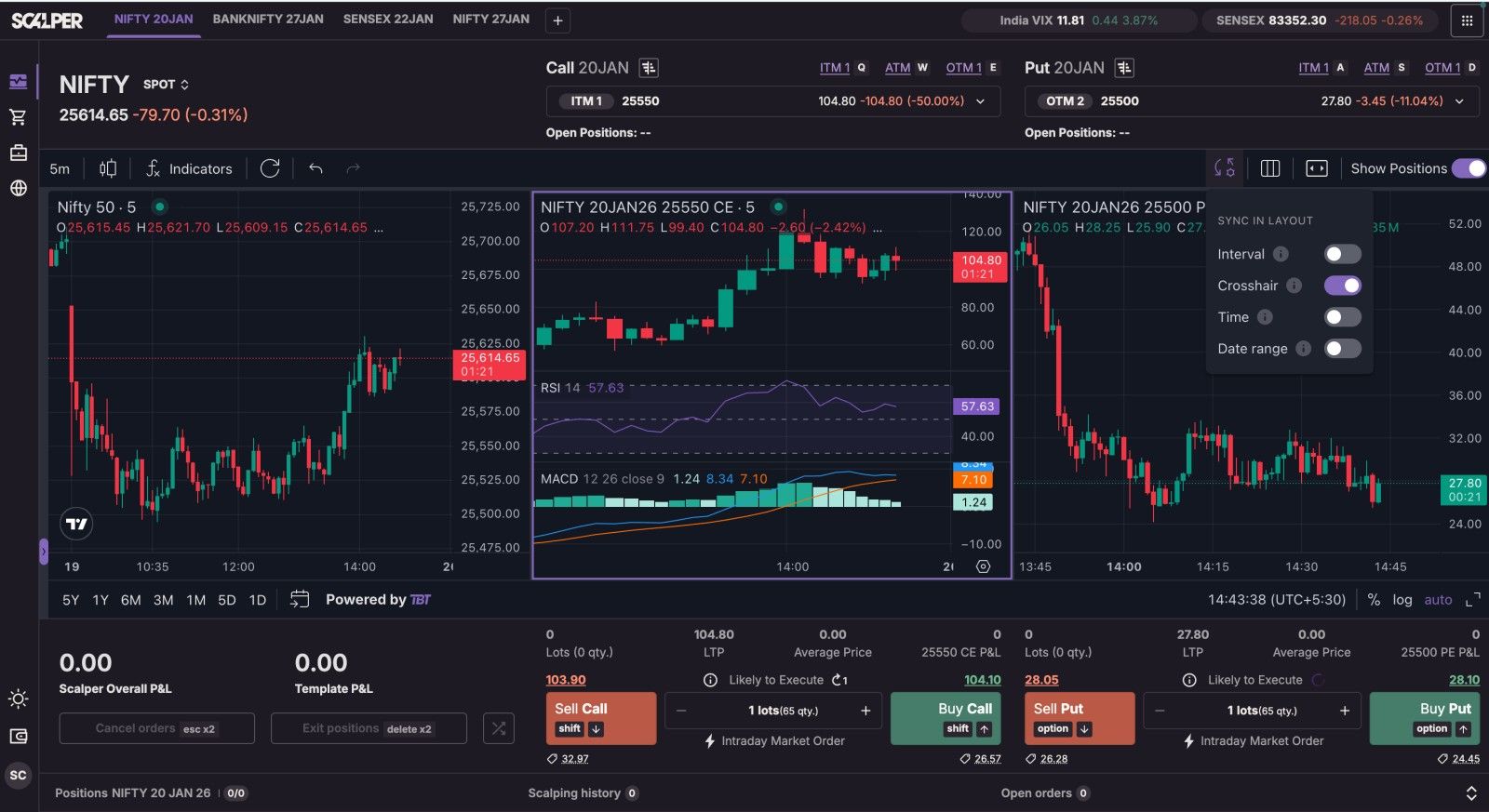
Automatic Synchronisation Across Charts: When using the 3-chart layout (Underlying Chart, Call (CE) Chart and Put (PE) Chart), the Scalper Terminal will automatically synchronise all charts to ensure they are in sync.
Time Interval Sync: If you change the time frame on either one chart, the Scalper Terminal automatically changes the same interval to the same one on the other two charts.
Crosshair Sync: When you click or hover on one chart at a specific point, the position of your crosshair will synchronise across the other two charts.
Time Scroll Sync: If you scroll or pan the timeline on any single one chart, that same action will happen exactly on each other chart.
Date Range Sync: If you zoom into or zoom out on any of the charts, the adjustment will apply to each chart.
Trade with Upstox
Want to open a Demat account?
Open a FREE Demat and Trading account to invest in Stocks, Mutual Funds, IPOs and more.
By signing up you agree to receive transaction updates on Whatsapp. You may also receive a call from an Upstox representative to help you with the account opening process.
Upstox Community
Upstox Community
| Topic | Replies | Views | Activity |
|---|