
Help Center

Getting Started
Trading
My Account
Mutual Funds
IPOs
Stock SIP
Gold
NPS
Government Securities
Fixed Deposits
Insurance
Loan
Smallcase
DartStock
Upstox API
NCD
US Stocks
Minor Account
How to switch between timeframes in charts on the Upstox scalper terminal?
The Upstox Scalper Terminal now allows traders to change charts with various timeframes quickly, allowing for greater technical insight and improved accuracy during high-frequency trading.
Step 1: First, choose the chart you want to change the time frame on. Locate the timeframe selector for the chart; it is generally located towards the top of the chart modal area.
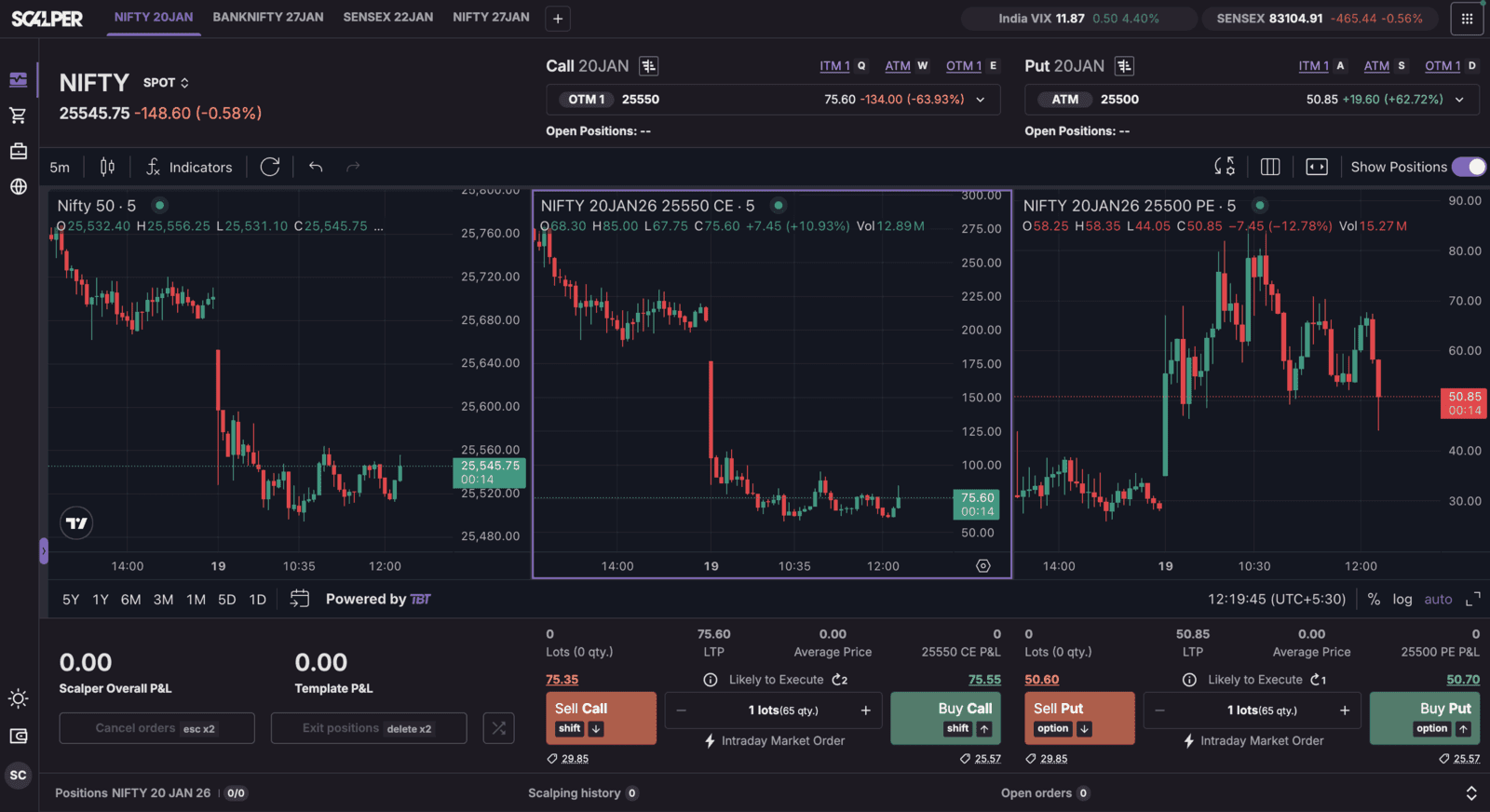
Step 2: When you click on the selector, you will see a list of timeframes available to use. Traders can choose to use:
Seconds, i.e., 1s, 5s, etc., are good for ultra-fast scalping strategies.
Minutes, i.e., 1min, 3min, 5min; and other short timelines for various short-term trading methodologies.
Hours, and other regular timeframes to explore larger market trends.
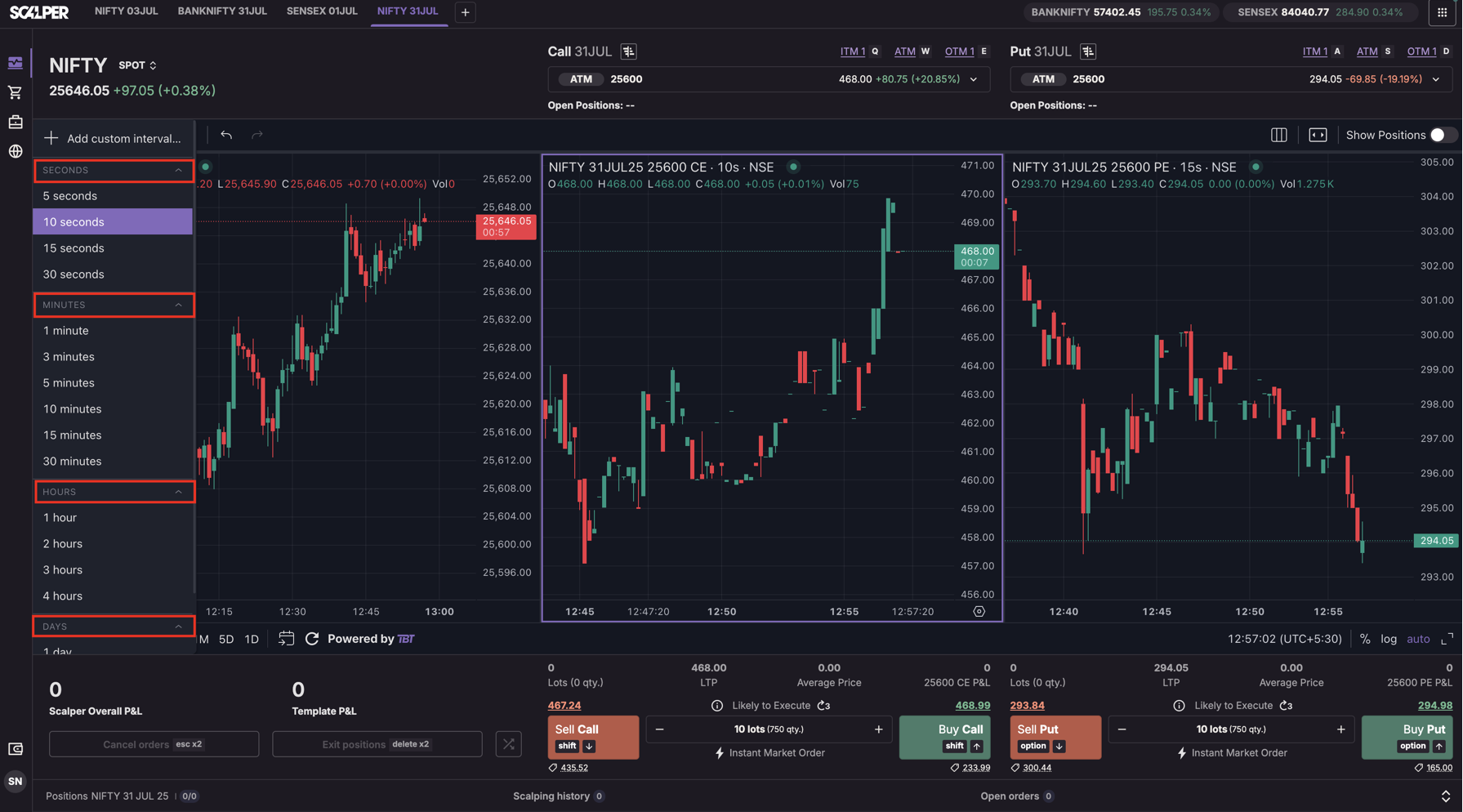
Step 3: Once you have made your selection, the chart will refresh on the spot and will update for the timeframe selected. This is important for any trader since they can take advantage of market volatility/changes and be able to react and improve their trading plan/strategy, live.
Trade with Upstox
Want to open a Demat account?
Open a FREE Demat and Trading account to invest in Stocks, Mutual Funds, IPOs and more.
By signing up you agree to receive transaction updates on Whatsapp. You may also receive a call from an Upstox representative to help you with the account opening process.
Upstox Community
Upstox Community
| Topic | Replies | Views | Activity |
|---|