
Help Center

Getting Started
Trading
My Account
Mutual Funds
IPOs
Stock SIP
Gold
NPS
Government Securities
Fixed Deposits
Insurance
Loan
Smallcase
DartStock
Upstox API
NCD
US Stocks
Minor Account
How to switch between strike prices in call and put options on the Upstox scalper terminal?
The Upstox Scalper Terminal allows traders to move between strike prices of call and put options in a number of ways, so traders can make quick decisions and effectively execute trades in a high-frequency trading environment.
Step 1: Use the strike selector dropdown near the Call and Put charts to move strike price options. Available options are ATM (At-the-Money), ITM 1 (1 strike In-the-Money), and OTM 1 (1 strike Out-of-the-Money).
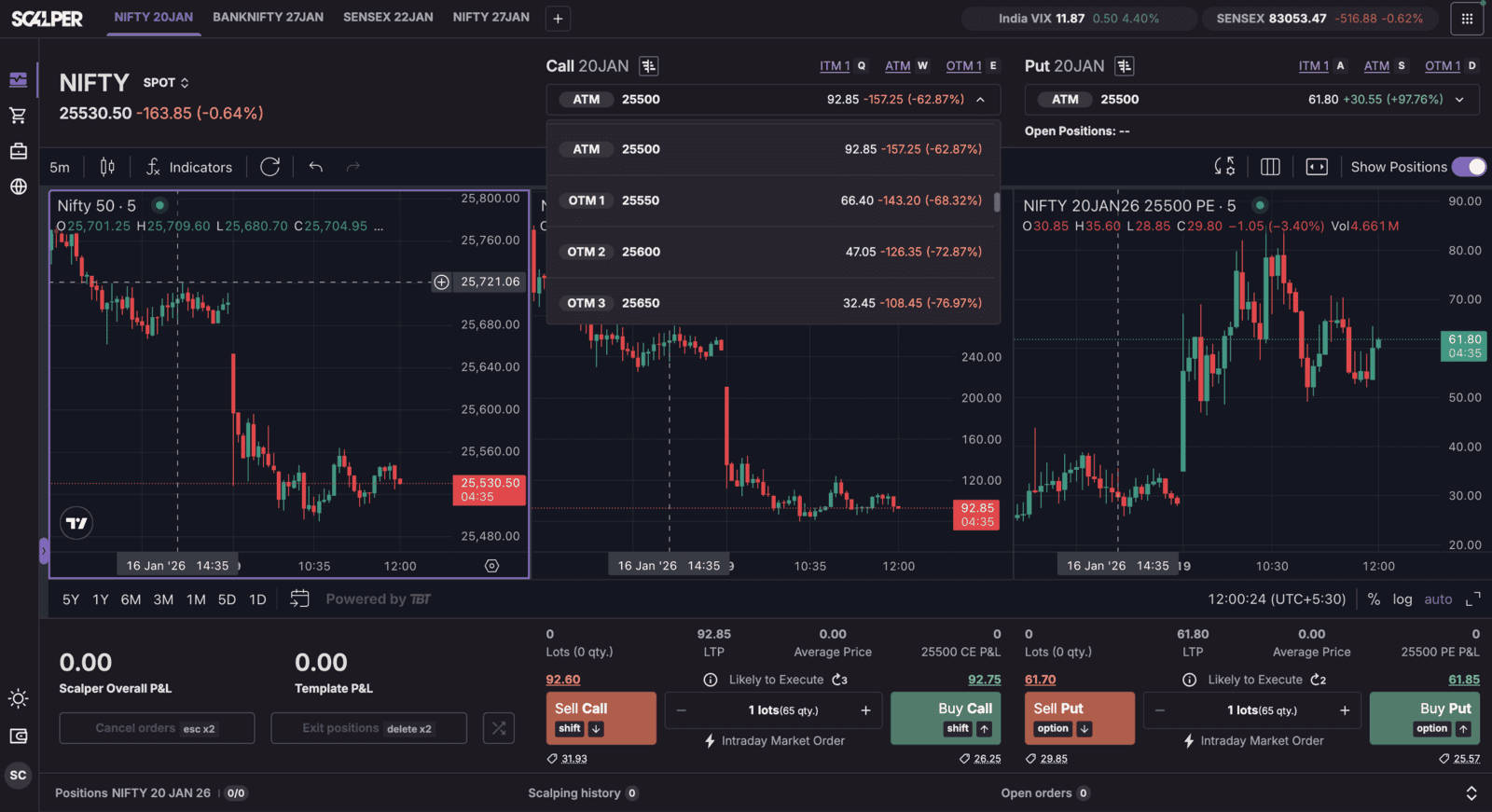
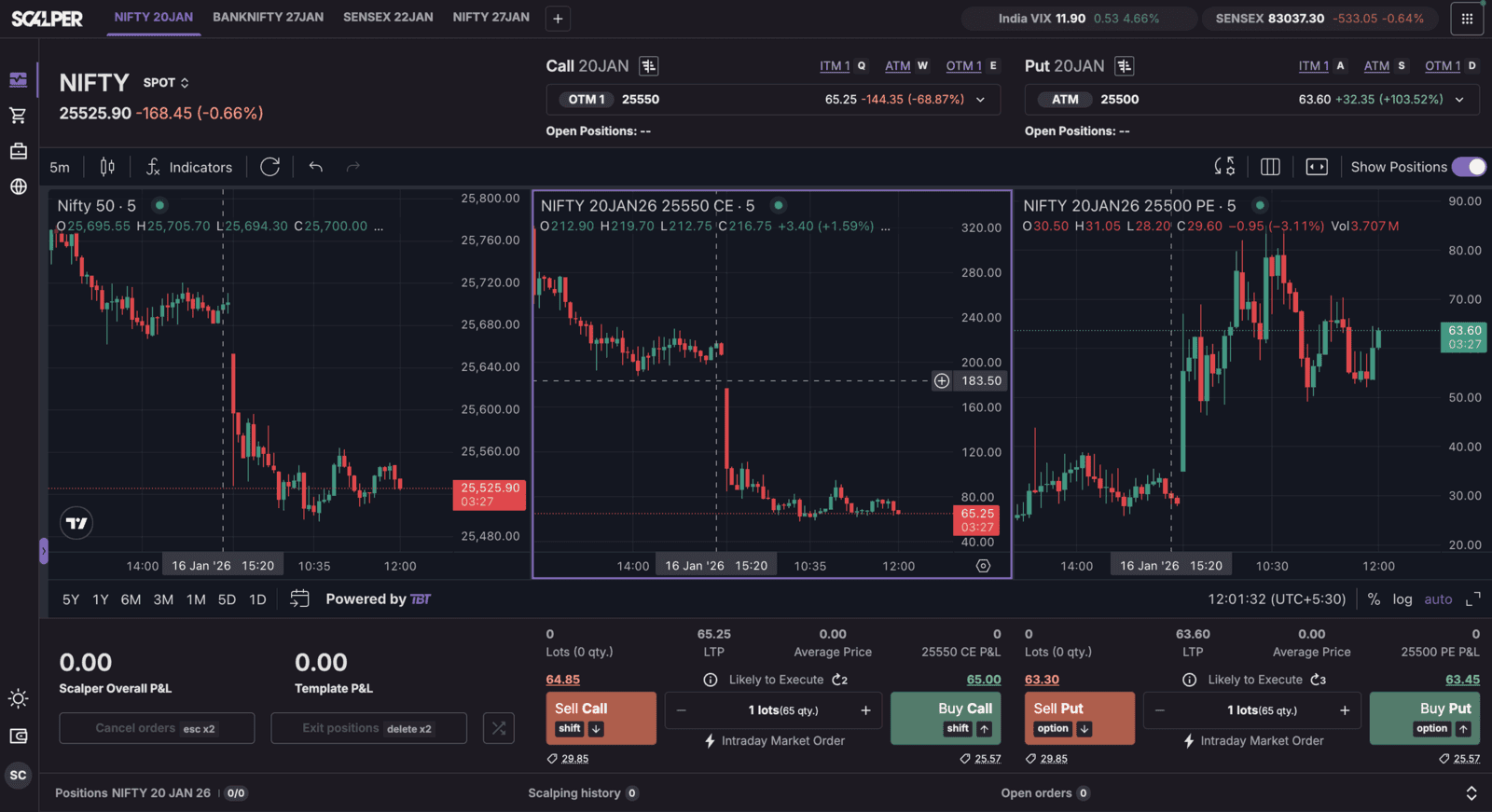
Step 2: For traders who are happy to use keyboard shortcuts, the terminal allows shortcuts to switch strikes and move faster. For Call options, use Q for ITM, W for ATM, and E for OTM. For Put options, use A for ITM, S for ATM, and D for OTM.
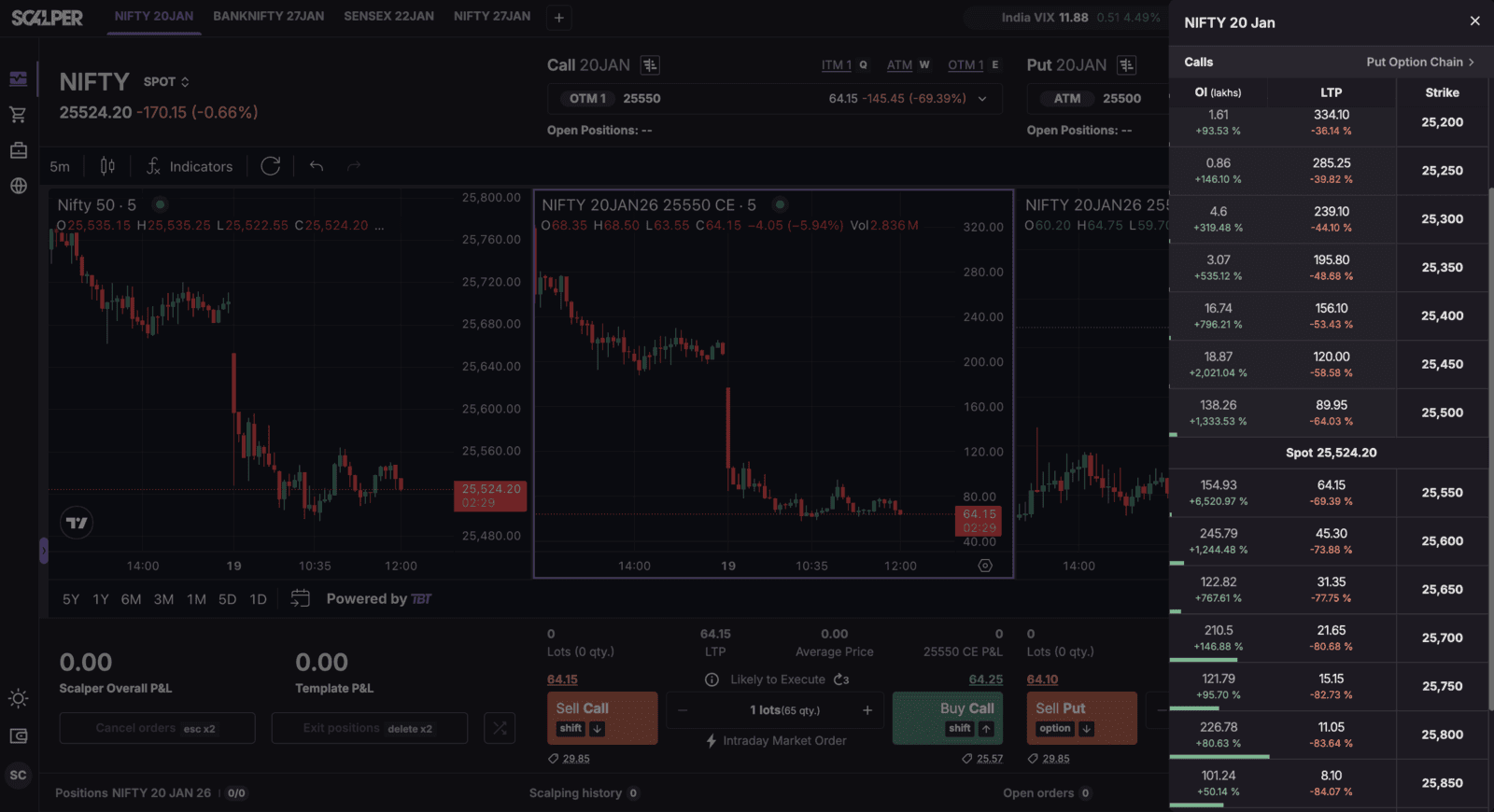
Step 3: On the right side, press the Option Chain icon to see the complete strike options in a side panel. Click on any individual strike to instantly open its chart and execution panel, giving full control of trading.
B. A full strike list appears in a side panel
C. Click any individual strike to open its chart and execution panel instantly.
Trade with Upstox
Want to open a Demat account?
Open a FREE Demat and Trading account to invest in Stocks, Mutual Funds, IPOs and more.
By signing up you agree to receive transaction updates on Whatsapp. You may also receive a call from an Upstox representative to help you with the account opening process.
Upstox Community
Upstox Community
| Topic | Replies | Views | Activity |
|---|