
Help Center

Getting Started
Trading
My Account
Mutual Funds
IPOs
Stock SIP
Gold
NPS
Government Securities
Fixed Deposits
Insurance
Loan
Smallcase
DartStock
Upstox API
NCD
US Stocks
Minor Account
How to switch between candlestick patterns in the Upstox scalper terminal?
The Upstox Scalper Terminal now allows users to switch displays mid-trade, from Candlestick charts to bar and line charts for more structured visual analysis to create better accuracy.
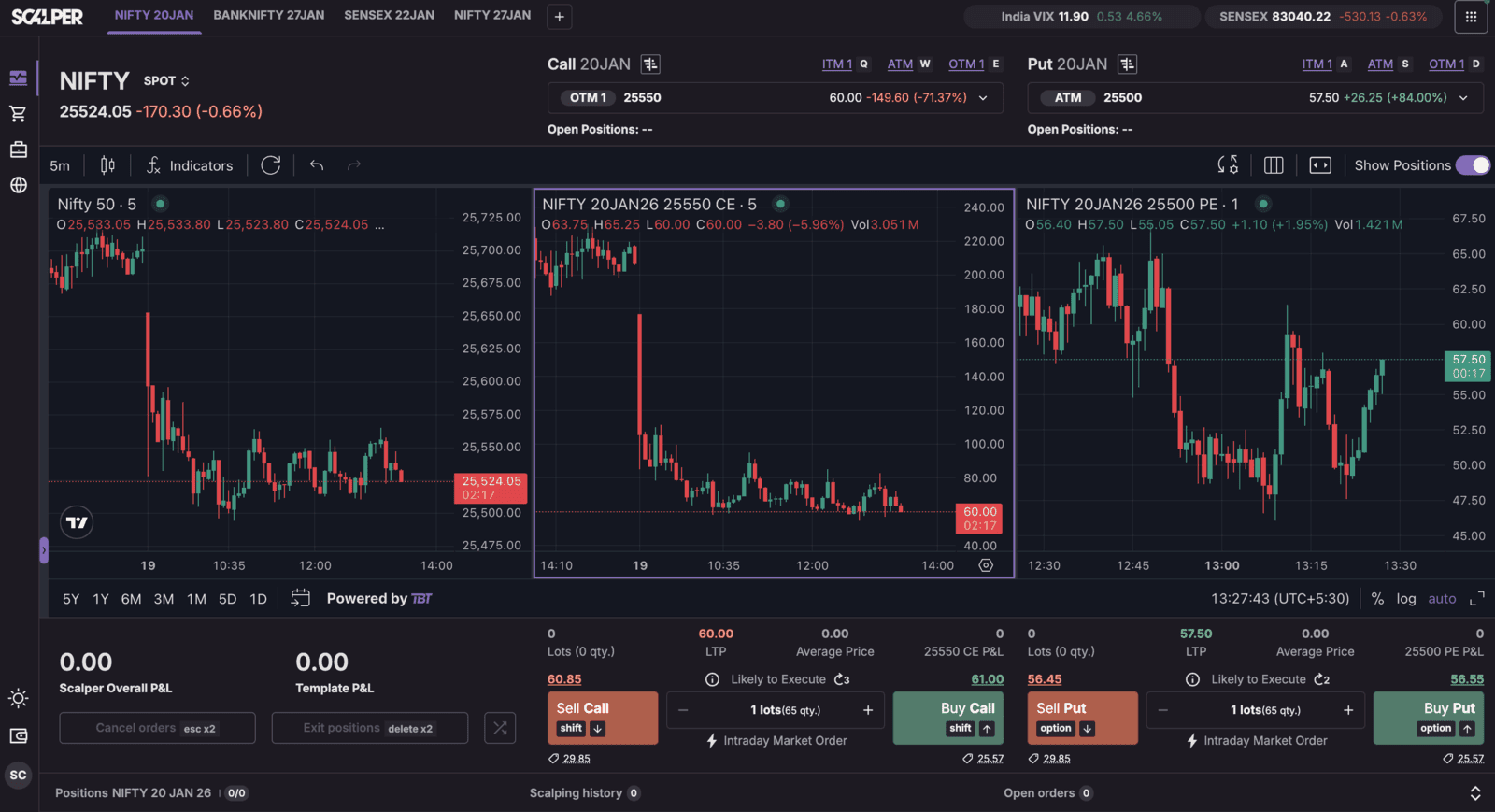
Step 1: Traders can first pick any chart, from the three charts available- Underlying, Call Option or Put Option, to begin.
Step 2: The Chart Type icon is on the top of the chart in the trading view panel. The Chart Type icon looks like a chart of candlesticks.
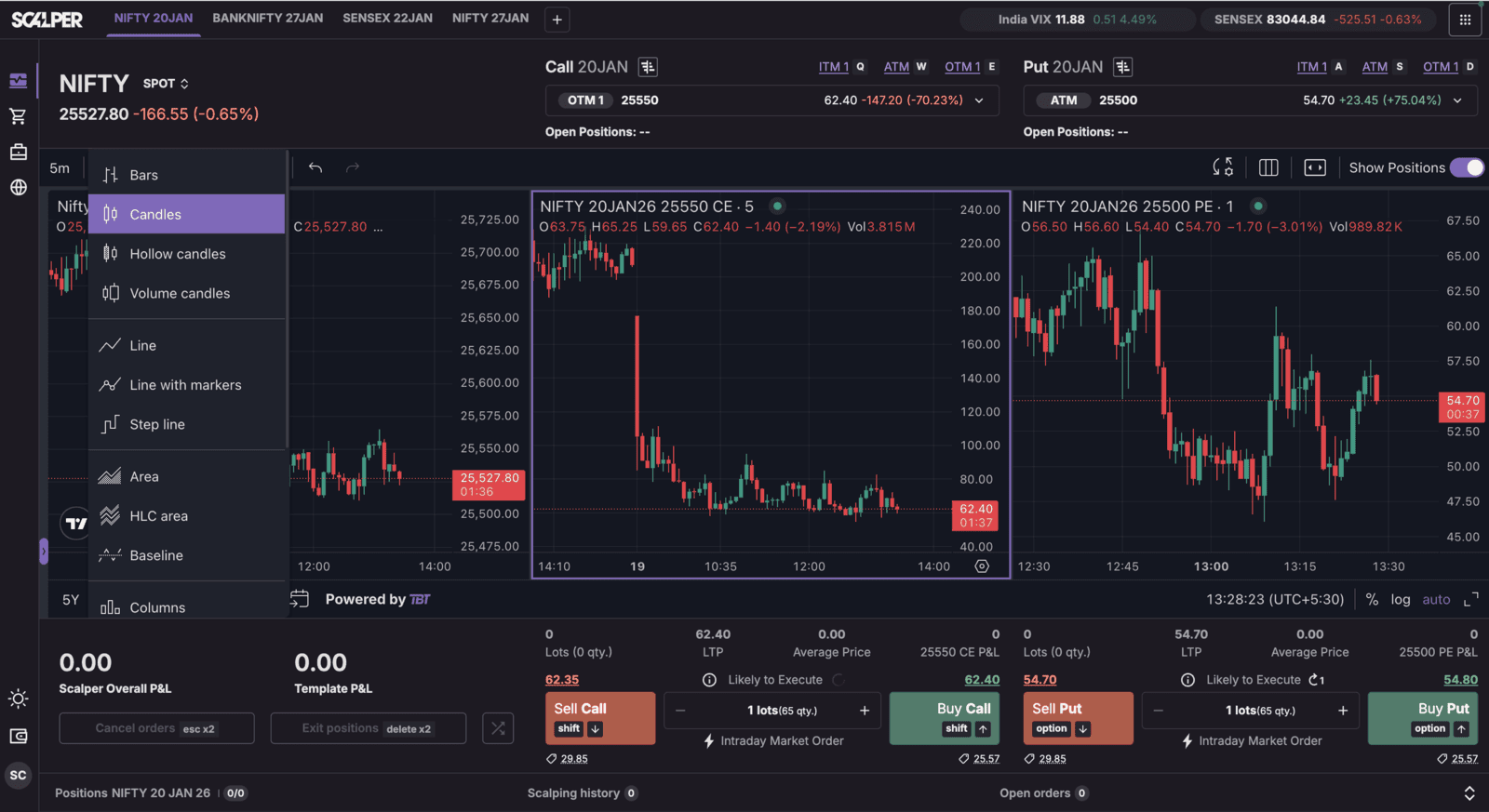
Step 3: Click the icon and a dropdown will show the various charts to select from: Candlestick (default), Bar, Line, Heikin Ashi and Hollow candles.
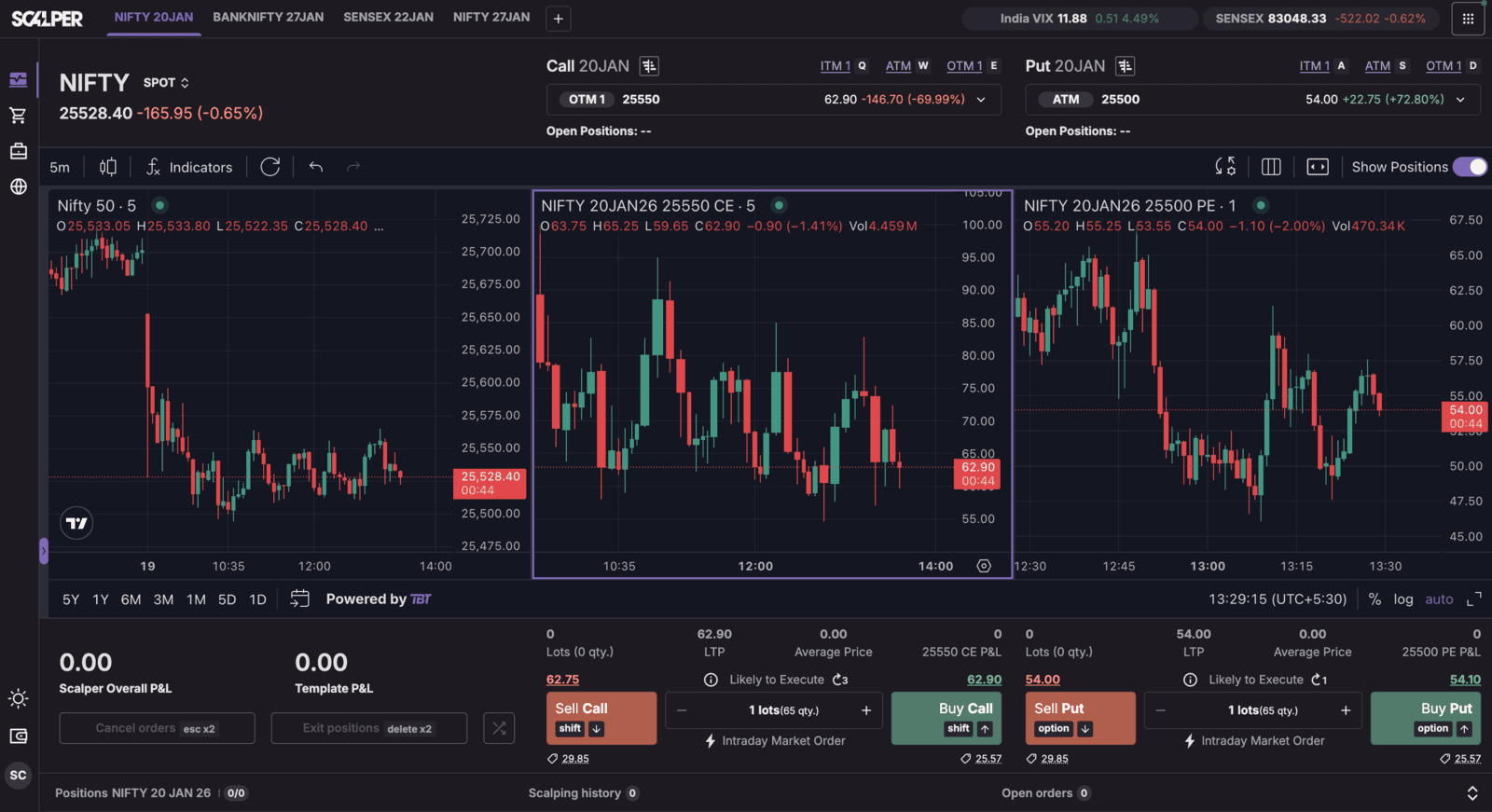
Step 4: Select your candlestick or any chart type that you want. The chart will change, allowing traders to view the market action through the display they wanted for a quicker, better informed trade.
Trade with Upstox
Want to open a Demat account?
Open a FREE Demat and Trading account to invest in Stocks, Mutual Funds, IPOs and more.
By signing up you agree to receive transaction updates on Whatsapp. You may also receive a call from an Upstox representative to help you with the account opening process.
Upstox Community
Upstox Community
| Topic | Replies | Views | Activity |
|---|