
Help Center

Getting Started
Trading
My Account
Mutual Funds
IPOs
Stock SIP
Gold
NPS
Government Securities
Fixed Deposits
Insurance
Loan
Smallcase
DartStock
Upstox API
NCD
US Stocks
Minor Account
How to sell a Margin Trading Facility (MTF) position?
Selling an MTF (Margin Trading Facility) position on Upstox follows a process similar to selling regular demat holdings, with one primary difference - MTF stocks appear under the 'Positions' tab, not 'Holdings'. When you sell, Upstox automatically recovers the funded amount plus accrued interest, and credits the remaining balance to your account.
Process to sell MTF positions
Step 1: Login to the Upstox app.
Step 2: Go to MTF positions
Access MTF holdings
1. Tap the ‘Positions’ tab at the bottom navigation
2. Click on ‘MTF’ to view all your margin-funded positions
Step 3: Select stock and initiate square-off Choose the MTF position you want to sell 1. Tap on the specific MTF stock from the list 2. Click the ‘Square-off’ button
‘Square-off’ indicates closing an MTF position with automatic settlement of funded amount and interest.
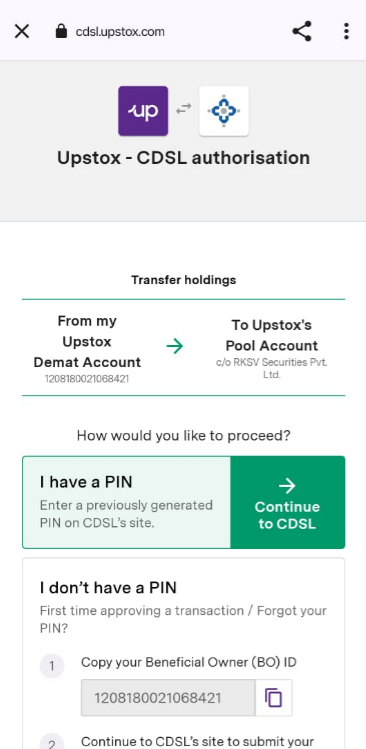
Note: Here the CDSL T-pin needs to be entered to authorise selling (In case you have not enabled DDPI).
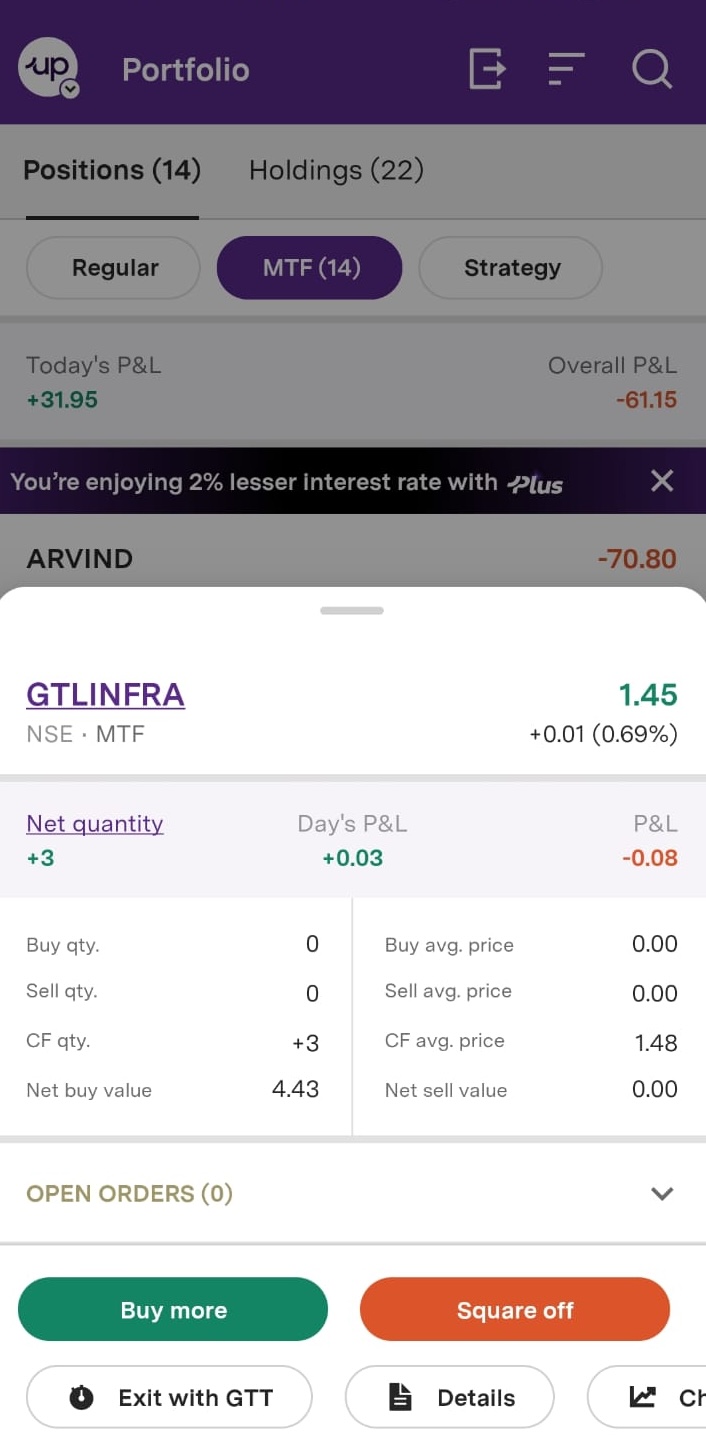
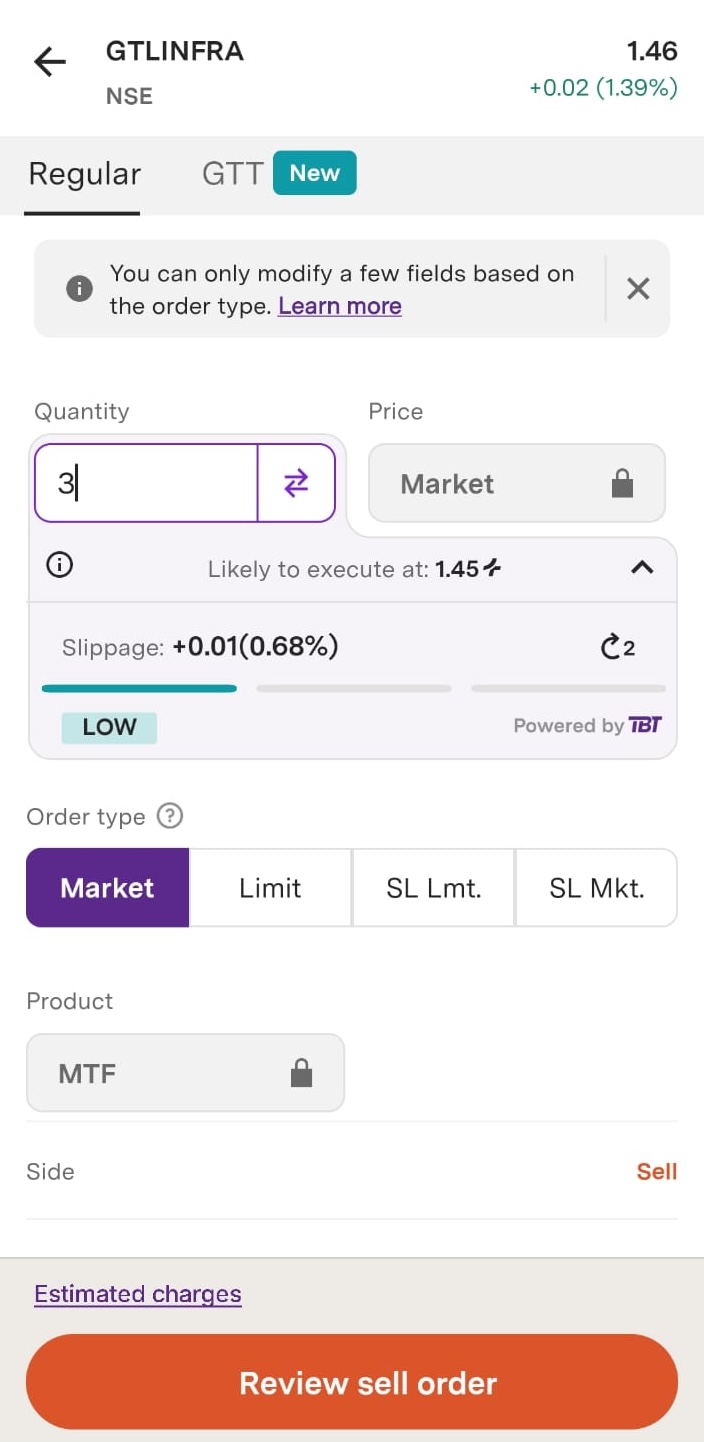
Step 4: Enter order details
- Quantity - Full or partial quantity to sell (if selling partial, remaining stays as MTF)
- Order type - Market or Limit order
- Price - For limit orders, enter your desired sell price
Review the order
Step 5: CDSL TPIN authorisation (if applicable)
Note - TPIN authorisation is required only if you have not enabled DDPI (Direct Debit Payment Instruction) with Upstox.
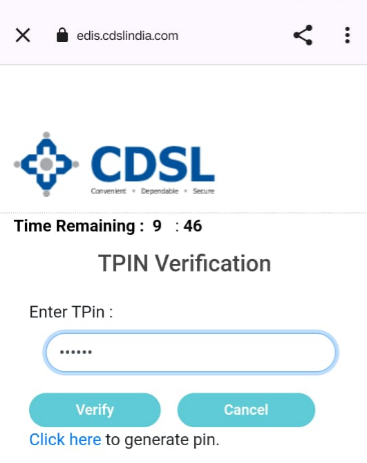
Step 6: Enter your TPIN and click on ‘Verify’
Step 7: OTP Verification Final security layer, Enter the OTP received and Click ‘Verify’
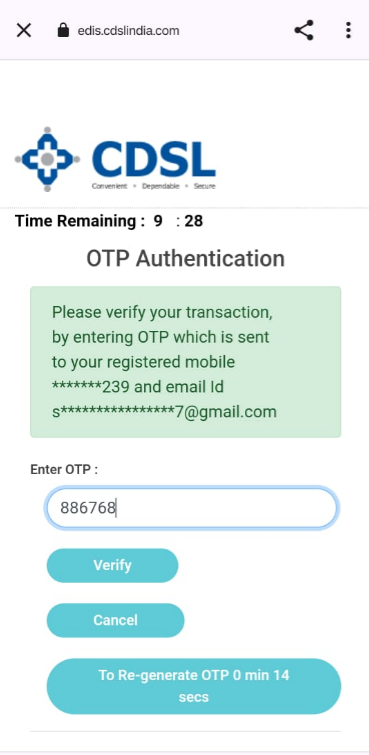
Step 8: Order confirmation Post-verification Your MTF sell order is placed on the exchange You will receive an order confirmation notification Order status visible in the ‘Orders’ tab
Trade with Upstox
Want to open a Demat account?
Open a FREE Demat and Trading account to invest in Stocks, Mutual Funds, IPOs and more.
By signing up you agree to receive transaction updates on Whatsapp. You may also receive a call from an Upstox representative to help you with the account opening process.
Upstox Community
Upstox Community
| Topic | Replies | Views | Activity |
|---|