
Help Center

Getting Started
Trading
My Account
Mutual Funds
IPOs
Stock SIP
Gold
NPS
Government Securities
Fixed Deposits
Insurance
Loan
Smallcase
DartStock
Upstox API
NCD
US Stocks
Minor Account
How to reset the default width of the chart screen in the Upstox scalper terminal?
The Upstox Scalper Terminal offers traders an integral resetting option for the default width of trading charts for chart management. This feature enables the end user to reset all three charts, Underlying, Call (CE), and Put (PE) charts, back to a clean view that is uniformly distributed.
Step 1: Start by finding the top right corner of any chart panel, either Underlying, Call (CE), or Put (PE) chart, in your workspace.
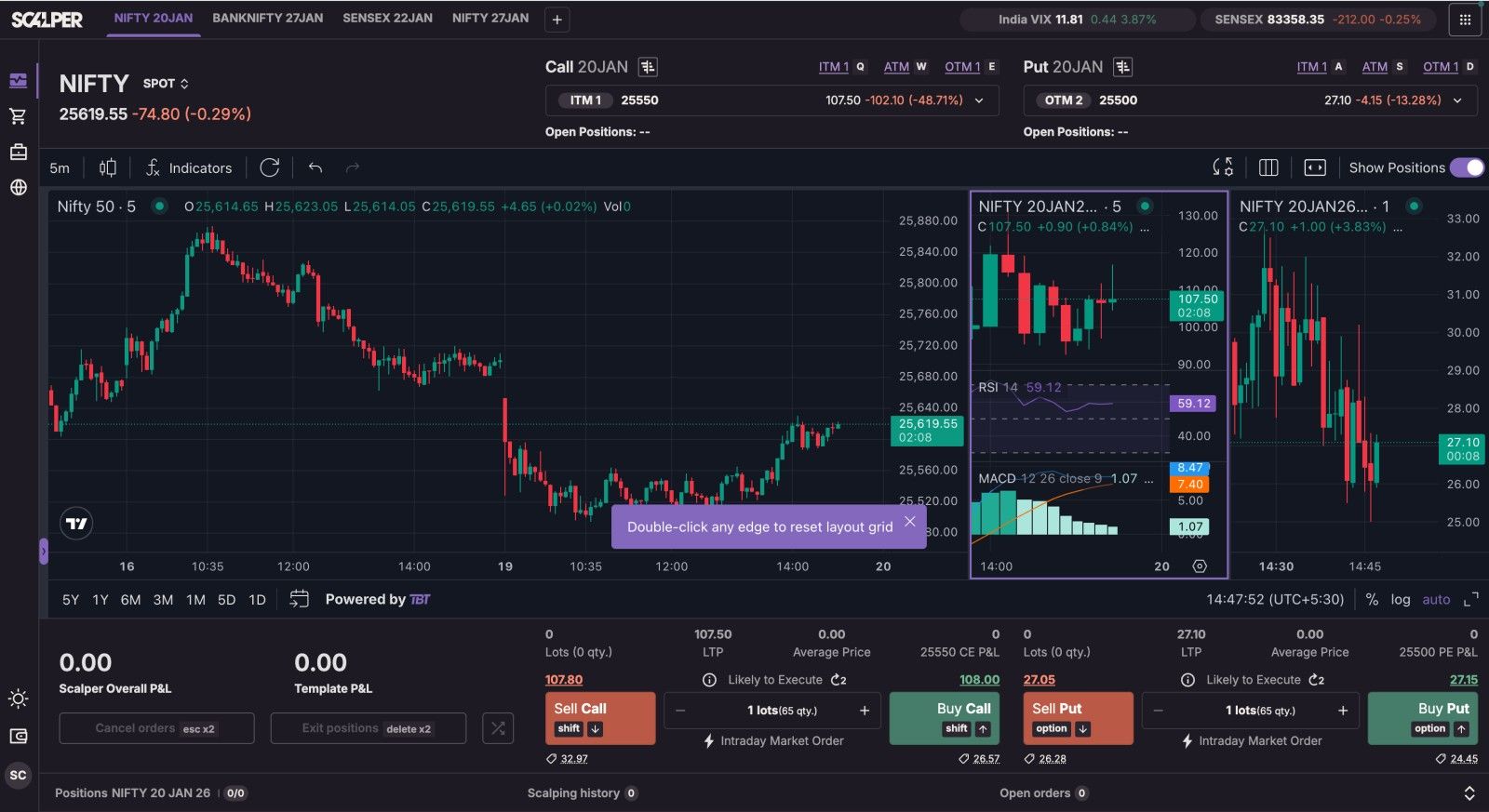
Step 2: Once you have found the "Reset chart width" icon, click on it available on the chart toolbar.
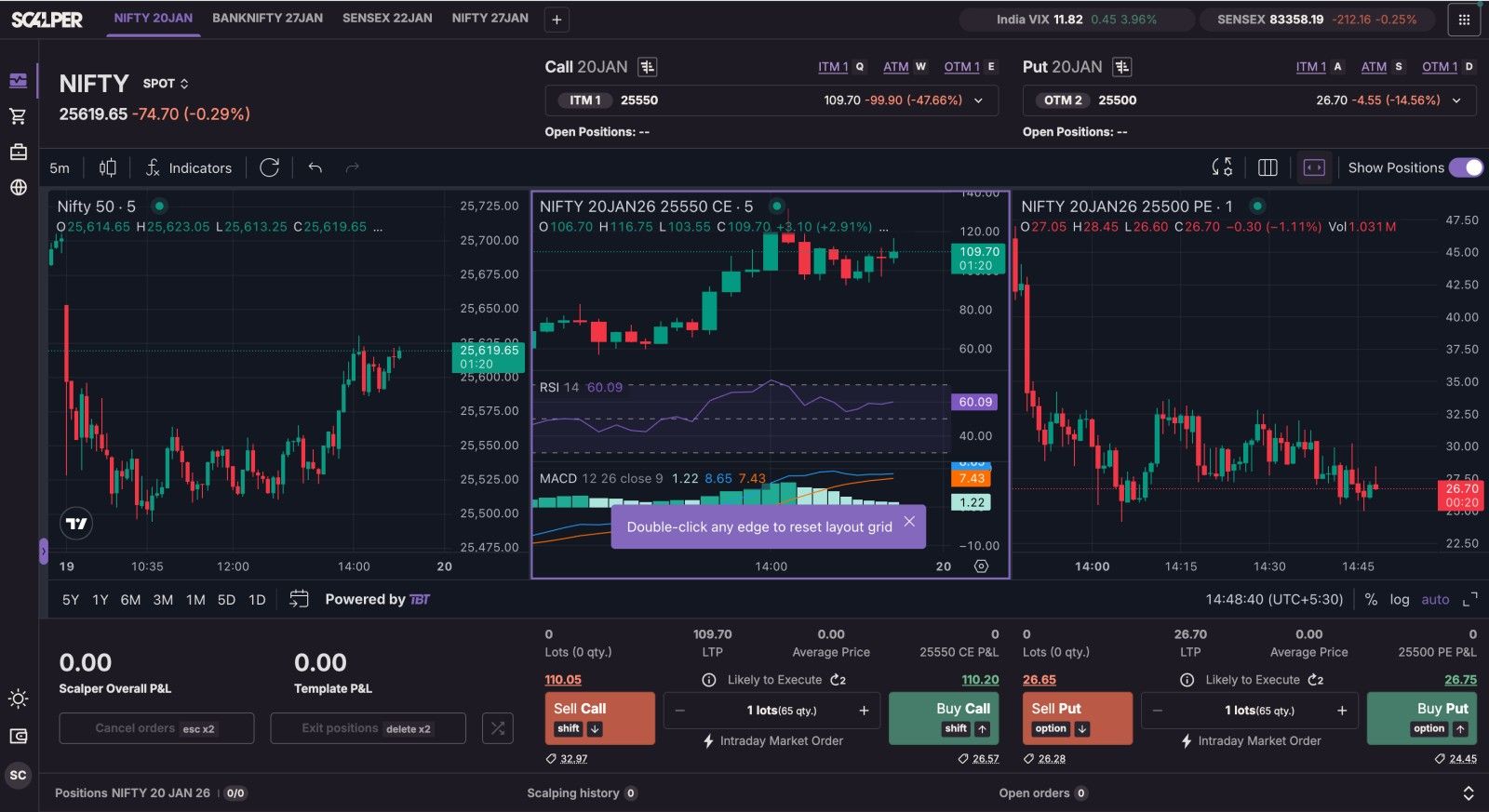
Step 3: After clicking, the system will instantly revert the three charts that were present in your working layout, Underlying, CE, and PE, back to the default width, which will provide an easy-to-analyse, uniform and balanced workspace for scalping and trading.
Trade with Upstox
Want to open a Demat account?
Open a FREE Demat and Trading account to invest in Stocks, Mutual Funds, IPOs and more.
By signing up you agree to receive transaction updates on Whatsapp. You may also receive a call from an Upstox representative to help you with the account opening process.
Upstox Community
Upstox Community
| Topic | Replies | Views | Activity |
|---|