
Help Center

Getting Started
Trading
My Account
Mutual Funds
IPOs
Stock SIP
Gold
NPS
Government Securities
Fixed Deposits
Insurance
Loan
Smallcase
DartStock
Upstox API
NCD
US Stocks
Minor Account
How to override the default lot size while scalping in the Upstox Scalper Terminal?
The Upstox Scalper Terminal provides a unique value to traders with the option of overriding the lot size set as a default at the time in which they place orders.
Each scalping template comes with a user-defined lot size stored in the setup configuration. However, the user can change the lot size for the specific transaction, but again save the default lot size in memory for the template.
This feature is especially helpful to a trader who wants to increase or decrease their exposure to cover a particular order but wants to retain the prior template, there being an order; decreasing # of units for an adjusted offer, or maybe increasing for the ultimate risk management perspective.
Step 1: Select your desired unit input by navigating your desired template, i.e., Nifty, Bank Nifty, etc., which in turn, will help ensure any changes are applied to the proper market instrument.
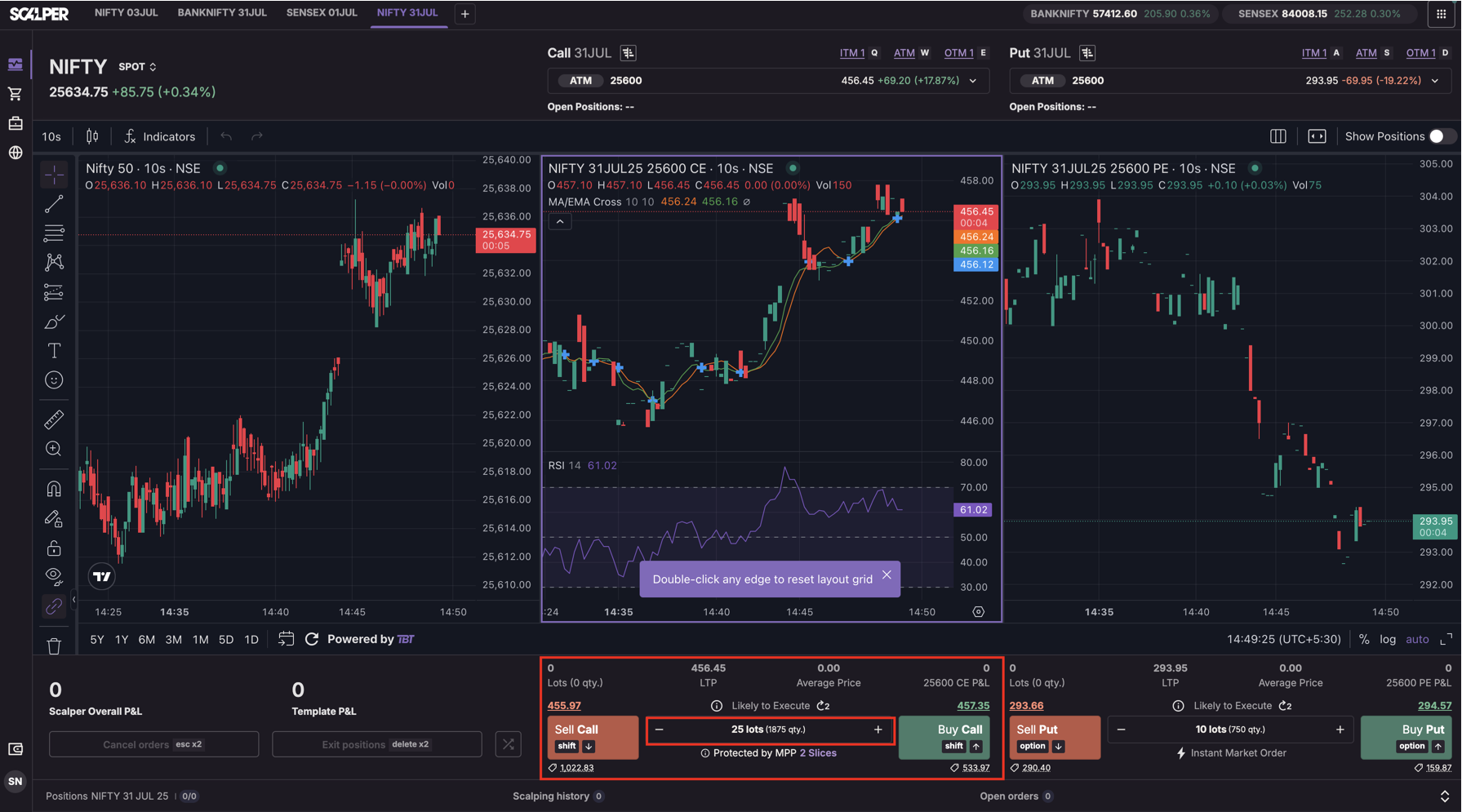
Step 2: On the Execution Pane is the Lot Override input box found next to the Buy/Sell buttons.
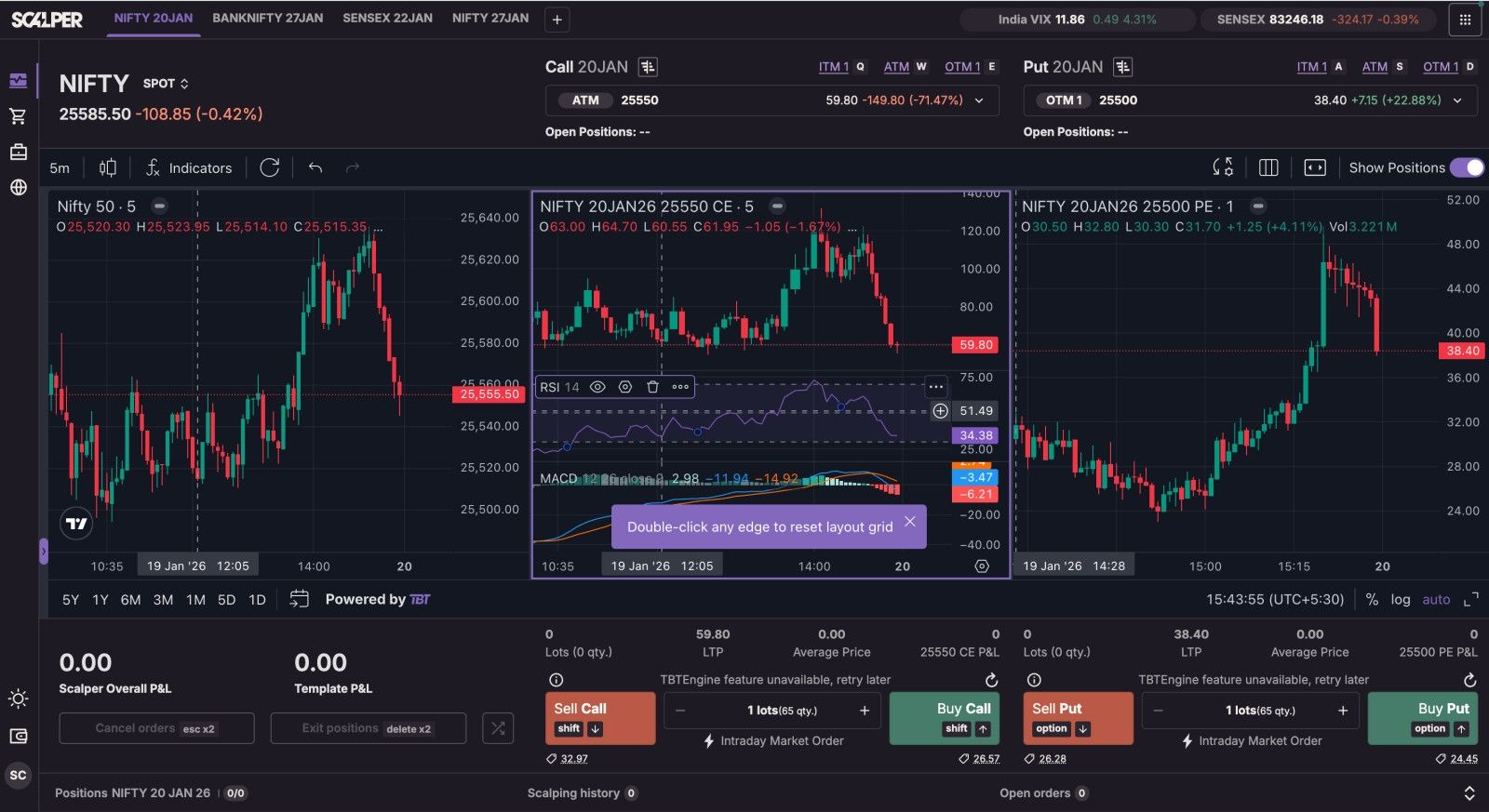
Step 3: Tap the “+” or “−” buttons to adjust your quantity from, for example, 1 lot to your desired quantity.
Step 4: Select Buy or Sell as intended, but the trade will be filled with the override lot size.
Additional Information:
This lot override is valid only to the current order and will not make any changes to the saved default lot size in the template; it will revert back to the saved default lot size after your session is reloaded or hits obstinately expired.
Trade with Upstox
Want to open a Demat account?
Open a FREE Demat and Trading account to invest in Stocks, Mutual Funds, IPOs and more.
By signing up you agree to receive transaction updates on Whatsapp. You may also receive a call from an Upstox representative to help you with the account opening process.
Upstox Community
Upstox Community
| Topic | Replies | Views | Activity |
|---|