
Help Center

Getting Started
Trading
My Account
Mutual Funds
IPOs
Stock SIP
Gold
NPS
Government Securities
Fixed Deposits
Insurance
Loan
Smallcase
DartStock
Upstox API
NCD
US Stocks
Minor Account
How to buy CE (Call Option) or PE (Put Option) in the Upstox scalper terminal?
Upstox Scalper Terminal offers traders a quick and efficient way to establish options trades directly off the execution panel. Whether executing a Call (CE) or a Put (PE), the terminal is designed for instant order placement, making it ideal for high-speed scalping trades.
Step 1: First, select the template you would like to work from for the intended index or instrument, i.e., when trading the Index and based on Nifty or Bank Nifty, or any option contract available in the trading terminal for the purposes of placing trades on the right symbol.
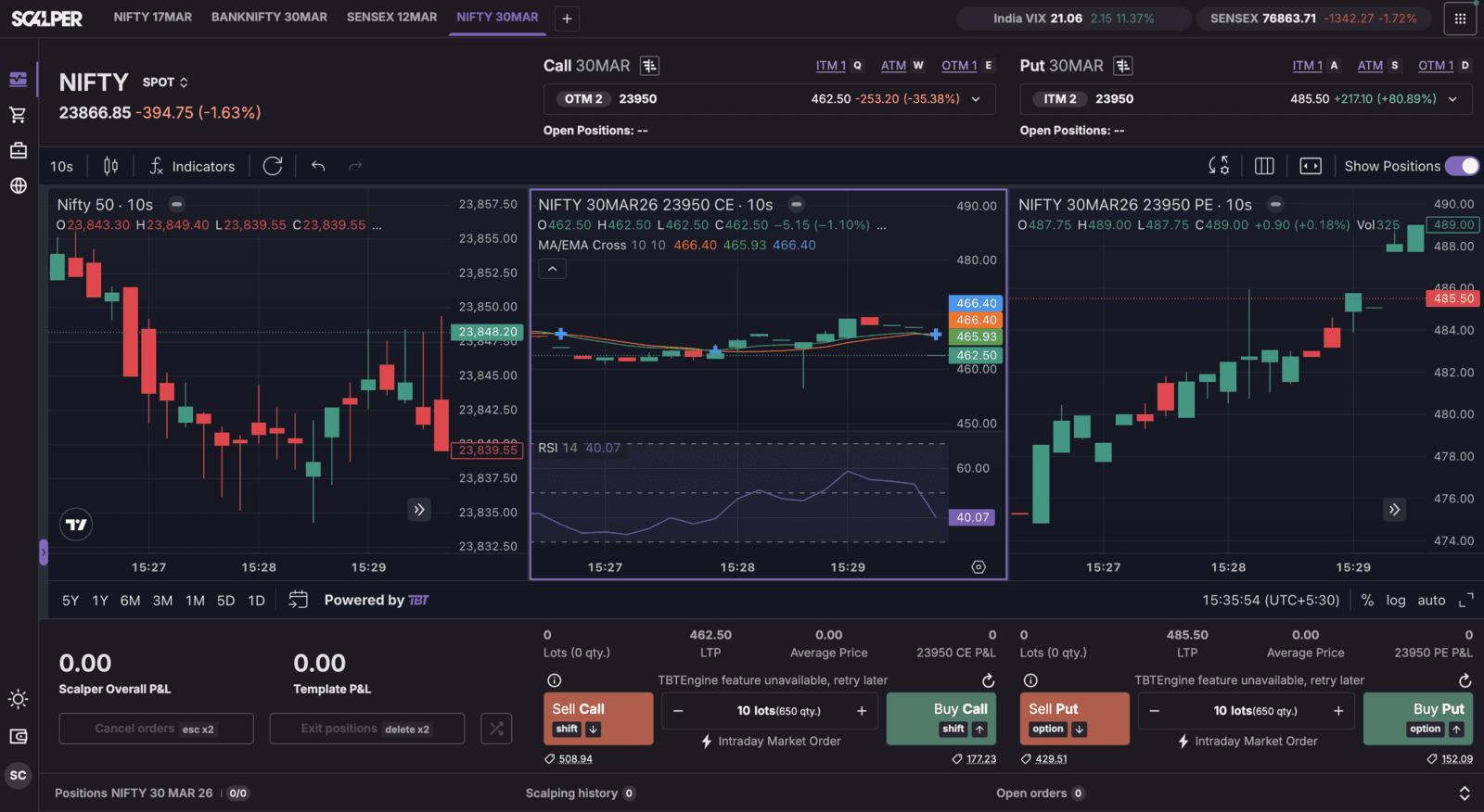
Step 2: Next, look to the Execution Panel. To make a trade to initiate a position, simply click on “Buy Call” if you want a execute a CE, or Buy Put to buy a PE.
Step 3: The order will be a Market Order when selected using either the default lot size or your selected size for lot size for fast and easy order execution.
Trade with Upstox
Want to open a Demat account?
Open a FREE Demat and Trading account to invest in Stocks, Mutual Funds, IPOs and more.
By signing up you agree to receive transaction updates on Whatsapp. You may also receive a call from an Upstox representative to help you with the account opening process.
Upstox Community
Upstox Community
| Topic | Replies | Views | Activity |
|---|