
Help Center

Getting Started
Trading
My Account
Mutual Funds
IPOs
Stock SIP
Gold
NPS
Government Securities
Fixed Deposits
Insurance
Loan
Smallcase
DartStock
Upstox API
NCD
US Stocks
Minor Account
How do I exit my positions on Chart 360 web?
With Chart 360 Web, traders now have a simple method of exiting their positions with different easy-to-use options. You can exit positions in 2 ways: through the Positions tab by clicking directly on the charts, or by clicking the 'Exit All' button at the bottom if you want to manage your open trades.
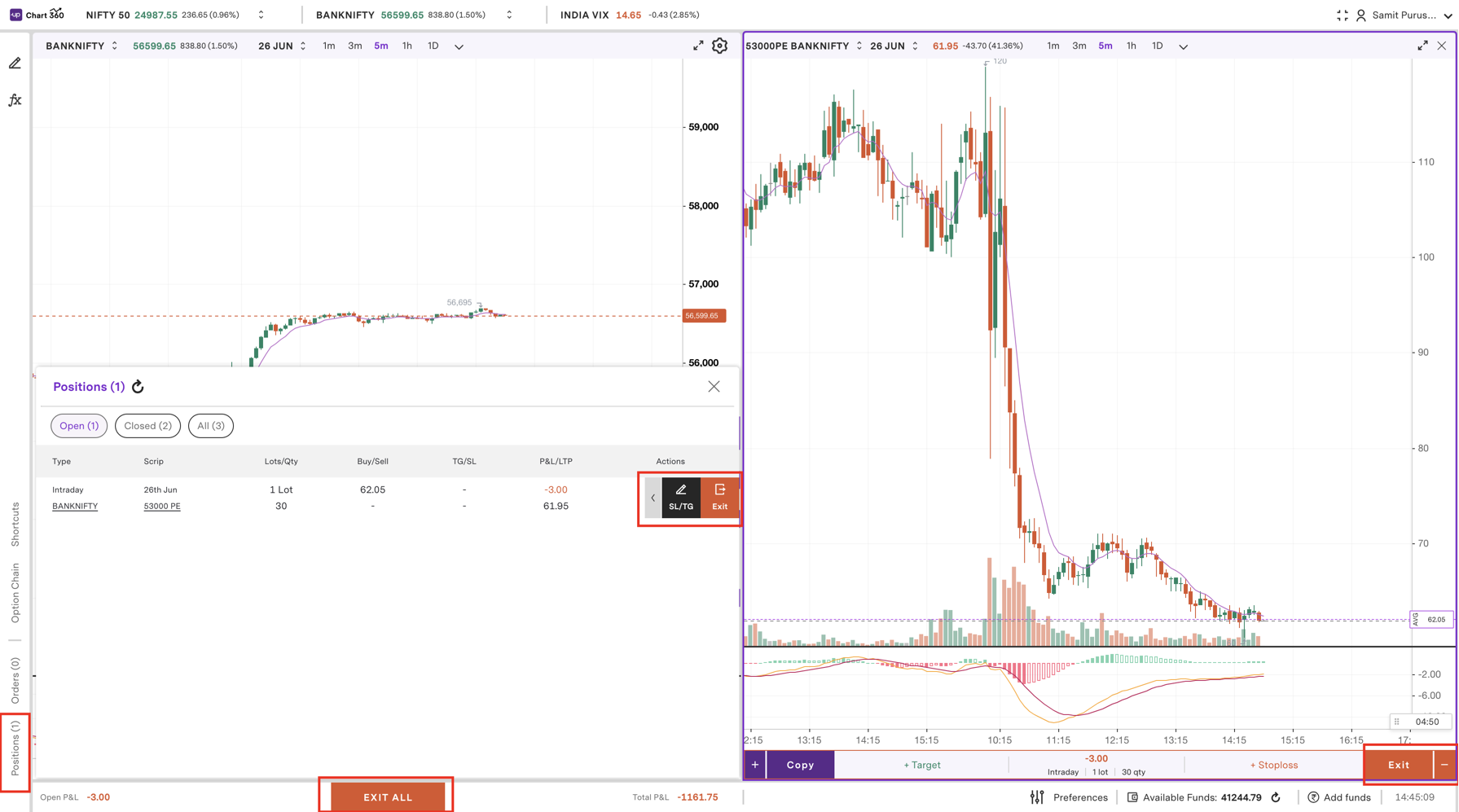
Step 1: Click on the ‘Positions’ tab on the left panel to see all your open trades.
Step 2: Select a position that you want to exit from the list.
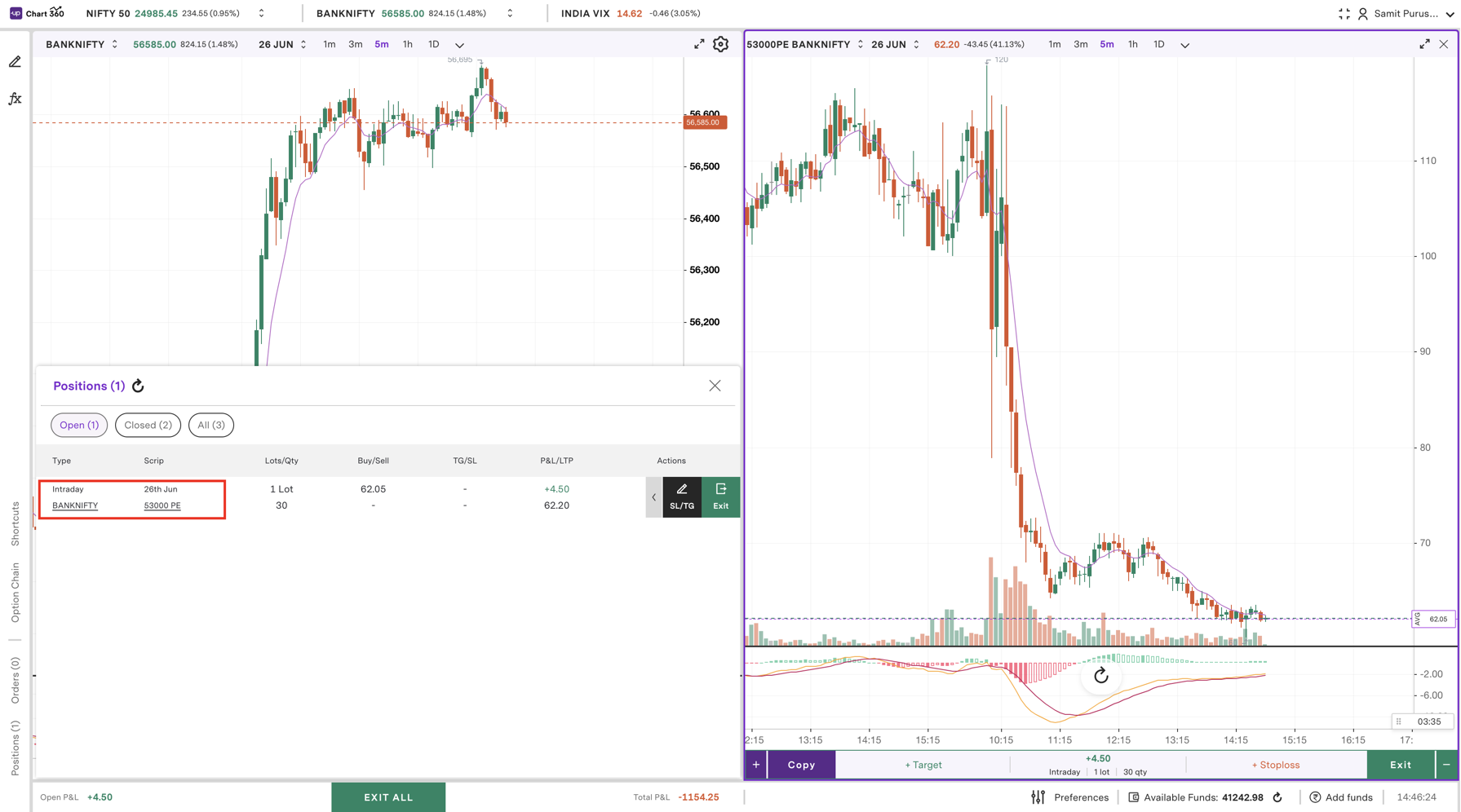
Step 3: Click the ‘Exit’ button next to the position you want to exit.
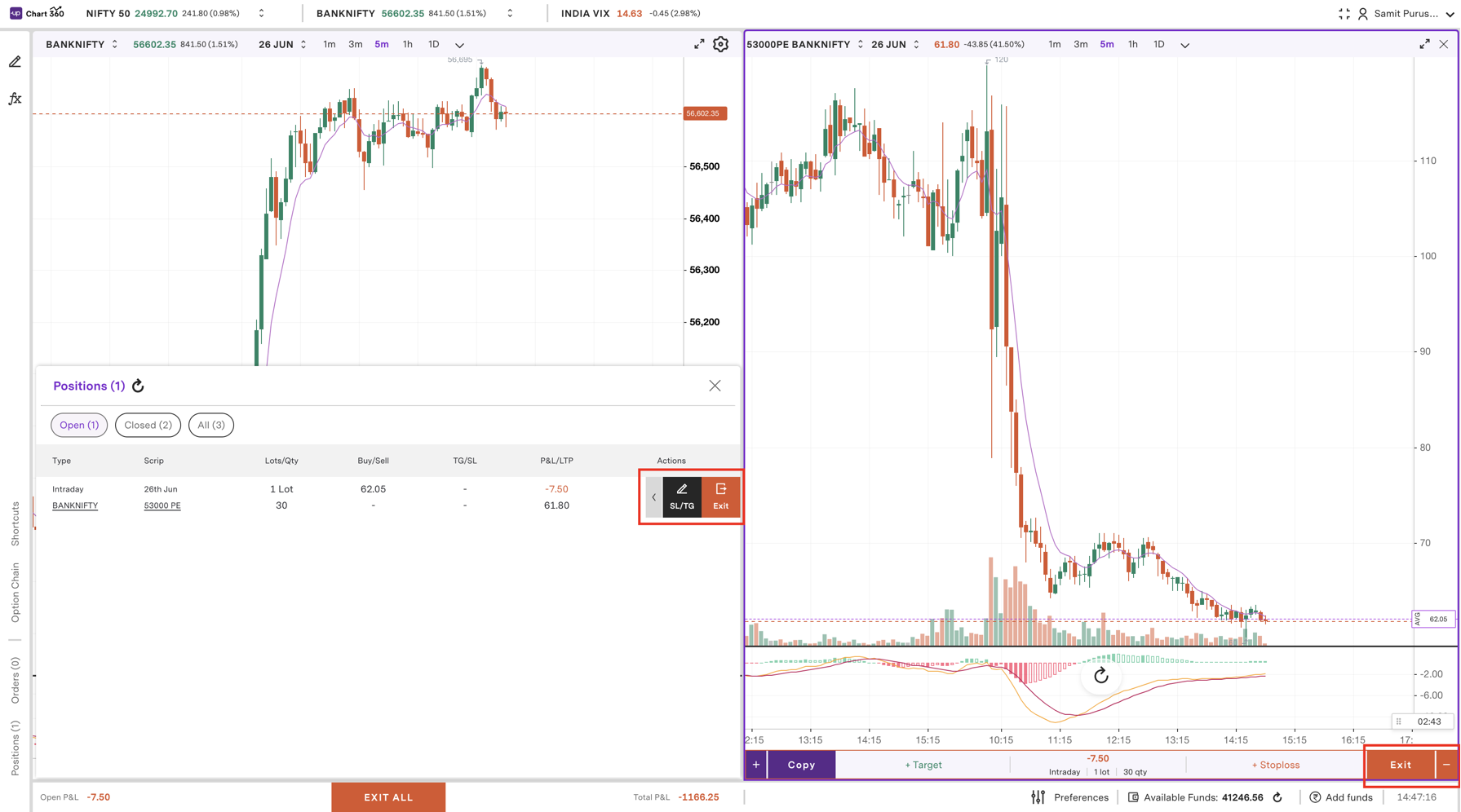
Step 4: Select the type of order you prefer, either a ‘Market’ order to execute immediately, or a ‘Limit’ order where you will specify the exit price.
Step 5: For a Limit order, enter the exit price you want, and for a Market order, it will be exited immediately at the current price.
Step 6: Finally, you will exit your position by clicking ’Exit’.
This step-by-step process on Chart 360 Web provides traders with flexibility and control, making position management easy and efficient.
Trade with Upstox
Want to open a Demat account?
Open a FREE Demat and Trading account to invest in Stocks, Mutual Funds, IPOs and more.
By signing up you agree to receive transaction updates on Whatsapp. You may also receive a call from an Upstox representative to help you with the account opening process.
Upstox Community
Upstox Community
| Topic | Replies | Views | Activity |
|---|