
Help Center

Getting Started
Trading
My Account
Mutual Funds
IPOs
Stock SIP
Gold
NPS
Government Securities
Fixed Deposits
Insurance
Loan
Smallcase
DartStock
Upstox API
NCD
US Stocks
Minor Account
How do I create a basket on Upstox?
Creating a basket order on Upstox is equivalent to filling your shopping cart with different category items on an e-commerce portal and then purchasing with one click.
Follow below mentioned process to create and execute basket order,
Detailed process,
Step 1: Go to the ‘Orders’ screen on Upstox.
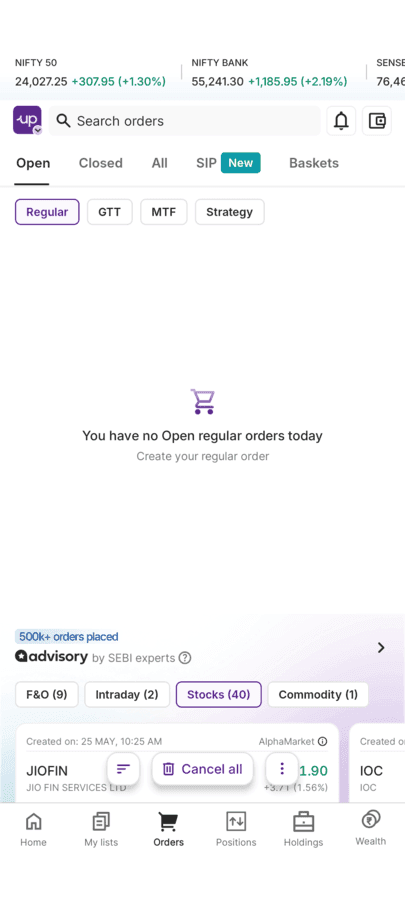
Step 2: Click on the 'Basket' tab.
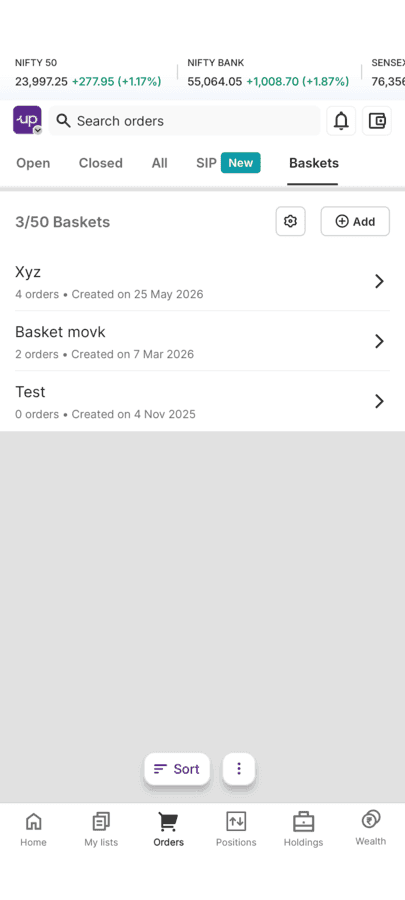
Step 3: Click 'Add basket' to create a new basket.
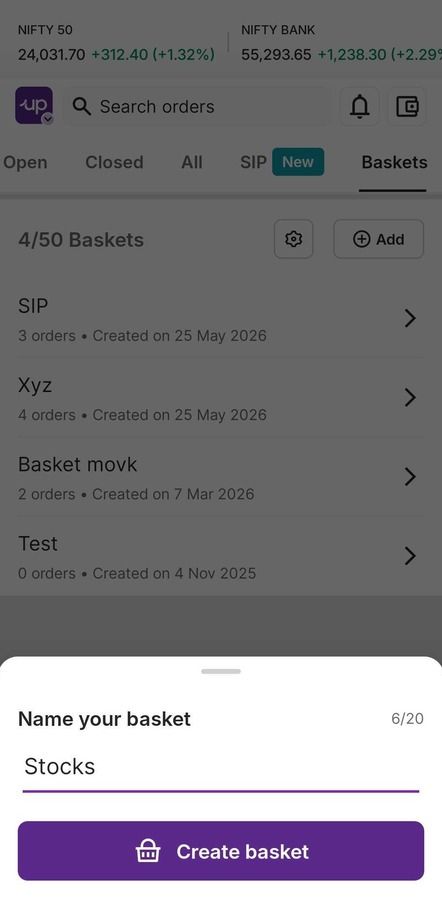
Step 4: Give your basket a name (minimum 3 characters) Example – ‘Tech Stocks’ or ‘Monthly SIP’
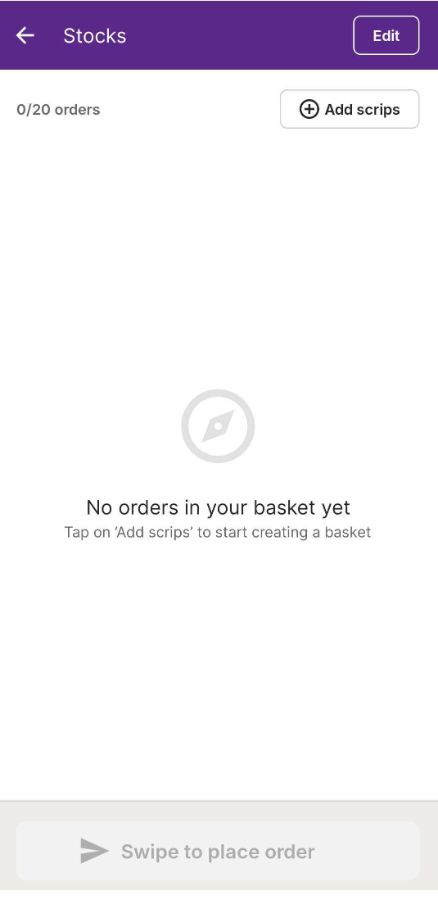
Step 5: Click 'Add scrips' to start adding orders
Step 6: Choose the stocks, futures or options you want from the list.
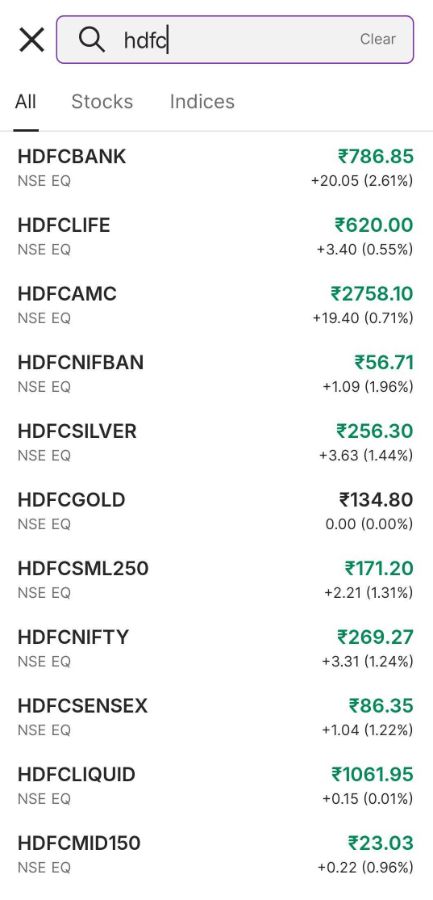
Step 7: For each item, enter,
- Price
- Quantity
- Order type (market, limit, etc.)
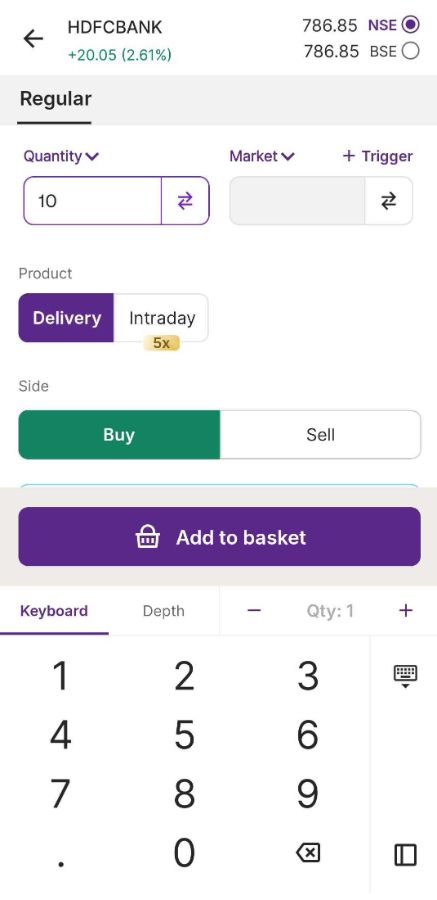
Step 8: Then click 'Add to basket'
Step 9: Keep adding more orders (you can add up to 20 orders per basket).
Step 10: Review all your orders to make sure everything is aligned as per your needs
That's it! Your basket is ready to execute.
Remember –
- You can add both buy and sell orders in the same basket
- Each basket can hold up to 20 orders maximum
What happens next?
Once your basket is ready, you can either,
- Save it for later use
- Execute all orders immediately with one click
- Edit or modify orders before executing
Creating baskets saves you time and keeps your trading organised!
Trade with Upstox
Want to open a Demat account?
Open a FREE Demat and Trading account to invest in Stocks, Mutual Funds, IPOs and more.
By signing up you agree to receive transaction updates on Whatsapp. You may also receive a call from an Upstox representative to help you with the account opening process.
Upstox Community
Upstox Community
| Topic | Replies | Views | Activity |
|---|