
Help Center

Getting Started
Trading
My Account
Mutual Funds
IPOs
Stock SIP
Gold
NPS
Government Securities
Fixed Deposits
Insurance
Loan
Smallcase
DartStock
Upstox API
NCD
US Stocks
Minor Account
Can I modify an open order on Chart 360 web?
Chart 360 Web upgraded its trading platform to allow modification of open orders. This simple feature gives traders an outstanding level of flexibility and control over their trades.
This feature gives traders the ability to modify their orders quickly as the markets change without having to cancel and re-enter their orders.
Here are 7 simple steps to follow:
Step 1: Traders start by going to the ‘Orders’ tab on the left of the platform, where it will show all open orders so that they can find orders quickly and manage their orders easily.
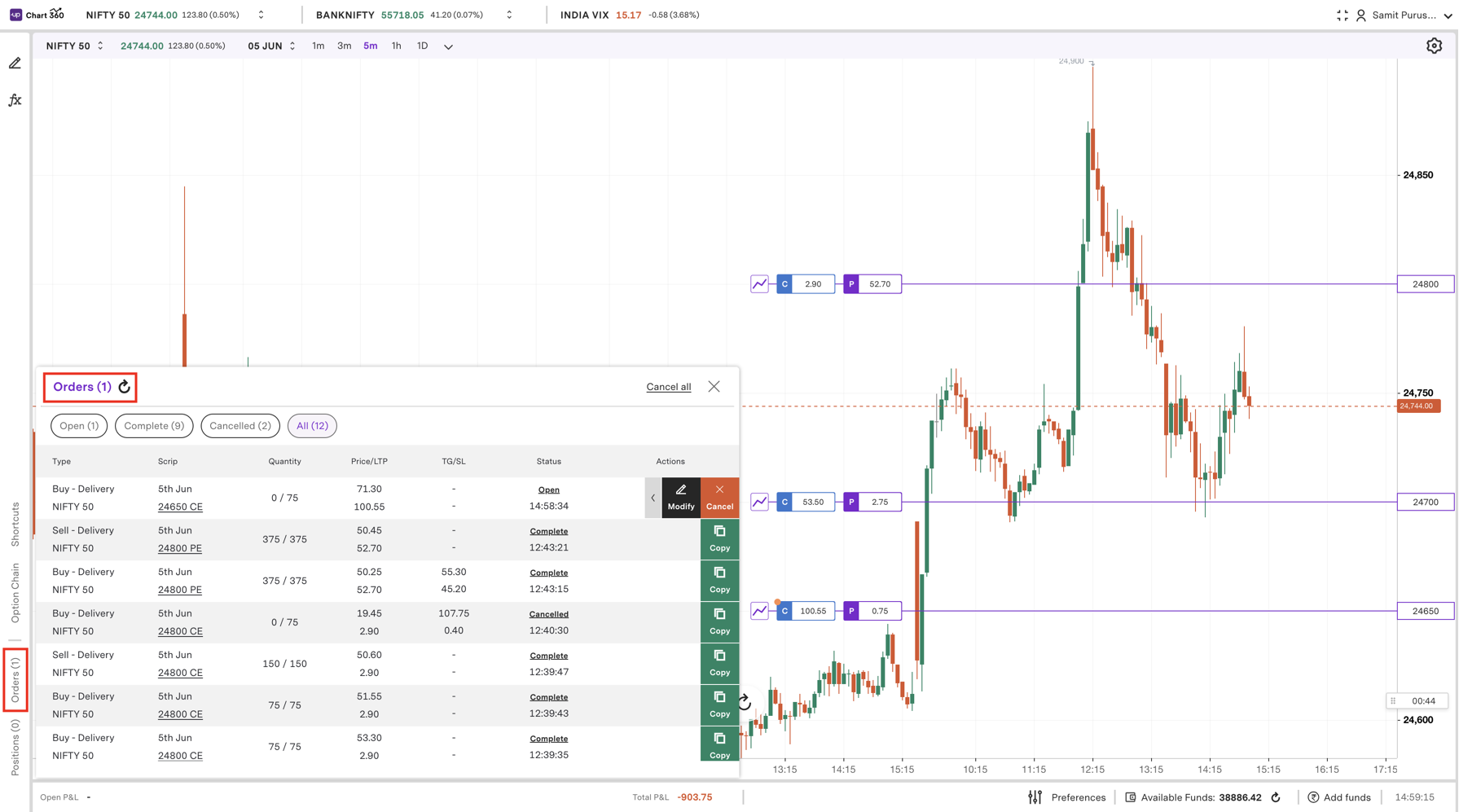
Step 2: Find the specific open order from the list you want to modify and be sure you have selected the right order to modify.
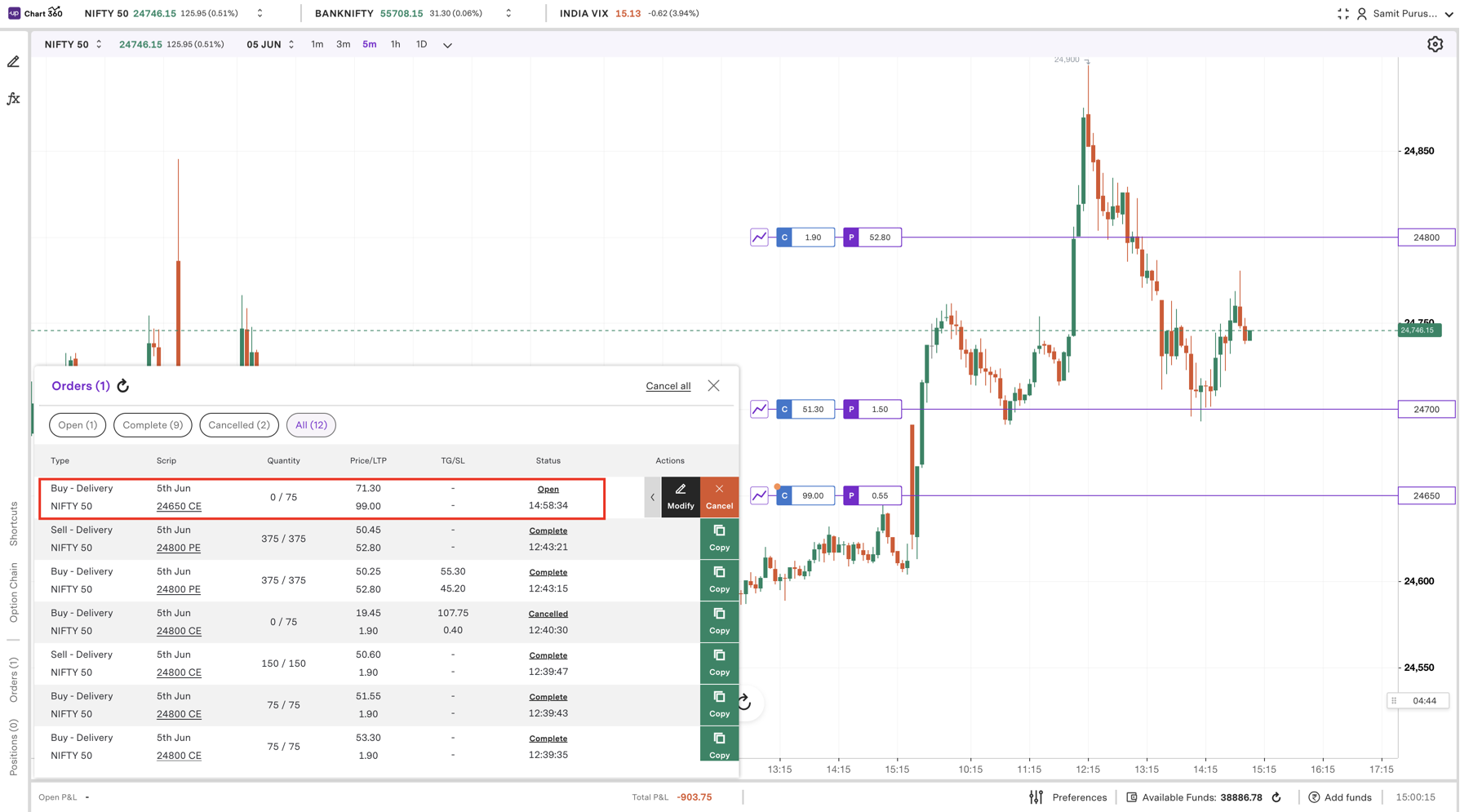
Step 3: Click on the contrary of your order you wish to modify, this will open your order detail screen so you can edit.
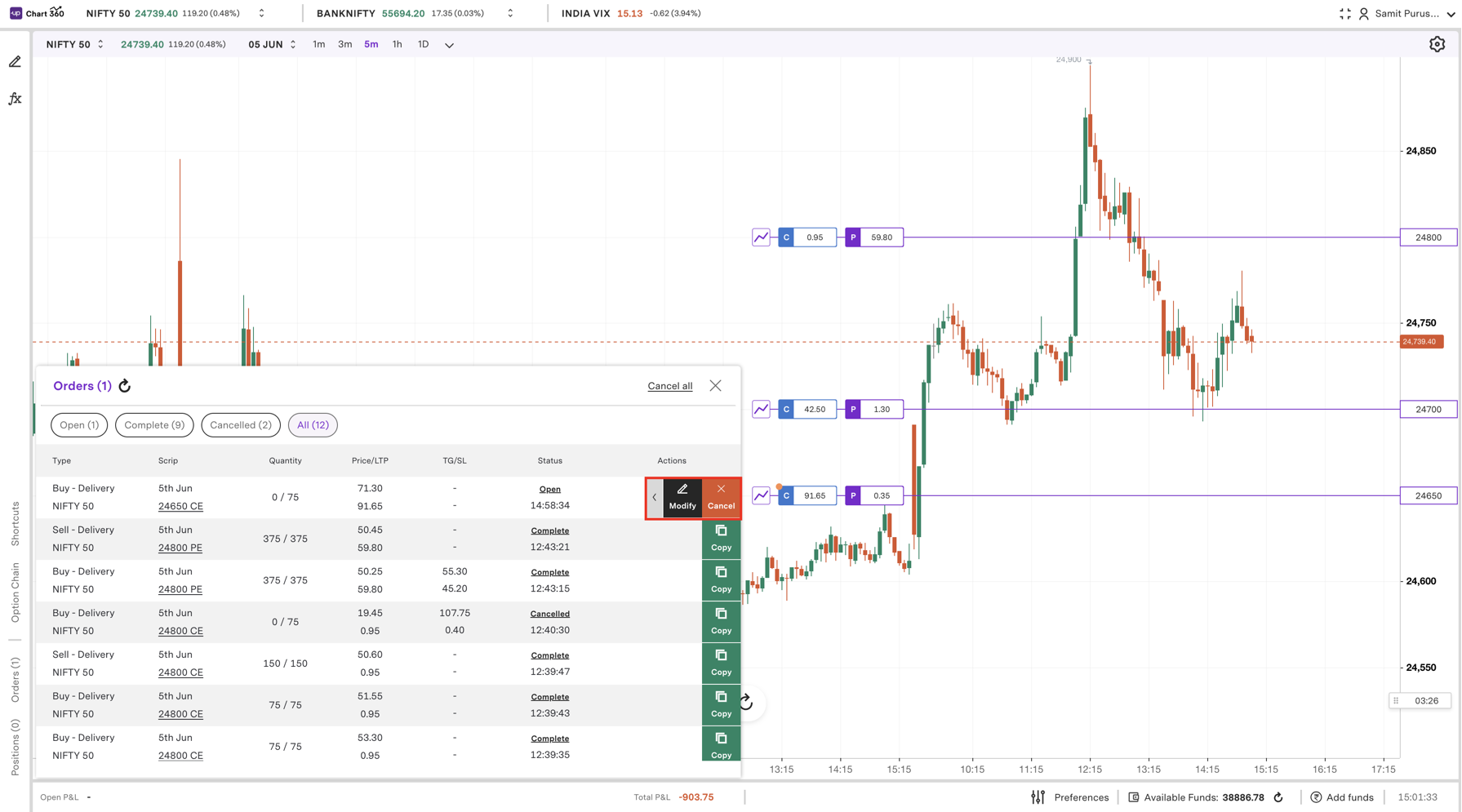
Step 4: Users can update order parameters, including the quantity, price, or order type, in accordance with a new trading plan or market condition.
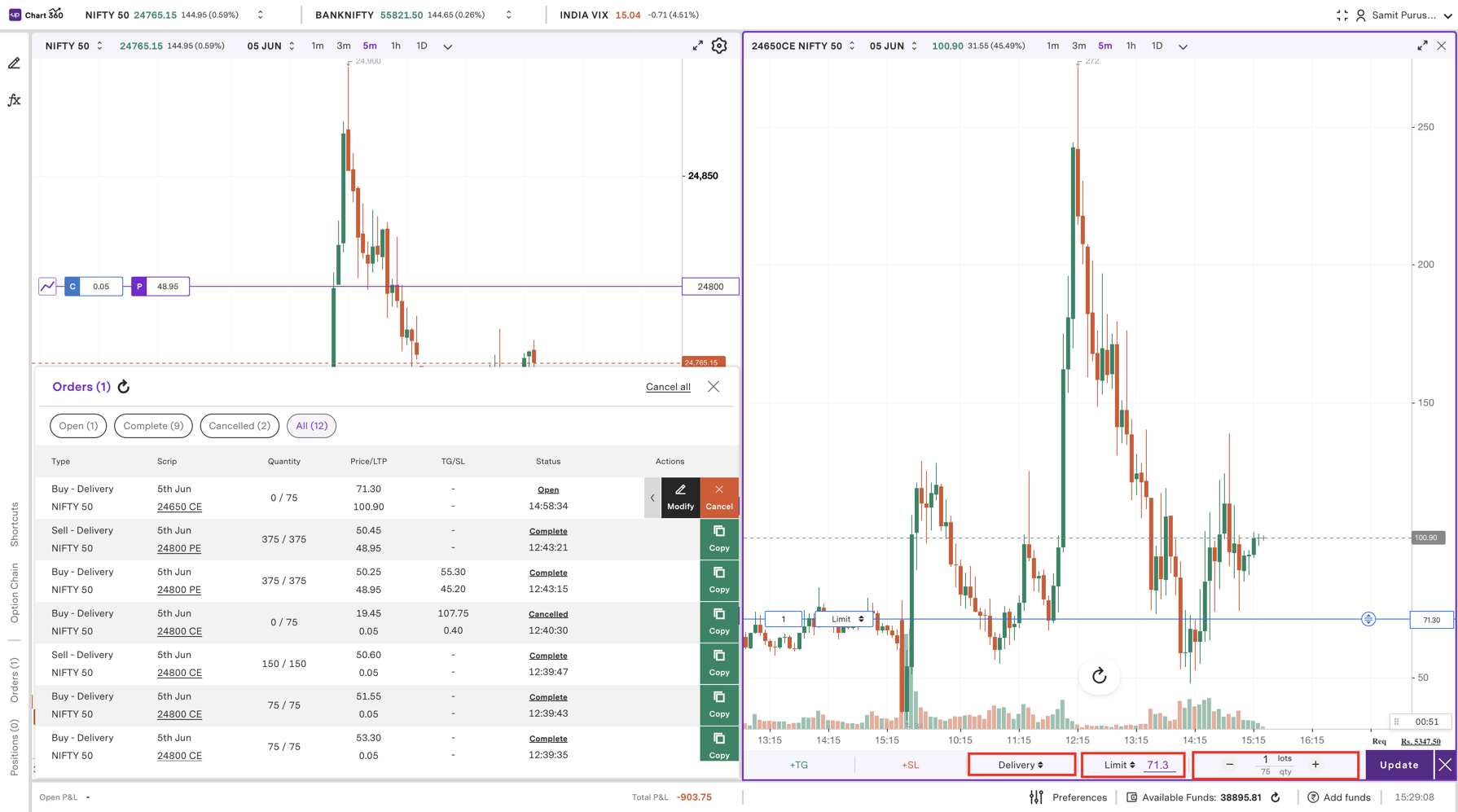
Step 5: Following the required modification of any order details, it is important to review all modifications carefully to ensure the changes have been made correctly and as intended.
Step 6: Once the user has confirmed and reviewed these changes, they can submit the change by clicking on the ‘Update’ button.
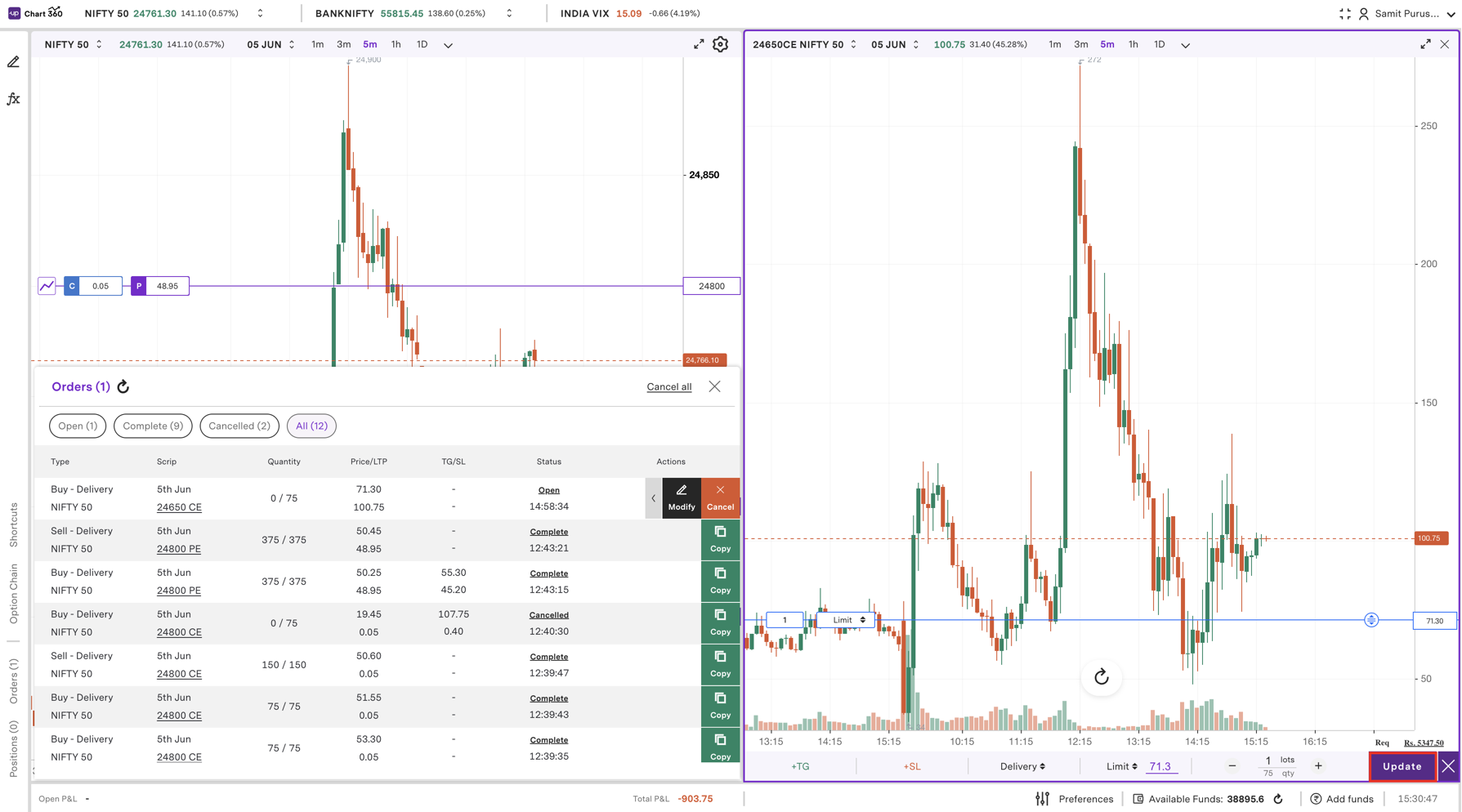
Step 7: The order is updated in the system, and the revised order will take place in a user's active orders under these updated terms.
This capability significantly increases the efficiency in trading on Chart 360 Web, allowing for fast and confident trades in response to market movement, without difficulty or effort.
Trade with Upstox
Want to open a Demat account?
Open a FREE Demat and Trading account to invest in Stocks, Mutual Funds, IPOs and more.
By signing up you agree to receive transaction updates on Whatsapp. You may also receive a call from an Upstox representative to help you with the account opening process.
Upstox Community
Upstox Community
| Topic | Replies | Views | Activity |
|---|