
Help Center

Getting Started
Trading
My Account
Mutual Funds
IPOs
Stock SIP
Gold
NPS
Government Securities
Fixed Deposits
Insurance
Loan
Smallcase
DartStock
Upstox API
NCD
US Stocks
Minor Account
How to logout all sessions from your web page?
To logout all sessions from your web page, these are the steps to follow:
Step 1: Log in on Upstox web platform: You can login via https://pro.upstox.com or http://tv.upstox.com/ using your 6-digit PIN or with a QR code.
Step 2: Click on 'My account'/ 'Profile'.
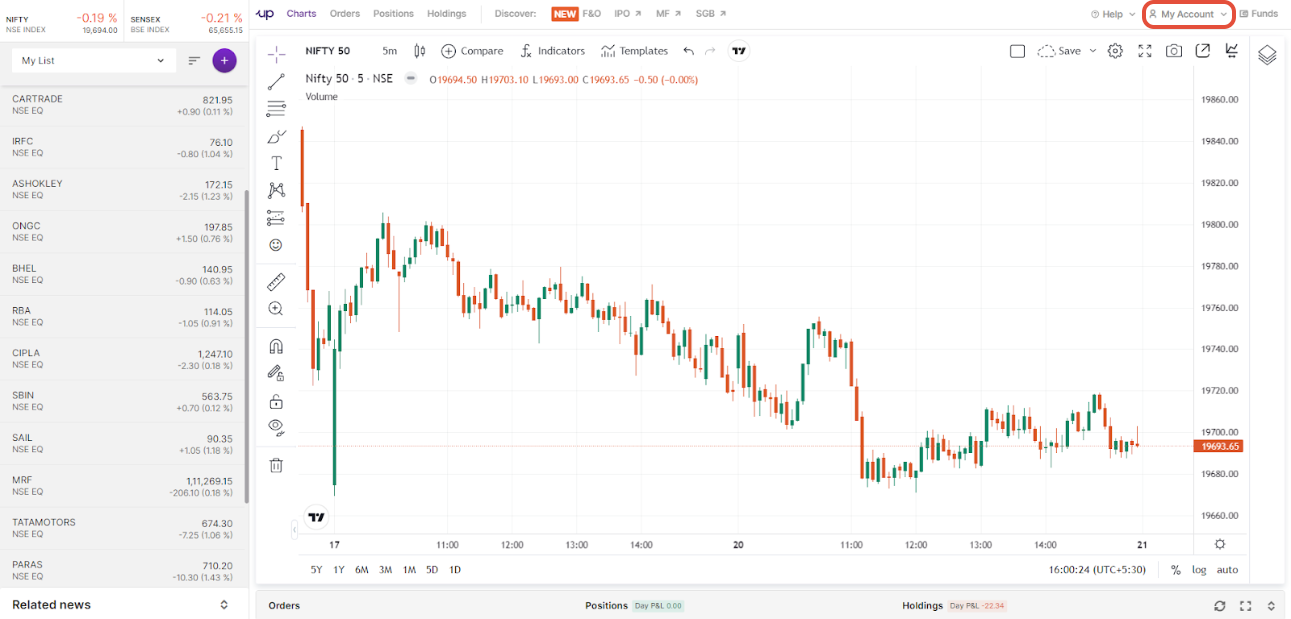
Step 3: Click on 'My account' - User ID.
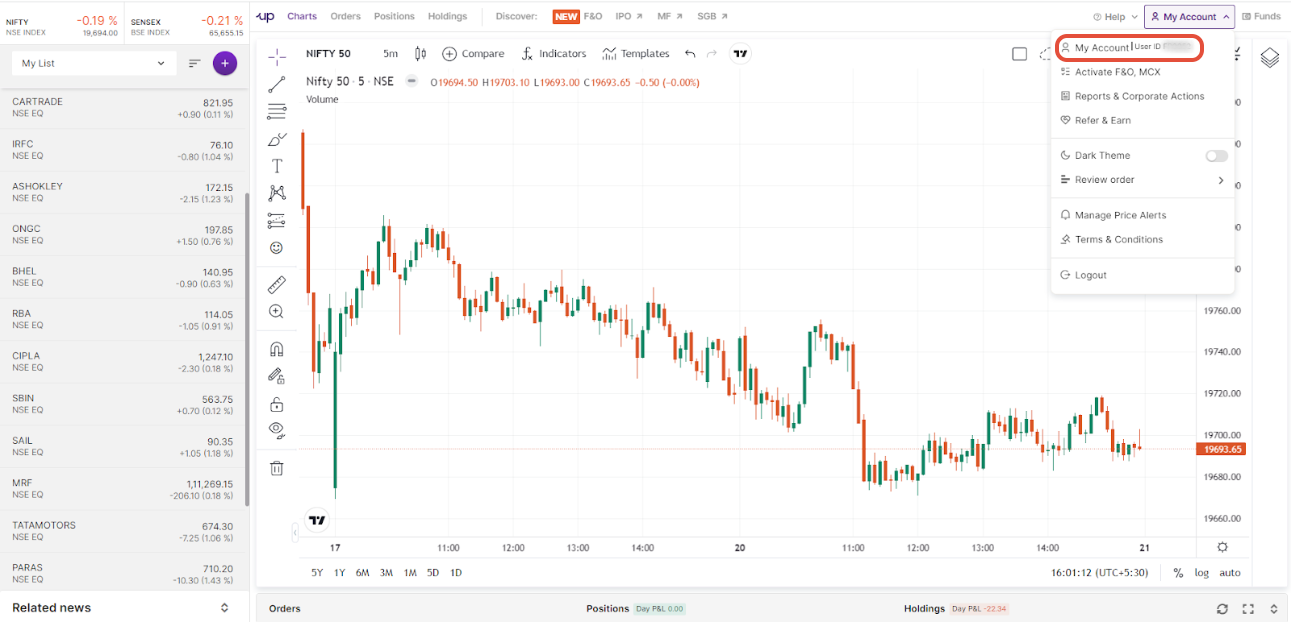
Step 4: Click on ‘Manage sessions’.
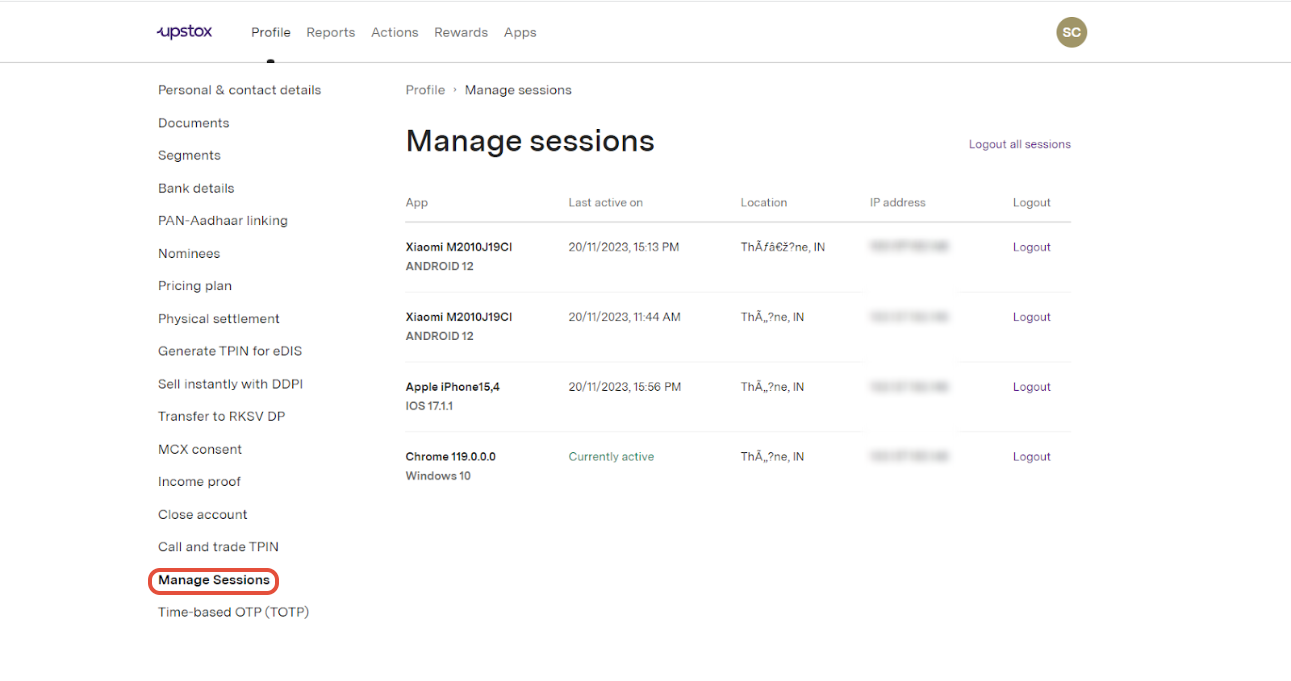
Step 5: You can individually logout specific sessions or you can either click on ‘Log out all sessions’.
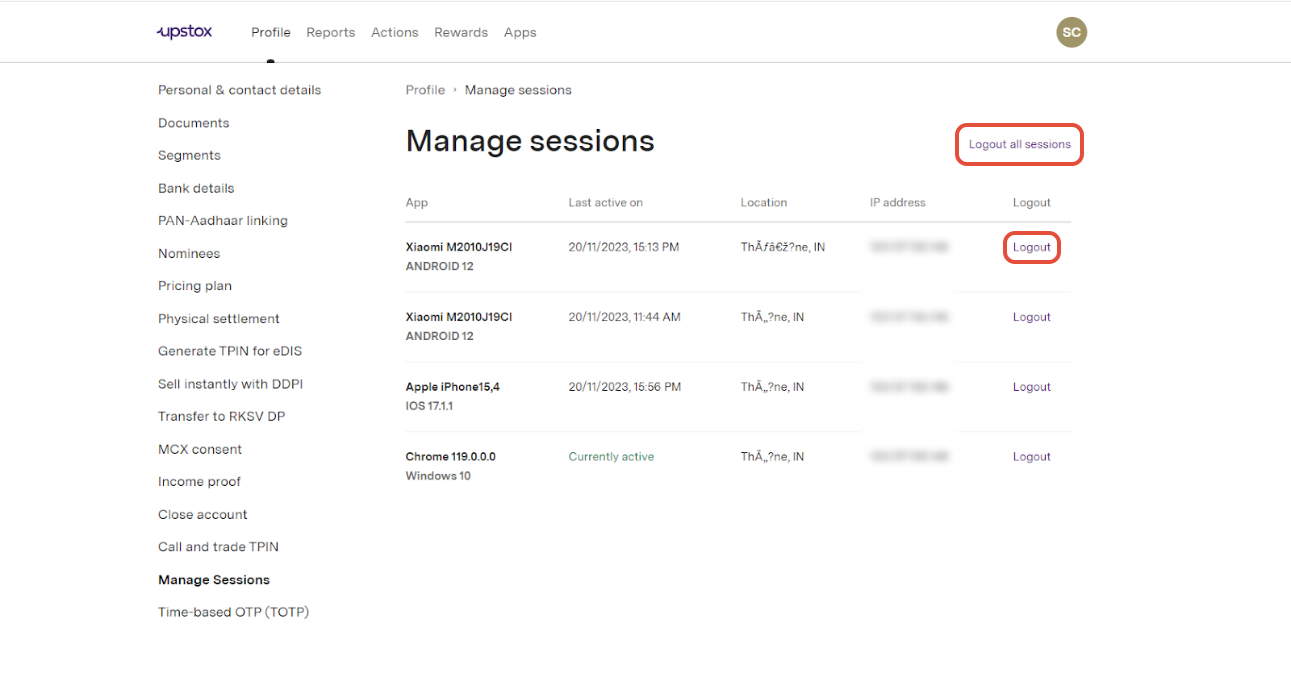
Step 6: Click on ‘Log out’.
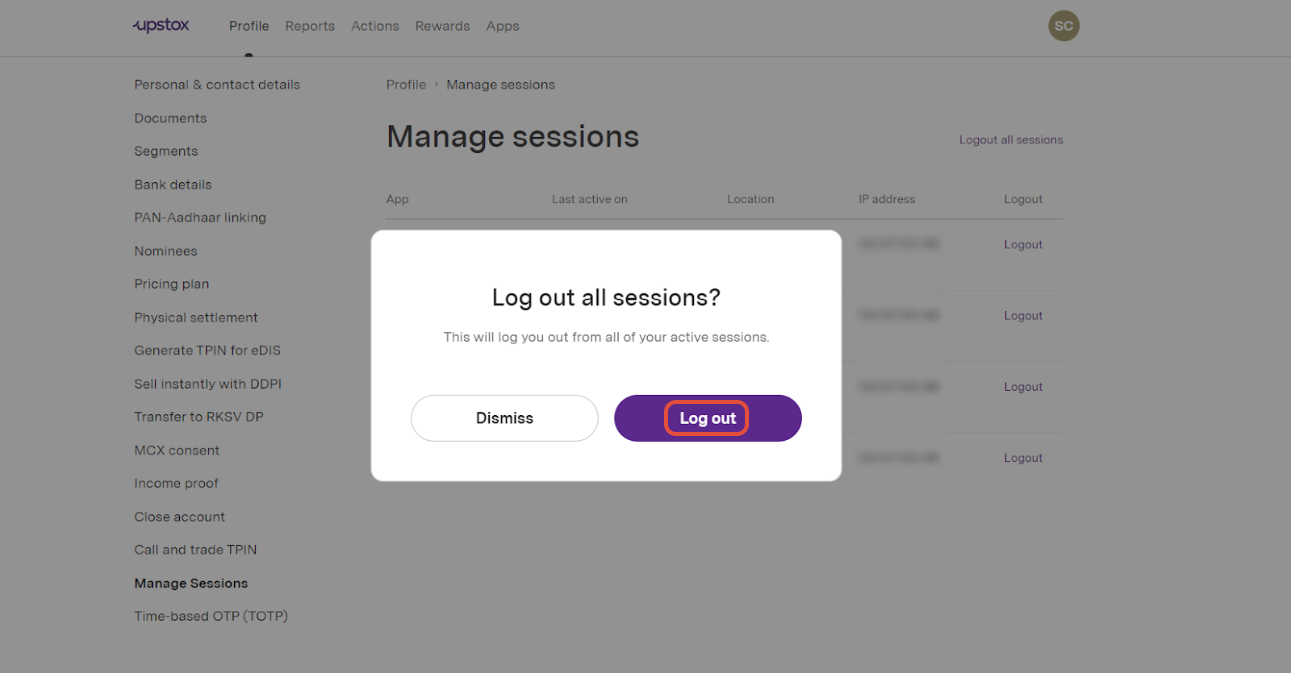
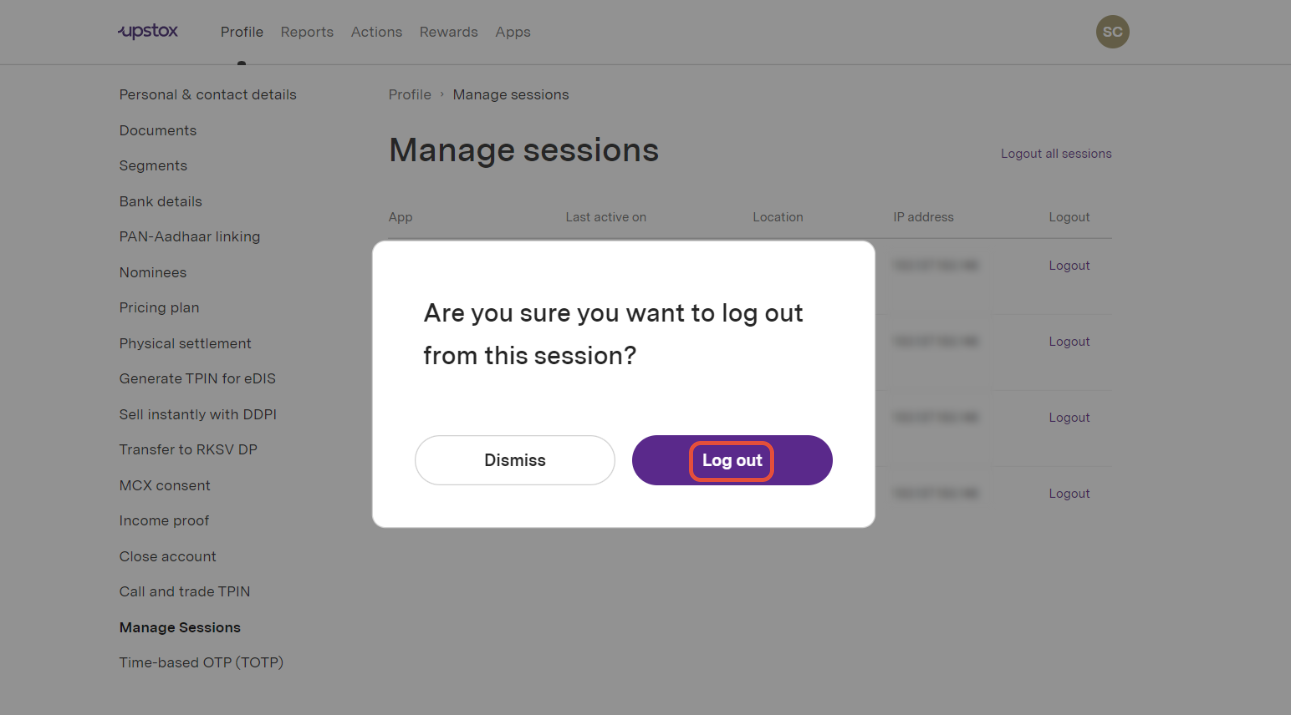
Note: This will log you out from all of your active sessions including the current session.
Related Article:
Trade with Upstox
Want to open a Demat account?
Open a FREE Demat and Trading account to invest in Stocks, Mutual Funds, IPOs and more.
By signing up you agree to receive transaction updates on Whatsapp. You may also receive a call from an Upstox representative to help you with the account opening process.
Upstox Community
Upstox Community
| Topic | Replies | Views | Activity |
|---|